

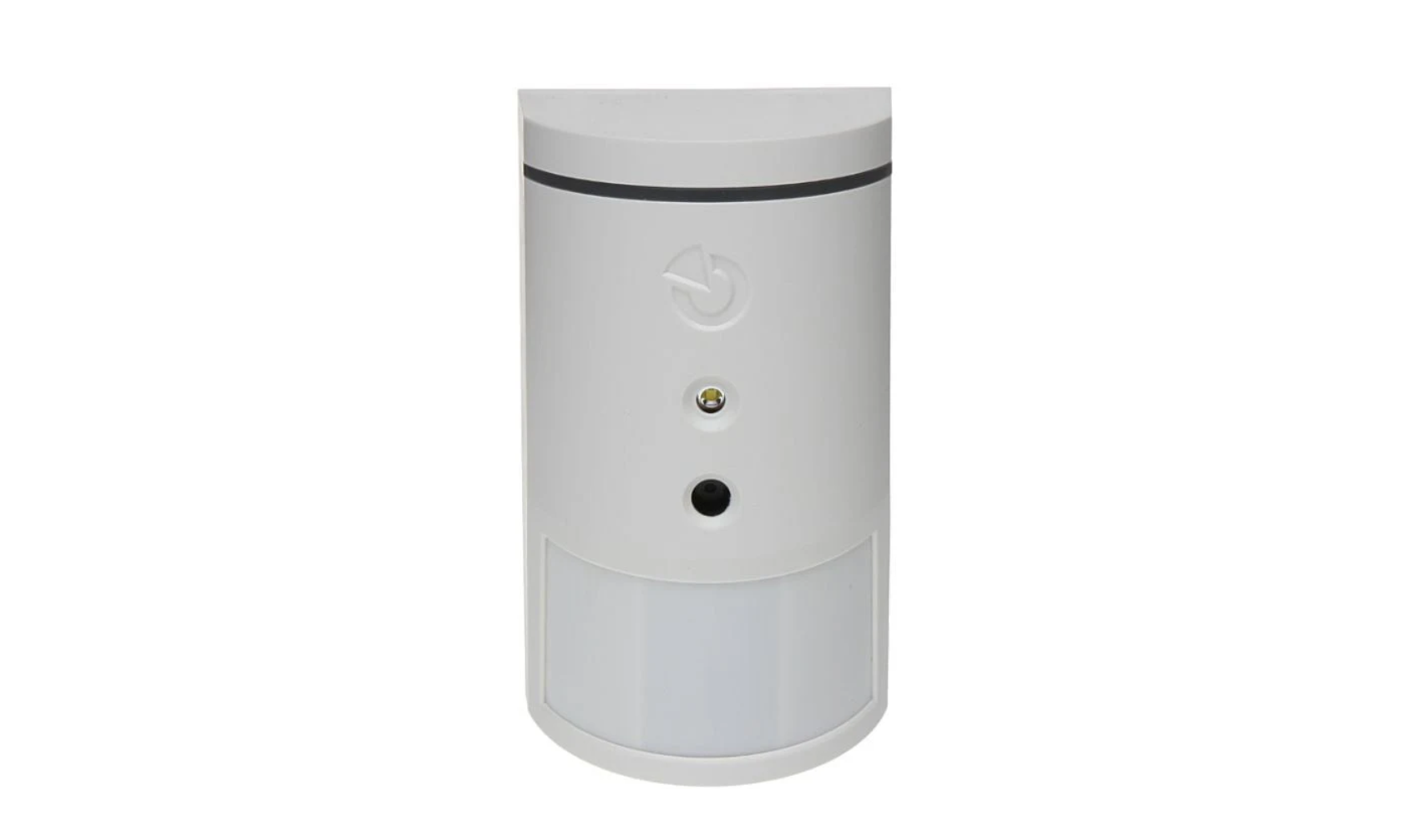

JABLOTRON JA-161PW Wireless Motion Detector

Introduction
The product is a component of the JABLOTRON system. It JABLOTRON JA-161PW Wireless Motion Detector is used for the spatial detection of movement of people in the interior of buildings. The combination of PIR and MW makes the detector highly resistant to false alarms. It uses a PIR sensor to detect the movement of people, which is then confirmed by an MW sensor. An alarm is triggered when both sensors are activated. The detector is designed to be installed by a trained technician with a valid Jablotron certificate. This product is compatible with JA-103K and JA-107K control panels.
Parts
- light guide
- PIR sensor lens
- cover latch
- hole for the locking screw


- PCB latch
- LED
- connector forthe MW sensor connection
- battery holder
- serial number
- tamper contact
- PIR sensor
- MW sensor
Installation
During the installation, pay attention that there should be no JABLOTRON JA-161PW Wireless Motion Detector obstacles in the detector’s view for proper PIR sensor function. We do not recommend installing the detector close to metal objects – it can cause the influence of the microwave field. It is not possible to install two or more detectors in an area where MW transmitters could interfere with each other.
- Open the detector cover by pressing the latch (3). Do not touch the PIR sensor (11) inside – it may be damaged.
- Release the PCB located in the rear housing part by pressing the PSBlatch (5) at the top of the cove.r
- Screw the rear cover part to the wall (vertically, cover latch down). Recommended installation height is max. 2,5 m above the floor. For proper detection of the detector being torn off the surface, use the rear holes in the oval part of the rear cover to screw it in as well.
- Please also refer to the installation manual of the control panel.
- Basic procedure
- The control panel must feature the JA-11xR radio module.
- Go to the F-Link software, select the required position in the Devices window, and launch the Enrolment mode by clicking on the Enrol option.
- By inserting the first battery, a yellow LED will start to flash. Only after inserting the second battery, an enrolment signal will be transmitted and the detector JABLOTRON JA-161PW Wireless Motion Detector will be enrolled into a selected position.
- Close the detector cover and secure it with the locking screw.
Setting detector properties
- PIR immunity level
- Determines resistance to false alarms. The Standard* level combines basic immunity with fast response. The Enhanced level provides higher immunity, but the detector responds more slowly.
- MW immunity level
- Determines the level of motion analysis performed by the MW sensor. Standard* combines basic immunity with fast response. An increased level provides higher immunity, but the detector responds more slowly.
- MW sensitivity
- 100%, 75%*, 50%, 25%. In some installation cases, the microwave detection is also able to detect movement behind a wall, behind a glass window, plasterboard, etc. Therefore, perform an errand test using the Test Mode – MW option, and in case of unwanted activations, gradually reduce the sensitivity.
MW activation
- Any way secured* / Fully secured / Always / Never. The factory default setting is that confirmation of PIR sensor activation by MW detection is enabled when both are partially and fully set.
- In the set state, MW detection is disabled (so the detector activation in the unset state is only from the PIR sensor). By switching the option to Fully armed,
- MW detection is only functional when the section is fully set. When the section is partially set and the section is in the unset state, MW detection is disabled. For the third option,
- Always, the MW detection is activated, namely, even in the set state. MW detection confirmation can also be completely disabled with the Never option. In this case, the detector behaves like a standard PIR motion detector.
Testing mode
- The PIR+ MW and MW buttons are used to test the detector in the control panel service mode, when it is necessary to check the detector activations by a walk test.
- Pressing the PIR+ MW button invokes the test mode of the detector as a whole for an errand test in the guarded room. Pressing the MW button invokes the test mode for MW detection only to check the sensitivity outside the guarded area, for the prevention of false alarms.
- In both cases, confirmation of activation is indicated by a red detector signal, and an activation signal is sent to the control panel – F-Link diagnostics tab. The MW detection test itself is interrupted either by switching the PIR+MW button or by leaving the internal settings of the detector under test.
Battery replacement
The system sends automatic reports when the battery is low. We recommend changing the batteries within two weeks since a low battery status has been indicated. Battery replacement is done by a technician with the control panel in service mode or by an authorized user in maintenance mode. It is necessary to wait for 10 seconds before inserting new batteries or triggering the cover tamper contact (10) and thus discharging remaining charge from within the detector.
Function test
Coverage characteristics

In the control panel service mode, the LED indicates any movement. After leaving the service mode, the detector switches to the operating mode according to the selected parameters of the internal settings.
The coverage of the area is according to the following picture – white characteristic. In certain cases, it can detect motion behind fixed obstacles non-metallic materials (behind a thin wall, door, glass, running water in plastic pipes, etc.).
Technical specifications
- Power: 2x alkaline battery, type LR6 (AA) 1.5 V / 2.45 Ah
- Typical lifetime of batteries: approx. 2 years
- Low battery voltage: <2.4 V
- Quiescent current consumption: 70 µA
- Maximal current consumption: 40 mA
- Communication band: 868.1 MHz, JABLOTRON protocol
- Maximum radio-frequency power: (ERP) <25 mW
- Recommended installation height: 2.5 m
- Detection angle/detection coverage: (PIR) 110 ° / 12 m
- Detection angle/detection coverage: (MW) 90 ° / 12 m
- Operating frequency: MW 24.125 GHz
- Maximum effective radiated power: MW (EIRP) 50 mW
- Dimensions: 60 x 98 x 52 mm
- Weight (without batteries): 93 g
- Classification: security grade 2 / environmental class II (according to EN 50131-1)
Disposing of this product
Disposing of this product correctly will help save valuable resources and prevent any potential negative effects on human health and the environment, which could otherwise arise from inappropriate waste handling. Please return the product to the dealer or contact your local authority for further details of your nearest designated collection point.
Customer Service
- Website: www.jablotron.com – Section
FAQs
Q: How does the motion detector work?
Ans: It detects variations in temperature within its coverage area—usually brought on by human movement—using Passive Infrared (PIR) technology.
Q: What is the detection range of the JA-161PW?
Ans: Depending on installation height and angle, the typical detection range is up to 12 meters with a horizontal angle of 110°.
Q: Is the detector pet-friendly?
Ans: Indeed! When properly fitted, the JA-161PW’s pet immunity characteristics help stop false alarms brought on by small animals, usually weighing less than 25 kg.
Q: How do I install the JA-161PW detector?
Ans: Place the device on a wall between two and three meters high, away from heat sources, direct sunshine, and places where air flows, such as fans or vents. Use the provided mounting accessories or screws.
Q: Does the detector require wiring?
Ans: No. It is entirely wireless and uses Jablotron’s encrypted protocol to communicate with the central panel.
Q: What battery does the detector use, and how long does it last?
Ans: Under average use, the lithium CR123A battery it utilises can last up to three years.
Q: How will I know if the battery is low?
Ans: When the battery level falls below the allowable range, the system control panel will alert you and recommend a replacement.