

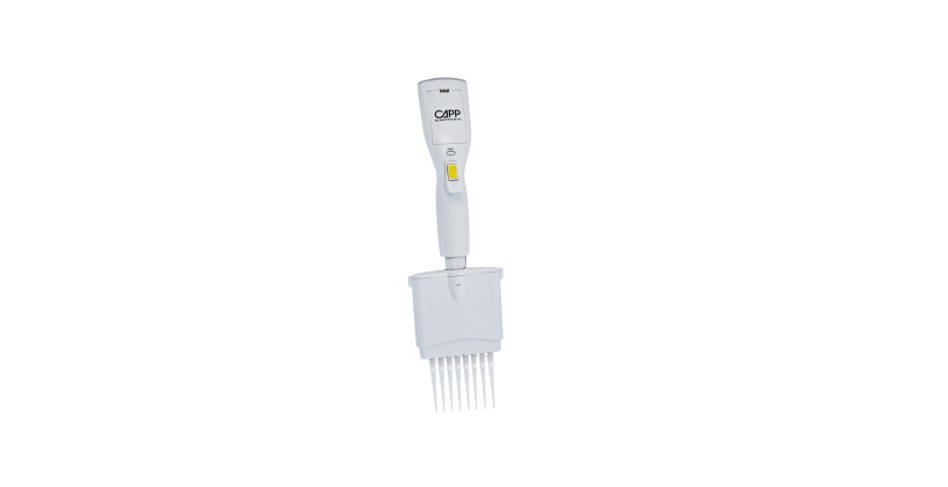

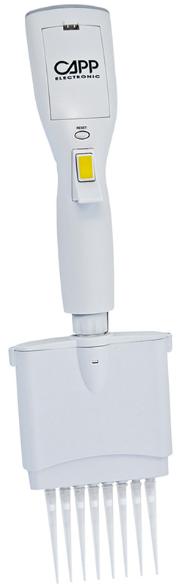
Labnet Excel Multi-channel Electronic Pipettors User Manual

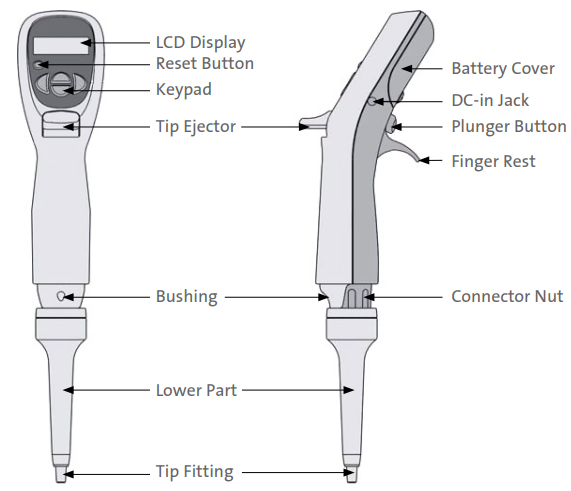
Single-Channel Pipettor Overview
LCD Display Panel
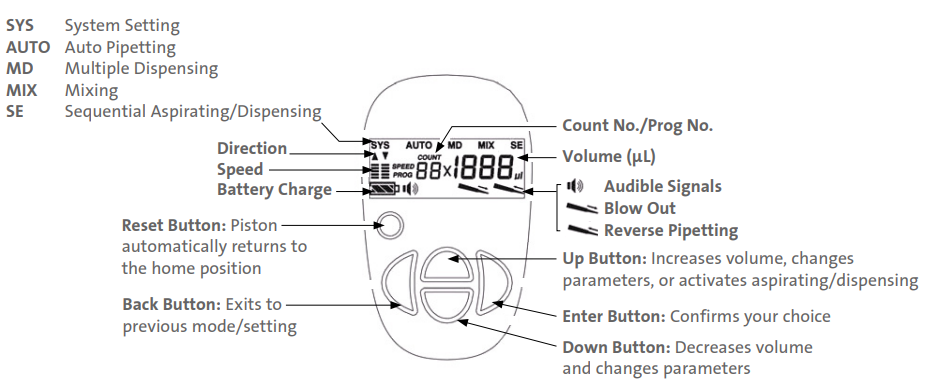
Function Modes and Examples
The shown icons will appear on the LCD after the previous action. PLUNGER: press Back, Up/Down, Enter, and Plunger button. (Mix 100 μL) (Mix 100 μL) means action and setting volume
SYS (System Settings)
- Example: Switch off audible signals. Steps:
AUTO (Automatic Pipetting)
- Example: Pipetting 100 μL Steps
MD (Multiple Dispensing)
- Example: Multiple dispense 40 μL x 3 = 120 μL Steps:
MIX (Mixing)
- Example: Mix 100 μL sample 5 times. Steps
SE (Sequential Aspirating/Dispensing)
- Example: Sequential aspirate – sample A (20 μL), sample B (30 μL), sample C (40 μL), and dispense 130 μL (20 μL air gap between samples. Steps:

Limited Warranty
Corning Incorporated (Corning) warrants that this product will be free from defects in material and workmanship for a period of one (1) year from the date of purchase. Corning’s sole obligation shall be to repair or replace, at its option, any product or part thereof that proves defective in material or workmanship within the warranty period, provided the purchaser notifies Corning of any such defect. Corning is not liable for any incidental or consequential damages, commercial loss, or any other damages from the use of this product.
Corning’s Customer Service team will help arrange local service where available or coordinate a return authorization number and shipping instructions. Corning may elect for on-site service for larger equipment. Some states do not alllimitationsion on the length of implied warranties or the exclusion or limitation of incidental or consequential damages. This warranty gives you specific legal rights. You may have other rights that vary from state to state. No individual may accept for, or on behalf of Corning, any other obligation of liability, or extend the period of this warranty
Warranty/Disclaimer
Unless otherwise specified, all products are for research use or general laboratory use only.* Not intended for use in diagnostic or therapeutic procedures. Not for use in humans. Corning Life Sciences makes no claims regarding the performance of these products for clinical or diagnostic applications. *For a listing of US medical devices, regulatory classifications, or specific information on claims, visit www.corning.com/resources.
Equipment Disposal
According to Directive 2012/19/EU of the European Parliament and of the Council of 4 July 2012 on waste electrical and electronic equipment (WEEE), this product is marked with the crossed-out wheeled bin and must not be disposed of with domestic waste. Consequently, the buyer shall follow the instructions for reuse and recycling of waste electronic and electrical equipment (WEEE) provided with the products and available at www.corning.com/weee.
Customer Service
- Website: www.labnetlink.com.
- Visit: www.corning.com/lifesciencs
- Visit: www.corning.com/resources
- USA/Canada: 1.800.492.1110
- Others: +1.978.442.2200
- North America: 978.442.2200
- Australia/New Zealand: 61 427286832
FAQs
What volume ranges are available with the Labnet Excel Multi-channel Electronic Pipettors?
Depending on the model, the volume range of the Excel series is usually between 0.5 µL and 300 µL.
How many channels do the pipettors have?
Models with eight or twelve channels are perfect for pipetting across several microplate wells at once.
How do I switch between different operating modes?
With its user-friendly digital screen, the pipettor makes it simple to switch between manual, repeating, and multi-dispense modes.
What power source do these pipettors use?
Rechargeable lithium-ion batteries power them, and when fully charged, they may operate continuously for several hours.
How accurate and precise are the pipettors?
The Excel pipettors meet or beyond international standards for precision and accuracy (ISO 8655).
Can I program custom dispensing volumes or sequences?
Yes, the onboard control panel of the pipettors enables the programming of multi-dispense sequences and volume stages.
Are the pipettors compatible with standard pipette tips?
Indeed, the majority of universal pipette tips made for electronic multi-channel pipettors can be used with them.
How do I clean and maintain the pipettor?
Use a gentle, moist towel to clean the outside. It is important to routinely check tips and tip cones and replace any that are contaminated or broken.