

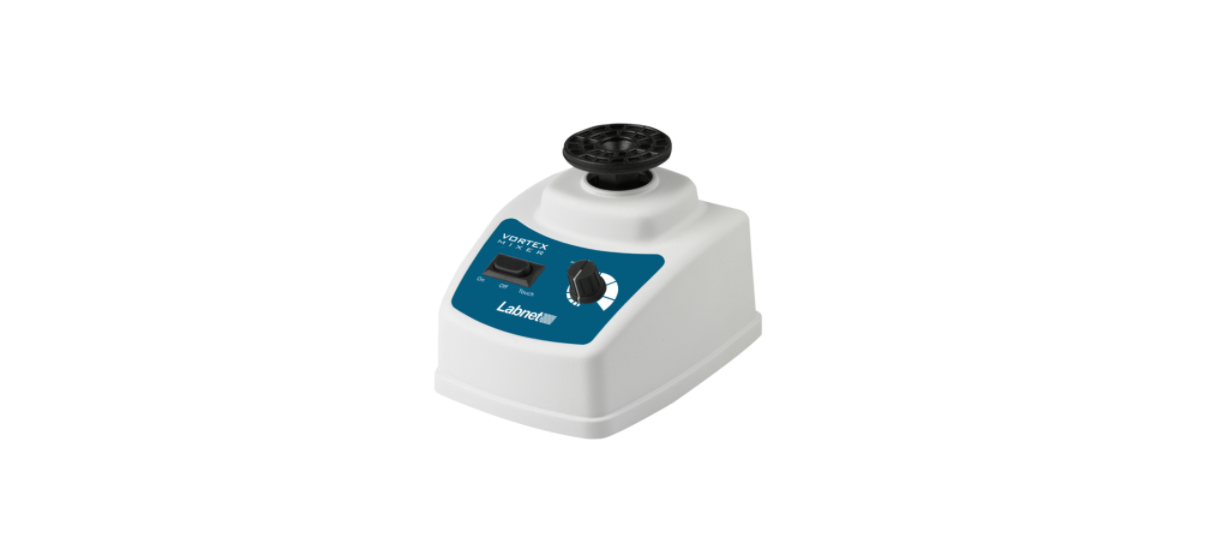

Labnet VX-200 Combicup Head Vortex Mixer
Introduction
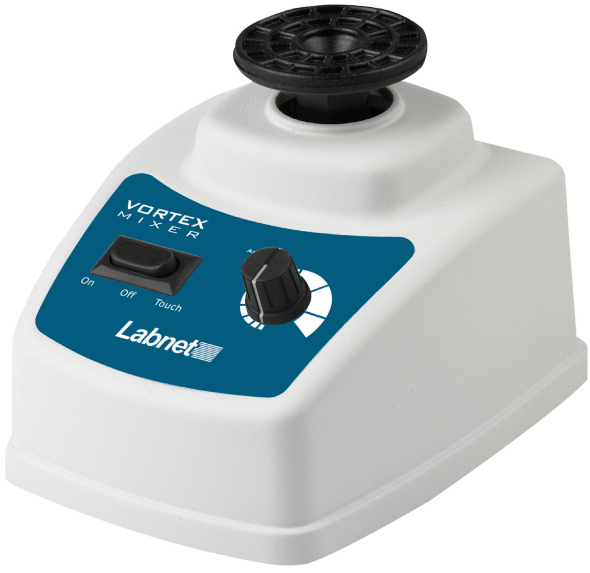
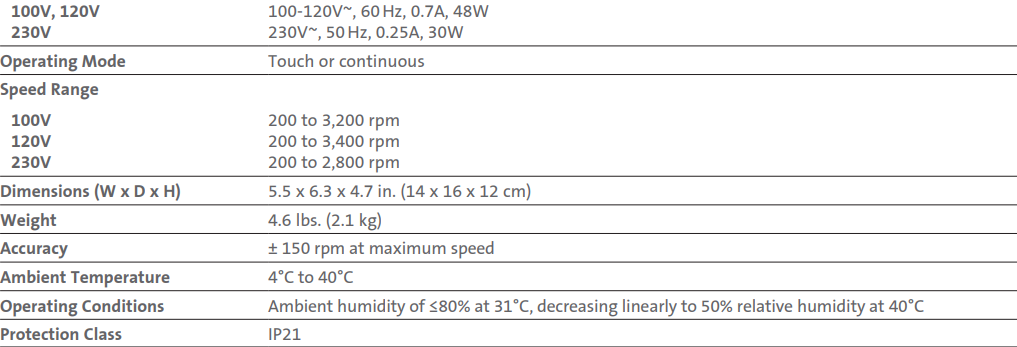
The Labnet Vortex Mixer is a general-purpose laboratory vortex mixer. Mixing speed is adjustable up to 3,400 rpm (3,200 rpm for 100V units and 2,800 rpm for 230V units). A three-position switch allows the mixer to be operated continuously or by Touch activation. The heavy metal base and rubber feet prevent the unit from moving across the bench, even at maximum speed. Read this manual thoroughly before attempting to operate the Vortex Mixer. All persons operating this piece of equipment should review the Safety Precautions section of this manual.
Symbols and Conventions
- The electrical warning indicates the presence of a potential hazard that could result in electrical shock.
- This symbol identifies a Protective Earth (PE) terminal, which is provided for connection of the supply system’s protective earth (green or green/yellow) conductor.
Safety Information
The following precautions should be taken when operating or working near the Labnet Vortex Mixer:
- Always wear safety glasses and other appropriate protection when operating this equipment.
- Never operate the unit without a securely attached shaking head.
- Shake hazardous samples in appropriate containment vessels.
- Do not stir volatile materials.
- Do not immerse the unit for cleaning.
- Do not modify or substitute the grounded power plug. Use only power cords supplied by the manufacturer. Use only
properly grounded outlets to avoid shock hazard. - Do not modify the unit electrically or mechanically, as personal injury or product damage may occur.
- Do not use the device in a caustic or explosive atmosphere.
- Not for industrial use. These units are designed for use in laboratory environments by persons knowledgeable in safe laboratory practices.
- Do not use the equipment in a manner other than stated in this manual since the protection provided by the equipment may be impaired.
- Do not turn the speed knob counterclockwise from the “0” or Off position.
- Repair should be performed only by qualified individuals.
Installation
Unpacking
Upon receipt of the Labnet Vortex Mixer, examine the exterior carton for damage. In the event of shipping damage, a claim must be filed with the transportation carrier within 10 days of receipt. Save all packaging for inspection by the carrier. Carefully unpack the unit and check for completeness. Included in the carton should be the following:
- Vortex mixer with cup head
- Line cord
- Instruction manual
If any of these items are missing, contact Corning Customer Service. Save the original packaging until the unit is operating properly. Verify that the unit is rated for the proper voltage by checking the electrical/serial no. Label on the bottom.
Selecting the Location
Locate the mixer on a level, stable surface near a grounded electrical outlet. The surface should be clean and free of dust to ensure that the feet grip the surface firmly. Allow sufficient clearance on all sides of the unit for proper ventilation. Position at least 30 cm from walls, 30 cm from ceilings, and 30 cm between mixers if using multiple units. With the power switch in the Off position, plug the power cord into a grounded receptacle.
Operating Instructions
All operating controls are located on the front panel. The power switch, located on the left side of the panel, has three positions: On, Off, and Touch. The Speed control, located on the right side of the panel, is continuously adjustable.
Oscillating speed increases at a nonuniform rate to a maximum of 3,400 rpm (3,200 rpm for 100V units and 2,800 rpm for 230V units) as the knob is turned clockwise. Before turning on the mixer, set the speed control to the minimum. To begin operation, move the power switch to either the Touch or On position, and turn the Speed control to the desired setting.
If the power switch is in the On position, the shaking head will begin moving immediately. If the power switch is in the Touch position, operation will begin when an object is placed on the shaking head and slight pressure is applied to depress the head. Shaking will cease when the object is removed and pressure is released.
Maintenance
After each use, wipe down the mixer with a soft cloth. Do not immerse the unit or pour liquids over it, as electrical shock may occur. Clean up any spills immediately, Labnet VX-200 Combicup Head Vortex Mixer taking the proper precautions. If required, the shaking head may be removed.
First, disconnect the mixer from the power source, and then slowly pull the shaking head straight up and off the shaking post. Be sure the head is thoroughly dry before Labnet VX-200 Combicup Head Vortex Mixer replacing it on the unit. The motor and shaking mechanism in the Vortex Mixer require no routine maintenance or lubrication.
Accessories (sold separately)
Products may not be available in all markets
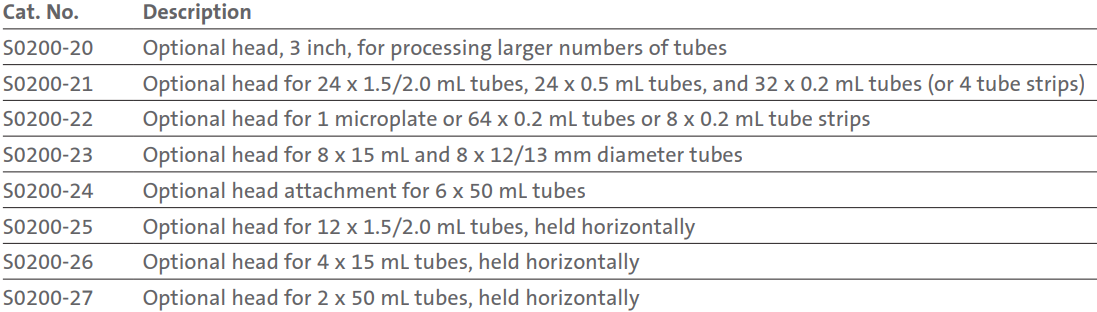
Instructions for using accessories.
- Turn the power off, and rotate the speed knob to the minimum.
- Hold the unit down, and lift the mixing head.
- Apply the desired optional accessory, and load it in a balanced manner.
- Turn on the unit.
Technical Specifications
- Indoor use
- Pollution Degree 2
- Altitude up to 2,000 meters
- Installation Category II Changes or modifications not expressly approved by the party responsible for compliance could void the user’s authority to operate the equipment.
Limited Warranty
Corning Incorporated (Corning) warrants that this product will be free from defects in material and workmanship for a period of one (1) year from the date Labnet VX-200 Combicup Head Vortex Mixerof purchase. Corning’s sole obligation shall be to repair or replace, at its option, any product or part thereof that proves defective in material or workmanship within the warranty period, provided the purchaser notifies Corning of any such defect. Corning is not liable for any incidental or consequential damages, commercial loss, or any other damages from the use of this product.
Corning’s Customer Service team will help arrange local service where available or coordinate a return authorization number and shipping instructions. Corning may elect for on-site service for larger equipment. Some states do not alllimitationsion on the length of implied warranties or the exclusion or limitation of incidental or consequential damages. This warranty gives you specific legal rights. You may have other rights that vary from state to state. No individual may accept for, or on behalf of Corning, any other obligation of liability, or extend the period of this warranty
Warranty/Disclaimer
Unless otherwise specified, all products are for research use or general laboratory use only.* Not intended for use in diagnostic or therapeutic procedures. Not for use in humans. Corning Life Sciences makes no claims regarding the performance of these products for clinical or diagnostic applications. *For a listing of US medical devices, regulatory classifications, or specific information on claims, visit www.corning.com/resources.
Equipment Disposal
According to Directive 2012/19/EU of the European Parliament and of the Council of 4 July 2012 on waste electrical and electronic equipment (WEEE), this product is marked with the crossed-out wheeled bin and must not be disposed of with domestic waste. Consequently, the buyer shall follow the instructions for reuse and recycling of waste electronic and electrical equipment (WEEE) provided with the products and available at www.corning.com/weee.
Customer Service
- Website: www.labnetlink.com.
- Visit: www.corning.com/lifesciencs
- Visit: www.corning.com/resources
- USA/Canada: 1.800.492.1110
- Others: +1.978.442.2200
- North America: 978.442.2200
- Australia/New Zealand: 61 427286832
FAQs
What types of samples can the VX-200 Combicup Head Vortex Mixer handle?
Biological, chemical, and clinical labs can use the VX-200 to mix liquids in tubes, microplates, bottles, and vials of different sizes.
How do I adjust the mixing speed on the VX-200?
To accommodate varying mixing needs, the mixer has a variable speed dial that allows for smooth speed change between 100 and 3000 RPM.
Can the VX-200 operate continuously?
Yes, it has a toggle switch that allows you to choose between continuous and touch (momentary) functioning modes.
What is the maximum tube size compatible with the CombiCup head?
When mixing, the combicup head may safely hold tubes and vessels up to 50 mL in capacity.
How do I switch between continuous and touch modes?
Toggle between touch-activated mixing and continuous mixing using the mode selector switch on the control panel.
How do I maintain and clean the vortex mixer?
Clean the device by unplugging it and using a moist cloth and mild detergent to wipe the outside and mixing head. Keep liquids out of the motor housing.
What power supply does the VX-200 require?
Depending on the model in your area, the unit can run on 120V or 230V AC, 50/60 Hz.