

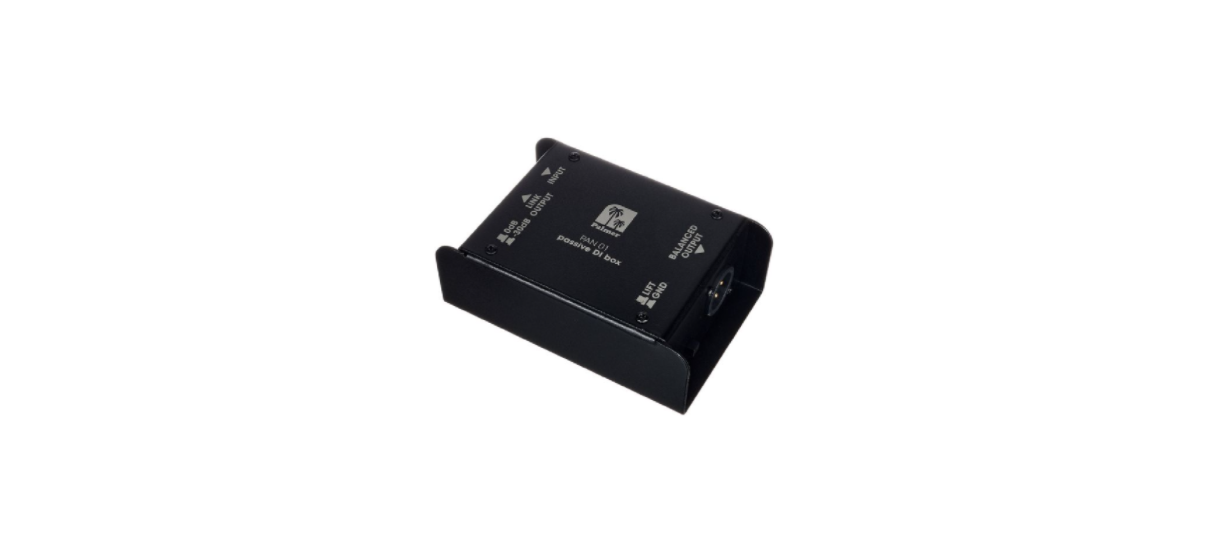

Palmer Wipper Single Channel Passive DI box
Introduction
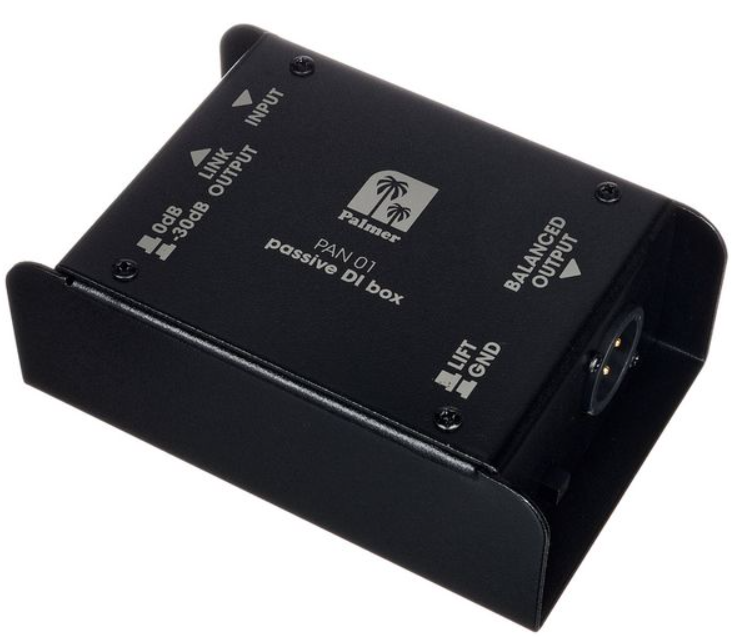
A DI box (Direct Injection) serves the purpose of connecting instruments with an electric output directly to the microphone input of a mixer or stage box, bypassing the acoustic signal chain (instrument – loudspeaker – microphone). Beyond adjusting the signal level, a DI box also balances the signal and lowers its impedance. This ensures the signal is less susceptible to interference and cable losses.
Palmer DI boxes incorporate audio transformers, guaranteeing galvanic isolation between the input and output. It is important to note that a passive DI box should not be used for galvanically isolating a line signal, as the transfer ratio is not 1:1 in such cases. Instead, opt for a line isolation box like Palmer’s RIVER Wupper, Kyll, and Iller.
Connections
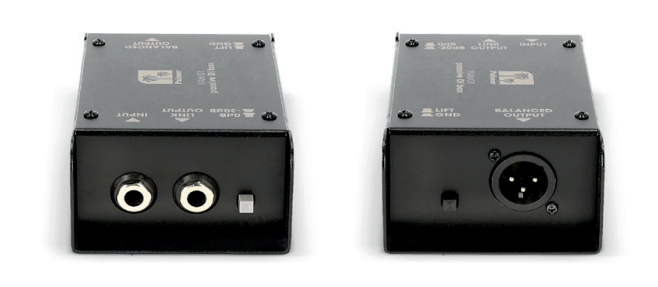
Connect the unbalanced output of your instrument to the input of the PAN01 using a shielded jack cable. This input signal is directly looped to the THRU connector, meaning you can pass the uncharged original signal on to a further device (e.g., to connect the instrument to an amplifier). The XLR/m output named “Balanced Out” should be connected to the microphone input of a stage box or mixer using a balanced, shielded microphone cable.
This switch allows for a 30dB reduction of the input signal. Use the 0dB setting for all signals with a level of +6dBu (line level). For stronger signals or when using the DI box between an amplifier and a speaker, employ the -30dB setting. Generally, use the Attenuator switch in such a way that the microphone input receives an appropriate signal.
Ground Lift Switch
As stated above, the PAN01 achieves galvanic isolation between input and output (galvanic isolation means there is no conducted connection; the signal is transferred based on magnetic induction), preventing ground loop hum caused by double grounding (e.g., when a mains-powered instrument or amplifier is connected to a mixer).
Despite galvanic isolation, occasional hum loops or noise may arise due to unintended earthing issues. The ground lift switch interrupts the earth connection, minimizing ground loop interference. So if there is an audible hum in the signal, press the ground lift switch. In general, lift the ground when connecting two mains-powered devices, and do not lift the ground when dealing with a battery-powered device.
Intended Use
This product is a device for event technology, as well as studio, TV, and broadcast! This product has been developed for professional use in the field of event technology, studio, TV, and broadcast. It is not suitable for household use! Furthermore, this product is only intended for qualified users with specialist knowledge of event technology, as well as studio, TV, and broadcast! Use of the product outside the specified technical data and operating conditions is considered improper use! Liability for damage and third-party damage to persons and property due to inappropriate use is excluded! The product is not suitable for:
- Persons (including children) with limited physical, sensory, or mental abilities or a lack of experience and knowledge.
- Children (children must be instructed not to play with the product).
Manufacturer’s Declarations
Herstellergarantie und Haftungsbeschränkung Manufacturer’s warranty & limitation of liability Adam Hall GmbH Adam-Hall-Str. 1 61627 Neu-Anspach, Germany.
CE Conformity
Adam Hall GmbH hereby confirms that this product, Palmer Pan16 19“ DI-bo,x meets the following guidelines (where applicable): Low-Voltage Directive (2014/35/EU), EMC Directive (2014/30/E/U), RoHS (2011/65/EU), RED (2014/53/EU)
FCC Statement
This device complies with Part 15 of the FCC Rules. Operation is subject to the following two conditions: (1) This device may not cause harmful interference, and (2) This device must accept any interference received, including interference that may cause undesired operation.
UKCA- Conformity
Hereby, Adam Hall Ltd. declares that Palmer Naab 2-Kanal Media DI-Bo,x this product, Palmer Pan16 19“ DI-bo,x meets the following guidelines (where applicable): Electrical Equipment (Safety) Regulations 2016, Electromagnetic Compatibility Regulations 2016 (SI 2016/1091). The Restriction of the Use of Certain Palmer Pan16 19“ DI-box Hazardous Substances in Electrical and Electronic Equipment Regulation 2012 (SI 2012/),32,) Radio Equipment Regulations 2017 (SI 2016/2015), Adam Hall Ltd. | The Seedbed Bus. Centre | SS3 9QY Essex | UK
Customer Support
- Email: Info@adamhall.com
- Website: www.adamhall.com/compliance
- Ph: +49 (0)6081 / 9419-0
FAQs
What is the purpose of the Palmer Wipper DI box?
The Palmer Wipper transforms high-impedance, unbalanced signals—such as those from electric guitars or keyboards—into low-impedance, balanced signals that are appropriate for recording interfaces or mixing consoles. Over extended cable lines, this lessens noise and signal deterioration.
Does the Wipper require external power?
No, it doesn’t need batteries or phantom power to function because it is a passive DI box. A transformer is used in its design to balance the signal.
Which instruments can I connect to the DI box?
Electric guitars, basses, keyboards, and other instruments with an uneven line-level output can all be connected. Microphones are not meant to be used with the DI box unless they are line-level sources.
Can I use the Wipper with active or passive instruments?
It does indeed work with both. However, because of the nature of the passive transformer, passive instruments with low-output pickups could sound a little quieter than active instruments.
Is the DI box suitable for long cable runs?
Indeed, the balanced XLR output makes it perfect for live and studio environments, enabling cable runs of up to 100 meters (328 feet) or more without noticeable signal loss or noise.
How does the ground lift switch work?
To stop hum brought on by ground loops, the ground lift switch cuts the ground connection between the DI box and the mixing console. If you notice a buzz or hum while it’s operating, use it.
Will using the DI box affect my instrument tone?
The transformer may cause the passive DI to slightly attenuate high frequencies, but it reduces noise and interference while maintaining your instrument’s original tone.