



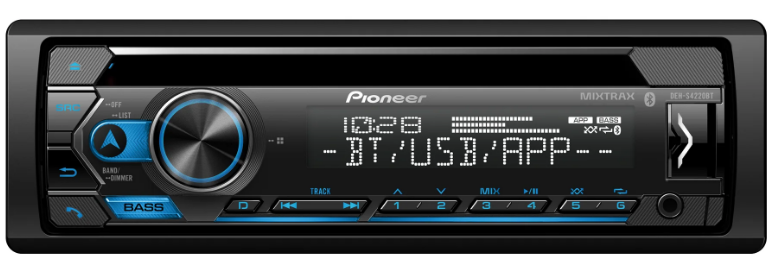
Pioneer 2018 CD Receivers Firmware Update
Safety Instructions
- Connect the USB memory device to your computer
- Double-click the ZIP file named “18UPDATE_A0818.zip” to open it.
- Extract and save the file named “18UPDATE_A0818.scd” to a folder on your computer.
- Copy the firmware file “18UPDATE_A0818.scd” to the USB memory device. Ensure that the update file is located within the root (top folder) of your USB storage device. There should be no other files on the USB storage device.
- Confirm that the file name and file size are correct on the USB memory device. To check the file size in Microsoft Windows, select the file, press the right mouse button, and select “Properties”. If the file name and size do not match the ones listed below, perform steps A and B again.
Procedure
- Start the vehicle engine.
- If AV Source is On, Press and hold the [SRC/OFF] button to switch off the source

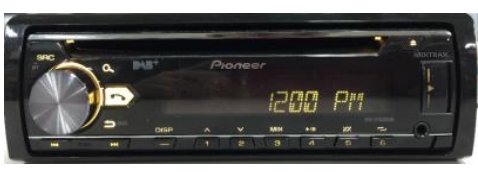
- Press and hold the [SRC/OFF] button to display the Initial menu. Then press to confirm.
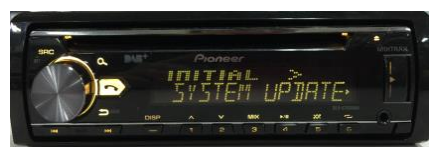
- Rotate the Multifunction Control dial to select “SYSTEM UPDATE”, then press to confirm.
- Select the “SYSTEM INFO” to confirm the system info.
- After the “SYSTEM INFO” screen appears, check the firmware version.
- If the version number is 8.18 or higher, it is not necessary to update the firmware. If the version
number is lower than 8.18, it is necessary to update the firmware. Please continue to Step B.


Downloading the Firmware Update File
- Download the correct file from the website to a folder on your computer.

Create the System Firmware Update USB memory device
- USB specification 2.0 and 128 MB or more in capacity
- Should be blank (should not contain any files) and formatted in FAT32
Installation
- Start the vehicle engine.
- Connect the USB storage device to the USB input on your unit.
- If AV Source is On, Press and hold SRC/OFF to set the unit to Source OFF
- Press and hold SRC/OFF to display the Initial menu. Then press to confirm.
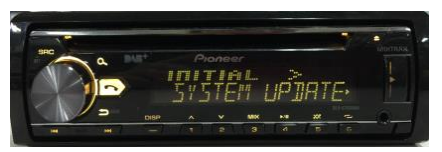
- Turn the rotary selector to select “SYSTEM UPDATE” then press to confirm.
- Select the “S/W UPDATE” item for updating the unit to the latest software.
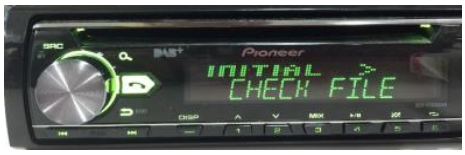
- The “CHECK FILE” screen appears. If an error is displayed on the display, you can try the following: → “FILE ERROR” Confirm that the software is correct, next restart the update procedure, or change the USB memory. → “ERR->RETRY” Do not Pioneer 2018 CD Receivers Firmware Update turn off the power! The unit will retry the update procedure automatically.
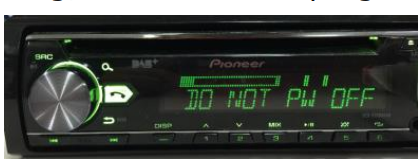
- After starting, there will be a progress bar while updating.
- Wait until the update procedure completes. (approx. 5 minutes)
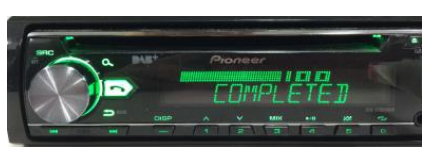
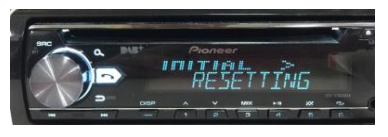
- The product will reboot after the update is finished. Do not touch anything, even when the screen is blacked out. After it has finished rebooting, the screen will return to the menu screen.
- The firmware update is now complete. Your Pioneer CD Receiver is now ready for use.


Customer Support
- Address: Parker Davis HVAC International 7290 NW 77th Court, Doral, FL 33166 – USA
- Tel: (305) 513-4488
- Fax: (305) 513-4499
- E-mail: info@pdhvac.com
- Website: www.pdhvac.com
- Pioneer Customer Support Center: http://www.pioneer.eu
FAQs
Q: Why should I update the firmware on my Pioneer 2018 CD receiver?
Ans: Updates to the firmware address issues, increase system stability, improve compatibility with new devices and file types, and occasionally include new functionality.
Q: Which Pioneer CD receiver models are covered by the 2018 firmware updates?
Ans: Generally speaking, the upgrades apply to Pioneer CD receivers that were introduced in 2018; verify compatibility by comparing your model number with the official Pioneer website.
Q: How can I find out what firmware version my receiver currently has?
Ans: To see the most recent firmware version, navigate to the Setup or System Information menu on the receiver.
Q: How do I download the firmware update?
Ans: Find the model of your receiver on the official Pioneer support page, then download the most recent firmware update file.
Q: Can I update the firmware wirelessly?
Ans: Wireless updates are often not supported for the majority of 2018 Pioneer CD receivers; instead, upgrades must be done via USB.
Q: Will the update erase my saved settings or presets?
Ans: Although user settings are typically not lost during firmware updates, it’s a good idea to make a note of any crucial settings in advance.
Q: Is it safe to update the firmware?
Ans: Yes, as long as you properly follow the directions and don’t turn off the device while the update is running.
Q: Where can I find detailed update instructions?
Ans: For every receiver model, downloadable manuals and detailed update instructions are available on the official Pioneer website.