

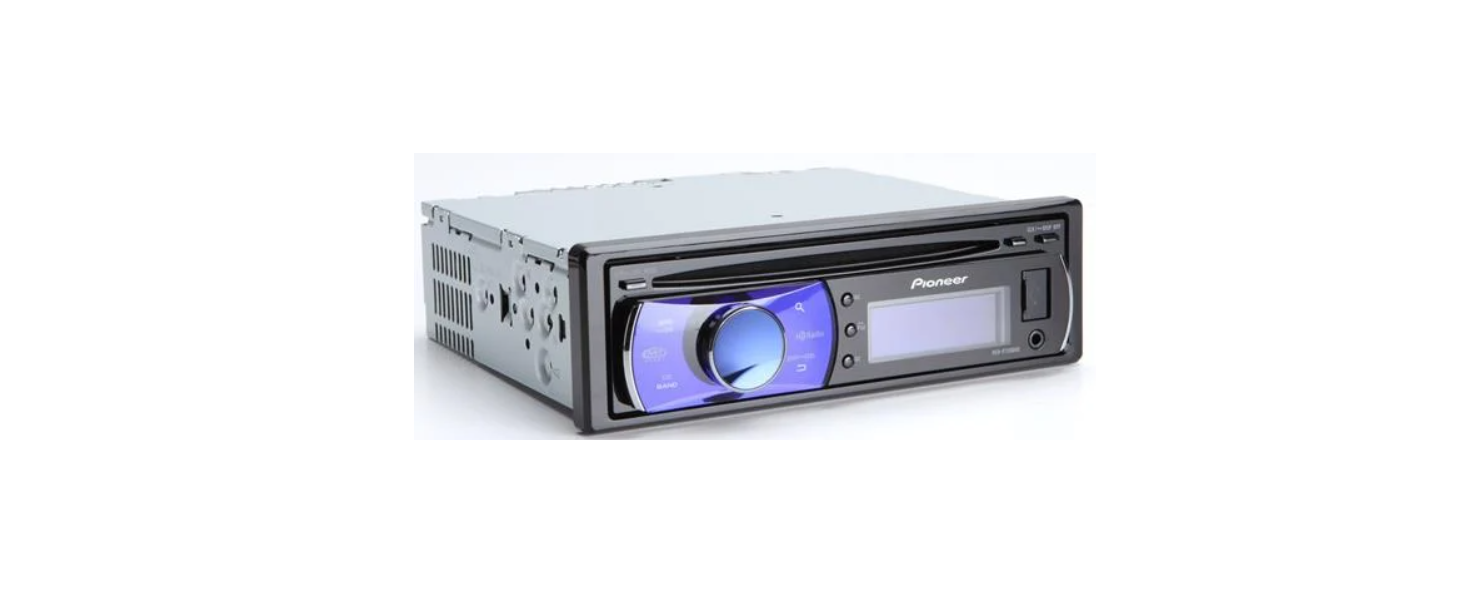

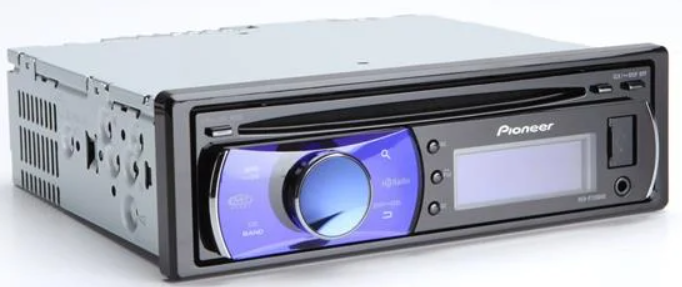
Pioneer DEH-P7200HD Receiver Autoradio CD
Safety Instructions
- Disconnect the negative terminal of the battery before installation.
- Secure the wiring with cable clamps or adhesive tape. To protect the wiring, wrap adhesive tape around it where it lies against metal parts.
- Place all cables away from moving parts, such as the ear shift and seat rails.
- Place all cables away from hot places, such as near the heater outlet.
- Do not connect the yellow cable to the battery by passing it through the hole to the engine compartment.
- Cover any disconnected cable connectors with insulating tape.
- Do not shorten any cables.
- Never cut the insulation of the power cable of this unit to share the power with other equipment. The current capacity of the cable is limited.
- Use a fuse of the rating prescribed.
- Never wire the speaker’s negative cable directly to ground.
- Never band together multiple speakers’ negative cables.
- IP-BUS connectors are color-coded. Be sure to connect connectors of the same color.
Connecting the unit
- Use speakers over 50 W (output value) and between 4 W to 8 W (impedance value). Do not use 1-W to 3-W speakers for this unit.
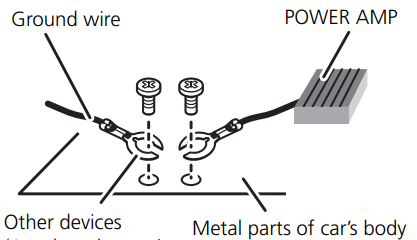
- The black cable is ground. When installing this unit or power amp (sold separately), make sure to connect the ground wire first. Ensure that the ground wire is properly connected to the metal parts of the car’s body.
- The ground wire of the power amp and the one of this unit or any other device must be connected to the car separately with different screws. If the screw for the ground wire loosens or falls out, it could result in fire, the generation of smoke, or a malfunction.

ACC position
No ACC position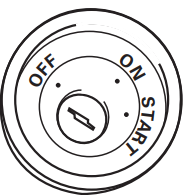
When not connecting a rear speaker lead to a subwoofer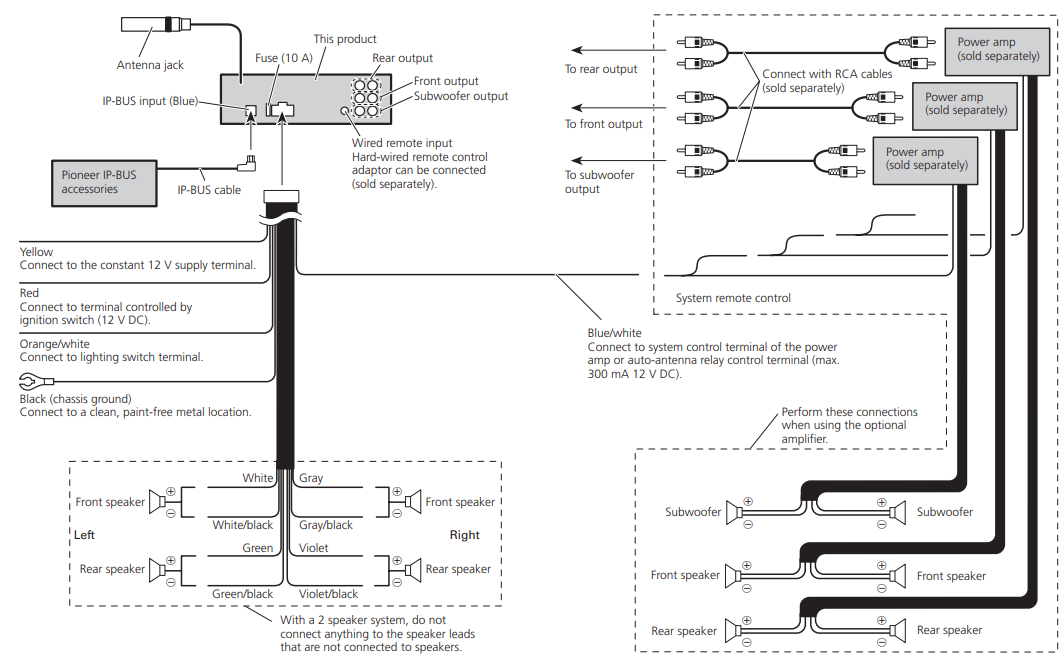
- When using a subwoofer without using the optional amplifier
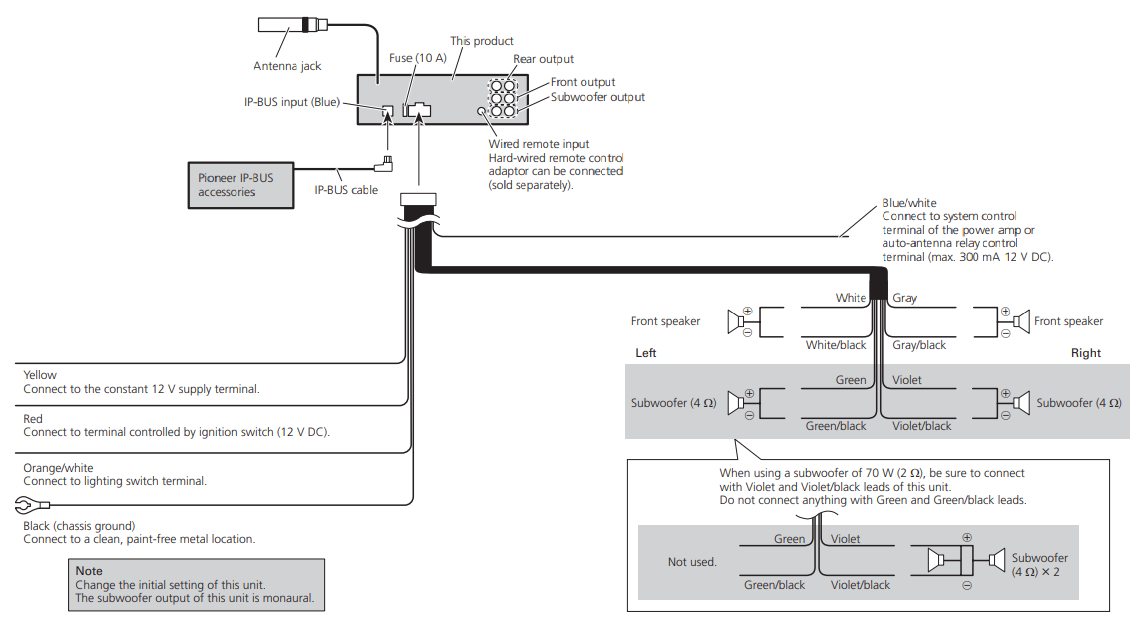
Installation
- Check all connections and Pioneer DEH-P7200HD Receiver Autoradio CD systems before final installation.
- Do not use unauthorized parts. The use of unauthorized parts may cause malfunctions.
- Consult with your dealer if installation requires drilling holes or other modifications to the vehicle.
- Do not install this unit where:
- It may interfere with the operation of the vehicle.
- It may cause injury to a passenger as a result of a sudden stop.
- The semiconductor laser will be damaged if it overheats. Install this unit away from hot places, such as near the heater outlet.
- Optimum performance is obtained when the unit is installed at an angle of less than 60°.

DIN Front/Rear-mount
This unit can be properly installed either from “Front” (conventional DIN Front-mount) or “Rear” (DIN Rear-mount installation, utilizing threaded screw holes at the sides of the unit chassis). For details, refer to the following installation methods.
DIN Front-mount
Insert the mounting sleeve into the dashboard.
- When installing in a shallow space, use a supplied mounting sleeve. If there is enough space behind the unit, use factory factory-supplied mounting sleeve.
Insert the mounting sleeve into the dashboard.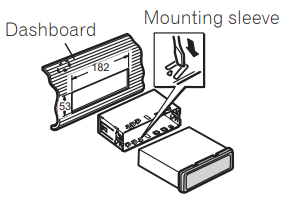
Install the unit as illustrated
- Use commercially available parts when installing.
- Make sure that the unit is securely installed in place. An unstable installation may cause this unit to malfunction, such as sound skipping.

DIN Rear-mount
Determine the appropriate position where the holes on the bracket and the side of the unit match.
Tighten two screws on each side.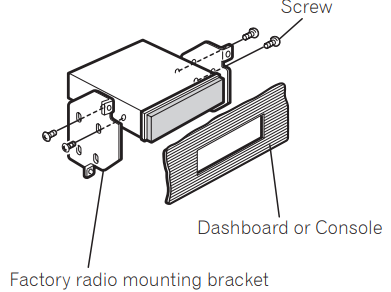 Use either truss (5 mm × 8 mm) or flush surface (5 mm × 9 mm) screws, depending on the bracket screw holes.
Removing the Unit
- Extend the top and bottom of the trim ring outwards to remove the trim ring. (When reattaching the trim ring, point the side with the groove down.)

- Releasing the front panel allows easier access to the trim ring.
- Insert the supplied extraction keys into both sides of the unit until they click into place.
- Pull the unit out of the dashboard.

Fastening the front panel
- If you do not plan to detach the front panel, the front panel can be fastened with the supplied screw.

Customer Support
- Address: Parker Davis HVAC International 7290 NW 77 Court, Miami, FL 33166 – USA
- Tel : (305) 513-4488
- Fax : (305) 513-4499
- E-mail: @pdhvac.com
- Website: www.pdhvac.com
- Pioneer product line, parts, and supplies are available online for convenient ordering at: www.highseer.com www.pioneerminisplit.com
- Scan the code below to visit our support page, where you can find more installation materials:

FAQs
Q: What type of audio system is the DEH-P7200HD?
Ans: Designed to provide high-quality in-car entertainment, the Pioneer DEH-P7200HD is a single-DIN in-dash CD receiver with integrated HD RadioTM, USB and AUX inputs, and iPod®/iPhone® control.
Q: Does the DEH-P7200HD support HD Radio?
Ans: Indeed, it has integrated HD RadioTM technology, which lets you listen to digital AM/FM stations with higher-quality audio and extra sub-channels when they’re available.
Q: Can I connect my iPhone or iPod directly to this receiver?
Ans: Indeed. Using a suitable USB cable, the front USB port allows direct control from iPods and iPhones. The receiver allows you to explore songs, albums, and playlists directly.
Q: Is Bluetooth available on this unit?
Ans: No, Bluetooth is not integrated into the DEH-P7200HD. However, a compatible Pioneer Bluetooth adaptor (separately available) can be used to enable Bluetooth capabilities.
Q: What audio formats are supported via CD and USB?
Ans: MP3, WMA, and WAV files played from CDs or USB drives are supported by this receiver.
Q: What is the AUX input used for?
Ans: You can connect external audio devices, including MP3 players, smartphones, or portable CD players, via the 3.5mm AUX input on the front panel.
Q: Does this receiver support steering wheel controls?
Ans: Yes, but only if a third-party steering wheel control interface module—which is available for separate purchase—is used.
Q: How do I access HD Radio sub-channels (e.g., 101.1 HD2)?
Ans: Use the arrow or track buttons to navigate between the available sub-channels (HD1, HD2, etc.) when listening to an HD radio station, assuming the broadcast supports them.