

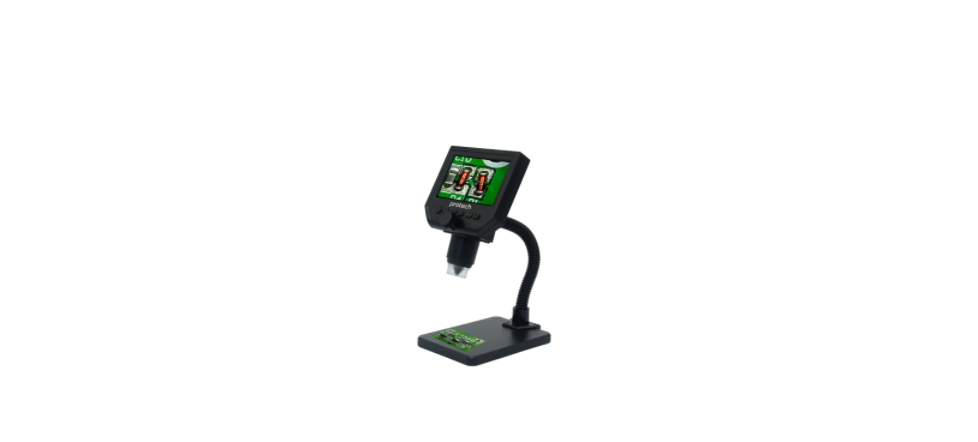

PROTECH QC3193 4.3” Display Digital Microscope
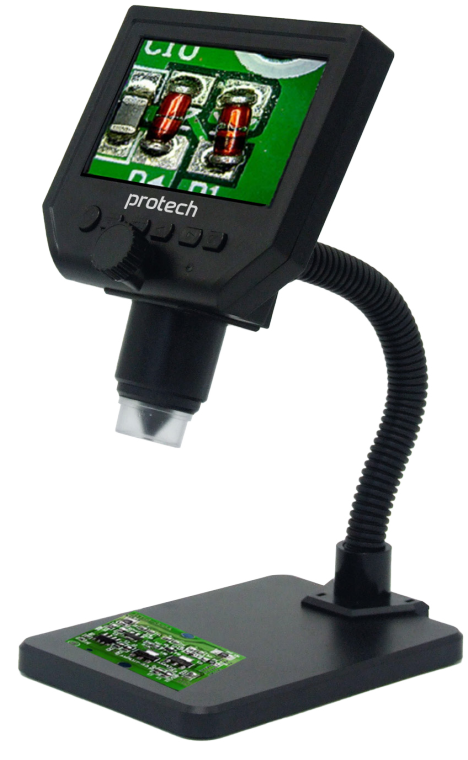
Main Parameters
The PROTECH QC3193 4.3” Display Digital Microscope offers impressive features for precision inspection and magnification:
- Pixel: HD 3.6 megapixels
- Display screen: 4.3” HD LCD Display
- Magnification: 1-600X continuous amplification system
- Distance between objects: 15 mm to infinity, depending on the distance.
- With a built-in lithium battery, available for working more than 6 hours continuously
The high-capacity lithium battery needs about 4 hours to be fully charged. When it is being charged, the display will show. When it is fully charged, it will show.
Universal Support
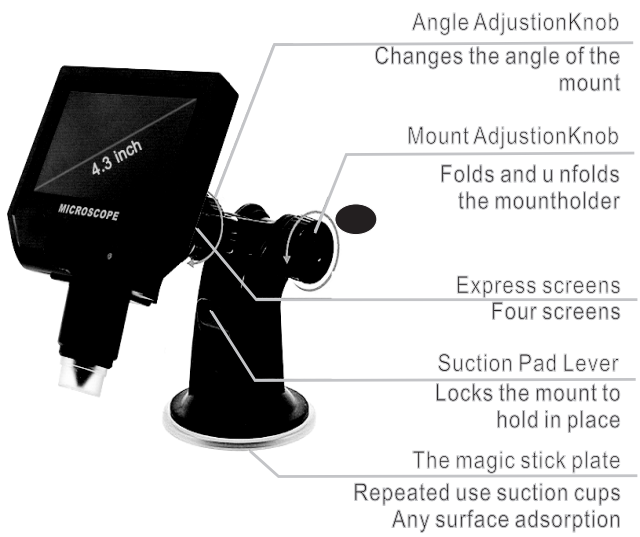
The intelligent universal support is super light and powerful, caand n be absorbed on the surface of glass, ceramic, marble, plastic board, and others.
The silicone suction cup will not leave marks on any surface after long-term usage. It can be cleaned with water when there’s dust on the surface.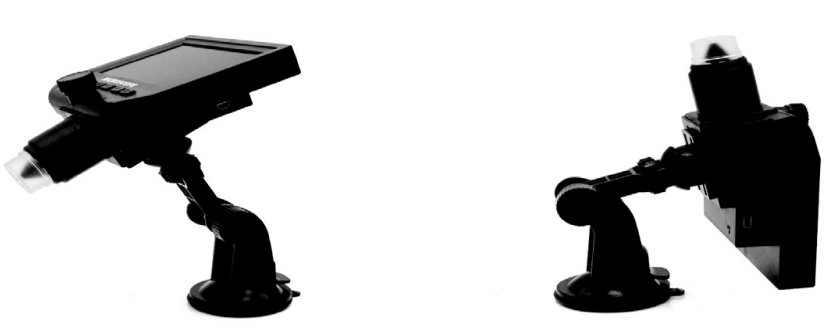
The closest distance of the microscope and the goal is 15mm, the magnifying time is the maximum, and he magnifying time will be smaller as the distance increases.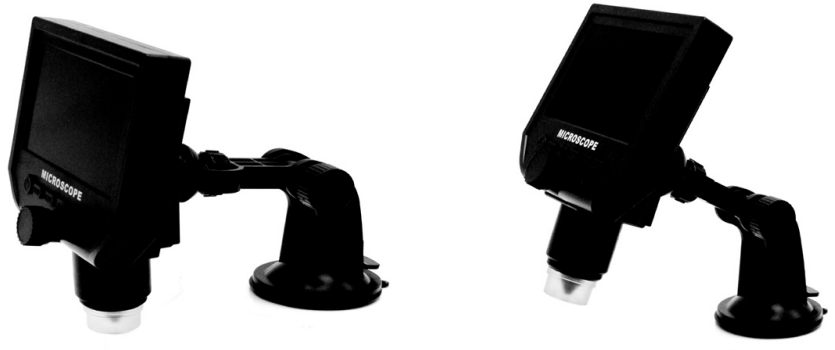
Button Layout
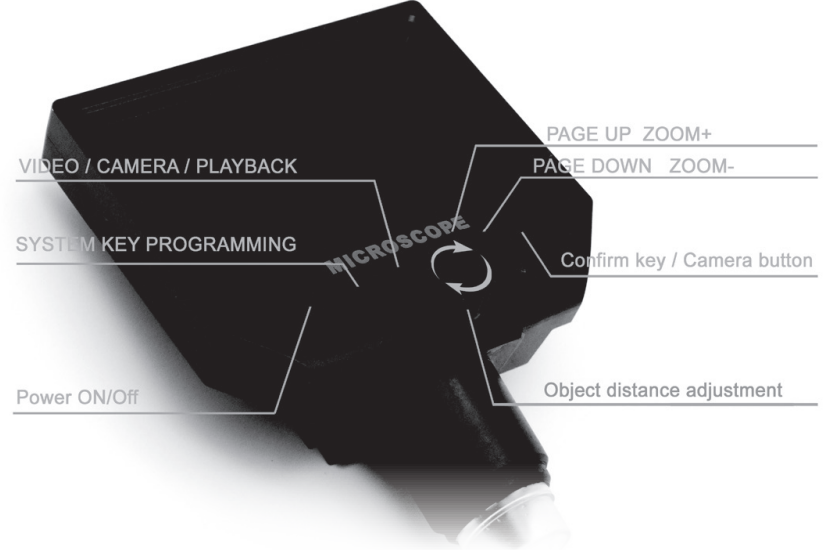
Function Setting Key
The PROTECH QC3193 4.3” Display Digital Microscope comes with a comprehensive set of function settings to optimize your viewing and recording experience:
- Resolution: 1080p, 720p, VGA
- Date Tag: Displayed / Not Displayed
- Motion Detection: On / Off (When it’s on, it will start to record a video automatically as soon as it detects movement.)
- Cyclic Record: Off / 3 mins / 5 mins / 10 mins. As soon as the memory card is full, it will delete the first video and save the new video automatically.
- Exposure Value: +2.0 (0) -2.0
- Format: Yes / No
- Auto Shutdown: Off / 1 min / 3 mins
- Auto Sleep: Off / 1 / 3 / 5 Mins
- Factory Reset: Yes / No
- Light Source’s Frequency: 50 / 60Hz
- Time Setting: YearMonth, Day, Hours, Minutes, Seconds
- Image Rotating: On / Off
- Light: On / Off
- Software Version: V1.10
Mode Button
- Recording Video Mode, Taking Photos Mode: 5M, 2M, 1.3M, VGA,
- Press OK button to take photos. Playback Mode: Delete, Lock / Unlock
Left, Right, and OK Button
- OK: Photo / Video, Open Key
Power On / Off
- Press it once to turn on, press again to turn off.
Features
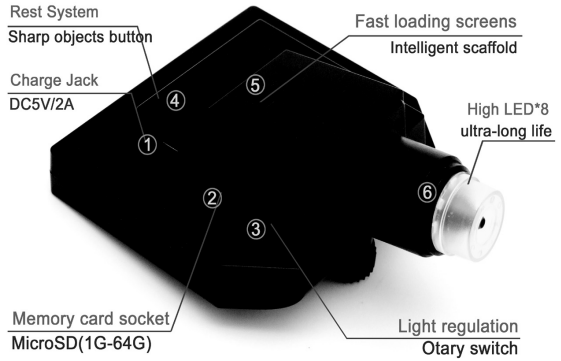
- Power DC Interface (5P Mini)
- Memory Card Socket (microS) 1-64GB
- Brightness Adjust Button
- Reset Button: Restore the system. If the unit stops working, press the button with a sharp object to restart it.
- Fast loading 4 holes bayonet, push the bracket 4 claws into the bayonet, hearing a click, assembly is complete.
- High brightness 8 LEDs, available for up to 100,000 hours.
Customer Support
- Email: support@whynter.com
- Website: WWW.WHYNTER.COM
- Tel: 800-443-6153
Product contents and specifications may change without notice. Copyright © 2024
FAQs
Q: What is the PROTECH QC3193?
The QC3193 is a digital microscope with a 4.3-inch colour display that is intended for use in electronics, biology, jewellery, and hobby applications for the examination, analysis, and magnification of small objects. It can record videos, take pictures, and zoom digitally. For tasks that involve soldering, heat-shrinking, or component removal alongside inspection, you may also consider using the PROTECH TH1069 2000W Adjustable Heat Gun for a complete toolkit.
Q: What magnification levels does it support?
Depending on the lens and object distance, the QC3193’s magnification can be adjusted from roughly 20x to 200x. To get crisp clarity, use the focus wheel.
Q: Does it have a built-in display?
Indeed. With its 4.3-inch LCD, it may be viewed directly without a computer connection. Live pictures, taken pictures, and recorded videos are all displayed on the screen.
Q: Can I inspect transparent or reflective objects?
Indeed. To improve visibility and prevent glare, change the microscope’s angle and lighting intensity. If backlighting is available, use it for translucent items.
Q: Can multiple users share the display at once?
Indeed. A small group can see the 4.3-inch screen, but for bigger gatherings, use HDMI/AV to link the microscope to a monitor or projector.
Q: Does it support measurement or calibration?
Indeed. When linked to a PC, certain QC3193 versions come with software-based measuring tools that enable measurements of detected objects’ diameter, angle, and distance.
Q: Can I record time-lapse or continuous observation videos?
Depending on the microSD storage, several versions allow for continuous video recording. When connected to a computer, time-lapse may need additional software.
Q: What is the effective working distance of the microscope?
Depending on the magnification and lens configuration, the working distance usually varies from 30 to 100 mm. To keep clarity and focus, carefully adjust the distance.