

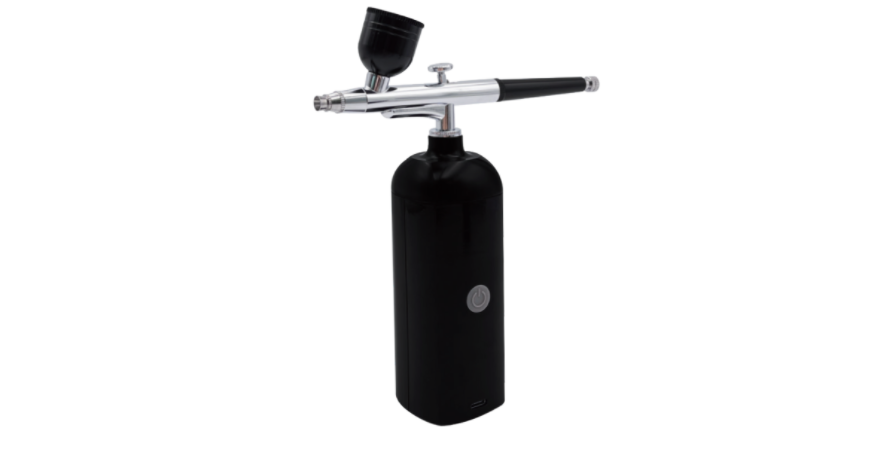

PROTECH TL4590 Rechargeable Air Brush
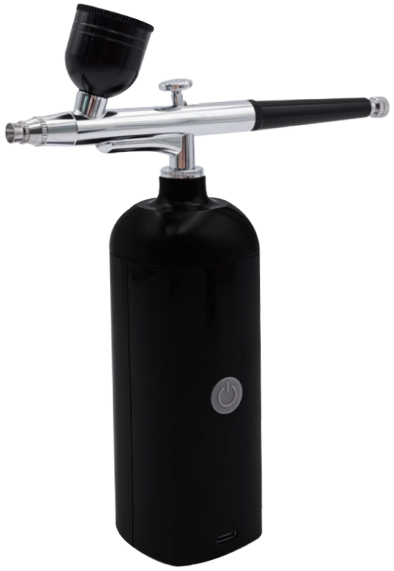
The PROTECH TL4590 Rechargeable Air Brush is a small and easy-to-use airbrush. You can use it for crafts, painting models, or decorating cakes. This guide will show you how to set it up, use it, clean it, and keep it working well.
Technical Data
| PRODUCT NAME: | Rechargeable Air Brush |
| PRODUCT CODE: | TL4590 |
| POWER: | Lithium Battery 3.7V 1200mAh |
| MAX OUTPUT: | 7 mL/min |
| CUP CAPACITY: | 5CC/20CC |
| CHARGING TIME: | Up to 4 hours |
| USING TIME: | Up to 45 minutes |
| NOZZLE DIAMETER: | 0.5mm |
| MAX PRESSURE: | 18-25PSI |
How to Use the PROTECH TL4590 Rechargeable Air Brush
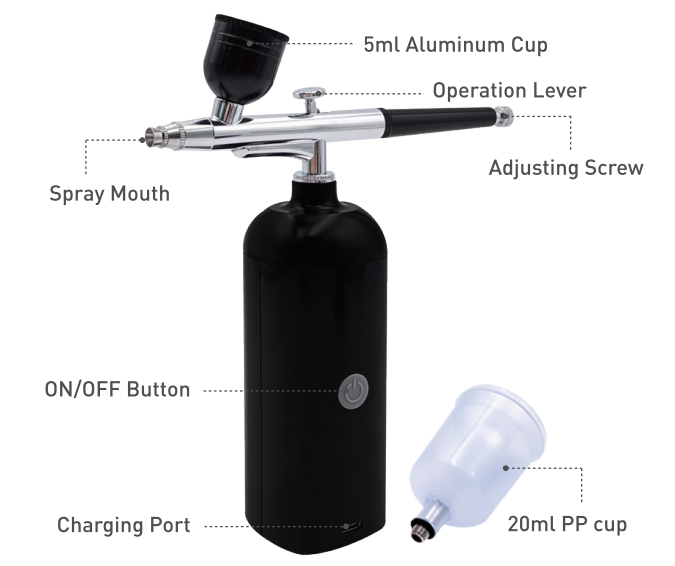
- Step 1: Check the product & USB cable, make sure no damage after taking them out of the package.
- Step 2: Use the USB cable and 5V 2A adapter to charge the cordless compressor. It takes about 2-3.5 hours to fully charge.
- Step 3: When the red light turns green, it means the power is fully charged. Then you can remove the USB.
- Step 4: Fill the fluid in the cup after thinning appropriately. For consistent results in different environments, you may also refer to the PROTECH QP6013 Temperature & Humidity Data Logger user manual to monitor conditions.
- Step 5: Turn on the ON/OFF button of the cordless compressor.
- Step 6: For a single-action airbrush, draw the operation lever of the airbrush gun backward gradually to spray.
Cleaning and Maintenance
Step 1
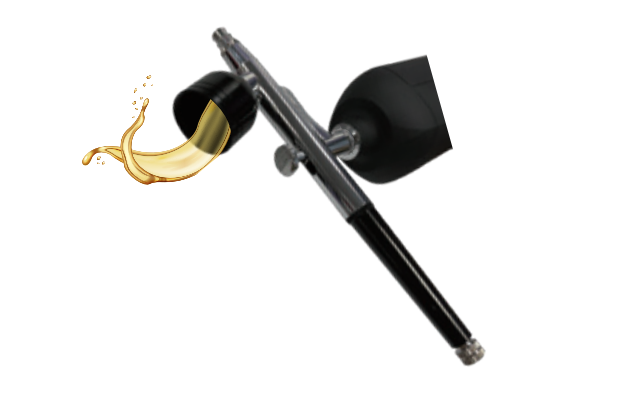
Empty any remaining airbrush coloring from the cup.
Step 2
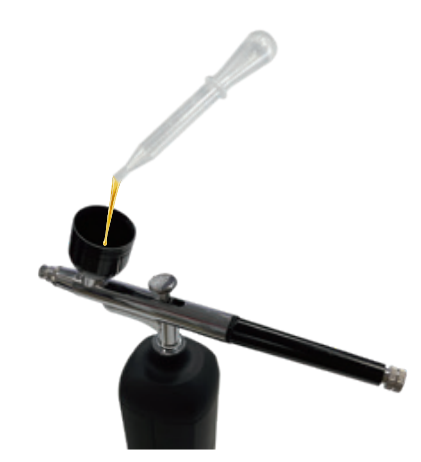
Using the dropper, add hot water or alcohol to the cup to clean it.
Step 3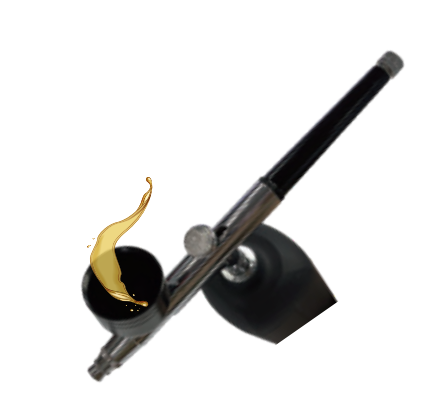
Thoroughly swab the cup clean with a cotton swab. Add more water and repeat if necessary.
Step 4
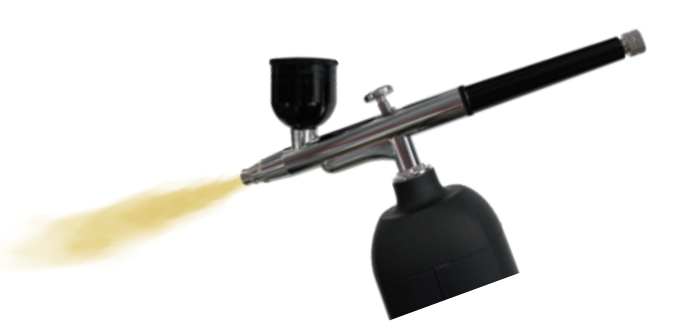
Spray water or alcohol through the airbrush onto a towel until it sprays clear. Discard any leftover water and dry it off.
Maintenance
- Empty the fluid cup and wash with water or solvent with a brush.
- Refill with water or solvent, then block the needle cover with a finger and spray. The air flows backward into the nozzle to clean the paint that remained.
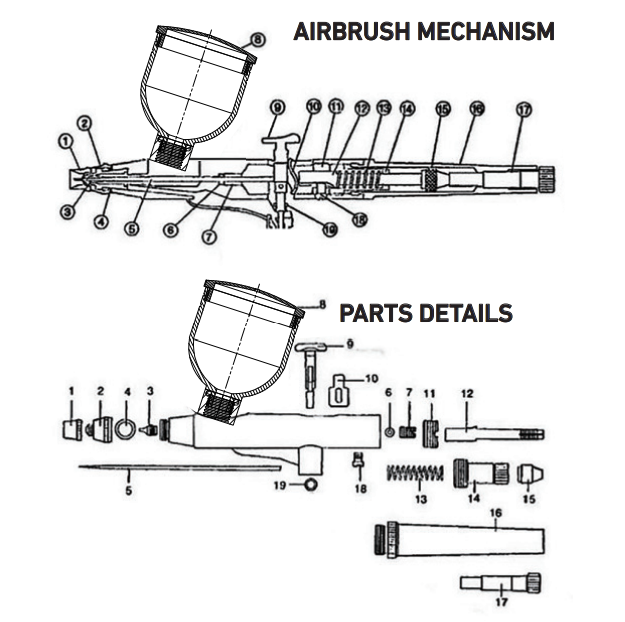
Parts Name
- Needle Cap
- Nozzle cap
- Nozzle
- Ring for Nozzle Cap
- Needle
- Ring for Needle Guide
- .Nozzle Guide
- Lid for Color Cup
- Operation Lever
- Lever Guide
- StopperN
- Needlee Chuking Guide
- SpriSpringing Case
- Chucking Nut
- Standard-Handle Adjusting
- Adjusting Screw
- . Guide Screw
- Lever Guide O-Ring
Troubleshooting
Common Faults and Solutions
| CCommonfault | Analysis | Solution |
| When plugged in, the power light is off, and the air pump has no airflow | Bad button, bad plug | Contact seller |
| The power light is on, and the air pump has no airflow | Internal damage | Contact seller |
| Airbrush with air flow but no mist | Blockage | Clean the needle and gun |
| The needle (NO.5) is stuck | Pull out the needle and reassemble it | |
| The nut is not tightened | Tighten the nut (No. 15) |
Environment-Friendly Disposal
- You can help protect the environment!
- Please remember to respect the local regulations: hand in the non-working electrical equipment to an appropriate waste disposal center.
Warranty
Our product is guaranteed to be free from quality and manufacturing defects for a period of 12 Months. If your product becomes defective during this period, Electus Distribution will repair, replace, or refund it if the product is faulty or not fit for the intended purpose.
This warranty will not cover a modified product, misuse or abuse of the product contrary to user instructions or packaging label, change of mind, or normal wear and tear. Our goods come with guarantees that cannot be excluded under the Australian Consumer Law.
Any expenses relating to the return of your product to the store will normally have to be paid by you. The benefits to the customer given by this warranty are in addition to other rights and remedies of the Australian Consumer Law in relation to the goods or services to which this warranty relates.
This warranty is provided by: Electus Distribution 46 Eastern Creek Drive, Eastern Creek NSW 2766 Ph. 1300 738 555
Customer Support
- Email: support@whynter.com
- Website: WWW.WHYNTER.COM
- Tel: 800-443-6153
Product contents and specifications may change without notice. Copyright © 2024
FAQs
Q: What is the PROTECH TL4590 used for?
For precise detailing in model painting, makeup, cake decorating, crafts, and other precision spraying applications, the TL4590 is a portable, rechargeable airbrush.
Q: Can I disassemble the airbrush for maintenance?
It is possible to carefully remove the paint cup, needle assembly, and nozzle. Avoid opening the battery compartment. For safe disassembly procedures, always consult the handbook.
Q: Is the TL4590 suitable for children?
Adults and teenagers under supervision are the target audience. Young children may be at risk for injury from small parts and pressured airflow.
Q: Can I replace the battery if it no longer holds a charge?
Do not try to open the device yourself; instead, contact PROTECH support for battery replacement or service.
Q: Who should I contact for technical support or replacement parts?
Contact PROTECH customer care with your purchase details and model number (TL4590).
Q: Can I use the TL4590 for edible decorations on cakes?
Yes, but make sure you only use water-based, food-safe colours. Before using edible or non-edible paints, make sure the airbrush is completely clean.
Q: Can I spray solvents or alcohol-based paints?
No, water-based paints are the intended use for the TL4590. The battery and internal seals can be harmed by solvents. Use a professional airbrush made specifically for solvent-based paints.