

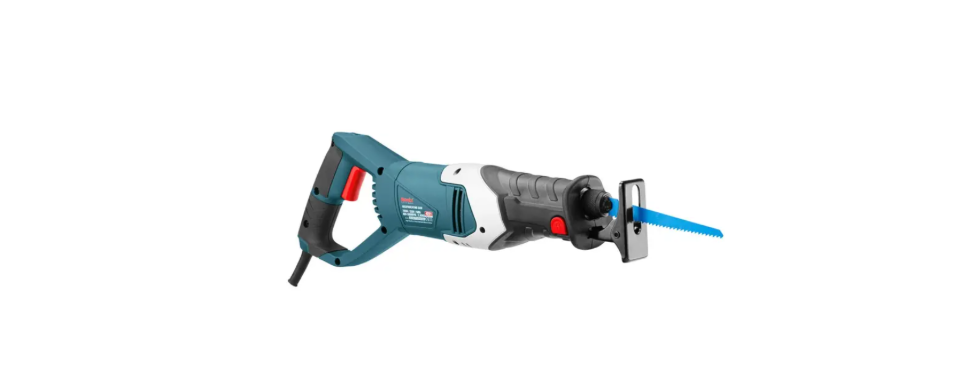

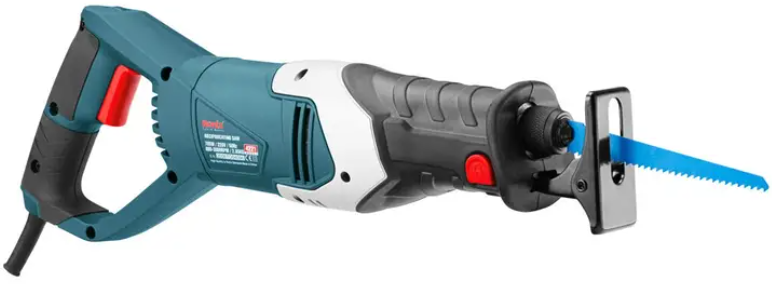
Ronix 4221 705W Electric Reciprocating Saw
Safety Instructions
- Keep guards in place and in working order.
- Remove adjusting keys and wrenches.
- Keep the work area clean.
- Cluttered areas and benches invite accidents.
- Don’t use it in a dangerous environment.
- Don’t use power tools in damp locations or expose them to rain. Keep the work area well-lit.
- Keep children away. All visitors should be kept at a safe distance from the work area.
- Make the workshop childproof with padlocks.
- Don’t force the tool. It will do the job better and safer at the rate for which it was designed.
- Use the right tool. Do not force a tool or attachment to do a job for which it was not designed.
- Use a proper extension cord. Make sure your extension cord is in good condition.
- Wear proper apparel. Do not wear loose clothing, gloves, neckties, rings, bracelets, or other jewelry that may get caught in moving parts. Non-slip footwear is recommended. Wear a protective hair covering to contain long hair.
- Always wear eye protection. Any drill press can throw foreign objects into the eyes that could cause permanent eye damage.
- Secure work. Use clamps or a vise to hold work when practical. It’s safer than using your hand, and it frees both hands to operate the tool.
Specfications
- Model 4221
- Power 705W
- Voltage 220-240V
- Frequency 50-60Hz
- No-Load Speed 800-3000RPM
- Cutting Capacity in Wood 115mm
- Cutting Capacity in Aluminum 20mm
- Cutting Capacity in Steel 10mm
- Weight 2.85Kg
- Includes Pair Of Carbon Brushes, 2 Saw
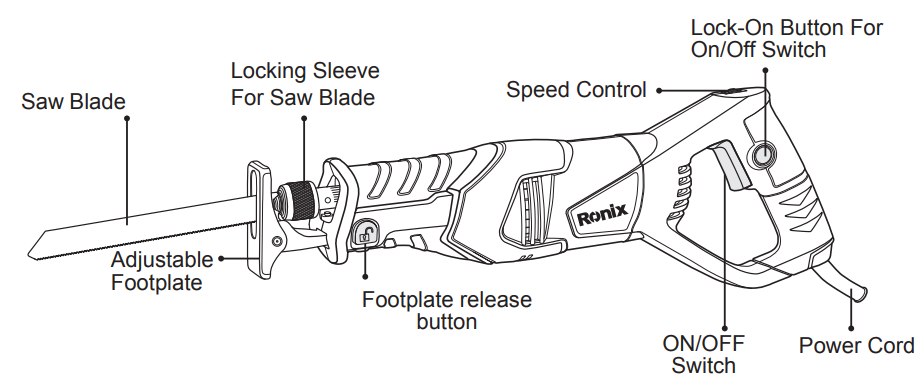
Part List
Installation
Replacing/inserting the Saw Blade
- When mounting the saw blade, wear protective gloves.
- Danger of injury when touching the saw blade.
- When changing the saw blade, take care that the saw blade holder is free of material residue, e. g. wood or metal shavings.
Inserting the Saw Blade
- Turn the locking sleeve approximately. 90° in the direction of the arrow and hold. Push the saw blade into the saw blade holder. Release the locking sleeve again.
Check the Tight Seating of the Saw
- A loose saw blade can fall out and lead to injuries.
- For certain work, the saw blade can also be turned through 180° (with the teeth pointed upwards) and re-inserted.
- Turn the locking sleeve approximately. 90°in the direction of the arrow and hold. Remove the saw blade.
Dust/chip Extraction
- Dusts from materials such as lead-containing coatings, some wood types, minerals, and metal can be harmful to one’s health. Touching or breathing in the dust can cause allergic reactions and/or lead to respiratory infections in the user or bystanders.
- Certain dusts, such as oak or beech dust, are considered carcinogenic, especially in connection with wood-treatment additives (chromate, wood preservative). Materials containing asbestos may only be worked on by specialists.
Using Instruction
Pivoting and Retractable Footplate
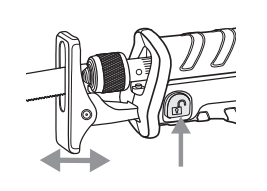
- Due to its mobility, the adjustable footplate adapts to the required angular position of the surface.
- Press the release button for the footplate and slide the footplate to the required position.
- Release the footplate release button and check that the footplate is firmly latched.
- Slide the footplate as required until it is firmly latched.

Speed Adjusting Dial
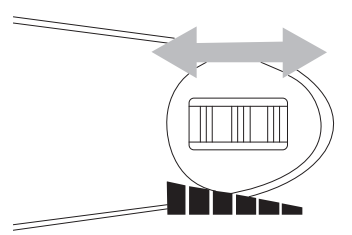
- The strokes per minute can be adjusted just by turning the adjusting dial.
- This can be done even while the tool is running. The dial is marked from lowest speed to full speed.
- Turn the adjusting dial without positive stops between the lowest speed and full speed according to your work.
- Refer to the table to select the proper speed for the workpiece to be cut.
- However, the appropriate speed may differ with the type or thickness of the workpieces.
Switching ON & OFF
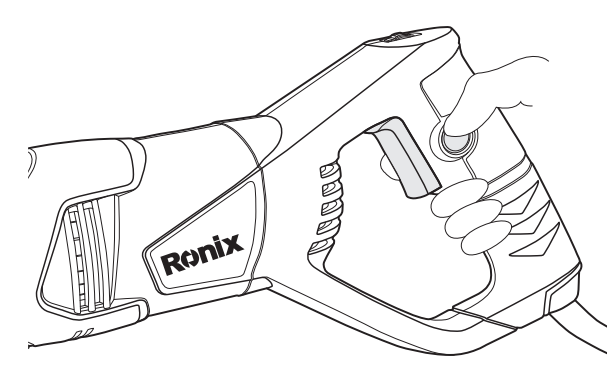
- To start the machine, press the ON/OFF switch Ronix 4221 705W Electric Reciprocating Saw and keep it pressed. To lock the pressed ON/OFF switch, press the lock-on button.
- To switch off the machine, release the ON/OFF switch or, when it is locked with the lock-on button, briefly press the ON/OFF switch and then release it.
Maintaiance
- Your power tool requires no additional lubrication.
- Keep the ventilation slots clear and regularly clean the housing with a soft cloth.
- Uneven bar wear causes most guide bar problems.
- Incorrect sharpening of the chain cutter and depth gauge settings often causes this.
- When the bar wears unevenly, it widens the guide bar groove.
- This causes chain clatter and rivet popping.
- The saw will not cut straight.
- Replace the guide bar if this occurs. Inspect the guide bar before sharpening the chain.
- A worn or damaged guide bar is unsafe.
- A worn or damaged guide bar will damage the chain. It will also make cutting harder.
Storage
- Store the device and its accessories in a Ronix 8651 20 V Cordless Brushless Chainsaw dark, dry, and frost-proof place that is inaccessible to children.
- The optimum storage temperature is between 5 and 30˚C.
- Store the electrical tool in its original packaging.
- Cover the electrical tool to protect it from dust and moisture.
- Store the operating manual with the electrical tool.
Customer Support
- Address: Lyoner Str. 36 60528 Frankfurt am Main
- Tel:+49 69 310 900 66
- Website: www.ronixtools.com
FAQs
How do I change the blade safely?
After releasing the blade clamp mechanism, take out the old blade, fully insert the new one, and secure it. Before turning on the tool, make sure the blade is secure.
Can I use the saw for precision or fine cutting tasks?
Yes, precision cutting is possible using the variable speed control, particularly for delicate or curved cuts.
What safety precautions should I follow when using the Ronix 4221?
Wear gloves, safety goggles, and earplugs at all times. Avoid wearing loose clothing, make sure the workpiece is fastened firmly, and keep your hands away from the blade when working.
How do I maintain the saw for optimal performance?
Maintain the saw by cleaning it frequently, clearing away dust and debris, checking the power cord for damage, lubricating the moving parts as necessary, and keeping it in a dry, secure place.
Does the saw have a mechanism to reduce vibration?
Indeed, the anti-vibration features and ergonomic design aid in lowering user fatigue and enhancing control over extended use.
How do I troubleshoot if the saw doesn’t start or loses power?
Verify that the blade is installed correctly, that the outlet is operational, and that the power wire is undamaged and connected appropriately. Get in touch with the Ronix service if the issue continues.