



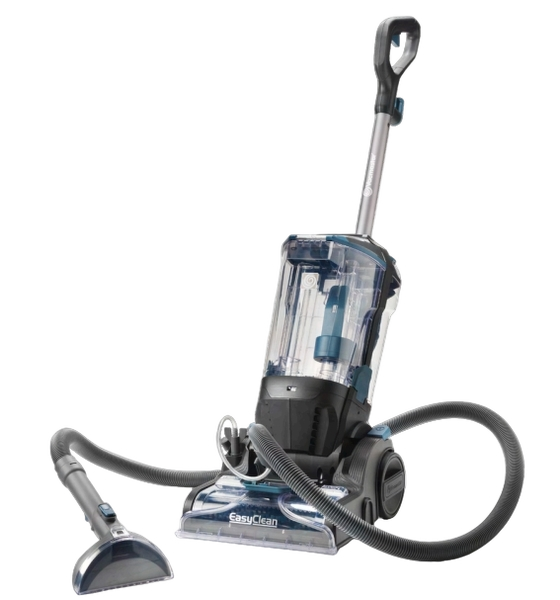
VacMaster CA0701UK EasyClean Home Floor Cleaner
Safety Instructions
- Do not leave the appliance when plugged in.
- Unplug from the outlet when not in use and before servicing.
- Not for space heating purposes.
- Make sure the household voltage is the same as that indicated on the rating label of the unit.
- Always switch off, unplug from the socket after use or before cleaning the appliance or any maintenance task.
- Do not unplug by pulling and jerking the cord with force.
- Do not handle the plug or the appliance VacMaster CA0701UK EasyClean Home Floor Cleaner with wet hands.
- Do not use the appliance in any outdoor area. Commercial use will void the warranty.
- Do not step on or wrap the cord around arms or legs when using the appliance.
- Do not pull, lift, or carry the appliance by its supply cord.
- In order to avoid damage to the cord, do not pull the cord around sharp corners and edges.
- Keep the appliance away from the ovens and stoves, etc.
Installation
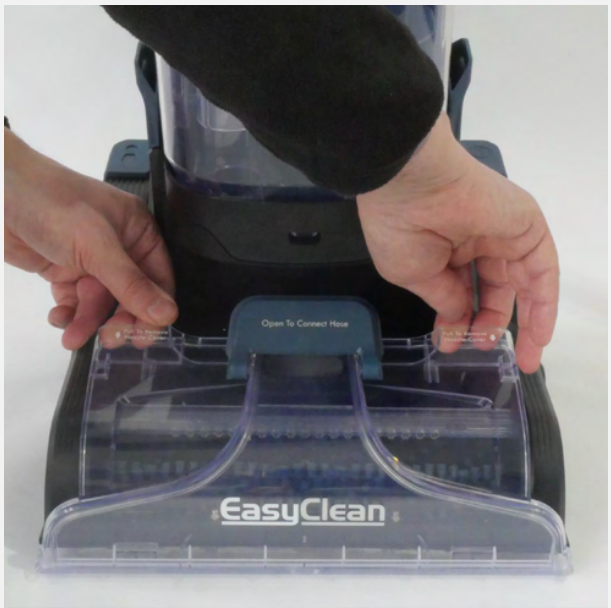
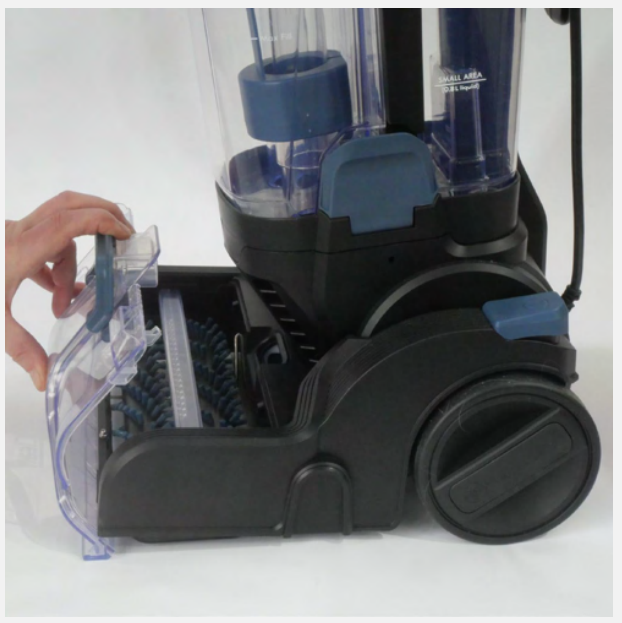
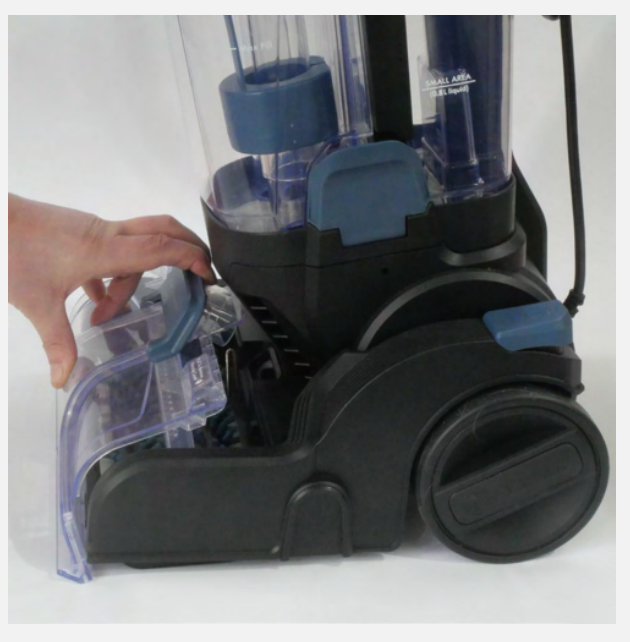
- Remove the floor nozzle cover by gripping the two nozzle cover release tabs and pulling up. Remove the floor nozzle cover by gripping the two nozzle cover release tabs and pulling up.

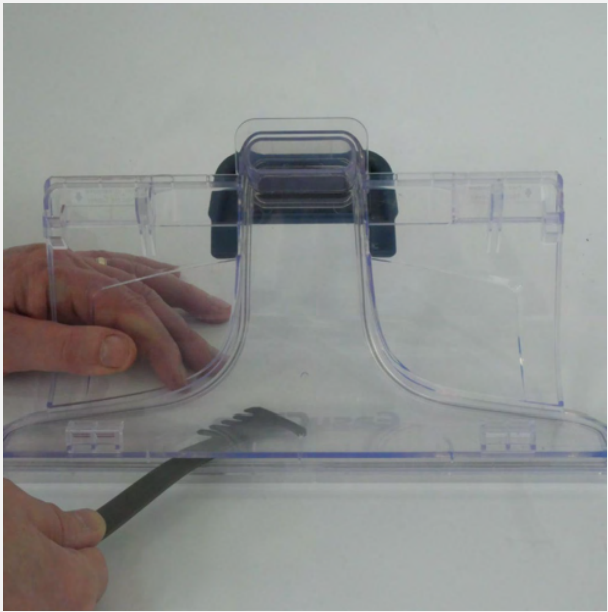
- Use the nozzle cleaning tool to remove any dirt and debris from the slot openings of the nozzle cover. If required, rinse the nozzle cover and allow it to air dry
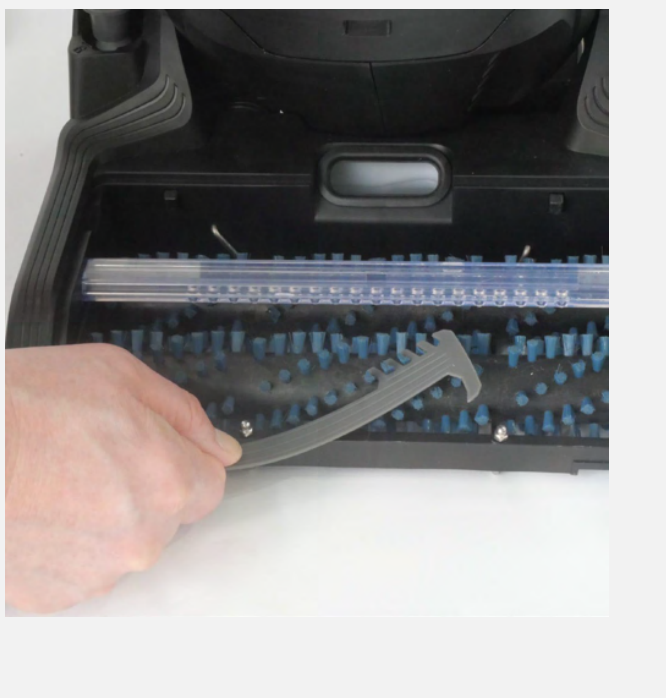
- Use the nozzle cleaning tool to remove any build-up tangled around the brushrolls.
- Reinstall the nozzle cover. Lock the two tabs on the nozzle cover into the slots on the front edge of the floor nozzle.
- Lock the nozzle cover into place by rotating it down until a click is heard.
Troubleshooting
Should you have any problem(s) with your steam mop, review the table below for solutions to minor performance issues.
| PROBLEM | POSSIBLE CAUSE | SOLUTION |
| The steam mop will not power on (the indicator light will not illuminate). | The plug is not plugged into the wall outlet. | Be sure the power cord plug is fully plugged into the outlet. |
| Defective power cord. | Check the power cord condition; if there is any damage, contact customer service. | |
| Blown fuse or breaker. | Replace the fuse or reset the breaker in the home. | |
| The internal fuse is blown. | Contact with customer service. | |
| The indicator light illuminates red. | The water tank may be empty. | Fill up the water tank with water. |
| Reduced steam or no steam. | The water tank may be empty. | Fill up the water tank with water. |
| There is no power to the steam mop. | Make sure the steam mop is plugged into a good wall outlet. | |
Customer Support
- Website: www.vacmasterfresh.com/product-registration/
- Visit: vacmasterfresh.com/contact-us/
- Tel: 1-866-384-8432.
FAQs
Does the machine vacuum up liquids?
Indeed. With its wet vacuuming feature, the VacMaster CA0701UK is perfect for routine mopping, spill cleanup, and pet messes.
Can I use cleaning solutions in the water tank?
Steer clear of vinegar, chlorine, and excessively frothy detergents since these can harm the system.
Does it include a self-cleaning function?
Indeed! A self-cleaning cycle is a feature of the CA0701UK. To help avoid clogs and odour, flush the brush roller and internal tubing by placing the unit on its dock and turning on the self-clean feature after each usage.
How long is the power cord, and does it have cordless operation?
With a rope length of approximately 8 meters, the CA0701UK offers a broad reach for domestic use.
Can I use the CA0701UK for carpets or rugs?
Using it on carpeted areas could cause the machine to malfunction or break.
How loud is the CA0701UK during operation?
The cleaner runs at about 80 dB, which is a moderate sound level for household vacuums. It’s strong without being too loud for indoor use.