

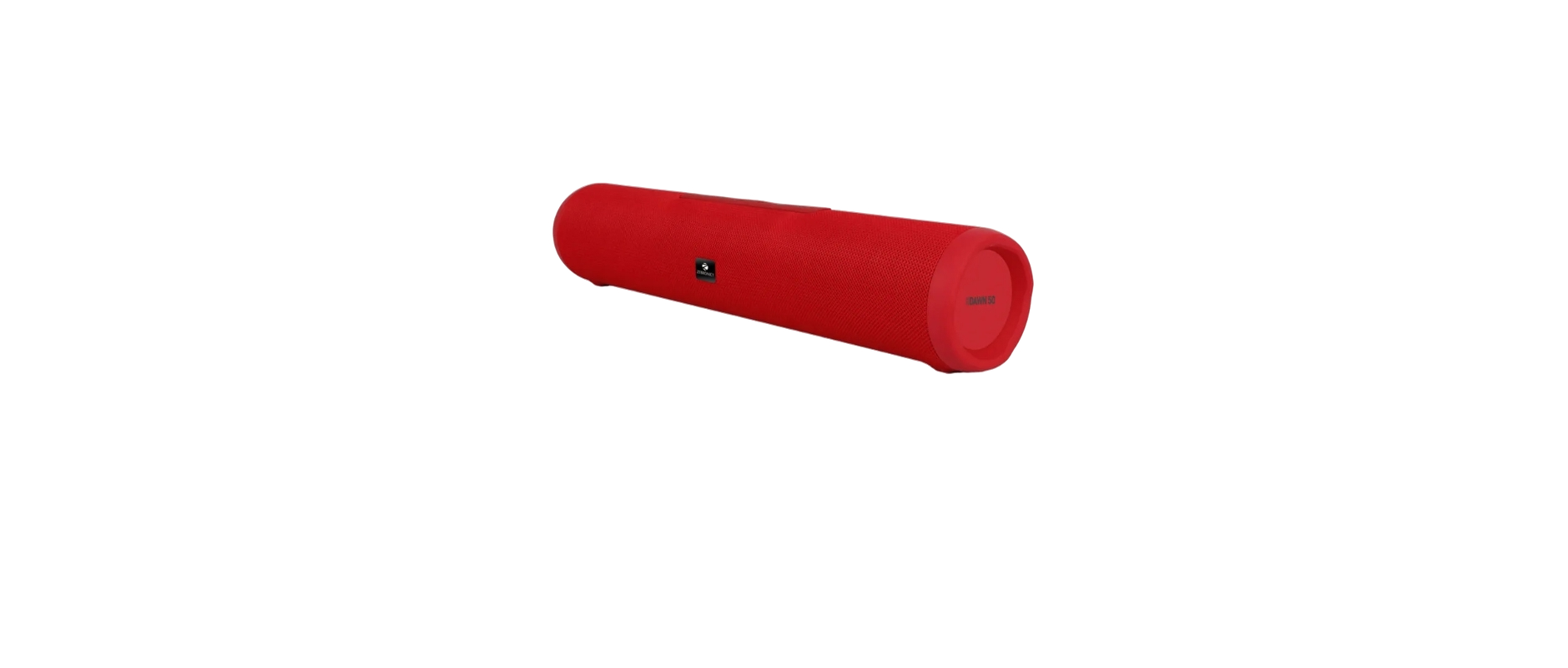

ZEBRONICS ZEB-DAWN Portable BT Speaker
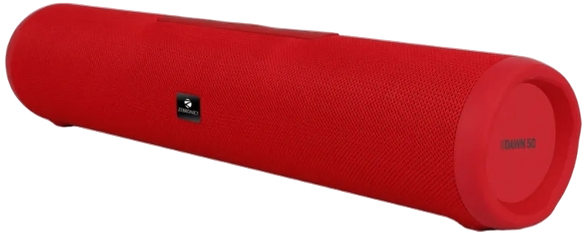
Features
- 16W RMS Output
- Up to 8h* Backup
- Dual 52mm Drivers
- TWS Function
- BT v5.3| USB | mSD | AUX | FM
- Call Function
- Fabric Finish
- Media / Volume control
- Type-C Charging
- Built-in Rechargeable battery
Max Supported
- USB/mSD memory size: 2GB
- Supported Audio formats: MP3
- Charging time: 4
- Playback time: 8h
Product Dimension
- (Dia XH) : 7.95 × 40cm
- Net. Weight: 708
Package Contents
- Speaker: 1 U
- charging cable: 1 U
- Iput cable : 1 บี
- QR Code Guide : 1 U
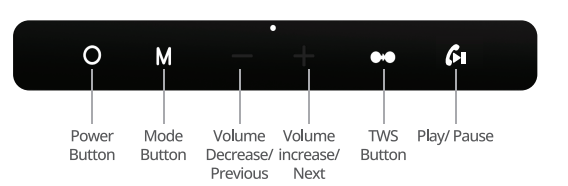
Button Inscriptions
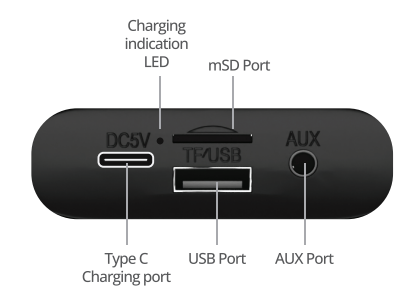
Port Inscriptions
Button functions
- Long PresLong-pressr the button for ON/OFF the Speaker.
- Press the “M” button to change the input mode of the speaker.
- Long-press the “+/-” button to change the NEXT/ PREV track or channel when in BT /USB/mSD mode or FM mode, respectively.
- Press the “+/-” button to increase/ decrease the speaker volume.
- Press the “CALL” button to play/pause the track being played.
- Long-press press power button to power ON/OFF the speaker.
- During calls, short-press the» lI” button to attend / end call.
- Press the» I” button to Play/Pause. Double-press press» lI” button to redial the last dialed number
General Instructions
- BT Mode: Power ON the speaker, it will enter into BT pairing mode, open Bluetooth settings in your phone, and search for the BT name “ZEB-DAWN 50” and tap to connect it.
- USB/Micro SD Mode Connect the USB/ micro SD card device to the respective ports of “ZEB-DAWN 50” and the speaker would automatically start playing from the USB / micro SD card device.
- AUX Mode: Connect the speaker to an audio source (Phone, TV, PC) using a 3.5mm AUX cable. Once connected, change the speaker to AUX modeand thereafter audio can be streamed via the
speaker from the connected source. - FM Radio Mode: Short-pressing press “M” button can switch to FM mode. Once the speaker is in FM mode, Llong-pressthe “» Il” button once to start scanning for FM channels. Once scanning is complete, long-press the “+/-” button to change the channels. Note: Please use the Charging cable as an antenna for better FM signal reception.
- TWS (True Wireless Stereo) Function: When two speakers are in Bluetooth mode, long-press press “TWS” button of one speaker to enter TWS mode.. It will ZEBRONICS ZEB-DAWN Portable BT Speaker search and connect with the other speaker automatically. When the two speakers are connected successfully, you can control both speakers at the same time.
Note: Requires two ZEB-DAWN 50 speakers for the TWS feature - Charging the Speaker:
- Connect the Type-C charging cable to the DC 5V charging port of the speaker and insert the other end into a USB power adapter.
- Red LED glows, indicating that the battery is being charged. After a full charge, the red LED goes OFF.
Specifications
- Output Power (RMS): 16W (8W + 8W)
- BT Version V5.3
- Driver Size: 52mm x 2
- Speaker Impedance: 39
- Frequency Response 80Hz-20kHz
- S/N Ratio:85dB
- Separation : ≥45dB
Customer Support
- Website: www.zebronics.com
- Tel: 044 40000004
FAQs
Q: What is the ZEB-DAWN speaker?
Ans: The ZEB-DAWN is a portable Bluetooth speaker with built-in FM radio, several input options, a small form factor, and easy-to-use controls for wireless music playback.
Q: What Bluetooth version does ZEB-DAWN support?
Ans: ZEB-DAWN usually uses Bluetooth v5.0, which provides faster device pairing, reduced battery consumption, and an enhanced range of up to 10 meters.
Q: How do I switch between different modes?
Ans: To choose between the available playing modes (Bluetooth, AUX, FM, USB, and microSD), press the Mode (M) button on the speaker.
Q: What is the battery capacity and playback time?
Ans: With a full charge, the ZEB-DAWN can play music for up to 6 hours, depending on the volume and mode of use. A rechargeable lithium battery powers it.
Q: How long does it take to fully charge the speaker?
Ans: The ZEB-DAWN may be completely charged with a typical 5V USB converter in about 2.5 to 3 hours.
Q: Can I play music from a USB drive or microSD card?
Ans: Indeed. The speaker will start playing music automatically when you insert a USB drive or microSD (TF) card that has MP3 files on it into the appropriate port or slot.
Q: What audio formats are supported via USB/microSD?
Ans: MP3 audio files stored on devices with the FAT32 file system format are supported by the ZEB-DAWN.
Q: Can I connect the speaker to a non-Bluetooth device?
Ans: Indeed. Any device that has a 3.5mm headphone output, such as a PC, MP3 player, or TV, can be connected to the speaker via the AUX input.