

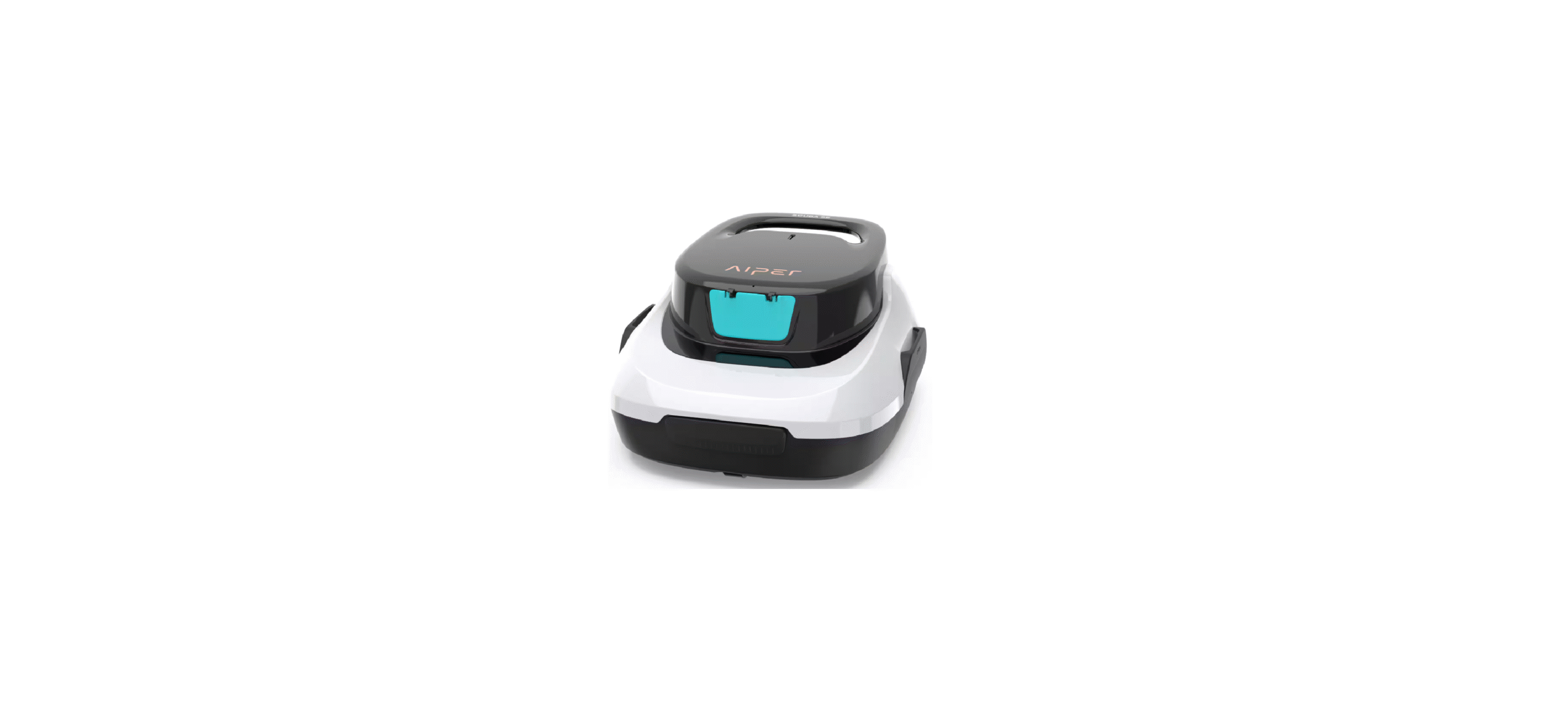

Aiper Scuba 800 Robotic Pool Cleaner

Safety Instructions
Read this manual carefully and use your device in accordance with the instructions. Aiper is not liable for any damages or injuries caused by improper use.
- Do not operate the device when people or animals are in the pool.
- Ensure the device is turned off when conducting maintenance, cleaning, or when not in use.
- Do not allow children to ride the device or operate it without adult supervision.
- Only use the original, authorized power adapter.
- The adapter cord should only be replaced by a qualified electrician.
- It is strongly recommended to connect the charger to a surge protector when charging.
- Ensure the charging port is completely dry before charging your device.
- While charging, the device should be kept in a cool, well-ventilated place.
- Do not operate the device out of the water, as this may lead to hardware malfunctions or overheating.
- Only certified professionals should disassemble the (driving kit) of the device.
- Do not operate the device while running your pool filter.
- Avoid puncturing the oil sealing of the motor, as this contains grease.
- If punctured, this may cause a small grease leakage into your pool.
- Do not store or use the device near anything that generates extreme heat.
- Do not pierce or bludgeon the device’s shell, as this will cause irreparable damage.
- Additionally, the device should not be thrown.
Description
Please read this user manual carefully before using it.
- Handle
- Top Shell

- Filter Tray

- Chassis

- Retrieval Hook

- Charger

- Brushes

Using the Device
First Use
- The device was designed to clean flat-floored swimming pools with no slopes up to 860 s. .ft/80m².

- Tightly insert the two included brushes into the slots at the bottom of your device. You will hear a clicking sound that indicates the brushes are securely in place.

- Power off your device after use.
- Lift from the pool with the bottom of the device facing the wall.

Optional
- Fully charge your device before using it for the first time.
- Press the Power Button and place your device in the water after you hear a beep.

- If your device has powered off due to low battery against the edge of your pool, the device will beep intermittently for two minutes.

- Lift your device from the pool using the included hook. Telescopic pole not included.

- Open Latches: Open the left and right latches outwards.

- Open the Top Shell: Hold the handle with one hand and remove the Top Shell from your device with your free hand.
- Remove the Filter Screen. Clean the filter and the bottom of your device with clean water.

- Put the filter back into your device. Return the Top Shell to the device. You will hear a click when the Top Shell is securely attached to your device.

Charging
- Fully charge your device before using it to clean your pool.
- Power off your device before charging.
- Clean and dry the charging port before plugging your device into an electrical outlet.

- When charging, ensure your device is right side up to prevent damaging the handle.

- When charging the device via the charger, it has the following statuses:

Maintenance
- Always wash the filter tray immediately after use. Dried debris may cause blockage and affect performance if it is not washed and removed promptly.

- Brush Replacement
If a brush becomes worn out, follow the steps below.- Remove the Top Shell of your device and locate the brush position.
- Using a small tool or your fingers, push the two small locking pins to the side as indicated in the diagram below.


-
- Press the locking pins down to release the brush.
- Insert a new brush into the bottom slot of the cleaner. (Replacement brushes are included.)
- Wheel Replacement
If one of your device’s wheels breaks, follow the steps below.- Remove the shell of your device and find the location of the broken wheel.
- Using a tool or your finger, push the wheel buckle until it bends slightly, then press on the wheel stem as indicated in the diagram below.


-
- Insert the new wheel stem by first aligning it with the two small holes of the wheel socket. You should hear a clicking sound when the wheel has locked in place.

- Insert the new wheel stem by first aligning it with the two small holes of the wheel socket. You should hear a clicking sound when the wheel has locked in place.
Storage
- The device should be stored in a cool, well-ventilated place away from direct sunlight.
- If you need to store the device for a prolonged period, we recommend you charge it every three months between 40%-60% to maintain battery health. Only use an authorized power adapter. If your device is not charged for a long time, battery discharge and battery voltage may act in unintended ways, which could cause fatal damage.

Specifications & Working Conditions
- Pool Size: 860 sq. ft./80m² Flat Floor Pools
- Charger Input: 100~240V, 50/60Hz
- Charger Output: 12.6V/1.0A
- Charging Time: 3-4 Hours
- Battery Life: 90 Minutes
- IP Grade: IPX8 Waterproof
- Max Water Depth: 1.6-10ft(0.5-3m)
- Battery Capacity: 2600mAh (28.08Wh)
For optimal performance, Aiper recommends using your device in the following water conditions.
- Temperature: 50-95°F (10-35°C)
- pH Value: 7.0-7.4
- Chlorine: Maximum 4 ppm
- NaCl: Maximum 5000 ppm
Troubleshooting
Common Faults
 Packing List

Conventional Warranty
This product has passed quality control and safety tests conducted by our technicians.
- This product comes with a 12-month warranty that covers your item’s battery and motor from the date of purchase.
- This warranty is voided if the product has been altered, misused, or repaired by unauthorized persons.
- This warranty extends only to manufacturing defects and does not cover damage resulting from the mishandling of the product by the owner.
- The order number or record of purchase must be presented at the request of any repair claim during the warranty period.
This symbol indicates that this product shall not be treated as household waste. Instead, it shall be handed over to the applicable collection point for the recycling of electrical and electronic equipment
FCC Statement
This equipment generates, uses, and can radiate radio frequency energy and, if not installed and used in accordance with the instructions, may cause harmful interference to radio communications or persons. However, there is no guarantee that interference will Aiper Scuba 800 Robotic Pool Cleaner not occur in a particular installation.
- Reorient or relocate the receiving antenna.
- Increase the separation between the equípment and receiver.
- Plug the equipment into an outlet on a circuit different from that to which the receiver is connected.
- Consult the manufacturer or an experienced radio/TV technician for help.
IC Statements
This device complies with Industry Canada license – ICES-003. Operation is subject to the following two conditions.
- This device may not cause interference.
- This device must accept any interference, including interference that may cause undesired operation of the device.
Compliance Declaration
This device complies with Part 15 of the FCC Rules. Operation is subject to the following two conditions:
- This device may not cause harmful interference.
- This device must accept any interference received, including interference that may cause undesired operation.
Customer Service

- Importer: Aiper Intelligent, LLC.
- Address: 13851 Ramona Ave, Chino, CA 91710, USA.
- US Toll-Free: 1-866-850-0999
- Email: service@aiper.com
- Scan for Video Guide
FAQs
Q: What is the Aiper Scuba 800 Robotic Pool Cleaner?
The Aiper Scuba 800 is a robotic, cordless, autonomous pool cleaner that uses intelligent navigation technology to effectively clean your pool floor. It eliminates debris, leaves, and dirt without the need for extra pumps, hoses, or wires. Simply plug it in, charge it, and let it do the cleaning!
Q: How long does it take to charge the Scuba 800?
It takes about three to four hours to fully charge. To ensure effectiveness and safety, always use the original Aiper charger.
Q: How long can the cleaner operate on a single charge?
Depending on the size of the pool and the amount of trash present, the Scuba 800 can clean for up to 90 minutes straight on a single charge.
Q: How does the cleaner navigate the pool?
The Scuba 800 moves across your pool floor effectively by using self-adjusting sensors and clever path planning. To guarantee full coverage, it automatically adjusts course when it comes into contact with walls or other obstructions.
Q: Does it climb walls or clean stairs?
No, the primary purpose of the Scuba 800 is floor cleaning. It doesn’t scale clean waterlines, walls, or stairs. Aiper’s Scuba S1 or above versions are a good option for cleaning the entire surface, including the walls and floor.
Q: How do I know when the cleaning cycle is complete?
The Scuba 800 will automatically stop and rest close to the pool wall for convenient recovery when the battery is low or the cleaning cycle is complete.
Q: Can I leave the cleaner in the pool when not in use?
No, after every cycle, take the cleaner out of the pool. Extended submersion can weaken the battery’s functionality and harm internal seals.