

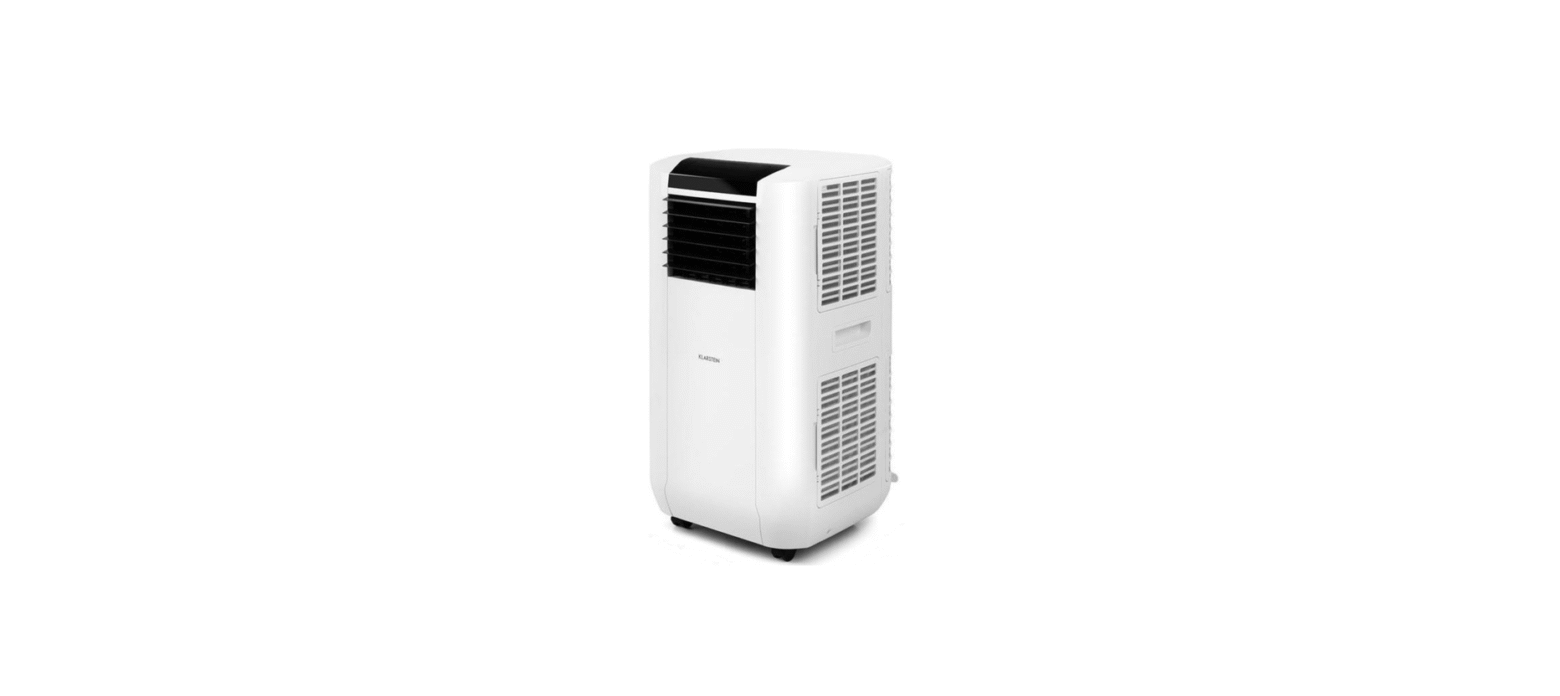

KLARSTEIN BREEZE BOX SMART Air Conditioner

Safety Instructions
- Only use agents recommended by the manufacturer for defrosting or cleaning.
- Never store the appliance in a room in which there are permanent sources of ignition (e.g., open flames, a switched-on gas appliance, or a switched-on electric heater).
- Do not puncture or burn the appliance.
- Note that coolant may be odourless.
- The device is only suitable for indoor use.
- Do not use the product if it needs to be repaired or if it has not been installed properly.
- Do not use the product in the following areas:
- near heat sources,
- in areas where oil can splash,
- in areas exposed to direct sunlight,
- in areas where splash water can occur,
- near bathtubs, in washrooms, near showers, or swimming pools.
- Never insert your fingers or other objects into the ventilation openings. In particular, warn children of the dangers this may cause.
- Ensure that the unit is held vertically during transport and storage so that the compressor is correctly positioned.
- Always turn off the appliance before cleaning and unplug it from the wall outlet.
- Switch off the appliance before moving it and unplug it from the wall outlet. Move the appliance slowly and carefully.
- To avoid the risk of fire, do not cover the unit.
- All fan connections must comply with local electrical safety regulations. Inevitably, refer to these regulations. Supervise children so that they do not play with the unit.
Refrigerant R290
- The air conditioning system must be kept and transported upright. Otherwise, irreparable compressor damage may occur. Leave the unit for at least 24 hours before putting it into operation.
- Switch off the device and disconnect it from the power supply before cleaning.
- Make sure that the product creates a steady stream of air. Ensure the air inlets and outlets are not blocked.
- To prevent leaks, operate this unit on a horizontal surface.
- Any person performing work on a refrigerant circuit should have a current certificate from an industry-accredited assessment body. This ensures competence for the safe handling of refrigerants according to an industry-recognized assessment specification.
- If the device stops working, dispose of it properly.
- Store the device in a well-ventilated place when not in use.
- Store the device so that it is not damaged.
- Repairs may only be carried out by the manufacturer or an authorised specialist company.
- The cables connected to the device may contain potential ignition sources.
- Do not damage any components of the refrigerant circuit. Escaping refrigerant may not be noticed because it is odourless.
- Maintenance and repairs must be carried out under the supervision of specialists in the use of flammable refrigerants.
- Limit the piping to a minimum.
- Be careful not to damage the piping.
- Appliances with flammable refrigerants may only be installed in a well-ventilated room.
- Comply with national gas regulations.
- All mechanical connections must be freely accessible for maintenance purposes..
Operation
Front

Back

- Air outlet
- Control panel
- Air inlet
- Exhaust air outlet
- Air inlet
- Water stopper/drainage point
- Air inlet
- Cord storage
- Water stopper/drainage point
- Air inlet
Accessories

- Exhaust hose
- Flat type adaptor – for insertion over the hose and into the window spacer (or into a hole in the wall/window).
- Inward connector – connect the unit with the exhaust pipe
- Drain tube for continuous drainage
- Remote control
Installation

Feed the exhaust hose through the window and slide the window across so that the spacer is held securely. This technique may also be used for sash windows.

Use only the hose provided and clip the exhaust hose to the back of the air conditioner. Avoid kinks and bends in the exhaust hose, as this will cause expelled moist air to build up, causing the unit to overheat and shut down.

Fixing The Wall Seal
The installation of the window seal is simple. You can attach the seal to a tilted window, a side-opened window, or a roof window. We have chosen a side-opened window for demonstration purposes. It is particularly suitable because the exhaust hose can be attached to the side far down.
The Velcro tape is attached to the three open sides. The side where the window is against the frame is left out. Clean and dry the window frame beforehand so that the tape adheres.

Attach the Velcro tape on the left, on the top, and on the bottom of the window frame. We recommend that you cut the tape into strips for each window side first.

Now attach the Velcro tape to the inner window sides.

Stick the window sealing to the Velcro strips on the window frame first (starting with the top), then on the Velcro strips on the window. Push the exhaust air tube of the air conditioner through the hole, which can be adjusted in height and size.
Control panel

- ON/OFF button
- FAN SPEED button
- TIMER button
- SLEEP button
- MODE selection button
- TEMPERATURE UP button
- TEMPERATURE DOWN button
- WIFI mode button
- Compressor operation indicator
- “Water Full” indicator
- Low ventilation indicator
- Middle ventilation indicator
- High ventilation indicator
- “Timer” indicator
- Receiver for remote control
- “Sleep” indicator
- Display window
- “Fan” indicator
- “Cooling” indicator
- “Automatic” mode indicator
- DEHUMIDIFY(DRY) indicator
- WiFi mode indicator
Turning ON/OFF
- Press the ON/OFF soft-touch button, and the unit will start automatically.
- higher than 22 °C, the unit will work in cooling mode.
- Higher than 20 °C, the unit will work in ventilation mode (low fan).
- Below 20 °C, the unit will work in heating function (This is for cooling & heating models only.
- Indicators of the functions in progress come on at the same time. The display window shows the ambient room temperature from 0 °C to 50 °C.
- To turn the unit off, press the ON/OFF button again.
Setting
mode/function
Press the MODE button to select the required working mode: automatic, cooling, fan, or dehumidify (dry). The indicator of your selected mode lights on.
Temperature
- Press the ‘Temperature up’ or ‘Temperature down’ button to regulate the temperature you desired temperature.
- The display window will show the temperature you set as you press the ‘Temperature up’ or ‘Temperature down’ button. Otherwise, it will always show the ambient temperature.
- The pre-setting temperature of this machine is: 24 °C for cooling.
Ventilation speed
- Press the SPEED button to choose the ventilation speed you need: high, medium, or low. The indicator of high, medium, or low ventilation will light on at the same time.
- If the unit is in AUTO mode, it will choose the ventilation speed automatically according to the ambient temperature (the related indicators will light on. At this time, the SPEED and TEMPERATURE UP & DOWN buttons are invalid.
Timer
- Press the TIMER button to set the operating hours you desire(1 to 24 hours); he timer indicator will light on. When the set time has been reached, the machine will turn off automatically. The display window will show the hour(s) you set as you press the TIMER button. If the timer button is not pressed, the unit will work continuously.
- By pressing the timer but without turning on the other functions, you can PRESET the time for the machine to work. For example, if you press the timer to ‘2’, the unit will work automatically after 2 hours.
Sleep function
- In cooling mode, by pressing the SLEEP button, the set temperature will increase 1 °C at the 1st hour, another 1 °C at the second hour, then keep at that temperature.
- In sleep mode, the ventilation will be kept at low speed. Press the SLEEP button again, and the setting temperature and ventilation speed will return to the preselected one.
- The unit will shut down automatically after the SLEEP function runs for 12 hours.
- Please note, the sleep function is not available while the machine is working in AUTO, FAN (ventilation), or DEHUMIDIFICATION mode.
- When the machine is in the Sleep function, the Fan Speed turns to LOW speed.
Dehumidify (DRY) mode
In dehumidify (DRY) mode, the temperature cannot be adjusted, and the ventilation will be fixed at low speed. When the unit is operating in Dehumidify ( DRY) mode, humidity extracted from the air is collected in an internal tank. If the tank reaches full, the compressor and motor cut out automatically.
At the same time, the “Water Full” indicator comes on. An alarm will also sound. When the tank is full, drain the water as shown on the page concerning “DRAINAGE”. You may also use the unit without having to empty the tank so often by using “continuous drainage”.
Self-diagnosis
This machine is equipped with a self-diagnosis function. If something is wrong in the machine, the display window will show the sign: E1, E2, E3, or E5, which reflects different condition. At this time, please call your service centre.
All the above functions can also be performed with the supplied remote control. This remote control requires a battery CR2032 x 1pc to operate.
Control
If you integrate the device into your home WiFi, you can conveniently operate it via the associated Klarstein app. The app not only allows you to remotely control the device via your smartphone, but also gives you access to recipes and additional information.
- Download the Klarstein app first by scanning the QR code KLARSTEIN BREEZE BOX SMART Air Conditioner with your smartphone (see below), or download it directly from App Store or Google Play.
- Make sure your smartphone is connected to the same WiFi network that your Klarstein device is connected to.
- Open the Klarstein app.
- Sign in to your account. If you do not have an account, sign up for the Klarstein app.
- Follow the instructions from the app.
App Download
- Use the scan function of your smartphone to scan the QR code and save the app on your smartphone.

Drainage
- Turn off the air conditioner and avoid moving it when full.
- Position a container (a water tray,, or example) underneath the drain hole.
- Remove the drain knob & rubber plug from the drain hole and allow the water to drain out.
- When the container is almost full, replace the rubber plug in the drain hole and empty the water tray.
- Repeat until the unit is emptied.
- Replace the rubber plug and tighten the drain knob firmly.
- Switch on the unit – the full water or compressor operating indicator should not be flashing.

- Remove the drain knob and rubber plug and retain them for future use.
- Connect the drain tube supplied to the water outlet as shown and locate the other end in a drain.

- The drain tube may be extended by adding an extension tube and using a suitable connector.

CLEANING AND CARE
- Always unplug the air conditioner from the mains before KLARSTEIN BREEZE BOX SMART Air Conditioner cleaning. To maximize the efficiency of the air conditioner, clean it regularly.
- Use a soft, damp cloth to wipe the body clean. Never KLARSTEIN BREEZE BOX SMART Air Conditioner use aggressive chemicals, gasoline, detergents, chemically treated cloths, or other cleansing solutions.
- Use a vacuum cleaner or tap the filter lightly to remove loose dust and dirt from the filters, and then rinse thoroughly under running water (no hotter than 40 °C). Dry thoroughly before replacing.
- Drain any water in the unit before completely operating the unit in onventilation-only mode for a few hours, to thoroughly dry the inside.
- Clean or change the filter.
- Unplug and store the power cord.
- Replace the original carton or cover for storage.
Technical Data
| Item number | 10046093 | 10046094 |
| Power supply | 220-240 V ~50 Hz | |
| Power consumption / current | 765 W/3.4 A | 950 W/4.1 A |
| Cooling capacity | 7000 BTU/h 2.0 kW | 9000 BTU/h 2.6 kW |
| Refrigerant | R290 | |
| WiFi standard | 802.11 b/g/n | |
| WiFi frequency | 2.4 GHz | |
| WiFi radiofrequency power (max.) | 20 dBm | |
TROUBLESHOOTING
| Problem | Check these issues |
| The air conditioner does not run. | Is the air conditioner plugged in? |
| Is there a power failure? | |
| Is the comp / ‘full water’ indicator flashing? | |
| Is the room temperature below the set temperature? | |
| The machine seems to do little. | Is there direct sunshine? (Please put down the curtain.) |
| Are too many windows or doors open? | |
| Are there too many people in the room? | |
| Is there something in the room producing lots of heat? | |
| The machine seems to do nothing. | Is the filter dusty, contaminated? |
| Is the air intake or output blocked up? | |
| Is the room temperature below your selected temperature? | |
| Too noisy. | Is the machine positioned unevenly to create vibration |
| Is the floor underneath the machine uneven? | |
| The compressor does not operate. | The overheat protection of the compressor may be on. Just wait for the temperature to drop? |
Error codes for the electrician
| Code | Meaning |
| E1 | The resin sensor on the evaporator has broken down. |
| E2 | The copper sensor on the discharge tube is broken down. |
| E3 | TC sensor is loose or broken down. Please check and replace it. |
| E5 | Device overheated. The compressor and fan motor stop.
Press the ON/OFF button to check if the E5 signal still exists. If that is the case, that means the compressor system is abnormal. |
Disposal
By disposing of it according to the rules, you are protecting the environment and the health of your fellow human beings from negative consequences. For information about the recycling and disposal of this product, please contact your local authority or your household waste disposal service.
Environmental Safety
- During cooking, make sure that there is sufficient air KLARSTEIN 10035380 ELEONORA Range Hood supply so that the cooker hood can operate efficiently and with low operating noise.
- Adjust the fan speed to the amount of steam produced during cooking. Use the intensive mode only when necessary.
- Switch off the cooker hood when you no longer need it.
- Switch off the lighting when you no longer need it.
- Clean the filter at regular intervals and replace it if necessary to increase the effectiveness of the ventilation system and prevent fire hazards.
- Always put the lid on when cooking to reduce cooking steam and condensation.
Customer Service
Manufacturer & Importer (UK)
- Manufacturer: Chal-Tec GmbH, Wallstrasse 16, 10179 Berlin, Germany.
- Importer for Great Britain: Berlin Brands Group UK Ltd PO Box 42 272 Kensington High Street, London, W8 6N, D United Kingdom
- Website: http://www.klarstein.com
- Scan the QR code to get access to the latest user manual KLARSTEIN 10035380 ELEONORA Range Hood and more product information.

Dear Customer
Congratulations on purchasing this device. Please read the following instructions carefully and follow them to prevent possible damage. We assume no liability for damage caused by disregard of the instructions and improper use.
FAQs
Q: What is the cooling capacity of the Breeze Box Smart?
Ans: Depending on the model, the Breeze Box Smart usually has a cooling capacity of between 7000 and 9000 BTU. It works well in spaces up to 25–30 m² (270–320 ft²).
Q: Can I use the air conditioner without draining water?
Ans: Indeed, an auto-evaporation system is included into the device for the majority of conditions. But in really humid situations, you might have to use the drain port to manually remove extra water.
Q: Can I set a schedule for automatic on/off?
Ans: Indeed. Utilise the control panel’s built-in Timer feature or use the Klarstein app to create a Smart Schedule.
Q: Does the unit have a heating function?
Ans: Only some editions of the Breeze Box Smart offer a heat mode. Check your model number or manual section “Operating Modes” to confirm.
Q: How do I activate Sleep Mode?
Ans: On the control panel or remote, press the Sleep button. This saves electricity while ensuring comfort by gently adjusting the temperature.
Q: Can I move the unit between rooms?
Ans: Indeed, casters are incorporated into the Breeze Box Smart’s design for convenient mobility. Make sure the window kit is adjusted to match the new window and that the exhaust hose is correctly reinstalled.
Q: Can I control the unit when I’m not at home?
Ans: Indeed! Once connected to Wi-Fi and the Klarstein app, you may control all operations remotely from your smartphone, wherever you are.
Q: How can I contact Klarstein customer support?
Ans: Go to www.klarstein.com or go to your handbook’s “Customer Support” section. For quicker support, you’ll need your purchase details and model number.