

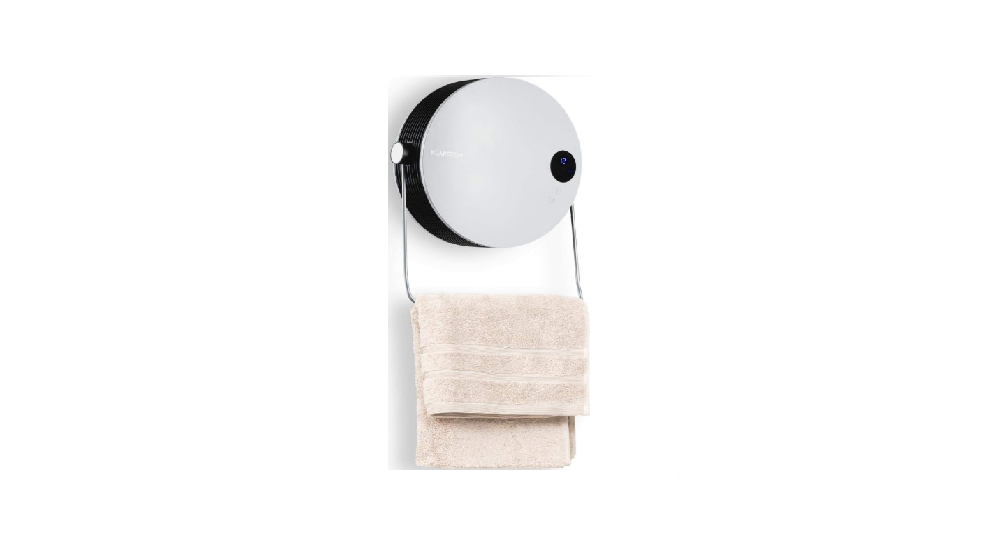

KLARSTEIN 10035077 HOT SPOT PEBBLE Fan Heater
Safety Instructions
- After removing the packaging, make sure that the appliance is in good condition.
- Installation must be carried out by a qualified electrician.
- Avoid installation behind a door.
- Do not cover grilles, block entry or exhaust of airflow by placing the appliance against any surface.
- Keep all objects at least 1 meter from the front and sides of the appliance.
- Do not place the appliance close to a radiant heat source.
- Do not operate in areas where gasoline, paint, or other flammable liquids are used or stored.
- This appliance heats up when in use. To avoid burns, do not let bare skin touch hot surfaces.
- Switch off and use handles where provided when moving.
- Do not use the appliance to dry clothes.
- Do not leave the appliance unattended whilst in use.
- Do not insert or allow foreign objects to enter any ventilation or exhaust opening, as this may cause an electric shock, fire, or damage to the appliance.
- Do not immersethe appliance in liquid or allow liquid to run into the interior of the appliance, as this could create an electrical shock hazard.
Overview

Installation
Wall Installation Method
- On the wall, at least 1.80 meters away from the ground, make two holes horizontally with a hole distance of about 176 mm. Install expansion screws in the holes to keep the nail heads slightly up and project at least 4 mm from the wall.
- Place the appliance with the air vent facing downwards, align the nail head with the two holes on the back of the fuselage, hang it on the screw, and move the appliance appropriately so that the wall-hanging hole of the appliance catches the nail head so as to install it firmly.
- After the installation is completed, check the firmness first, and then turn on the power after it is completely stable.
Control Panel & Remote Control

Operation
Before Use
- Before use, make sure that the towel rack fixing nut is tightened.
- Rotate the towel rack down or up according to your needs.
- Before use, make sure the product is well fixed on the wall.
- Plug in the power and turn on the main power switch on the back of the appliance.
- The appliance enters the standby state. The display shows the following (digital tube shows S).

- Press the “F” button on the appliance once.
- The appliance works in cold air, and the display shows the following: A (the digital tube displays “-”).
- Press the “F” button twice. The appliance works at low heat, and the display shows the following: B.
- Press the “F” button three times. The appliance is working at high heat, and the display shows the following C.

Setting the Timer
Press the TIMER button to set the timer (0-12 hours). Pressing the button once increases one hour. After setting the time, the display will show the current setting time for 5 seconds, then resume to the previous display; meanwhile, the light of the timer icon will be on. The picture is an example of setting 8 hours:
Appointment “ON”
In standby mode, press the TIMER button. You can set the appointment turn-on time in 00-12 hours. After complete setting, the display shows the appointment turn-on time, and the light of the timer icon is on. The display automatically decreases by 1 hour for each hour passed. When the appointment power-on time arrives, the product will automatically turn on. The default setting temperature is 23 °C during appointment turn- on.The picture below is an example of setting the appointment turn-on time to 8 hours:
Using Remote
- Press the POWER button. The appliance enters working status (see display A in the picture below).
- Press the button once. The appliance works with heatingtin,g, and the display shows “–“ and “ “ (see display B in the picture below).
- Press both buttons appliance works with low heating, and the display shows “–” and “ “ (see display C in the picture below).

Set current TIME/DAY.
The settings can be made both under standby mode and working status.
- Press the SET button for one. The display shows ”12“ as the default. Press the button to set the current hour (total in 24 hours).
- Press the SET button again. The display shows minute “30“. Press the button to set the current minute (00-59 minutes).
- Then press the SET button for the third time, the display shows the day “ “. Press the button or to set the current day (Monday-Sunday: d1-d7)
- Then press the OK button to confirm the setting, and the display will show the previous settings.
For example: Setting to Wednesday, 9:30 AM under 25 °C under II heating, please refer to the following picture:
Set temperature
- During working status, press the button or. The display shows ”23“ as the default.
- Press the button to set the desired temperature (temperature range: 10- 49 °C).
- Press the OK button to confirm the setting.
For example: The current ambient temperature is 15 °C, when set temperature to 25 °C, the display shows as below:
If you cancel the temperature setting, press the button to work in the low or high heating position. At the same time, the digital tube displays “–“, and the “°C“ indicator goes out.
Weekly program.
After completing the setting of the current TIME/DAY, below are the steps to set the weekly program:
- Press the POWER button. The appliance enters working status.
- Press the DAY button. The display shows d1-d7, set to working day (Monday-Sunday: d1-d7). Such as set Monday: see display B in the picture below.
- Press the EDIT button. The display shows P1-P6 (for each day, it can be set
maximum of 6 time periods). Such as setting P1: see display C in the picture below. - Press the TIME/ON button. The display shows 00” as the default. Press the TIME/ ON button continuously to set the turn-on time. Set the turn-on time to 7:00 AM (Memo: the setting time is 0-24 for choice), see display C in the picture below.
- Press the TIME/OFF button. The display shows the previous step turn-on time by default. Press the TIME/OFF button continuously to set the turn-off time. Such as setting the shutdown time at 13:00 (see display E in the picture below).

- The turn-on periods, 00-24 hours, cannot be set to minutes.
- The “TIME/OFF” can not be less than “TIME/ON”.
- When the “TIME/ON” is the same as “TIME/OFF”, the period enters into standby mode.
Set open-window detection
- Press the P button. The appliance enters working status. Heating for a moment until stable.
- Press the button on the remote control. The light and “°C“ will be on. The temperature displays”23” by default. Press the button to set the target temperature.
- During open-window detection mode, once the ambient temperature drops 5-10 °C within 10 minutes, the product will stop working within 30 minutes and will enter standby mode.
- Press the button again to turn off the open-window detection.
- The light will go off, and the appliance will resume its previous working mode.
- For example, the plate in the picture below shows the following settings: 23 °C (target temperature) during open window detection.

Cleaning & Maintainance
- Never use detergent, as it can cause chemical damage to plastic parts. Cleaning
- Clean the outside wall of the appliance by rubbing it gently with a soft, damp cloth, either with or without soap.
- Regularly clean the air inlet and outlet vents of the fan.
Data Sheet
| Model identifier(s): | 10035077 | |||||
| Item | Symbol | Value | Unit | Item | Unit | |
| Heat output | Type of heat input, for electric storage local space heaters only | |||||
| Nominal heat output | Pnom | 2.0 | kW | manual heat charge control, with integrated thermostat | no | |
| Minimum heat output (indicative) | Pmin | 1.4 | kW | manual heat charge control with room and/or outdoor temperature feedback | no | |
| Maximum continuous heat output | Pmax,c | 2.0 | kW | electronic heat charge control with room and/or outdoor temperature feedback | no | |
| Auxiliary electricity consumption | fan-assisted heat output | no | ||||
| At nominal heat output | elmax | 0.000 | kW | Type of heat output/room temperature control | ||
| At a minimum heat output | elmin | 0.000 | kW | single-stage heat output and no room temperature control | no | |
| In standby mode | elSB | 0.000 | W | Two or more manual stages, no room temperature control | no | |
| With a mechanical thermostat, room temperature control | no | |||||
| with electronic room temperature control | yes | |||||
| electronic room temperature control plus day timer | yes | |||||
| electronic room temperature control plus week timer | yes | |||||
| Other control options (multiple selections possible) | ||||||
| room temperature control, with presence detection | no | |||||
| room temperature control, with open window detection | yes | |||||
| with a distance control option | no | |||||
| with adaptive start control | no | |||||
| with working time limitation | yes | |||||
| with a black bulb sensor | no | |||||
| Contact details | Chal-Tec GmbH, Wallstraße 16, 10179, Berlin, Germany | |||||
Disposal
By disposing of it according to the rules, you are protecting the environment and the health of your fellow human beings from negative consequences. For information about the recycling and disposal of this product, please contact your local authority or your household waste disposal service.
Environmental Safety
- During cooking, make sure that there is sufficient air KLARSTEIN 10035380 ELEONORA Range Hood supply so that the cooker hood can operate efficiently and with low operating noise.
- Adjust the fan speed to the amount of steam KLARSTEIN BELLA PICO 2G Food Processor produced during cooking. Use the intensive mode only when necessary.
- Switch off the cooker hood when you no longer need it.
- Switch off the lighting when you no longer need it.
- Clean the filter at regular intervals and replace it if necessary to increase the effectiveness of the ventilation system and prevent fire hazards.
- Always put the lid on when cooking to reduce cooking steam and condensation.
Customer Service
Manufacturer & Importer (UK)
- Manufacturer: Chal-Tec GmbH, Wallstrasse 16, 10179 Berlin, Germany.
- Importer for Great Britain: Berlin Brands Group UK Ltd PO Box 42 272 Kensington High Street, London, W8 6N, D United Kingdom
- Website: http://www.klarstein.com
- Scan the QR code to get access to the latest user manual for the l KLARSTEIN 10035380 ELEONORA Range Hood and more product information.

Dear Customer
Congratulations on purchasing this device. Please read the following instructions carefully and follow them to prevent possible damage. We assume no liability for damage caused by disregard of the instructions and improper use.