

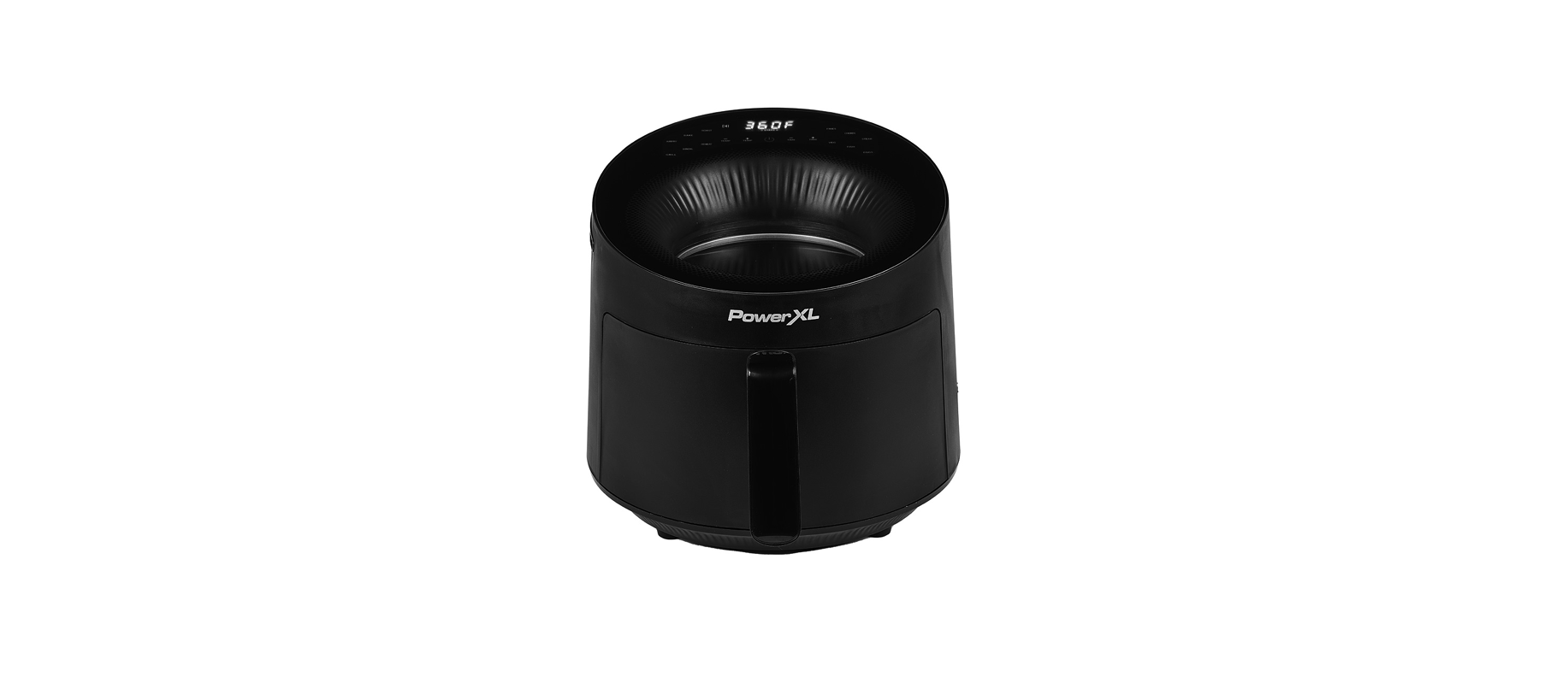

PowerXL AF3052 Series Luminex Light Fryer

IMPORTANT SAFEGUARDS
- Close supervision is necessary when any appliance is used by or near children.
- DO NOT place on or near a hot gas or electric burner or in a heated oven.
- DO NOT place your appliance on a cooktop even if the cooktop is cool because you could accidentally turn the cooktop on, causing a fire, damaging the appliance, your cooktop, and your home.
- DO NOT place or use this appliance near water.
- When cooking, DO NOT place the appliance against a wall or within 5 inches of other appliances. DO NOT place anything on top of the appliance.
- A fire may occur if this appliance is covered by or touching flammable material, including curtains, draperies, walls, and the like, when in operation.
- DO NOT use outdoors.
- DO NOT place the appliance in any container or small confined space while the appliance is heated or in operation.
- ALWAYS operate the appliance on a horizontal surface that is level, stable, and noncombustible with adequate space for airflow.
Polarized plug
This appliance has a polarized plug (one blade is wider than the other). To reduce the risk of electric shock, this plug is intended to fit into a polarized outlet only one way. If the plug does not fit fully into the outlet, reverse the plug. If it still does not fit, contact a qualified electrician. Do not attempt to modify the plug in any way.
- A short power supply cord is provided to reduce the risk resulting from becoming entangled in or tripping over a longer cord.
- Longer detachable power supply cords or extension cords are available and may be used if care is exercised in their use.
- If a longer detachable power supply cord or extension cord is used:
- a. The marked electrical rating of the cord set or extension cord should be at least as great as the electrical rating of the appliance;
- b. The cord should be arranged so that it will not drape over the countertop or tabletop, where it can be pulled on by children or tripped over unintentionally.
Electric Power
This appliance should be operated on a dedicated electrical outlet. If the electrical outlet is overloaded with other appliances, your new appliance may not operate properly.
Automatic Shut-Off
The appliance has a built-in shut-off device that will automatically shut off the appliance when the cooking time has completed. You can manually switch off the appliance by pressing the Power Button. The fan will continue running for 10–20 seconds to cool down the appliance.
Overheating Protection
Should the inner temperature control system fail, the overheating protection system will be activated, and the appliance will not function. Should this happen, unplug the appliance. Allow time for the appliance to cool completely before restarting or storing.
Electromagnetic Fields
This appliance complies with all standards regarding electromagnetic fields. If handled properly and according to the instructions in the user manual, the appliance is safe to use based on scientific evidence available today.
Parts & Accessories

- FRY TRAY
- SILICONE BUMPERS*
- FRY BASKET
- HANDLE
- CONTROL PANEL
- AIR INLET VENT
- MAIN UNIT HOUSING
- HOT AIR OUTLET VENT
- POWER CORD
- GRILL PLATE
- EGG COOKER
- MESH RACK
- REHEAT DISH
Using the Control Panel

- Power Button: Press the Power Button to turn the appliance on and illuminate the control panel. Pressing the Power Button during the cooking cycle will turn the appliance off.
- Cooking Functions: Press the Cooking Function Buttons to choose from six cooking functions. See the Function Chart for the cooking times and temperatures associated with each function.
- Cooking Presets: Press the Cooking Preset Buttons to choose from six cooking presets. See the Preset Chart for the cooking times and temperatures associated with each preset.
- Timer Control Buttons: The + and − symbols enable you to increase or decrease cooking time 1 minute at a time. Keeping the Button held down will rapidly change the time. Time control range: 1–60 minutes.
- Temperature Control Buttons: The + and − symbols enable you to increase or decrease cooking temperature 5° F at a time. Keeping a button held down will rapidly change the temperature. Temperature control range: 180° F–400° F
- Time and Temperature Display: This display will keep track of the temperature and remaining cook time.
Shake Indicator: The Shake Indicator will illuminate when the cooking cycle has reached its halfway point. This halfway timer allows you to shake or flip your food in the appliance, which helps ensure even cooking (see the “Shaking” section). - Start/Pause Button: Once a cooking time and temperature have been selected, press the Start/Pause Button to begin the cooking process. Press the Start/Pause Button again at any point during the cooking process to pause the cooking cycle.
Function Chart
The Cooking Function Buttons set the appliance to a cooking time and temperature that is generally appropriate for the selected type of cooking. As you become more familiar with the appliance, you can use the Time and Temperature Control Buttons to adjust the set cooking time and temperature as needed.

Preset Chart
The Cooking Preset Buttons set the appliance to a cooking time and temperature that should cook the selected type of food consistently every time. These cooking presets should require minimal adjustments for ideal results.

Shake Function Programming: Halfway through the cooking cycle, the appliance will beep five times, indicating that food can be shaken or flipped over (see “Shaking” in the “Instructions for Use” section).
Before First Use
- Read all material, warning stickers, and labels.
- Remove all packing materials, stickers, and labels from the appliance.
- Please go to www.prodprotect.com/powerxl to register your warranty
- Before initial use, wipe the inside and outside of the appliance with a warm, moist cloth and mild detergent. Handwash all cooking accessories.
- Place the appliance on a heat-resistant surface or use heat protection. Do not place the appliance on a surface that is not heat-resistant. Ensure that the appliance is used in an area with adequate air circulation. Do not place on the stove top.
- Before cooking food, preheat the appliance for a few minutes to allow the appliance to burn off the manufacturer’s protective coating of oil. Wipe the appliance with warm, soapy water and a dishcloth after this burn-in cycle.
Shaking
To ensure even cooking, some foods require shaking or flipping during the cooking process. Some of this appliance‘s functions and presets include a halfway timer, which is a timer that will beep, and the Shake Icon on the Control Panel will blink when the cooking cycle has reached its halfway point. At the halfway point in the cycle, carefully use oven mitts to remove the hot Fry Basket from the appliance. Gently shake the food. NOTE: If you do not remove the Fry Basket and shake the food, the Shake light on the Control Panel will remain illuminated.
Tips
- Foods that are smaller in size usually require a slightly shorter cooking time than larger foods.
- Shaking smaller-sized foods halfway through the cooking process ensures that all the pieces are fried evenly.
- Adding a bit of vegetable oil to breaded items is suggested for a crispier result. When adding oil, do so just before cooking and add only a small amount onto the breaded items.
- Snacks normally cooked in an oven can also be cooked in an air fryer.
- Use premade dough to prepare filled snacks quickly and easily. Premade dough also requires a shorter cooking time than homemade dough.
- You can use the appliance to reheat food. Simply set the temperature and time to however warm you want your food.
Using the Appliance
- Plug the appliance into a dedicated electrical outlet.
- Pull the Fry Basket out of the appliance. Ensure the Fry Tray has been placed in the Fry Basket. Place the ingredients inside the Fry Basket (see Fig. A). If you are using an accessory, such as the Grill Plate, place the accessory on the Fry Tray before adding ingredients.

- Use the Handle to push the Fry Basket into the appliance (see Fig. B).

- Press the Power Button on the Control Panel. Use either a Cooking Function Button, a Cooking Preset Button, or the Time and Temperature Control Buttons to set the appropriate time and temperature for your recipe (see Fig. C). Press the Start/Pause Button to begin the cooking process.

- When the timer beeps five times, either the set cooking time has elapsed or the appliance is reminding you to shake your food (see “Shaking” in “Instructions for Use”). Pull the Fry Basket out of the appliance and place it on a heat-resistant surface.
- When removing food from the Fry Basket, avoid contact with hot excess oil or any hot cooking accessories. To avoid being burned, use silicon-tipped tongs or carefully tip the food out of the Fry Basket (see Fig. D). The Fry Tray is not secured and can fall out.

- If the food is not fully cooked, simply use the Handle to slide the Fry Basket back into the appliance and add a few minutes to the cooking time.
- The appliance is instantly ready for preparing another batch.
General Cooking Guidelines
NOTE: Keep in mind that these settings are guidelines. Since ingredients differ in origin, size, shape, and brand, we cannot guarantee the best settings for your ingredients.


Internal Temperature Meat Chart
Use this chart and a food thermometer to ensure that meat, poultry, seafood, and other cooked foods reach a safe minimum internal temperature.
*For maximum food safety, the U.S. Department of Agriculture recommends 165° F for all poultry; 160° F for ground beef, lamb, and pork; and 145° F, with a 3-minute resting period, for all other types of beef, lamb, and pork. Also, review the USDA Food Safety Standards.
Troubleshooting


Cleaning & Storage
Cleaning
Clean the appliance after each use. The Fry Basket and Fry Tray are coated with a special nonstick surface. Never use abrasive cleaning materials or utensils on these surfaces.
- Unplug the Power Cord from the electrical outlet and be certain the appliance is thoroughly cooled before cleaning.
- Wipe the outside of the appliance, including the glass on top of the appliance, with a warm, moist cloth and mild detergent.
- Clean the glass inside the appliance with a warm, moist cloth and mild detergent. Use hand protection in case the inside of the appliance is still hot.
- Clean the Fry Basket and Fry Try, with hot water, a mild detergent, and a nonabrasive sponge. The Fry Tray is dishwasher safe, but handwashing is recommended. For difficult-to-remove food, soak itinn hot, soapy water for 10 minutes.
- If the Silicone Bumpers on the Fry Tray need to be cleaned, they can be removed and reattached. To remove the bumpers, locate the capped end of the bumper and push the capped end off the Fry Tray. There will be some resistance, but keep pushing until the bumper slides off the Fry Tray. To reattach the bumper, slide each bumper onto the slot on the Fry Tray.
- Clean the inside of the appliance with hot water, a mild detergent, and a nonabrasive sponge.
- Rinse the appliance with a clean, damp cloth. Use a clean, dry cloth to dry the appliance interior. Do not leave standing water in the appliance.
- If any other service needs to be performed, contact Customer Service.
Storage
Place the cooled, dry appliance in a clean, dry place. Do not stack objects on top of the appliance.
90-Day Money-Back Guarantee
The PowerXL™ Luminex™ Light Fryer is covered by a 90-day money-back guarantee. If you are not 100% satisfied with your product, return the product and request a replacement product or refund. Proof of purchase is required. Refunds will include the purchase PowerXL AF3052 Series Luminex Light Fryer price, less processing and handling. Follow the instructions in the Return Policy below to request a replacement or refund.
Replacement Guarantee Policy
Our products, when purchased from an authorized retailer, include a one-year replacement guarantee. If your product or part does not perform as expected, the guarantee extends only to the original purchaser and is not transferable. If you experience an issue with PowerXL AF3052 Series Luminex Light Fryer one of our products within one year of purchase, return the product or the part for replacement with a functionally equivalent new product or part. The original proof of purchase is required, and you are responsible for paying to return the appliance to us. In the event a replacement appliance is issued, the guarantee coverage ends six months following the receipt date of the replacement appliance or the remainder of the existing guarantee, whichever is later. Empower Brands, LLC reserves the right to replace the appliance with one PowerXL AF3052 Series Luminex Light Fryer of equal or greater value.
Return Policy
If, for any reason, you would like to replace or return the product under the money-back guarantee, your order number can be used as the return merchandise authorization number (RMA). If the product was purchased in a retail store, return the product PowerXL AF3052 Series Luminex Light Fryer to the store or use “RETAIL” as the RMA. Return your product to the address provided below for a replacement, which will incur no additional processing and handling fees, or for the refund of your purchase price, less processing and handling fees.
Pack the product carefully and include in the package a note with (1) your name, (2) mailing address, (3) phone number, (4) email address, (5) reason for return, and (6) proof of purchase or order number, and (7) specify on the note whether you are requesting a refund or replacement. Write the RMA on the outside of the package.
Send the product to the following return address:
PowerXL Luminex Light Fryer Vivitech/Fosdick Returns 15392 Cobalt St. Sylmar, CA 91342
If the replacement or refund request has not been acknowledged after two weeks, please contact Customer Service at 973-287-5106.
Refund
Refunds requested within the money-back guarantee timeframe will be issued to the payment method used at purchase if the item was purchased directly from Empower Brands, LLC. If the item was purchased from an authorized retailer, proof of purchase is required, and a check will be issued for the item and sales tax amount. Processing and handling fees are non-refundable.
FAQs
Q: What is the maximum cooking capacity of the PowerXL AF3052 Luminex Light Fryer?
Ans: With its 3.5-quart capacity, the PowerXL AF3052 is perfect for cooking for one to three people. It can hold things like a few chicken wings, a batch of French fries, or a tiny full chicken.
Q: How does the Luminex Light Technology work?
Ans: It improves sight within the fryer without opening the drawer and produces crispier results with little to no oil.
Q: Can I use aluminum foil or parchment paper in the fryer basket?
Ans: Yes, you can use parchment paper or aluminium foil, but be careful not to obstruct ventilation. For best results and safety, always position the foil or paper underneath the food rather than against the basket’s sides.
Q: Does the appliance need to be preheated?
Ans: Before putting food inside, you can warm the appliance for two to three minutes at the temperature you like.
Q: Can I open the drawer while cooking?
Ans: Indeed. To shake or inspect the food, you can securely take the basket out in the middle of the cycle.
Q: Can I cook frozen foods directly without thawing?
Ans: Indeed! For cooking frozen items like chicken nuggets, fries, or frozen veggies right out of the freezer, the PowerXL AF3052 is perfect. Compared to fresh ingredients, cooking times may be a little longer.
Q: Can I bake in the PowerXL Luminex fryer?
Ans: Of course! To make cakes, muffins, or small quantities of baked items, use the “Bake” preset or manual time/temperature settings. Always use bakeware that fits into the basket and is safe to use in the oven.