Close Menu
onyxguides.comonyxguides.com

    Subscribe to Updates

    Get the latest creative news from FooBar about art, design and business.

    What's Hot

    DJI Neo 4K UHD Camera QuickShots Mini Drone User Manual

    February 10, 2026

    Marshall CV506-H12 Miniature High-Speed Camera User Guide

    February 9, 2026

    Marshall V-702W-12G-V2 Rack Mount Monitor User Guide

    February 9, 2026
    Facebook X (Twitter) Instagram
    onyxguides.comonyxguides.com
    Facebook X (Twitter) Instagram Pinterest
    • Home
    • About us
    • Terms & Conditions
    • Privacy Policy
    • FAQs
    • Contact us
    onyxguides.comonyxguides.com
    Home » Mac Audio 108 Series A ICE CUBE Instructions Manual
    Mac Audio

    Mac Audio 108 Series A ICE CUBE Instructions Manual

    By Gabriel SmithOctober 10, 2025No Comments4 Mins Read
    Facebook Twitter Pinterest LinkedIn Tumblr WhatsApp Telegram Email
    Mac-Audio-108-Series-A-ICE-CUBE-Featured
    Share
    Facebook Twitter LinkedIn Pinterest Email

    mac audio logo

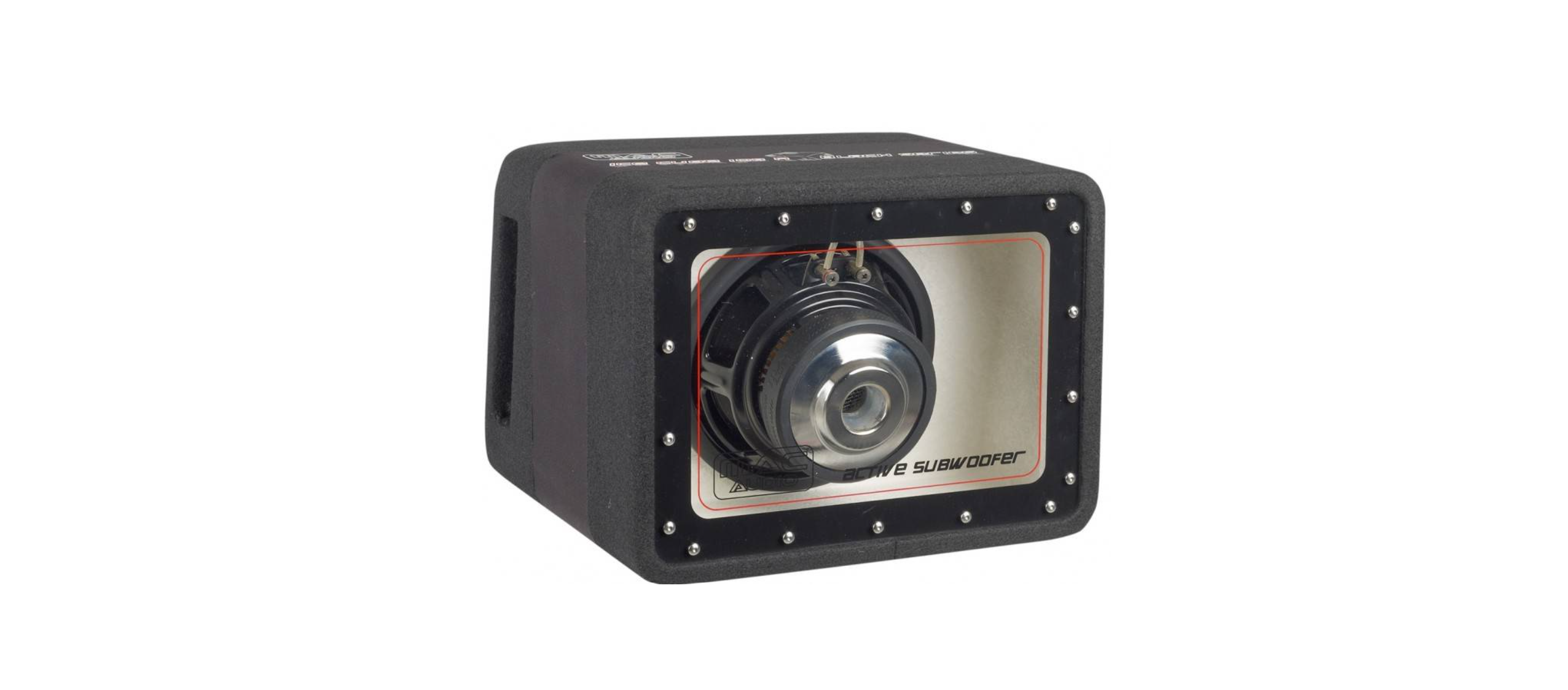
    Mac Audio 108 Series A ICE CUBE

    Mac-Audio-108-Series-A-ICE-CUBE-product

    Installation

    • This device is only suitable for connection to a 12-volt system with negative earth.
    • Ensure that the input/output cables are far enough away from the power supply cables, as this can otherwise lead to interference.
    • Make sure that the fuse and controls are accessible after installation.
    • The performance and reliability of the system depend on the quality of the installation.
    • The system should therefore be installed by a professional where several speakers or a complex multi-channel system are involved.
    Positioning Subwoofer

    Place the subwoofer in a position where adequate ventilation of the amplifier module is guaranteed. Make sure it rests on an even surface. Use the securing device supplied for this purpose.

    Power Supply
    Mac-Audio-108-Series-A-ICE-CUBE-Fig-1
    Before installation
    • Remove the positive terminal from the car battery first to avoid short-circuiting. Standard car wiring is normally not sufficient for the power requirement of the integrated amplifier.
    • Make sure that the wiring to the earth and +12V is of the correct gauge.
    • First, make the connection between the amplifier’s earth terminal (1) and the negative terminal on the
      battery.
    • A loose connection can result in malfunction or interference, noise, and distortions.
    • Now connect the car radio’s +12v remote control cable (P-con, Power Antenna, or similar) to the REM (2) control socket on the amplifier. A 0.75 mm² gauge cable is sufficient for this REMOTE connection.

    NF CABLE

    It is better to install these far apart from each other, i.e., the power cable in the left cable duct and the audio cable in the right cable duct or vice versa. This reduces the feed-through of interferences to the audio signal.

    HIGH-LEVEL OPERATION OF THE ACTIVE SUBWOOFER

    • Please observe the correct polarity! The active Mac Audio 108 Series A ICE CUBE subwoofer can be connected to an amplifier or the speaker outputs of a car radio. The low-level inputs (8) are not used.
    Cable Connection
    Mac-Audio-108-Series-A-ICE-CUBE-Fig-2
    • Negative terminal, left
    • Positive terminal, left
    • Negative terminal, right
    • Positive terminal, right

    Setting

    • Turn the volume control of your radio to the medium setting and then set the input level control (6) in such a way as to produce a medium, average volume. This setting normally ensures sufficient power reserves at an optimum noise voltage interval.

    Low-Pass Filter

    • Set the desired transfer frequency on the low-pass filter control (4). The filter’s edge steepness ensures the precise lowering of medium and high-frequency ranges.

    DEAR CUSTOMER

    We congratulate you on acquiring this MAC AUDIO Car HiFi Product. Please read these instructions carefully so as to ensure optimum and disturbance-free functioning of the appliance. Technical modifications reserved.

    Customer Service

    • Website: https://www.mac-audio.de/
    • Ph: 02234 / 807 – 0

    FAQs

    Q: What are the key specifications of this amplifier?

    Ans: For clear sound quality, the ICE CUBE has a high signal-to-noise ratio, low distortion, and an RMS power output of 108 watts.

    Q: How do I properly connect the amplifier to my car audio system?

    Ans: Use RCA cables to link the amplifier to your head unit, use the proper gauge wire to power it from the car’s battery, then connect the speaker outputs to your subwoofers or speakers. For details, consult the wiring diagrams in the handbook.

    Q: What power supply requirements does the amplifier have?

    Ans: For safe and efficient operation, it usually needs a 12V DC power source from your car’s electrical system and a correct ground connection.

    Q: Can I adjust the sound settings on the ICE CUBE?

    Ans: Yes, you may adjust your audio output with the amplifier’s gain, bass boost, and crossover controls.

    Q: How do I mount the amplifier securely in my vehicle?

    Ans: To prevent overheating, use the mounting holes on the amplifier chassis to screw it to a level, sturdy surface. Make sure there is enough airflow.

    Q: What safety precautions should I take during installation?

    Ans: Before installation, disconnect the vehicle battery, make sure all connections are tight and insulated, use the proper wire gauges, and refrain from pinching wires.

    ICE CUBE Installation Manual Mac Audio 108 Series Guide Mac Audio 108 Series Instructions Mac Audio 108 Series Manual OnyxGuides Manual User Manual
    Share. Facebook Twitter Pinterest LinkedIn Tumblr Email
    Gabriel Smith

      Related Posts

      Sony ILCE-6700 Interchangeable Lens Digital Camera User Guide

      December 7, 2025

      Bose MA12 Panaray Modular Line Array Loudspeaker User Guide

      December 4, 2025

      Bowers & Wilkins Px8 Wireless Headphones User Manual

      December 4, 2025

      Sonos Arc Black Voice Control Ultra Soundbar User Manual

      December 4, 2025

      JANAM GT1 Self Mobile Entry Head Unit Instruction Manual

      December 4, 2025

      Ronix 1250 Carpet Vacuum Cleaner Instruction Manual

      December 4, 2025
      Add A Comment

      Comments are closed.

      Don't Miss
      DJI

      DJI Neo 4K UHD Camera QuickShots Mini Drone User Manual

      February 10, 2026

      DJI Neo 4K UHD Camera QuickShots Mini Drone Overview Forward-Facing LiDAR [1] Omnidirectional Vision…

      Marshall CV506-H12 Miniature High-Speed Camera User Guide

      February 9, 2026

      Marshall V-702W-12G-V2 Rack Mount Monitor User Guide

      February 9, 2026

      Makita VC2211M Wet & Dry Vacuum Cleaner Instruction Manual

      February 8, 2026
      Stay In Touch
      • Facebook
      • Twitter
      • Pinterest
      • Instagram
      • YouTube
      • Vimeo

      Subscribe to Updates

      Subscribe to Updates

      Follow us

      Facebook X-twitter Instagram Pinterest

      © 2025 All rights reserved Onyx Guide.