

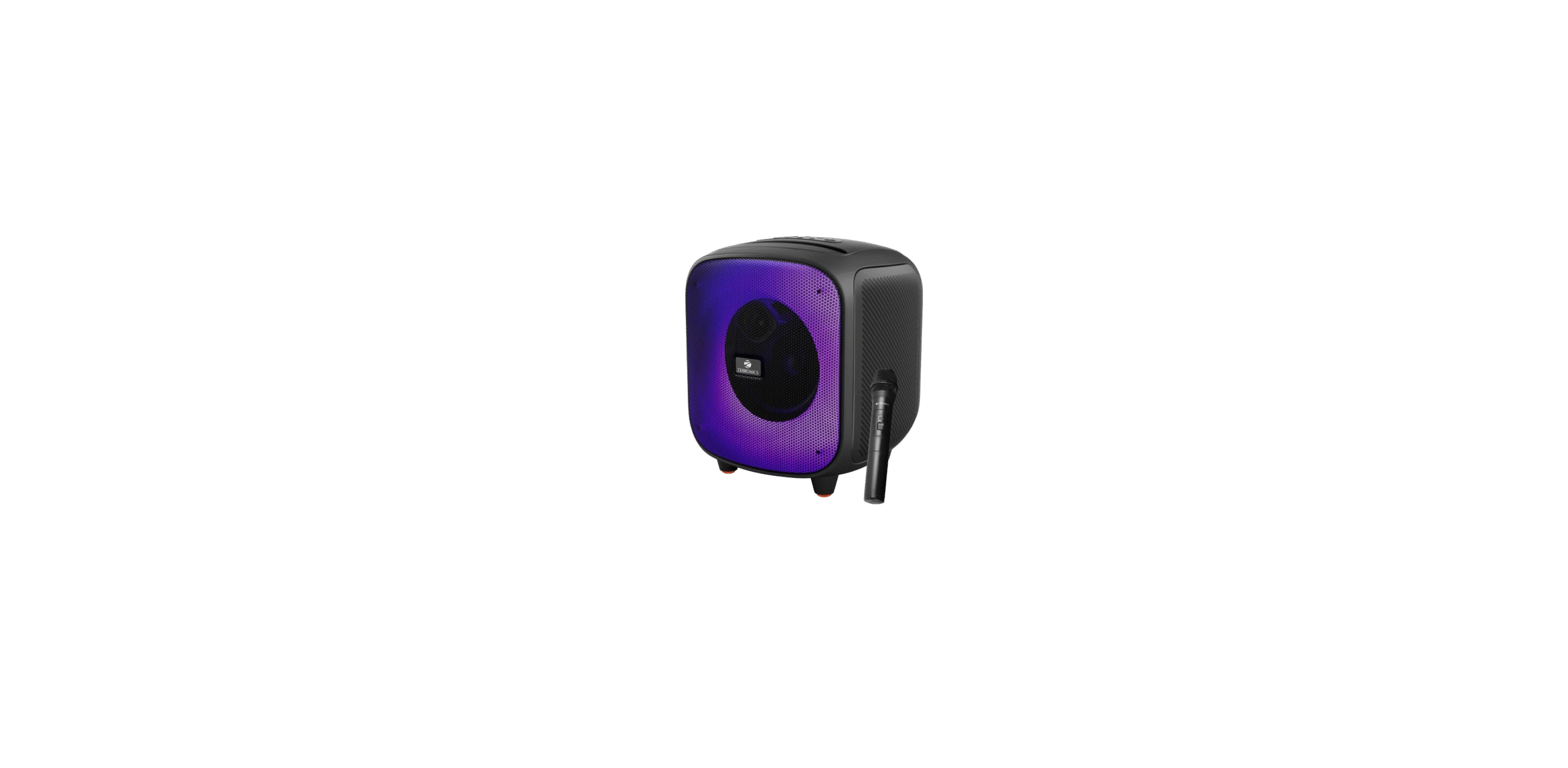

ZEBRONICS ZEB-SOUND FEAST 800 BT Speaker

Features
- BT v5.3 | FM | USB | mSD | AUX
- RGB LED Modes
- TWS Function
- Deep Bass
- Wireless Microphone
- Karaoke Function
- Splash Proof
- Media / Volume Control
- Built-in Rechargeable Battery
- 6.3mm Mic Input
Package Contents
- Speaker: 1 U
- Charging Cable: 1 U
- Wireless MIC: 1U
- AUXCAUX Cable: 1U
- QR Code Guide : 1 U
Product Details
Button Description

- Power ON/OFF
- Mode Button
- Previous Track
- Play/Pause
- Next Track
- LED Mode Switch
- Volume Increase
- 8 Volume Decrease
- TWS Button
- Bass Boost
- Battery Level Indication
Control Panel Inscriptions

- Charging LED Indication
- Type C Charging Port
- mSD Port
- USB Port
- MIC Input Port
- AUX In
Operate Instructions
Power On/off
- Long-press the Power button to turn the speaker on and off.
BT Mode
- Once the speaker is on, please make sure that the speaker is in BT mode.
- Now, search for the nearby BT device in your mobile and tap on the BT name ZEB-SOUND FEAST 800 to connect.
- Short press”<” or”>” to control the media
- Short press” +” or”-“to adjust the volume
- Short-press” Play/Pause ” to Play/Pause the music
USB/mSD Mode
- Once the speaker is ON, insert the micro SD card / USB drive into the respective ports of the “ZEB-SOUND FEAST 800” and the speaker will automatically detect the tracks from the USB drive/Micro SD card and play MP3 files automatically.
- Short press”<” or”>” to control the media
- Short press” +” or”-” to adjust the volume
- Short-press ” Play/Pause” to Play/Pause the music
TWS Function
- Turn on the two ZEB-SOUND FEAST 800 speakers you want to pair
- Press the ” TWS” button on any one speaker to activate TWS mode.
- Once the speaker is on, please make sure that the speaker is in BT mode.
- Now, search for the nearby BT device in your mobile and tap on the BT name ZEB-SOUND FFAST 800tacannect
Note: Requires two ZEB-SOUND FEAST 800 speakers for TWS Mode. Users need to make a TWS connection first, then make a BT connection with the mobile phone.
AUX In
Switch the speaker to AUX Mode, connect one end of the AUX Cable to the speaker & connect the other end to an audio source. The songs played from the audio source can be heard through the speaker.
Mic Echo Control
- Long-press press M button to enable Mic Echo adjustment.
- Use the “+” or”-” buttons to increase/decrease the Echo level of the Mic.

Charging instruction
- Connect the charging cable to the DC 5V port of the speaker ZEBRONICS ZEB-SOUND FEAST 800 BT Speaker and insert the other end into a DC 5V charging power source/adapter.
- LED blinks, indicating that the battery is being charged.
- Red LED goes OFF after the speaker gets fully charged.
Specifications
- Output Power: 55W
- Driver Size
- Full Range 16.51 cm
- Tweeter : 2.54cm
- Driver Impedance
- Full Range: 49
- Tweeter 80
- Frequency Response:60Hz-20kHz FM
- Frequency Range : 87.5MHz – 108MHz S/N
- Ratio : ≥65dB Max
Supported - Memory Size: 64GB (USB/mSD)
- Audio formats: MP3, WAV, FLAC
- Charging time: 3.5-4h
- Playback time: 9h*
- BT Version: 5.3
- BT Name: ZEB-SOUND FEAST 800
- Product Dimension: 26.4 × 25.5 x 30.2 cm (Wx W x D x
- Net. Weight:3.65 kg
Customer Support
- Website: www.zebronics.com
- Tel: 044 40000004
FAQs
Q: What is the ZEB-SOUND FEAST 800?
Ans: With its multi-mode playback, wireless connectivity, robust sound output, and easy-to-use controls, the ZEB-SOUND FEAST 800 is a portable Bluetooth speaker.
Q: What Bluetooth version does the speaker support?
Ans: It has a 10-meter range and supports Bluetooth 5.0, which guarantees a steady and quick wireless connection.
Q: How do I switch between different modes?
Ans: To choose between Bluetooth, USB, microSD, AUX, and FM radio modes, press the Mode (M) button.
Q: Does the speaker support hands-free calling?
Ans: Yes, it features an integrated microphone that lets you answer and finish calls through the speaker when you’re paired with it over Bluetooth.
Q: How long does the battery last?
Ans: Depending on volume and usage, the speaker can play continuously for up to 8 hours when fully charged.
Q: Can I play music from a USB drive or microSD card?
Ans: Yes, the speaker will instantly begin playing compatible audio files as soon as you insert the USB drive or microSD card into the appropriate connection.
Q: How do I reset the speaker?
Ans: To do a soft reset, turn off the speaker and hold down the Power button for ten seconds.
Q: Can I use the speaker while charging?
Ans: It is possible to use the speaker while charging, but it is advised to maintain a low level.