

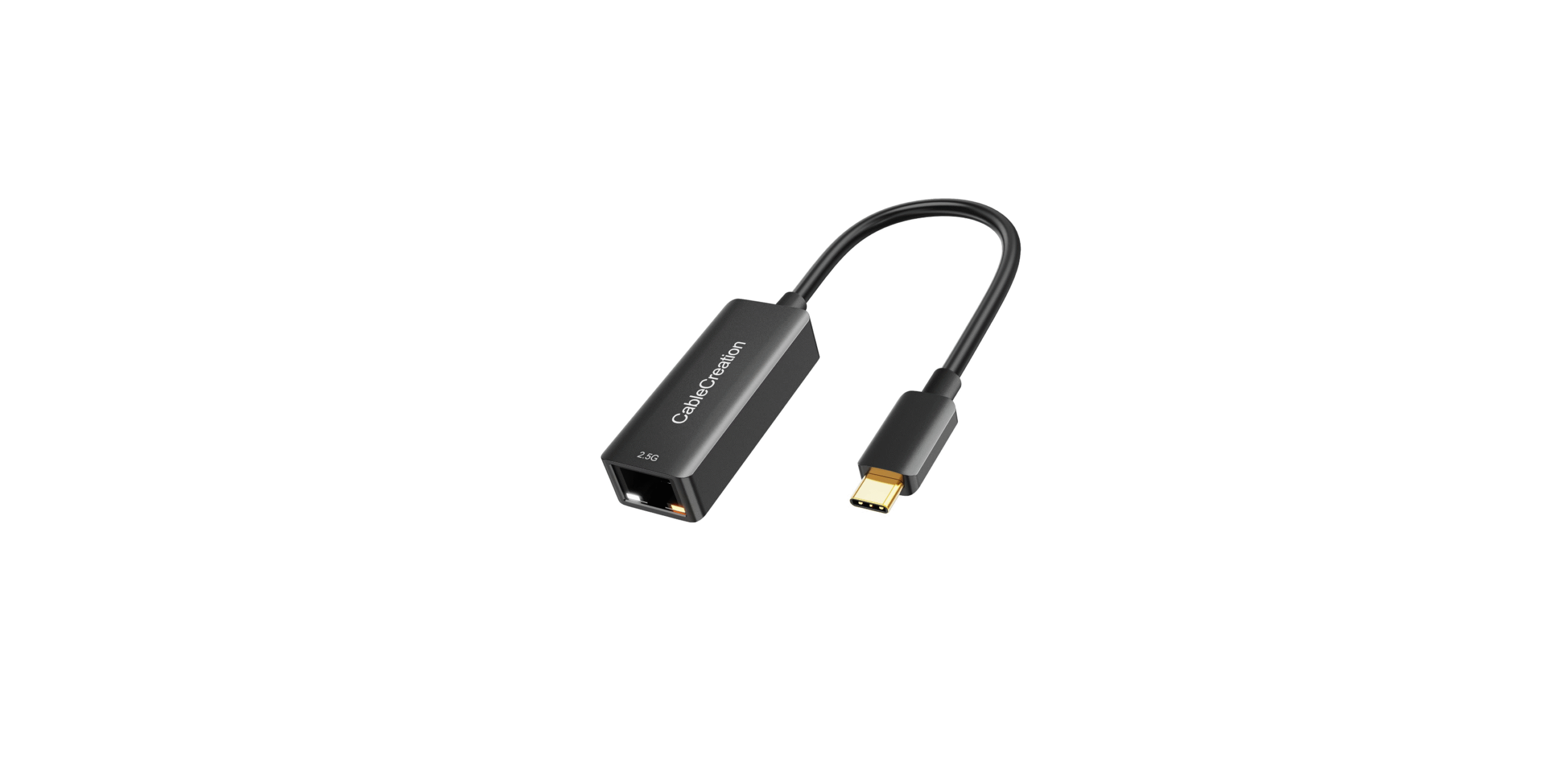

CableCreation Type-C to 2.5 G Ethernet Adapter

Introduction
This Type-C to 2.5Gbps Ethernet Adapter is a high and low-expenditure solution. It enables your new MacBook Pro, Chromebook, or other USB-C supported host PC to get access to a fast Ethernet network by connecting the RJ45 port.
Features
- Supports Type-C input and 2.5Gbps RJ45 output
- Supports USB-C plug and play, hot swap
- Supports 10M/100M/1G/2.5G bandwidth
- Supports twisted pair crossover detection and auto-correction , USB bus power (no external power supply)
- Support WOL(Wake-On-LAN), Full Duplex flow(10M/100M/1G/2.5G Rate), Auto-Negotiation
- Supports the Operating system for computers: Windows: Windows 7 / Windows 8/Windows10/ Windows Vista/Windows XP (32/64-bit). Mac: Mac OS X 10.6 to 10.12.5
Package Content
Before attempting to use this unit, please check the packaging and make sure the following items are contained in the shipping carton:
- Main unit x1
- User Manual x1
Operation
- Connect the Type-C host PC to the USB-C port of this product
- Connect the Gigabit Ethernet port of this product to the Ethernet Router with an Ethernet cable
- automatically or manually set the IP address of the computer
Connection Diagram

Driver Installation
When this product is connected to a Windows OS PCthat can automatically start the “auto run” function for CD driver installation. The following tip will pop up on the screen if the PC has not been installed with the driver of this produc. Thenn we need to click “yes” to finish installation.
The above tip will not pop up if the connected PC can’t automatically startthe “auto run” function for CD driver installation. In this case,we needd to manually set it with the following steps. First, double clicthe k “This Picture” Icon on the desktop, we can see the “CD-ROM” icon (seen below the left picture); second, double click this


icon, we can seethe “driver installation” icon (seen belowright picture). At last, double click the “driver installation” icon, the above installation tip CableCreation Type-C to 2.5 G Ethernet Adapter will pop up, and click “yes” to finish installation.

Specifications
| Input/ Output Connector | |
| Input | Type-C Male ×1 |
| Output | RJ45 ×1 |
| RJ45 Basic Specifications | |
| Supported communication rate | 10Mbps/100Mbps/1Gbps/2.5Gbps |
| Main features supported | WOL(Wake-On-LAN)
Full Duplex flow(10M/100M/1G/2.5G Rate) Auto-Negotiation |
| Size&Weight | |
| Size | mm(L*W*H) |
| Weight | g |
| Warranty | |
| Limited Warranty | 1 Year |
| Environmental | |
| Operating Temperature | 0 ℃ to +45℃ |
| Operating Humidity | 10% to 85 % RH (no condensation) |
| Storage Temperature | -10℃ to +70℃ |
| Storage Humidity | 5% to 90 % RH (no condensation) |
| Power Consumption | |
| Voltage | 4.75V~5.25V |
| Standby Power | <60mA (When Ethernet cable is not connected) |
| Normal Operating Power | <250mA 10/100/1000/2500Mbps |
| Regulatory Approvals | |
| Certifications | FCC, CE |
| Accessories | |
| User Manual | English Version |
BRAND GUARANTEE
- CableCreation focuses on the Ideal Design of all of Our Quality Cables.
- CableCreation is a Creative Team with its Own Factory, manufacturing, using innovative design and high-quality materials.
- CableCreation is Confident to Offer All Buyers items with 24 24-month warranty, lifetime technical support, and friendly customer service. If you have any problems with our product or service, kindly contact us at any time.
Customer Support
- Website: https://www.cablecreation.com/
-
Customers help: brandservice@cablecreation.com