

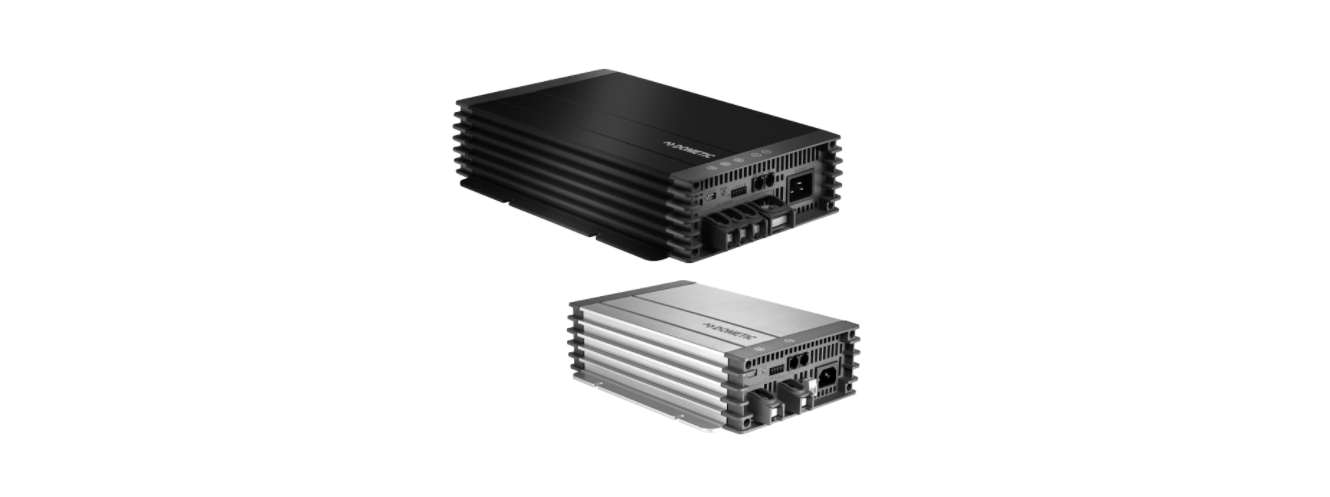

Dometic MCA1215 Mobile Power Solution
 Safety Instructions
- Please read these instructions carefully and follow all instructions, guidelines, and warnings included in this product manual in order to ensure that you install, use, and maintain the product properly at all times.
- These instructions MUST stay with this product. By using the product, you hereby confirm that you have read all instructions, guidelines, and warnings carefully and that you understand and agree to abide by the terms and conditions as set forth herein.
- You agree to use this product only for the intended purpose and application and in accordance with the instructions, guidelines, and warnings as outlined in this product manual, as well as in accordance with all applicable laws and regulations.
- A failure to read and follow the instructions and warnings set forth herein may result in an injury to yourself and others, damage to your product, or damage to other property in the vicinity.
- Do not modify or adapt any of the components in any way.
- Disconnect the device from the power supply:
- Aer use
- Before each cleaning and maintenance
- Before changing a fuse
- Electrical devices are not toys. Always keep and use the device out of the reach of very young children.
Symbols
A signal word will identify safety messages and property damage messages, and will also indicate the degree or level of hazard seriousness.
- DANGER
Indicates a hazardous situation that, if not avoided, will result in death or serious injury. - WARNING
Indicates a hazardous situation that, if not avoided, could result in death or serious injury. - CAUTION
Indicates a hazardous situation that, if not avoided, could result in minor or moderate injury. - NOTICE
Indicates a situation that, if not avoided, can result in property damage. - NOTE
Supplementary information for operating the product
Connecting the Device
- For installation on boats: If electrical devices are incorrectly installed on boats, corrosion damage might occur. Have the device installed by a specialist (marine) electrician.
- If you are working on electrical systems, ensure that there is somebody close at hand who can help you in emergencies.
- Always use sockets that are grounded and secured by residual current circuit breakers.
- Ensure that the lead has a sufficient cross-section.
- Lay the cables so that they cannot be damaged by the doors or the hood. Crushed cables can lead to serious injury.
- Use ductwork or cable ducts if it is necessary to lay cables through metal panels or other panels with sharp edges.
- Do not lay AC power cables and DC cables in the same duct.
- Do not lay the cable so that it is loose or heavily kinked.
- Fasten the cables securely.
- Do not pull on the cables.
Operation
- Do not touch exposed cables with your bare hands. This applies especially when operating the device from the AC mains.
- To be able to disconnect the device quickly from the mains, the socket must be close to the device and be easily accessible.
- Only use the device in closed, well-ventilated rooms.
- Do not operate the device in systems with lead-acid batteries. These batteries give off explosive hydrogen gas that can be ignited by sparks on electrical connections.
- Do not operate the device in salty, wet, or damp environments.
- Do not operate the device in the vicinity of corrosive fumes.
- Do not operate the device in the vicinity of combustible materials.
- Do not operate the device in areas where there is a danger of explosions.
- Before starting the device, ensure that the power supply cable and the plug are dry.
- Always disconnect the power supply when working on the device.
- Observe that parts of the device may still conduct voltage even if the fuse has blown.
- Do not disconnect any cables when the device is still in use.
- Ensure the air inlets and outlets of the device are not covered.
- Ensure good ventilation.
Handling Batteries
- Never try to charge a frozen or defective battery.
- Place the battery in a frost-free area and wait until the battery has acclimatised to the ambient temperature.
- Then start the charging process.
- Do not charge batteries with a cell short circuit. The oxyhydrogen they produce can cause explosions.
- Do not charge lead batteries in unventilated rooms.
- The oxyhydrogen they produce can cause explosions.
- Do not charge nickel-cadmium and non-rechargeable batteries with the charger.
- The cases of these batteries can burst explosively.
- If your skin has come into contact with battery fluid, wash the part of your body in question thoroughly with water.
- If you sustain any injuries from acids, contact a doctor immediately.
- Do not smoke, and ensure that no sparks can arise in the vicinity of the engine or battery.
- When working on the batteries, do not wear any metal objects such as watches or rings.
- Lead-acid batteries can cause short circuits, which can cause serious injuries.
- Wear goggles and protective clothing when you work on batteries.
- Do not touch your eyes when you are working on the battery.
Scope of delivery
Designation Quantity
Charger 1
230 V power cable 1
Installation and operating manual 1
Designation Ref. no.
Remote Control MCA‑RC1 9600000100
Temperature sensor MCA‑TS1 9600000099
Battery sensor MCA‑HS1 (IBS) 9600000101
Intended use
Never use the devices to charge other battery types (such as NiCd or NiMH). The charger can charge or supply a retention voltage to batteries that are used to generate power in vehicles or on boats.
- 12 V batteries: MCA1215, MCA PLUS 1225, MCA1235, MCA PLUS 1250, MCA PLUS 1280
- 24 V batteries: MCA2415, MCA2425, MCA2440
- Lead starting batteries
- Lead gel batteries
- Absorbed glass mat (AGM) batteries
This product is only suitable for the intended purpose and application in accordance with these instructions.
This manual provides information that is necessary for the proper installation and/or operation of the product. Poor installation and/or improper operation or maintenance will result in unsatisfactory performance and a possible failure.
The manufacturer accepts no liability for any injury or damage to the product resulting from:
- Incorrect installation, assembly, or connection, including excess voltage
- Incorrect maintenance or use of spare parts other than the original spare parts provided by the manufacturer
- Alterations to the product without express permission from the manufacturer
- Use for purposes other than those described in this manual
Dometic reserves the right to change product appearance and product specifications.
Technical description
The low weight and compact construction of the charger allow for easy installation in mobile homes, commercial vehicles, or motor and sailing yachts. It charges batteries that are used on board vehicles or boats to generate power or supplies them with a retention voltage so that they do not discharge.
A control lamp on the device enables constant monitoring in the charger.
- Short circuit
- Overheating protection
- Battery overheating (with battery sensor (accessory) only)
The device can also be integrated into a LIN bus using two connections.
The cooling system uses fans whose speed depends on the charging power and can be switched off using an external switch.
Device versions
- MCA1215: Suitable for charging one supply battery and one starting battery
- MCA PLUS 1225, MCA1235: Suitable for charging up to two supply batteries and one starting battery
- MCA PLUS 1250, MCA PLUS 1280: Suitable for charging up to three supply batteries
- MCA2415: Suitable for charging up to two supply batteries
- MCA2425, MCA2440: Suitable for charging up to three supply batteries
To identify your device, see the reference number on the data plate.
Connections and Controls


Battery charging function
The charging characteristics are referred to as modified IU0U characteristics.

Pre-charging phase
- During the pre-charging phase, the current is set to 20% of the maximum current to charge the load and battery. The current rises to the rated charging current.
I phase (bulk 1)
- At the beginning of the charging process, the flat battery is charged with a constant current ( 100% charge current) until the battery voltage reaches the charging voltage.
- The charging current decreases when the battery has reached this state of charge.
U0 phase (absorption)
- Now the three-stage absorption charging process (U0 phase) begins, where the duration depends on the battery.
- The voltage remains constant (U0). In the first 2 minutes, the charging of the battery is determined.
- Then the main charging phase begins when the battery is fully charged.
- Once the battery is completely charged, or the charging current is below 6.25% of the rated charging current for 15 min, the U0 phase has finished.
U phase (float)
- After the U0 phase, the charger switches to conservation charging function (U phase).
- If DC loads are connected, they are powered by the device.
- Only if the power required exceeds the capacity of the device is this surplus power provided by the battery.
- The battery is then discharged until the device reenters the I phase and charges the battery.
Normal operation
- During normal operation, the battery discharges itself either by autodischarge or by the connected loads.
Float to bulk phase
- Once the battery voltage falls below URestar, the charger aer 30 seconds turns from float to bulk.
State of charge
The state of charge is shown by the STATUS LED ( Fig. on page 9, 5). The LED color changes according to the state of charge.

Wake-up Function
The MCA Plus chargers are equipped with a Lithium wake-up function that enables the chargers to change from the pre-charging phase to the normal charging process once the restart voltage value is reached. The restart voltage value is:
- LiFePO4-1, LiFePO4-2, LiFePO4-3, LiFePO4-4 charging profile: 13.45 V
- Wet, AGM1, AGM2 charging profile: 12.95 V
- LiFePO4-1, LiFePO4-2, LiFePO4-3, LiFePO4-4 charging profile: 26.9 V
- Wet, AGM1, AGM2 charging profile: 25.9 V
During the pre-charging phase, the charger sets the current to 20% of the maximum current to charge the battery and supply connected loads. Gradually, the voltage rises to the restart voltage, and the charger starts the normal charging process.
If the battery voltage is less than the restart voltage for 5 s, the charger measures the resistance value R as follows: R = UBattery / 20% of the maximal charging current. Thereby, the chargers can judge if the output load is short-circuited or overloaded:

- If the terminal resistance is greater than the overload resistance, the charger increases the pre-charging current from 20% to 100% to force the battery voltage to reach the restart voltage and the charger to start the normal charging process.
Installation
When selecting the installation location, observe the following notes:
- The device can be installed horizontally or vertically.
- The place of installation must be well ventilated. A ventilation system must be available for installations in small, closed spaces. The clearance around the device must be at least 25 cm.
- The air inlet on the underside and the air outlet on the back of the device must remain clear.
- For ambient temperatures higher than 40°C (such as in engine or heating compartments, or direct sunlight), the heat from the device under load can lead to reduced output.
- The device must be installed on a level and sufficiently sturdy surface.
For installation and mounting, the following tools are required: - Pen for marking
- Drill bit set
- Drill
- Screwdriver
To secure the device in place, the following fixing materials are required: - Machine bolts (M4) with washers and self-locking nuts
- Self-tapping screws
- Wood screws
- Hold the device against the installation location.
- Mark the fastening points.
- Fasten the device with one screw through each hole in the holders.
Connecting the device
- Avoid coming into contact with the battery fluid.
- Batteries with a cell short circuit may not be charged, as explosive gases may form due to overheating of the battery.
- Do not reverse the polarity. Reversing the polarity can cause damage to the device.
- Ensure that the battery terminals are clean when connecting them.
- Ensure that the plug connector is fitted securely.
- Select a connection cable with a sufficient Dometic MCA1215 Mobile Power Solution cross-section.
- Lay the cables in accordance with national regulations.
- The battery terminal not connected to the chassis has to be connected first. The other connection has to be made to the chassis, remote from the battery and fuel line. The charger is then to be connected to the supply mains.
- After charging, disconnect the charger from the supply mains. Then remove the chassis connection, and then the battery connection.
- Connect the negative cable directly to the negative terminal of the battery, and not to the chassis of a vehicle or boat.
- Use the following cable colors: Red for a positive connection, Black for a negative connection.
- Lay the positive cable from the charger to the positive terminal of the battery and connect it.
- Lay the negative cable from the charger to the negative terminal of the battery and connect it.
Connecting the 230 V power supply
- Plug the 230 V power cable (included in the delivery) into the device‘s AC INPUT socket.
- Connect the device with the 230 V power cable to a 230 V socket that is protected by a residual current circuit breaker.
Wiring diagrams
Example of a wiring diagram for 12 V

Example of a wiring diagram for 24 V


Pin Assignment


Configuring the device
The device is configured to the required functions and Dometic MCA1215 Mobile Power Solution values by using the DIP switches.

S1, S2, and S3 are used to set the charging profile (see the following table and Battery charging function on page 10)

S4 regulates the fan function. When S4 is set to “ON,” the fan is switched Dometic MCA1215 Mobile Power Solution to sleep mode (noise-reduced mode)
When S4 is set to “OFF,” the fan is not regulated.
- Activate the sleep mode.
- MCA 1215, MCA PLUS 1225, MCA1235, MCA PLUS 1250, MCA PLUS 1280: – 20 mV /°C
- MCA 2415, MCA2425, MCA2440: – 40 mV /°C
Using the device
- Set the ON/OFF switch to ON.
- To switch off the device, set the On/off switch to OFF.
- Depending on the charging condition of the battery, the charger starts charging or supplies a retention voltage.
The Status LED ( Fig. on page 9, 5) displays the operating status (see Battery charging function on
page 10).
Charging the battery
- Connect the battery to the “DC OUTPUT” socket of the MCA battery charger.
Ensure that the polarity of the connections is correct. - Connect the starting battery to the “ESB” socket of the MCA battery charger.
Ensure that the polarity of the connections is correct. - Connect the temperature sensor to the TEMP/LIN connection.
- Connect the battery sensor to the TEMP/LIN connection.
- The battery sensor transmits the battery temperature and the battery voltage to the charger via the LIN communication socket.
- Using the remote control MCA-RC1 (accessory)
- Insert one end of the RJ-11 cable into the socket ( Fig. on page 20 3) of the MCA-RC1.

- Insert the other end of the RJ-11 cable into Dometic MCA1215 Mobile Power Solution the TEMP/LIN1 socket on the MCA charger.
- Activate or deactivate sleep mode (noise-reduced mode) using the Sleep Mode button.
The fan is not regulated in sleep mode.
NOTE
In the event of a fault, the LED indicator is red (see Troubleshooting on page 21).
Cleaning and maintenance
WARNING! Electrocution hazard
Before each cleaning and maintenance, unplug the Dometic MCA1215 Mobile Power Solution device from the power supply.
WARNING! Damage hazard
- Never clean the device under running water or run it in a dishwasher.
- Do not use sharp or hard objects, abrasive Dometic MCA1215 Mobile Power Solution cleaning agents, or bleach during cleaning, as these may damage the device.
- Disconnect the device from the AC power Dometic MCA1215 Mobile Power Solution supply.
- Disconnect the device from the battery.
- Prevent the device from being reconnected.
- Occasionally, clean the device with a damp cloth.
- Regularly clean the vents.
- Check the electrical wiring at least once a year. Repair any defects, such as loose connections or cables.
Troubleshooting
The STATUS LED ( Fig. on page 9, 5) displays the fault

Technical data
General technical data

Protective Functions

Input Data

Output Data

Dimensions and Weight

Technical Data MCA-RC1 (accessory)

Warranty
Refer to the sections below for information about warranty and warranty support in the US, Canada, and all other regions.
Disposal
Place the packaging material in the appropriate recycling waste bins, wherever possible. Consult a local recycling center or specialist dealer for details about how to DOMETIC SB27150 90 Degree Bezel Kit Installation dispose of the product in accordance with the applicable disposal regulations.
Customer Service
SPAIN
- Address: Dometic Spain S.L. Avda. Sierra del Guadarrama, 16 E-28691 Villanueva de la Cañada Madrid
- Call: 8 +34 900 100 245.
- Email: info@dometic.es
GERMANY
- Address: Dometic WAECO International GmbH Hollefeldstraße 63 • D-48282 Emsdetten
- Call: 9 +49 (0) 2572 879-195
- Email: info@dometic-waeco.de
FRANCE
- Address: Dometic SAS ZA du Pré de la Dame Jeanne B.P. 5 F-60128 Plailly
- Call: +33 344633518
- Email: vehiculesdeloisirs@dometic.fr
AUSTRALIA
- Address: Dometic Australia Pty. Ltd. 1 John Duncan Court • Varsity Lakes QLD 4227
- Call: 8 +61 7 55076001|
- Email: sales@dometic-waeco.com.au
FAQs
What is the charging capacity of the MCA1215?
With its 15-amp output at 12 volts, the MCA1215 is ideal for charging and maintaining medium-sized battery banks, which are frequently found in small boats, campers, and trailers.
Can I leave the MCA1215 connected continuously?
Indeed. Long-term use is made possible by the charger’s multi-stage charging algorithm (bulk, absorption, float), which enables it to safely stay attached to the battery without overcharging.
Does the MCA1215 work automatically?
Indeed. After connecting, it automatically determines the type of battery (if one is configured), modifies the charging profile, and oversees the procedure without the need for human involvement.
Is the MCA1215 safe to use in damp or outdoor conditions?
The MCA1215 can only be installed indoors or under protection. It should be placed away from dampness and direct sunlight in a dry, well-ventilated area.
Can it charge batteries while connected to loads?
It is only possible to install the MCA1215 indoors or under cover.
Can I use the charger with a generator?
Yes, the MCA1215 can operate as long as the generator produces a steady 230V AC output. For best results, always utilise a dependable, clean AC source.
Is professional installation required?
Not always. You can install the charger yourself if you know how to make simple electrical connections.