

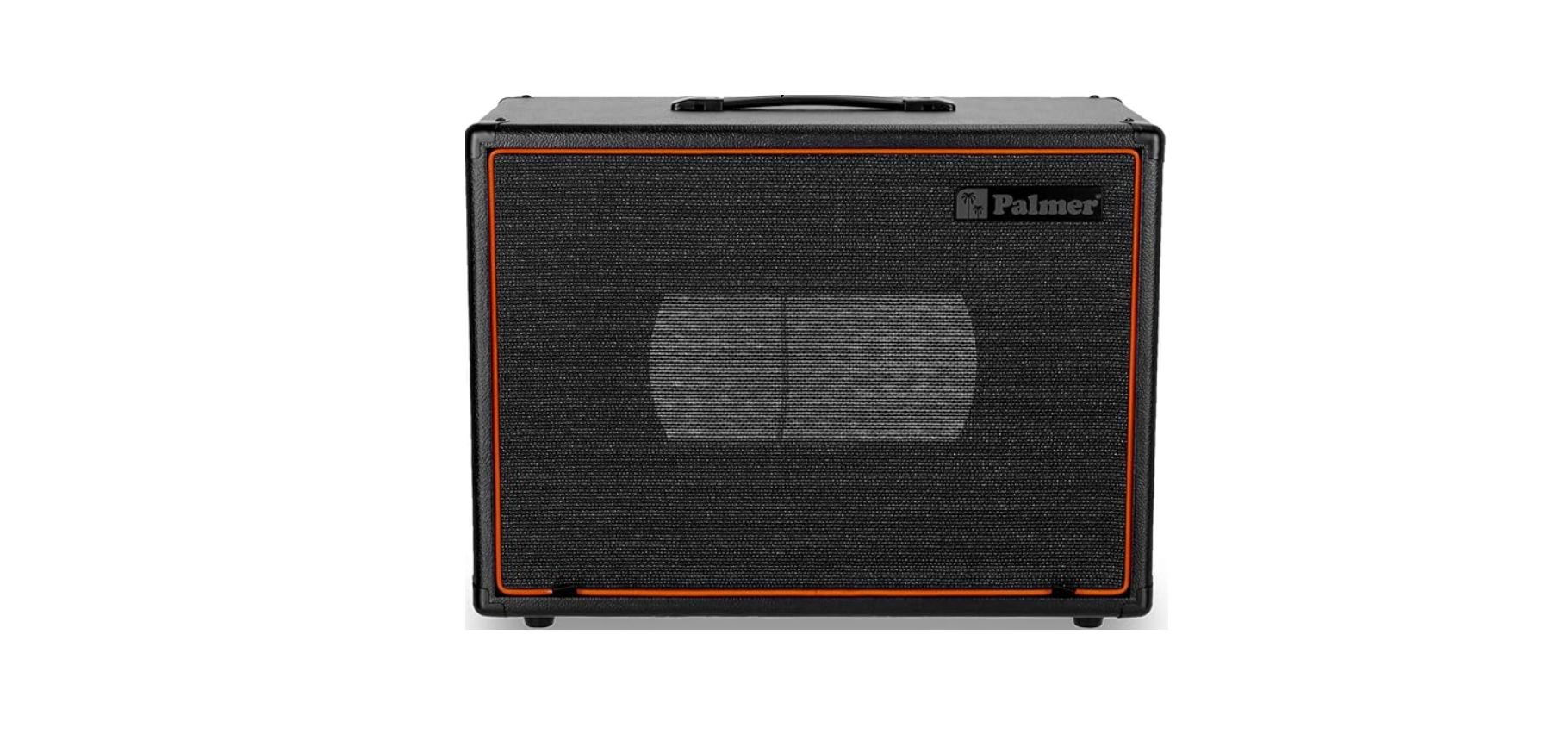

Palmer PCAB112BX & PCAB212BX Guitar Cabinets

Safety Instructions
- Please read these instructions carefully before using your Palmer PCAB112BX & PCAB212BX Guitar Cabinets to ensure safe and proper operation.
- Keep all information and instructions in a safe place.
- Follow the instructions.
- Use the device in the prescribed manner only.
- Do not open the device and do not perform any modifications.
- This product is intended for indoor use.
- Temporary operation! Event equipment is generally designed for temporary operation only.
- Continuous operation or permanent installation may lead to impairment of the function and premature
ageing of the product.
The product is not suitable for
- Persons (including children) with limited physical, sensory, or mental abilities or a lack of experience and knowledge.
- Children (children must be instructed not to play with the device).
Connecting to AMP
Depending on the type of cabinet, there is a range of options as far as connections are concerned. For advanced setups or to simulate speaker outputs, you can also use a Palmer ILM Speaker Simulation DI Box to connect your cabinets to a mixer or recording interface.
1X12 Cabinets
The picture below shows the jackplate for the 112 cabinets.
You may use either of the sockets as an input. Never use both sockets as inputs (i.e., do not connect two amps or speaker outputs to this cabinet). This can damage the amplifier(s) and speaker.
Connecting the Second Cabinet
The two sockets on the Palmer PCAB112BX & PCAB212BX Guitar Cabinets are wired in parallel. This means you can connect a second cabinet to the first. When connecting a second cabinet, make sure the impedances of both cabinets are identical. Because the sockets are wired in parallel, the resulting impedance will be halved.
Example: The first Palmer cabinet has an impedance of 8 Ohms. The Second cabinet must also have an overall impedance of 8 Ohms. Connect the second cabinet to one of the sockets of the first cabinet. The overall impedance that the amp now “sees” is 4 Ohms.
2X12 Cabinets
The picture below shows the jackplate for the 212 cabinets.

Mono & Stereo Mode
TO RUN THE CABINET IN MONO MODE
- Connect the speaker from your amplifier to the socket marked “Left/Mono”. In this case, both speakers are wired in parallel and both will sound.
- Example: If the cabinet is loaded with two 16 Ohms speakers, then the total impedance at the “Left/Mono” socket will be 8 Ohms.
TO RUN THE CABINET IN STEREO MODE
- First, connect the socket marked “Right”. As soon as a jack connector is plugged into this socket, the connection between the two speakers is broken.
- The cabinet can now be used like two individual 112 cabinets. The signal/amp connected to the “Right” socket will feed the right speaker, and the signal/amp connected to the “Left/mono” socket will feed the left speaker.
Removing the Grill
For servicing, or if you want to position your microphone closer to the front grill, the grill on the Palmer PCAB112BX & PCAB212BX Guitar Cabinets can be removed. The grill is fastened with Velcro pads. The first removal of the grill can be a bit tough since it is firmly inserted during production – subsequent removals will become easier. Pull the straps at the lower edge of the grill slowly and with constant force. If necessary, insert a screwdriver into the loop of the strap to apply more force.

Inserting/Replacing Speaker
To insert or replace a speaker, carry out the following steps
- Remove the grill.
- Lay the cabinet down on its back on a clean, padded surface (use a blanket, carpet,t or similar to make sure the back of the cabinet doesn’t get any scratches and the jackplate is not strained).

- Place the speaker onto the baffle next to the cutout – close enough so you can connect the leads of the jackplate to the speaker.

- Carefully connect the faston connectors on the end of the cables coming from the jackplate to the connectors of the speaker.

Connecting to 212 Cabinet
On the 212 cabinets, there are two cable pairs, one pair for each speaker. Make sure to wire both speakers the same way (red or marked lead to “+”). Otherwise, the speakers will be out of phase,se and the sound will be poor
- Place the speaker into the cutout and position the speaker so it matches the holes in the baffle.
Anmerkung
Some speakers ship with padding on both sides of the ba; ket, others only have padding on one side. As the speakers on the Palmer cabinets are front-loaded, make sure they are padded on the back. If they are not padded, you can resort to heat insulation tape, as it is used for windows and doors or similar.

- Use the supplied screws and fasten the speaker to the baffle in the following order (1-4).
- Once all screws are tightened, retighten them.
- Do not over-tighten the screws. Do not use a power drill or power screwdriver!

- When inserting the screws into the holes and when tightening them, APPLY MINIMAL DOWNPRESSURE! Too much pressure on the screw will push the T-Nut out.

- TOO MUCH PRESSURE ON THE SCREW WILL PUSH THE T-NUT OUT!

- Tighten the screws slowly and carefully to make sure they do not cant – the nut can jam!
- Put the Grill back on.
- Test the cabinet.
Testing the Cabinet
To test the speakers in your Palmer PCAB112BX & PCAB212BX Guitar Cabinets, there is a simple method to check if all the speakers in a multi-speaker cabinet are in phase. All you need is a 9V battery and a speaker cable. Connect the speaker cable to the cabinet and take the jack connector at the other end, and let it touch the poles of a 9V Battery (one pole on the tip and the other on the sleeve of the jack connector).
This will result in a Plo,p, and the speakers will move either inwards or outwards, depending on which way you connect the battery. Speakers must move in the same direction. If they don’t, then you know that they are out of phase (check that the wiring on all speakers is the same).

Some speakers have a lighter cone and will also move if the air pressure changes within the cabinet. For example, if you do the above battery test on a 212 cabinet with Celestion Vintage 30 and you just give the speakers a short impulse, then it may appear that the speakers are moving in different directions.
In this case, make the battery connection and hold it – the speakers should all move in the same direction and stay there as long as you keep the battery connected.
Checking the Impedance
You can check the impedance of your Palmer PCAB112BX & PCAB212BX Guitar Cabinets using a simple Ohmmeter or Multimeter. Connect a speaker cable to the cabinet and hold the test probes of the multimeter to the other end. Set the Multimeter to Ohms (resistance) and note the reading.
Keep in mind, the reading of the multimeter does not show the impedance (which is frequency dependent), it is just showing the resistance. So the readout will not be exact, but close enough to verify that the speakers are wired correctly. For example, an 8 Ohm speaker can have a readout of roundabout 6.5 or 7 Ohms.
Be sure to test the cabinet with an amp before you take it on tour or to a gig. Start at lower volumes and then slowly increase the level. If there is no sound, nd then stop playing, turn the amp off or to standby, and double-check all the connections.
Calculating Impedances
There are generally two ways to wire two or more speakers. Please see the diagram below.
- SERIES CONNECTION

- PARALLEL CONNECTION

General Rule
- If speakers with equal impedance are connected in series, the impedances are added.
- Example: Two 8 Ohm speakers wired in series will have an overall impedance of 16 Ohms (8 x 2).
- If speakers with equal impedance are connected in parallel, the impedance is divided by the number of speakers.
- Example: Two 16 Ohm speakers wired in parallel will have an overall impedance of 8 Ohms (16 divided by 2).
Glossary
Cabinet Components

Speaker Components
The cone, connected to the voice coil, moves in and out, creating waves of high and low air pressure. The coil and magnet assembly is the ‘motor structure’ of the loudspeaker.
The surround and spider allow the coil to move freely along the axis of the magnet’s core (or ‘pole’) without touching the sides of the magnetic gap.

Technical Data
| Product number | PCAP112BX PCAP212BX PCAP212X | ||
| Number of speaker openings | 1 | 2 | 2 |
| For speaker diameter | 12“ | ||
| Connectors on the connector plate | 2 x In/Parallel Out | 2 x Input mono/stereo | 2 x Input mono/stereo |
| Connector type | 6,3 mm jack | ||
| Type of speaker installation | Front-loaded | ||
| Front grill removable | Yes | ||
| Back | Open | Closed | |
| Acoustic installation (inside) | No | ||
| Front grill material | Cloth | ||
| Cabinet material | Particle board/MDF baffle | ||
| Cabinet covering | Imitation leather | ||
| Baffle material | MDF | ||
| Dimensions [ W x H x D ] | 580 x 450 x 290 mm | 710 x 480 x 295 mm | 710 x 480 x 295 mm |
| Weight | 12 kg | 15 kg | 15 kg |
| Inclusive | Connection plate with labelling fields, Connecting cable,
Fastening screws |
||
| Ambient temperature | 0 – 40° C | ||
| rel. humidity | < 80%, non consending | ||
DISPOSAL
PACKAGING
- Packaging can be fed into the reusable material cycle using the usual disposal methods.
- Please separate the packaging in accordance with disposal laws and recycling regulations in your country.
DEVICE
- This device is subject to the European Waste Electrical and Electronic Equipment Directive in the currently valid version. WEEE Waste Electrical and Electronic Equipment Directive. Old appliances do not belong in household waste. Please observe the applicable regulations in your country!
- Observe all disposal laws applicable in your country.
- As a private customer, you can obtain information on environmentally friendly disposal options from the seller of the product or the appropriate regional authorities.
CE Conformity
Adam Hall GmbH hereby confirms that this product meets the following guidelines (where applicable):
- Low-Voltage Directive (2014/35/EU)
- EMC Directive (2014/30/EU)
- RoHS (2011/65/EU)
- RED (2014/53/EU)
FCC Statement
This device complies with Part 15 of the FCC Rules. Operation is subject to the following two conditions:
- This device may not cause harmful interference, and
- This device must accept any interference received, including interference that may cause undesired operation
UKCA- Conformity
Hereby, Adam Hall Ltd. declares that this product meets the following guidelines (where applicable): Electrical Equipment (Safety) Regulations 201,6, Electromagnetic Compatibility Regulations 2016 (SI 2016/109,1), The Restriction of the Use of Certain Hazardous Substances in Electrical and Electronic Equipment Regulation 2012 (SI 2012/30,32,) Radio Equipment Regulati2017 01 7(SI 2016/2015)
Customer Support
- Email: Info@adamhall.com
- Website: www.adamhall.com/compliance
- Ph: +49 (0)6081 / 9419-0