



Seeed Studio BC01 BLE SenseCap Tracker
Introduction
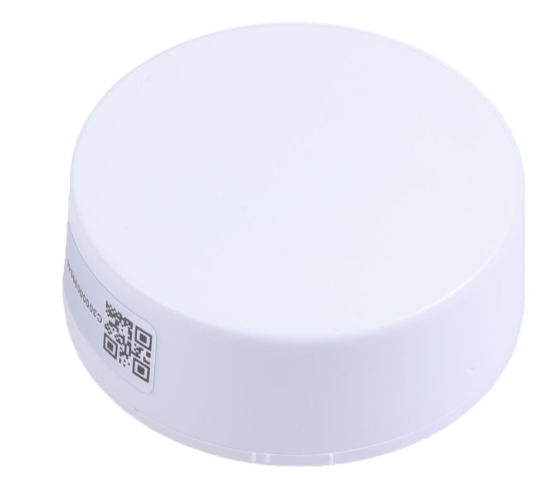
The Seeed Studio BC01 BLE SenseCap Tracker is a compact BLE (Bluetooth Low Energy) location beacon that transmits Bluetooth signals at regular intervals.
Features
- Bluetooth® LE 5.0
- Long battery life: Replaceable lithium battery, more than 5 years (0dBm/500ms in default configuration).
- Long-distance transmission: Up to 120 meters in open areas.
- High compatibility: Compatible with iOS 7.0+
BLE Indoor Positioning System
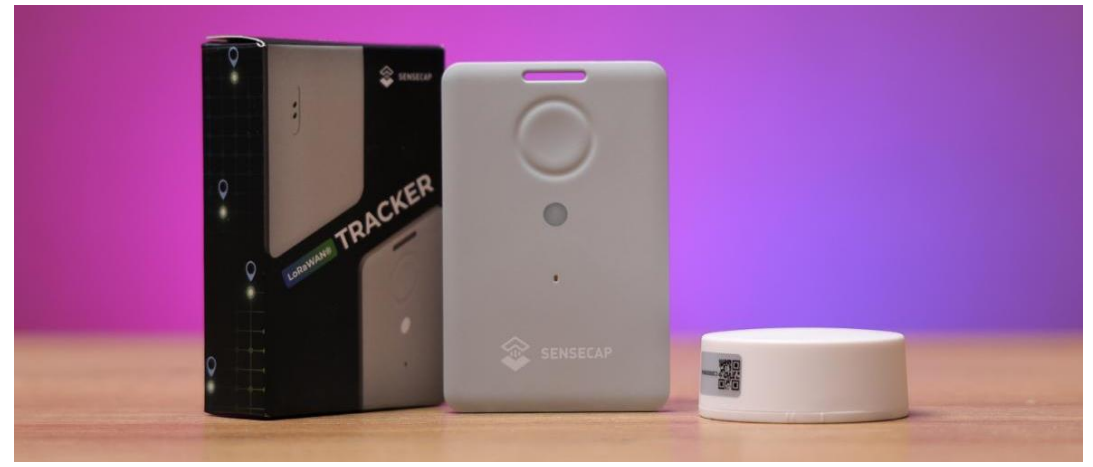
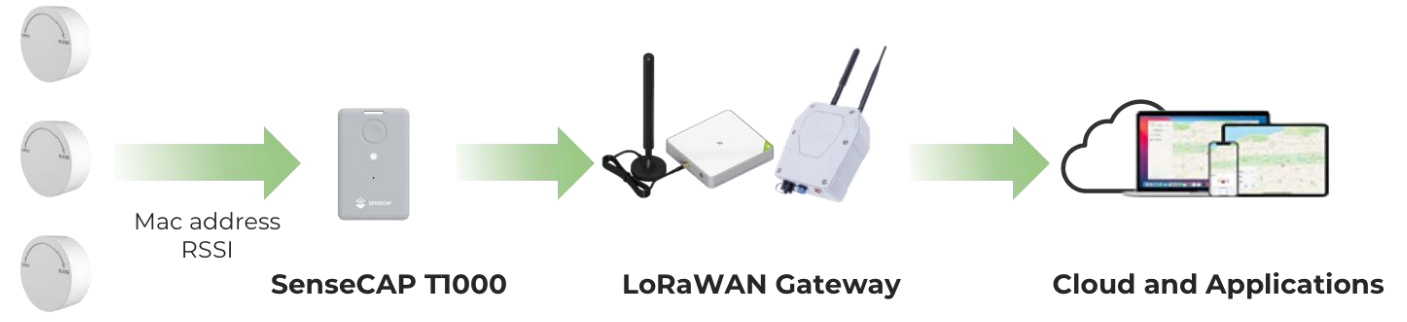
GPS has proven its ability to locate outdoors. Now, indoor positioning is becoming more important, and Bluetooth beacons like the Seeed Studio BC01 BLE SenseCap Tracker make precise indoor positioning possible. When combined with the SenseCAP T1000 Tracker, it helps build a reliable indoor location solution.
The Seeed Studio BC01 BLE SenseCap Tracker is a compact BLE device that works with GNSS/Wi-Fi/Bluetooth to provide accurate indoor and outdoor tracking. It is ideal for a variety of location-based applications, including asset tracking, route planning, and real-time monitoring.
For more Seeed Studio sensor solutions, you can also check the Seeed Studio RTU RS485 Light Intensity Sensor User Guide here.
Deploy Bluetooth beacons in your target area, the tracker receives the signal sent by the beacon, and the positioning accuracy is at the meter level (2-3 meters). It can realize functions such as asset tracking, route planning, reverse car search, etc., and can be integrated into applets and APPs.
Button Description
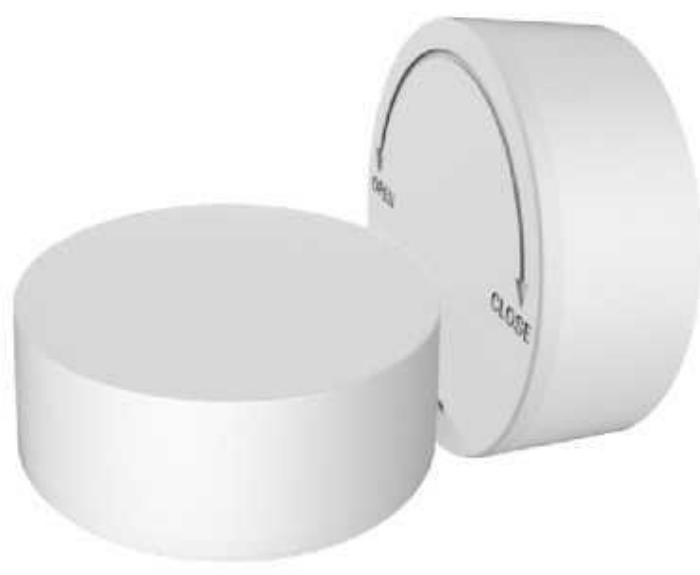
Power on: Open the back cover of the product, press and hold the button for 3 seconds, and the blue LED will light up for 5 seconds, then the boot is successful. Power off: In the power-on state, open the back cover of the product, press and hold the button for 3 seconds, and the blue LED.
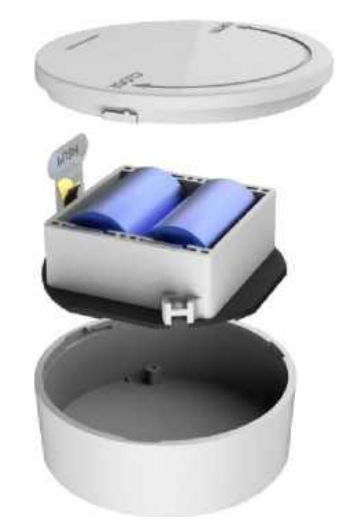
Specification
| Material | PC |
| Color | White |
| IP rate | None |
| Dimension(L*W*H) | Φ50*20.5mm |
| Weight | 39g(include battery) |
| Battery | Lithium battery, 2400mAh |
| Chip | nRF52 series |
| Bluetooth Version | BLE 5.0 |
| Bluetooth Protocol | iBeacon |
| Sensors | Support accelerometer |
| LED | Included |
| APP | SenseCraft APP |
| Working temperature | -30~60°C |
| Battery life | More than 5 years (0dBm/500ms in default configuration). |
Default Broadcast Parameters
| Parameters | Default Value |
| UUID | FDA50693-A4E2-4FB1-AFCF-C6EB07647825 |
| Major | 10001 |
| Minor | 19641 |
| Measured power | -59dBm |
| Tx Power | -30 – +4dBm, default 0dBm |
| Adv Interval | 100ms~10s,default 500ms |
| Password | seeed123 (Letters and numbers) |
| Serial ID | None |
| Device Name | BC01 (1-7 characters) |
| Connection Mode | Yes/No |
| Soft Reboot | seeed123 (same with the password) |
| Battery Service | Battery icon display, real-time detection |
Compatibility Information
| System | Devices |
| BLE | BLE 4.2+ |
| IOS 7.0+ | iPhone 4S,iPhone 5/5C/5S,
iPhone 6/6Plus/6S/6SPlus,iPhone 7/7Plus, |
| Android 4.3+ | Samsung, XIAOMI, HUAWEI, ONEPLUS, VIVO, |
Deployment
Deployment guidelines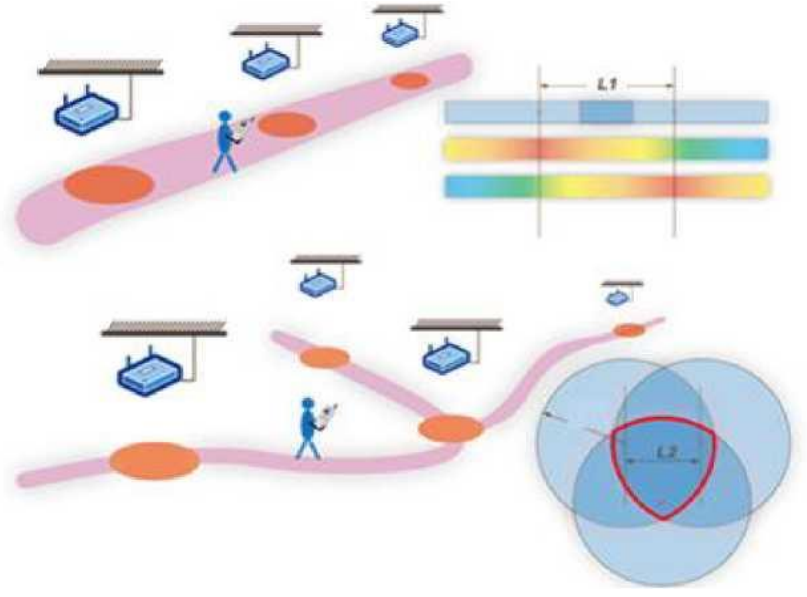
- Deployment strategies vary across scenarios. For instance, indoor settings might involve central
(narrow) placement or triangular grid distribution (sparse). - In indoor corridors, options include centerline deployment (for corridors around 3m wide) or dual-column arrangement (wider corridors).
- Avoid ceiling mounting in high-rise buildings (floor height > 4m). Opt instead for wall or low-level installation, approximately 5m apart. Outdoors, use a triangular grid pattern for open spaces.
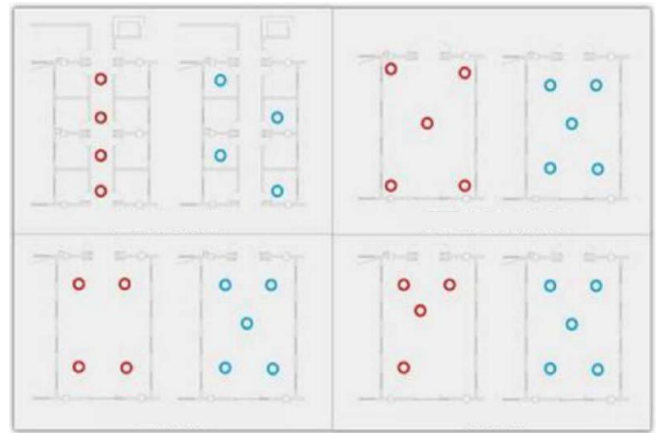
- In humid environments, factor in the product’s waterproof rating during deployment to prevent prolonged water exposure.
- Maintain a distance from metallic, glass, or other obstructing elements when situating the product; it should not be close to the corner.
Magnet Adsorption Installation Instructions
- The tool or platform material table for product installation should be the surface of the equipment or brackets that can be attracted by magnets.
- Recommended installation temperature range: 20~40°C;
- When installing the product, try to keep it away from corners, other surrounding magnetic fields, and large obstacles.
Installation Steps
The magnetic contact surface of the product can be directly adsorbed to the surface of the bracket or
equipment to be installed.
3M glue/nail-free glue installation instructions
Installation conditions
- To use the default double-sided adhesive on walls with gray texture, incomplete drying, aging, and humidity (such as cement, gypsum board, etc.). There is a risk of shedding.
- Recommended installation temperature range: 20~40°C;
- When pasting, stick the double-sided tape to the device with your hands or tools and press it for 1- 2 seconds.
- Repeat pressing several times to make the double-sided tape or nail-free glue of the product and the application paste surface better bonded.
FCC Certification
This device complies with part 15 of the FCC Rules. Operation is subject to the following two conditions: (1) This device may not cause harmful interference, and (2) this device must accept any interference received, including interference that may cause undesired operation.
FCC Warning
Any Changes or modifications not expressly approved by the party responsible for compliance could
void the user’s authority to operate the equipment.
- Reorient or relocate the receiving antenna.
- Increase the separation between the equipment and receiver.
- Connect the equipment to an outlet on a circuit different from that to which the receiver is connected.
- Consult the dealer or an experienced radio/TV technician for help.
- This equipment complies with FCC radiation exposure limits set forth for an uncontrolled environment.
- This equipment should be installed and operated with a minimum distance of 20cm between the radiator & your body.
Customer Support
- Website: www.seeedstudio.com
- Ph: +86-0755-86095676
2008-2025 Seeed Technology Co., Ltd. All rights reserved.