



Seeed Studio MT7688 BG96 Module
Overview
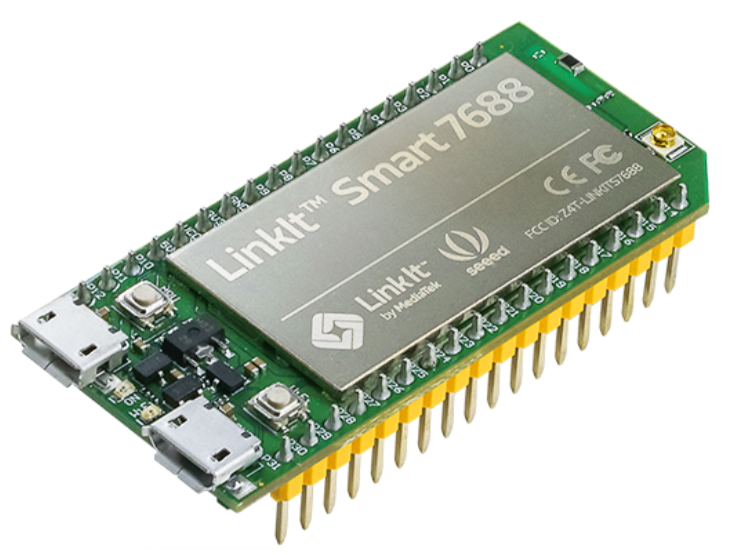
The Seeed Studio MT7688 BG96 Module provides Wi-Fi, cellular, and GPS functionality, making it ideal for IoT applications. The detailed image is shown in Figure 1.
Hardware connection
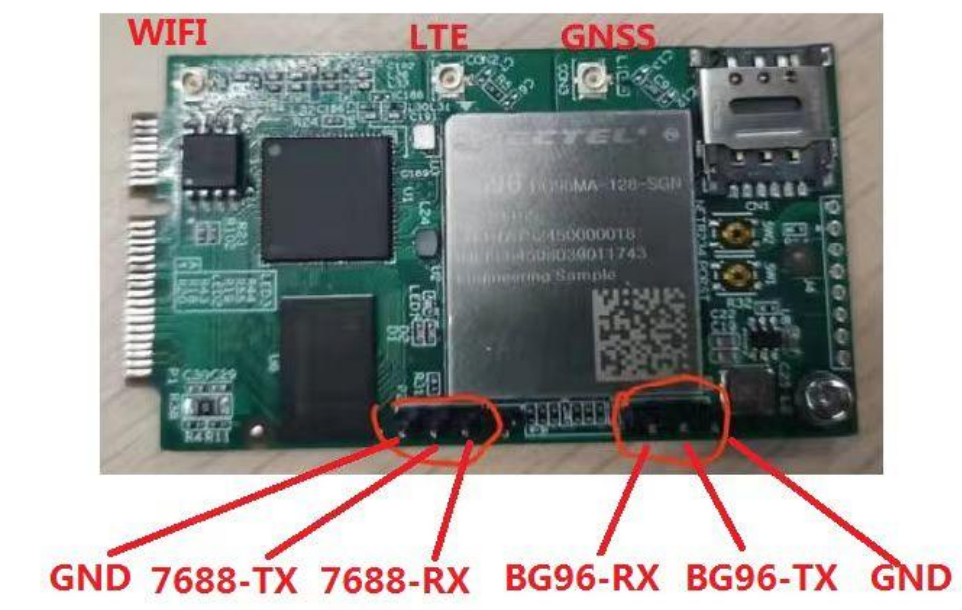
The use of the BG96 module depends on the Main board and the DVI board. Assemble as shown in Figure 2.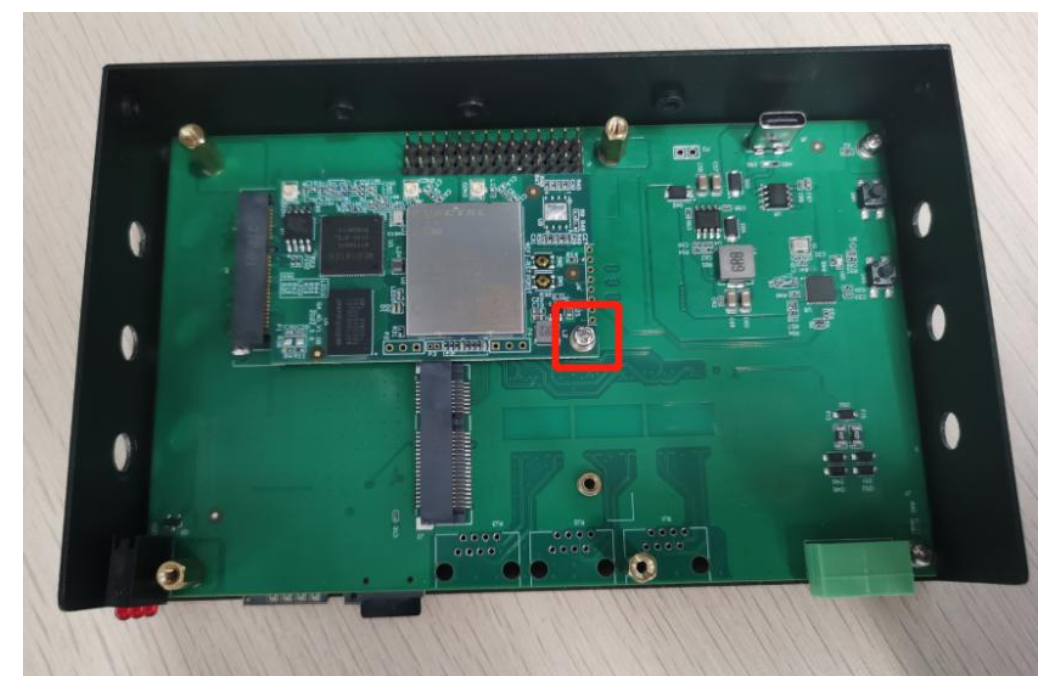
Binding pairing
Using the bind MT7688 with the mainboard.
Instructions for 7688
Linking PC with 7688 first. Open network assistant NetAssist_v4.3.25. Protocol type: TCP Client Host address:192.168.12.10 Port:4444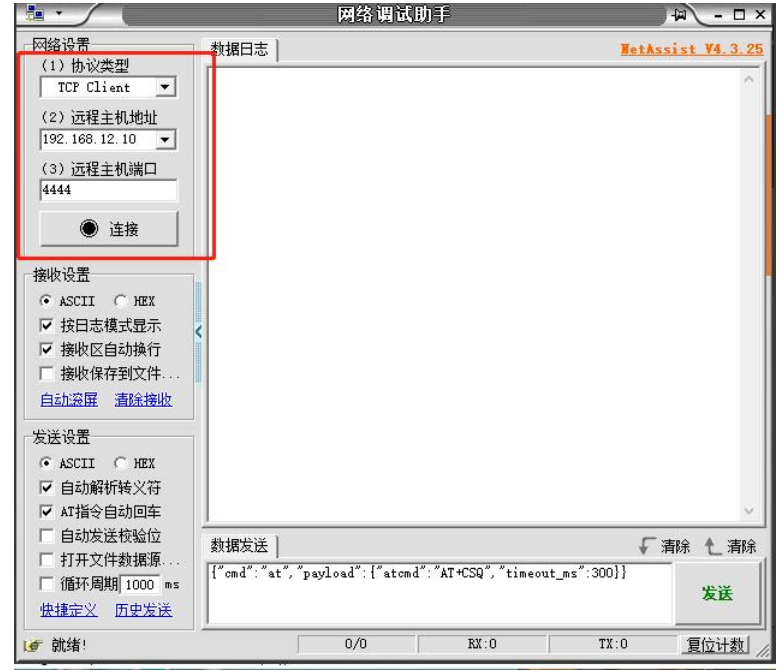
AT test command
{“cmd “: “at”, “payload”:{“aatcmd: “ATAT+CSQ,”timeout_ms”:300}} #Read SIM{ “cmd “: “at” ,”payload” { “atcmd”: “AT+CSQ “,”timeout_ms”:300}} #Acquired signal quali ty { “cmd”:” a t”,”payload”:{“atcmd”: “AT+CREG?”,”timeout_ms”:300}} #Obtainregistration statustration stat us {“cmd”: “at”,” pa yload”:{ “at cmd : “AT+QGPS=1”, “timeout_ms”:300}} #Op en GPS {“cmd” :” , “payload”:{“atcmd” :”AT+QGPS?”,”timeout_open or0}} #Query GPS openor not {“cmd”: “at “,”payload” {“atcm d”:”AT+QGPSLOC ?”,”timeout_ms”:300}} # Acquired GPS data “md” : “a t”,”payload”:{“at cmd”:”AT+QGP SEND”,”timeout_ms”:300}} #Close GPS
F/W Update
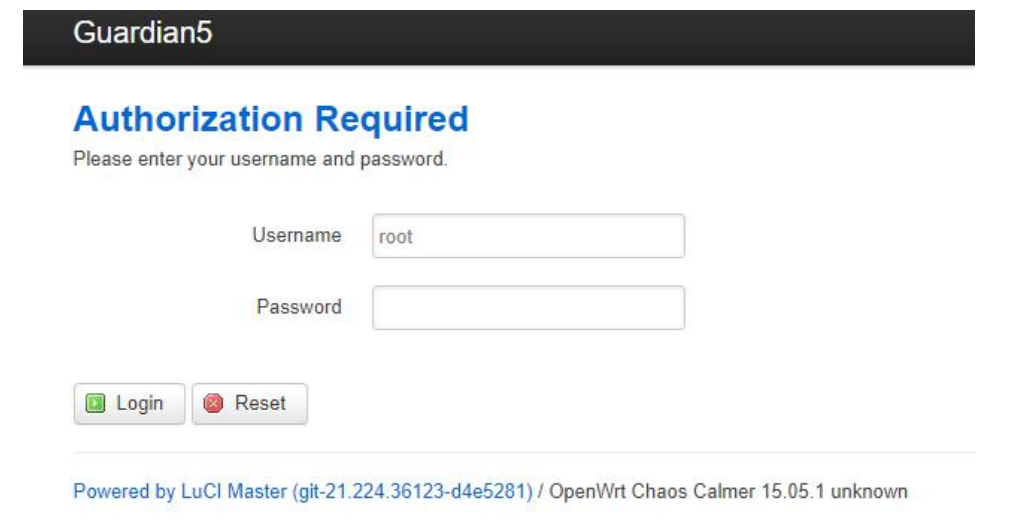
- Use your PC to connect to the Guardian-xxxx Wi-Fi (password CMIIC@123) and open the link

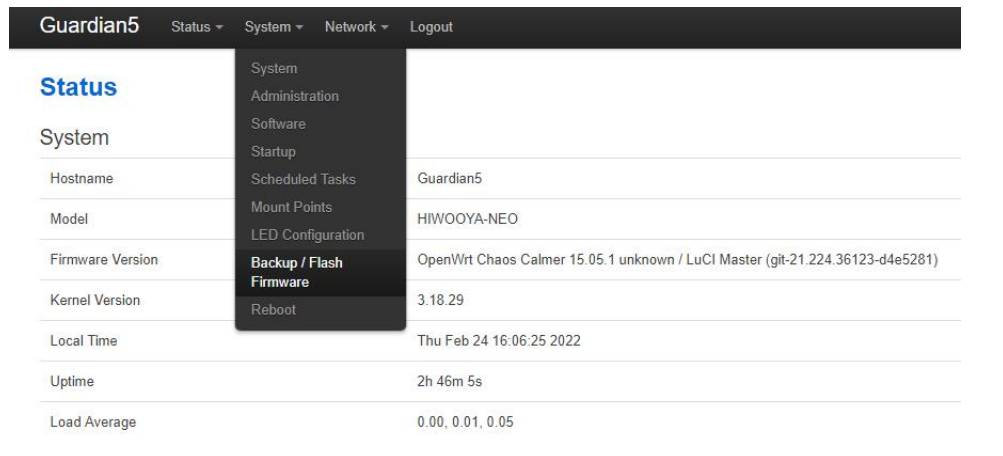
- Select System–>Backup/Flash Firmware:
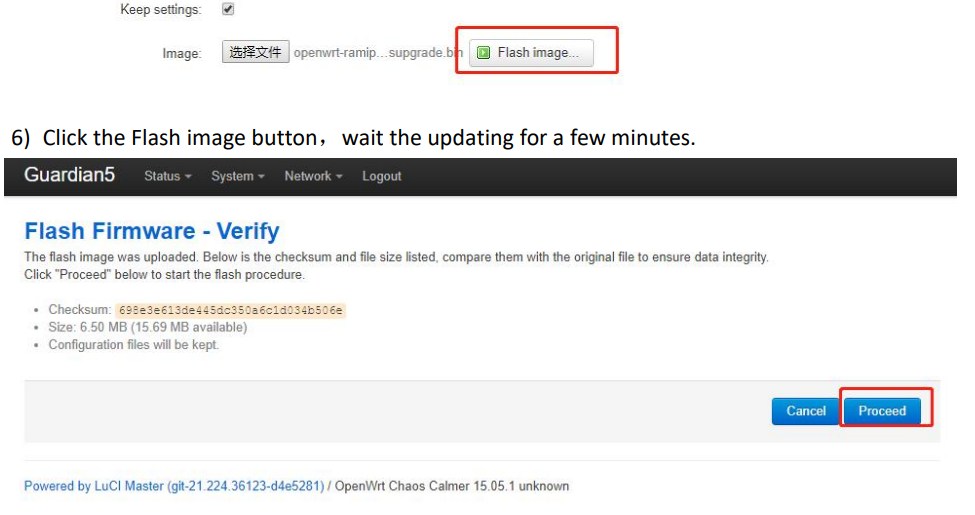
- Check the Keep secheckbox, clickboclick the e-file button as below:

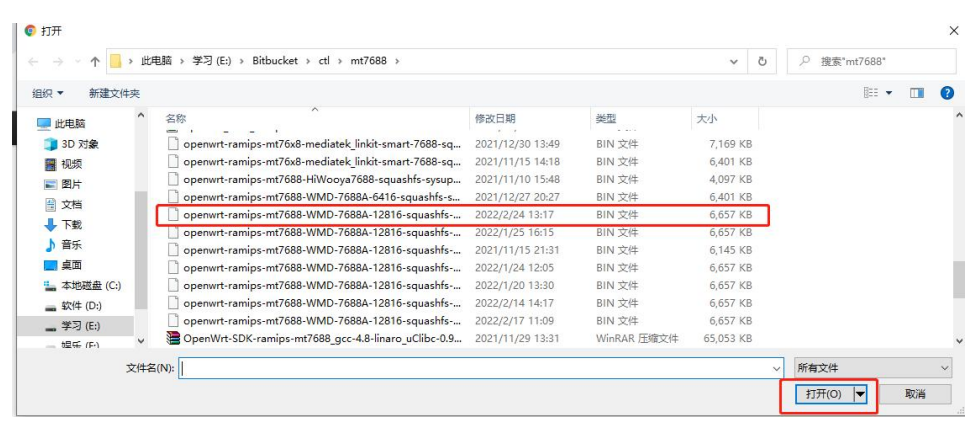
- Select the mt7688 firmware and click the open button as blew

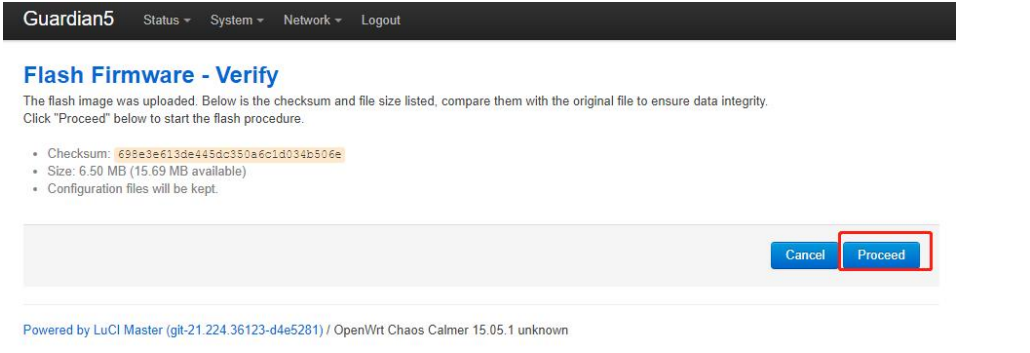
- Click the Flash image button。

- Click the Flash image button, wait for the update

- Please don’t power down or close the browser during the update.

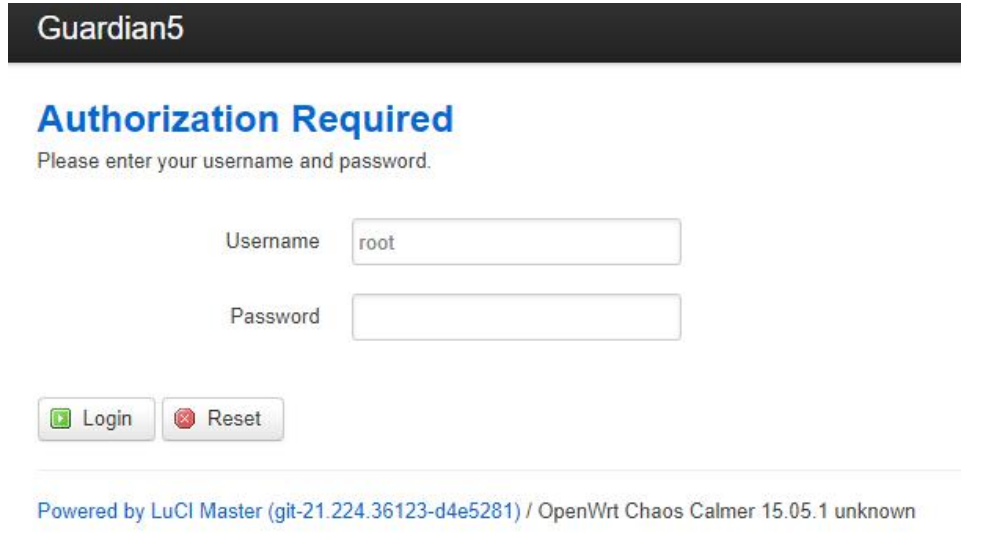
- You will see PC Wi-Fi is disconnected after updating and rebooting. A few minutes later, you can reconnect to Guardian-xxxx Wi-Fi. If you can see the login page in the browser, the upgrade has been successful.


FCC Statement
The Seeed Studio MT7688 BG96 Module complies with part 15 of the FCC Rules. Operation is subject to the following two conditions:
- This device may not cause harmful interference, and (2) this device must accept any interference
Received, including interference that may cause undesired operation. Any Changes or modifications not expressly approved by the party responsible for compliance could void the user’s authority to operate the equipment.
Customer Support
- Website: www.seeedstudio.com
- Ph: +86-0755-86095676
2008-2025 Seeed Technology Co., Ltd. All rights reserved.