Close Menu
onyxguides.comonyxguides.com

    Subscribe to Updates

    Get the latest creative news from FooBar about art, design and business.

    What's Hot

    Harman Kardan OMNI BAR Plus Bluetooth Soundbar User Manual

    January 14, 2026

    Aurzen D1R Roku TV Bluetooth Smart Projector User Manual

    January 13, 2026

    Aurzen EAZZE D1 MAX 1000 ANSI Lumens Projector User Manual

    January 12, 2026
    Facebook X (Twitter) Instagram
    onyxguides.comonyxguides.com
    Facebook X (Twitter) Instagram Pinterest
    • Home
    • About us
    • Terms & Conditions
    • Privacy Policy
    • FAQs
    • Contact us
    onyxguides.comonyxguides.com
    Home » Harman Kardon ONYX STUDIO 7 Wireless Spakers User Guide
    Other

    Harman Kardon ONYX STUDIO 7 Wireless Spakers User Guide

    By Gabriel SmithNovember 15, 20251 Comment3 Mins Read
    Facebook Twitter Pinterest LinkedIn Tumblr WhatsApp Telegram Email
    Harman-Kardon-ONYX-STUDIO-7-Wireless-Spakers-Featured
    Share
    Facebook Twitter LinkedIn Pinterest Email

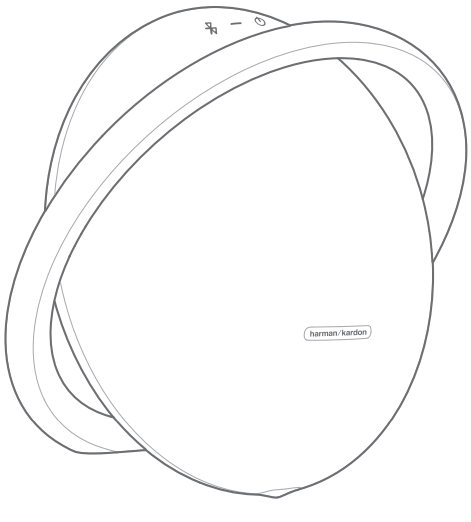
    Harman-kardon-logoHarman Kardon ONYX STUDIO 7 Wireless Speakers
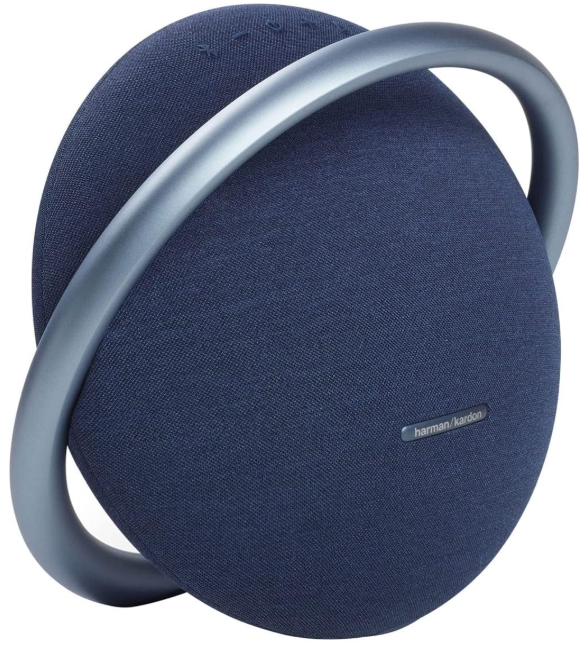
    Harman-Kardon-ONYX-STUDIO-7-Wireless-Spakers-Product


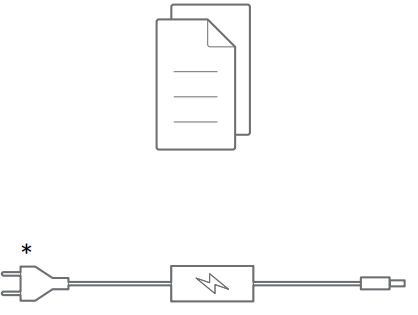
    What’s in the Box

    • Power cord 

    Harman-Kardon-ONYX-STUDIO-7-Wireless-Spakers-Fig-1

    • Plug

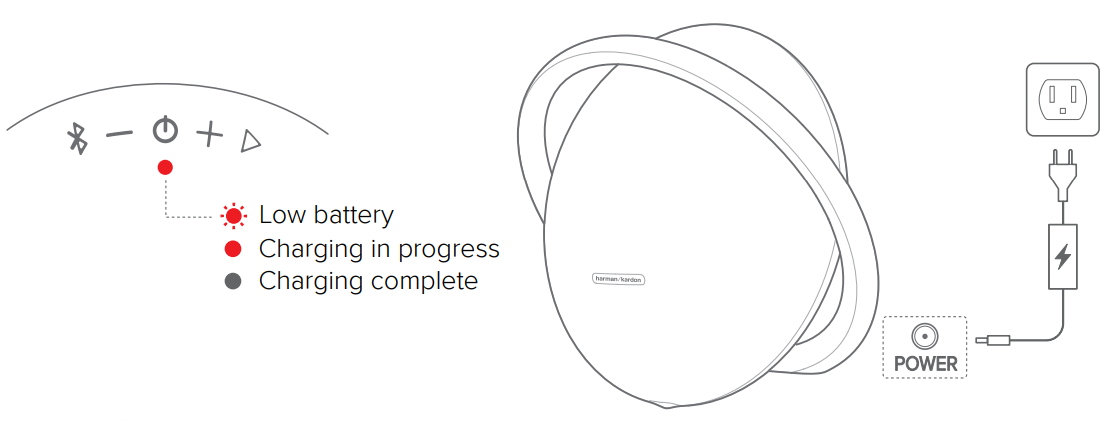
    Harman-Kardon-ONYX-STUDIO-7-Wireless-Spakers-Fig-2Battery

    • Low battery
    • Charging in progress
    • Charging complete

    Harman-Kardon-ONYX-STUDIO-7-Wireless-Spakers-Fig-3

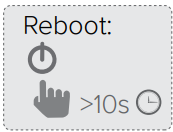
    • Reboot

    Harman-Kardon-ONYX-STUDIO-7-Wireless-Spakers-Fig-4

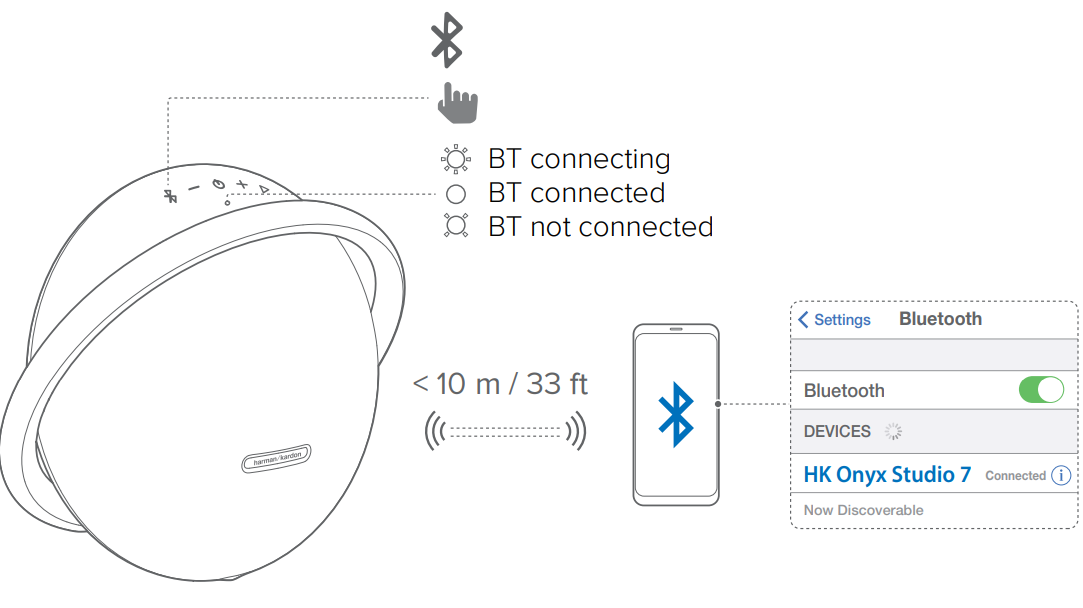
    Bluetooth

    • Bluetooth connecting
    • Bluetooth connected
    • Bluetooth not connected

    Harman-Kardon-ONYX-STUDIO-7-Wireless-Spakers-Fig-5

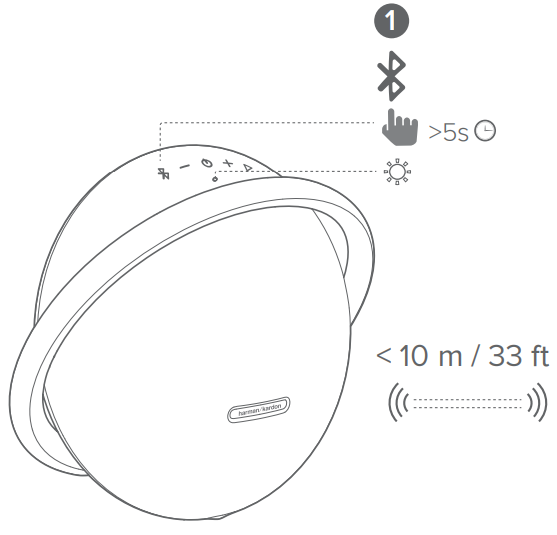
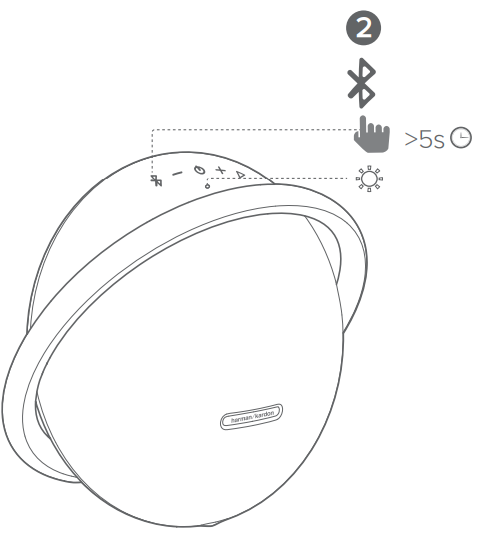
    Bluetooth Pairing

    • Wireless Dual Sound pairing mode

    Harman-Kardon-ONYX-STUDIO-7-Wireless-Spakers-Fig-6

    • Sold separately

    Harman-Kardon-ONYX-STUDIO-7-Wireless-Spakers-Fig-7

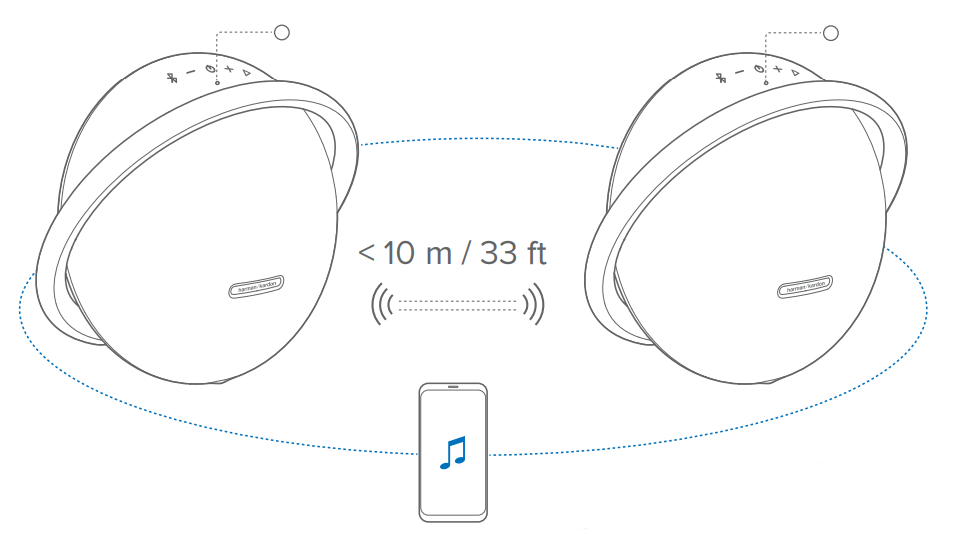
    Wireless Dual Sound

    Harman-Kardon-ONYX-STUDIO-7-Wireless-Spakers-Fig-8

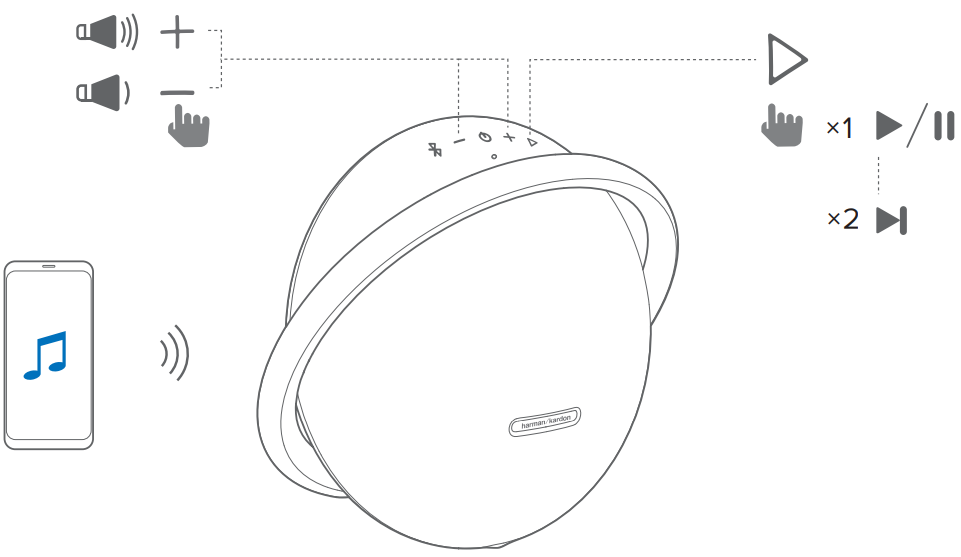
    Control playback on the primary speaker.
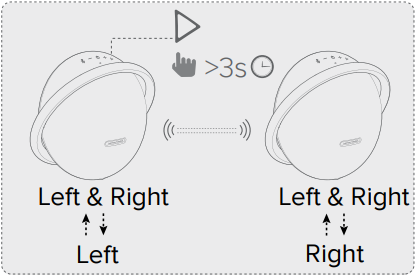
    Harman-Kardon-ONYX-STUDIO-7-Wireless-Spakers-Fig-9

    • Left & Right, Left
    • Left & Right, Right

    Harman-Kardon-ONYX-STUDIO-7-Wireless-Spakers-Fig-10

    • Press once to start or pause music playback.
    • Press twice to skip to the next music track.
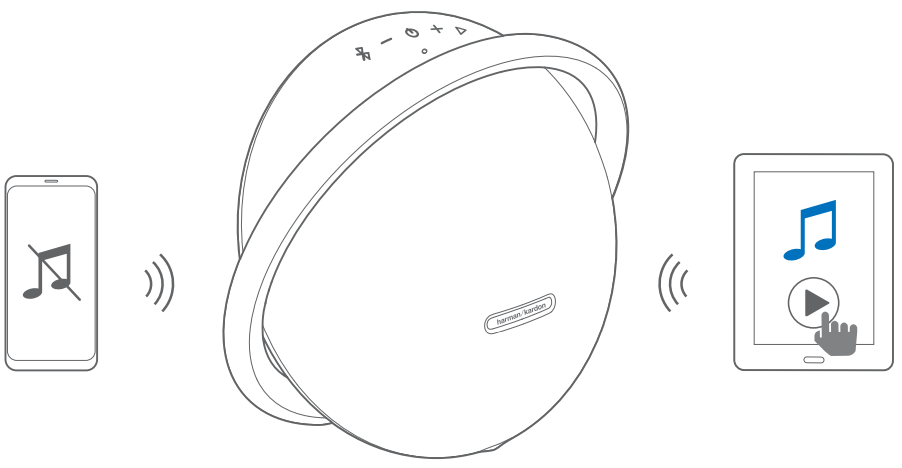
    Harman-Kardon-ONYX-STUDIO-7-Wireless-Spakers-Fig-11

    Music playback pauses on the current connected device when you start music playback on a second connected device

    Harman-Kardon-ONYX-STUDIO-7-Wireless-Spakers-Fig-12To play music through the audio cable, disconnect Bluetooth.
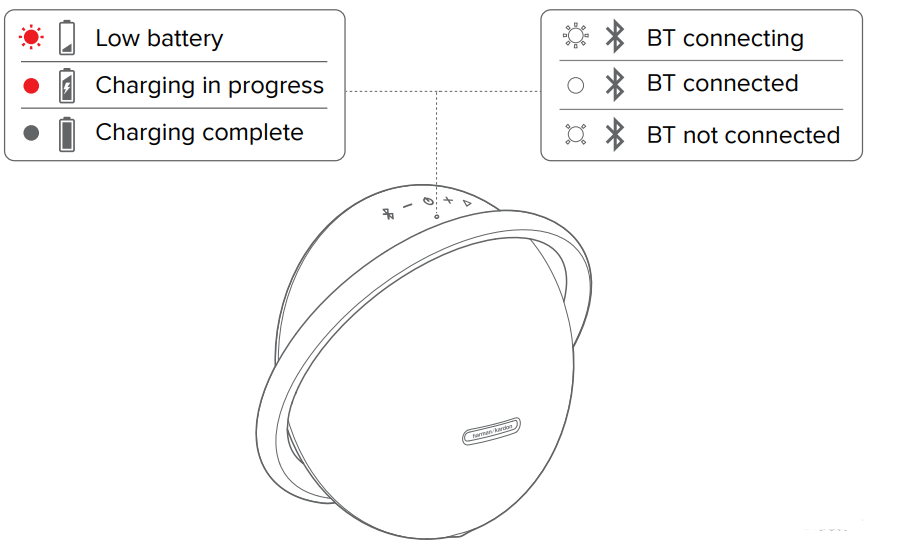
    Harman-Kardon-ONYX-STUDIO-7-Wireless-Spakers-Fig-13

    • Low battery
    • Charging in progress
    • Charging complete
    • Bluetooth connecting
    • Bluetooth connected
    • Bluetooth not connected

    Specification

    • Bluetooth version: 4.2
    • Support: A2DP 1.3, AVRCP 1.6
    • Transducers: Woofer 1 x 120mm, Tweeter 2 x 25mm
    • Rated Power: 1 x 50WRMS Bi-amp (AC mode)
    • Frequency response: 50Hz – 20kHz (-6dB)
    • Signal-to-noise ratio: 80dB A-weighted
    • Power supply: 19V/2A
    • Battery type: Lithium-ion (3.6V/3250mAh, 11.70Wh)
    • Battery charge time: 5 hours
    • Music playtime: up to 8 hours (Varies by volume level and music content)
    • Bluetooth transmitter power: < 9dBm (EIRP)
    • Bluetooth transmitter frequency range: 2400-2483.5MHz
    • Bluetooth transmitter modulation: GFSK, π/4 – DQPSK, 8DPSK
    • Dimension (H x W x D): 268.00 X 302.50 X 159.50mm
    • Weight: 3295g

    Customer Service

    • Address: Open Source, Gregor Krapf-Gunther, Parking 3, 85748 Garching bei Munchen, Germany.
    • Website: www.harmankardon.com.
    • Tel: (800) 422-8027
    • Timings: Mon – Fri – 9:00 am 11:00 pm (ET) Sat – Sun – 9:00 am 5:00 pm

    © 2013 HARMAN International Industries, Incorporated. All rights reserved.

    FAQs

    Q: What is the Harman Kardon Onyx Studio 7?

    The Harman Kardon Onyx Studio 7 is a high-end wireless Bluetooth speaker with up to 8 hours of playback, a stylish aluminium handle design, and dual tweeters for real stereo sound. It produces the distinctive deep bass and well-balanced clarity of Harman Kardon audio.

    Q: Can I connect two devices at the same time?

    Indeed. With the Onyx Studio 7’s multi-host Bluetooth connection feature, two devices can connect at once. By halting playing on one and beginning it on the other, you can alternate between them.

    Q: What is the Bluetooth range?

    In an open area, the wireless range is roughly 10 meters (33 ft). The range may be somewhat diminished by obstructions, walls, or metal items.

    Q: How long does the battery last on a full charge?

    At moderate volume levels, the Onyx Studio 7 can play for up to eight hours.

    Q: How long does it take to fully charge the speaker?

    It takes approximately 5 hours to fully charge the speaker using the supplied AC power adapter.

    Q: Can I use the speaker while it’s charging?

    The speaker requires around five hours to completely charge when using the provided AC power adapter.

    Q: Can I connect the Onyx Studio 7 to a TV or computer?

    Indeed. If your computer or TV has a 3.5mm AUX input, you can use that to connect, or you can use Bluetooth. For gaming or watching films, a wired connection guarantees the least amount of audio lag.

    Q: Is the Onyx Studio 7 waterproof?

    The Onyx Studio 7 isn’t splash-proof or waterproof. Steer clear of wet conditions, beverages, and rain.

    Share. Facebook Twitter Pinterest LinkedIn Tumblr Email
    Gabriel Smith

      Related Posts

      Aurzen D1R Roku TV Bluetooth Smart Projector User Manual

      January 13, 2026

      HAPPRUN KC7 Pro 2500 ANSI Lumens Projector User Manual

      January 11, 2026

      Kogan HSD01 8GB, 128GB Full HD Wi-Fi Speakers User Manual

      January 10, 2026

      Aurzen EAZZE D1R Cube Roku TV Smart Projector User Guide

      January 9, 2026

      Devialet Dione White Dolby Atmos Soundbar User Manual

      January 7, 2026

      Tribit BTH80 CallElite 81 Wireless Headset User Guide

      January 4, 2026
      View 1 Comment

      1 Comment

      1. Pingback: Harman Kardon Onyx Studio 4 Bluetooth Speaker | Setup Guide

      Don't Miss
      Harman Kardon

      Harman Kardan OMNI BAR Plus Bluetooth Soundbar User Manual

      January 14, 2026

      Harman Kardon OMNI BAR Plus Bluetooth Soundbar Introduction We’ve created a system that harnesses the…

      Aurzen D1R Roku TV Bluetooth Smart Projector User Manual

      January 13, 2026

      Aurzen EAZZE D1 MAX 1000 ANSI Lumens Projector User Manual

      January 12, 2026

      HAPPRUN KC7 Pro 2500 ANSI Lumens Projector User Manual

      January 11, 2026
      Stay In Touch
      • Facebook
      • Twitter
      • Pinterest
      • Instagram
      • YouTube
      • Vimeo

      Subscribe to Updates

      Subscribe to Updates

      Follow us

      Facebook X-twitter Instagram Pinterest

      © 2025 All rights reserved Onyx Guide.