

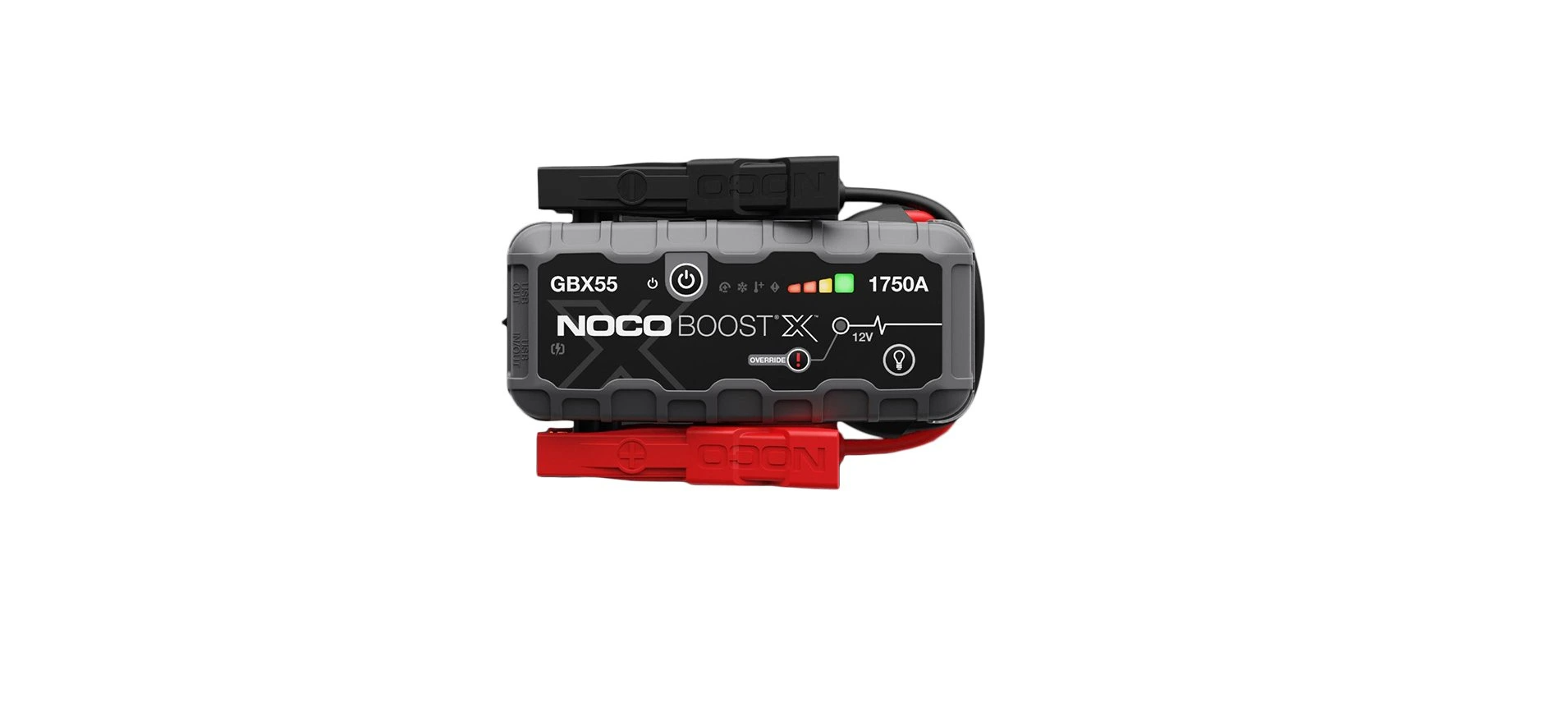

NOCO GBX55 12V Jump Starter
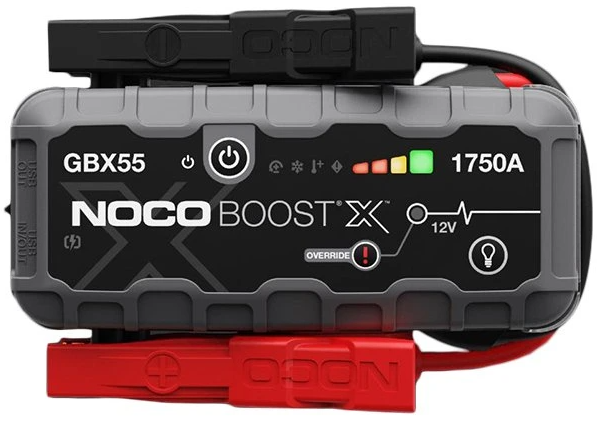
Safety Instructions
- Wear eye protection when operating the product. Batteries can explode, causing flying debris.
- Battery acid can cause eye and skin irritation.
- In the event of eye or skin contamination, flush the affected area with clean running water and contact poison control immediately.
- Working in the vicinity of a lead-acid battery is dangerous.
- Batteries generate explosive gases during normal battery operation.
- Review cautionary markings on these products and on the engine.
- Battery posts, terminals, and related accessories contain chemicals, including lead.
- These materials are known to the State of California to cause cancer and birth defects, and other reproductive harm.
- Only use the product as intended. Someone should be within range of your voice or close enough to come to your aid in case of an emergency.
- Have a supply of clean water and soap nearby in the case of battery acid contamination.
- Wear complete eye protection and protective clothing while working near a battery.
- Always wash your hands after handling batteries and run an elated material.
- Do not handle or wear any metal objects when working with batteries, including tools, watches, or jewelry.
Handling
- Handle the product with care. The product can become damaged if impacted.
- Do not use a damaged product, including, but not limited to, cracks to the casing or damaged cables.
- Do not use the product with a damaged power cord.
- Humidity and liquids may damage the image product.
- Do not handle the product or any electrical components near any liquid.
- Store and operate products in dry locations. Do not operate the product if it becomes wet.
Accessories
- This product is only approved for use with NOCO accessories.
- NOCO is not responsible for user safety or damage when using accessories not approved by NOCO.
Location
- Prevent battery acid from coming in contact with the product.
- Do not operate the product in a closed-in area or an area with restricted ventilation.
- Do not set a battery on top of the product.
Operating Temperature
This product is designed to work in ambient temperatures between -20ºC to 50ºC. Do not operate outside of the temperature ranges. Do not jump-start a frozen battery. Discontinue use of the product immediately if the battery becomes excessively warm.
Storage
Do not use or store your product in areas with high concentrations of dust or airborne materials. Store your product on flat, secure surfaces so it’s not prone to falling. Store your product in a dry location. The storage temperature is -20ºC to +50ºC (0ºC ~ +25ºC daily average). Never exceed 80ºC under any condition.
Compatibility
The product is only compatible with 12-volt lead-acid battery systems. Do not attempt to use the product with any other type of battery. Jump-starting other battery chemistries may result in injury, death, or property damage. Contact the battery manufacturer before attempting to jump-start the battery. Do not jump-start a battery if you are unsure of the battery’s specific chemistry or voltage.
Battery Instructions
- The built-in lithium-ion battery in the product should be replaced only by NOCO, and must be recycled or disposed of separately from household waste.
- Do not attempt to replace the battery yourself, and do not handle a damaged or leaking lithium-ion battery. Never dispose of a battery in household trash.
- Disposal of batteries in household trash is unlawful under state and federal environmental laws and regulations. Always take used batteries to your local battery recycling center.
- If the product battery is excessively hot, emitting an odor, deformed, cut, or is experiencing or demonstrating an abnormal occurrence, immediately stop all use and contact NOCO.
Battery Charging.
- Charge the product with the included 12VDC car charger or XGC4 wall charger.
- Do not use generic or third-party power adapters, as they may present a serious electrical risk that can result in injury to persons, devices, and property.
- Using damaged cables or chargers, or charging when moisture is present, can result in electric shock. NOCO is not responsible for the user’s safety, damage to the Device, or property damage when using accessories or power supplies that are not approved by NOCO.
- When using the XGC4 wall charger, make sure that the AC plug is fully inserted into the adapter before you plug it into a power outlet.
- The power adapter may become warm during normal use, and prolonged skin contact may cause bodily injury. Always allow adequate ventilation around the power adapter while in use.
- To ensure maximum battery life, avoid charging your product for more than a week at a time, as overcharging
Medical Devices
- The product may emit electromagnetic The product contains a component that may interfere with pacemakers, defibrillators, or other medical devices.
- These electromagnetic fields may interfere with pacemakers. Other medical products. Consult with your physician before use if you have any medical devices, including pacemakers.
- If you suspect the product is interfering with a medical device, stop using the product immediately and consult your physician. Medical Conditions.
- If you have any medical condition that you believe could be affected by the product, including but not limited to seizures, blackouts, eyestrain, or headaches, consult your physician before using the product.
- The use of an integrated high-power flashlight contains a light sensitivity hazard. Use of the light in Strobe Mode may cause seizures in persons with photosensitive epilepsy, which may result in serious injury or death.
Light
Staring directly into the light beam or shine of the flashlight may result in permanent eye injury. The product is equipped with a high-output LED pre-focused lamp that emits a powerful beam at the highest setting.
Cleaning
Power off the product before attempting any maintenance or cleaning. Clean and dry the product immediately if it comes in contact with liquid or any type of contaminant. Use a soft, lint-free (microfiber) cloth. Avoid getting moisture in openings.
Explosive Atmospheres
Obey all signs and instructions. Do not operate the product in any area with a potentially explosive atmosphere, including fueling areas or areas that contain chemicals or particles such as grain, dust, or metal powders.
High-Consequence Activities
This product is not intended for use where the failure of the product could lead to injury, death, or severe environmental damage.
Radio Frequency Interference product is designed, tested, and manufactured to comply with regulations governing radio frequency emissions. Such emissions from the product can negatively affect the o, operation of other electronic equipment, causing them to malfunction.
How To Use
Charge the GB251
- The GB251 comes partially charged out of the box and needs to be fully charged prior to use.
- Connect the GB251 using the included 12V DC car charger or XGC4 wall charger to the 12V IN port.
- The time to recharge a GB251 will differ based on the discharge level and the power source used.
- Actual results may vary due to battery conditions and level of discharge.
- When recharging, the charge level of the internal battery is indicated by the Charge LEDs.
- The LEDs will slowly pulse ‘On’ and ‘Off’ and become solid until all four Charge LEDs are on.
- When the battery is fully charged, the Green 100% LED will be solid, and the 25%, 50% and 75% Charge LEDs will turn “Off”.
- From time to time, the Green 100% LED will pulse, indicating maintenance charging is occurring.
Connect to the Battery
- Recharge Time: 8.5 hours Charger Rating: 56W Internal Battery Level. Fully read and understand the vehicle owner’s manual on specific precautions and recommended methods for jump starting to occur.
- Make sure to determine the voltage and chemistry of the battery by referring to your battery owner’s manual prior to using this product.
- The GB251 is for jump-starting 24-volt lead-acid battery systems only.
- Before connecting to the battery, verify that you have a 24-volt lead-acid battery system. The GB251 is not suitable for any other type of battery.
- Connect the positive (red) battery instructions below the positive (POS, P,+) battery terminal and the negative (black) battery clamp to the negative (NEG, N,-) battery terminal or vehicle chassis.
Jump Starting
- Make sure all of the vehicle’s power loads (headlights, radio, air conditioning, etc. ) are turned off before attempting to jump-start the vehicle.
- Press the power button to begin jump-starting, and all LEDs will flash once.
- If you are properly connected to the battery, the white boost LED will illuminate, and the battery charge LEDs will chase.
- A 60-second countdown will begin as soon as a jump-startedmpfor -starting the vehicle.
- Most vehicles will immediately start. Some vehicles may require the GB251 to be connected for up to 30 seconds before starting.
- If the vehicle does not start right away, wait 20-30 seconds and try again.
- Do not attempt more than five (5) consecutive jump starts within a fifteen (15) minute period.
- Allow the GB251 to rest for fifteen (15) minutes before attempting to jump-start the vehicle again.
- Once you have started your vehicle, disconnect the battery clamp and remove the GB251.
60-Second Timeout
A 60-second countdown will be initiated as soon as a battery is detected. After 60 seconds have elapsed, the jump-starting function will be disabled. The boost LED will turn andhond the internal battery charge LEDs will indicate the current charge level of the unit. To reset the jump-starting function, press the power buthave to power off the unit. Press the power button again to power on the unit and restart the jump-starting function.
Low Voltage Batteries & Manual Override
EN The GB251 is designed to jump-start 24-volt lead-acid battery systems down to 3 volts. If your battery is below 3 volts, the boost LED will be “off”. This is an indication that the GB251 can not detect a battery. If you need to jump start a battery below 3 volts, there is a manual override feature, which allows 3 volts to force “on” the jump star3 voltsion. If the battery is below 3 volts, the boost LED will be off, and the voltmeter will not display a voltage.
Powering Your USB & 12V Devices
The GB251 has (2) USB-OUT ports and a 12V-OUT port (12V AUX/ cigarette lighter port). Plug in any standard USB device 3 device (Up to 15A) and turn the GB251 “on” to start powering your devices.

Interface
- Internal Battery Level indicates the charge level of the internal battery.
- Hot LED Illuminates soli: indicates it is fully operational, but approaching upper temperature limit. Flashing red; the unit is too hot to jump start, and only the flashlight is available in this state.
- Cold LED illuminates solid blue; unit is fully operational, but approaching lower temperature limit. Flashing blue, the unit is too cold to jump start, and only the flashlight is available in this state.
- Power Button Push to turn unit “on” & “off”.il. Luminates white when the unit is “on”.
- Light Mode Button Toggles the ultra-bright LED light through 7 light modes: 100% > 50% > 10% > SOS > Blink > Strobe > Off.
- Voltmeter/Countdown Timer. The built-in voltmeter reads the voltage of the vehicle’s battery for enhanced diagnostics and troubleshooting.
- The voltmeter will read voltage between ~3V to ~30V. If the connected battery is below 3V, nothing will display.
- Boost LED Illuminates white when NOCO GB251+ Boost Max 3000 Amp UltraSafe Jump boost is active.
- Manual Override Button: To enable, push and hold for three (3) seconds.
Troubleshooting
Error Codes

Fcc Statements
- This device complies with Part 15 of the FCC Rules. Operation is subject to the following two conditions: (1) this device may not cause harmful interference, and (2) this device must accept any interference received, including interference that may cause undesired operation.
- This equipment generates, uses, and can radiate radio frequency energy and, if not installed and used in accordance with the instruction manual, may cause harmful interference to radio communications.
One-Year Limited Warranty
NOCO warrants that this product (the “Product”) will be free from defects in material and workmanship for a period of one (1) year from the date of purchase (the “Warranty Period”). For defects reported during the Warranty Period, NOCO will, at its discretion, and subject to NOCO’s technical support analysis, either repair or replace defective Products. Replacement parts and products will be new or serviceably used, comparable in function and performance to the original part, and warranted for the remainder of the original Warranty Period.
- 1 Year: No charge. With proof of purchase, the warranty period begins on he date of purchase.
- 1 Year: No charge. With no proof of purchase, the warranty period begins on the date of purchase.
Customer Service
- Address: 30339 Diamond Parkway, #102, Glenwillow, OH 44139 USA.
- Website: support@no.co
- Tel: 1.800.456.6626;
FAQs
Q: Can the GBX55 be used as a power bank?
Indeed. Phones, tablets, computers, and other small electronics can be charged with the GBX55’s 12V output and USB output connectors. Verify the power requirements and device compatibility at all times.
Q: How long can the GBX55 hold a charge?
It can run for up to a year without using it when completely charged. For best results, check the battery frequently and recharge it every six to twelve months.
Q: Can the GBX55 be used on multiple vehicles in succession?
Yes, but to avoid overheating and a guaranteed steady power supply, let the jump starter rest for 30 to 60 seconds in between jump starts.
Q: Can I use the GBX55 on lithium-ion vehicle batteries?
Yes, ordinary 12V lead-acid, AGM, and lithium-ion batteries can be used with the GBX55. However, before jump-starting, carefully consult the manufacturer’s instructions.
Q: Is it safe to leave the jump starter connected to a vehicle battery?
No, only attach when the car is jump-starting, and take it off as soon as it begins. It may overheat or short circuit if left connected.
Q: How many jump starts can I short-charge?
Depending on engine size and battery condition, the GBX55 can deliver up to 20 jump starts for small cars or 5–10 jump starts for bigger cars when fully charged.
Q: Can the GBX55 charge multiple devices at once?
It does indeed include 12V and USB outlets. While keeping the jump starter ready for use in an emergency, you can charge a phone or tablet. Steer clear of high-power devices at the same time to avoid overloading.