

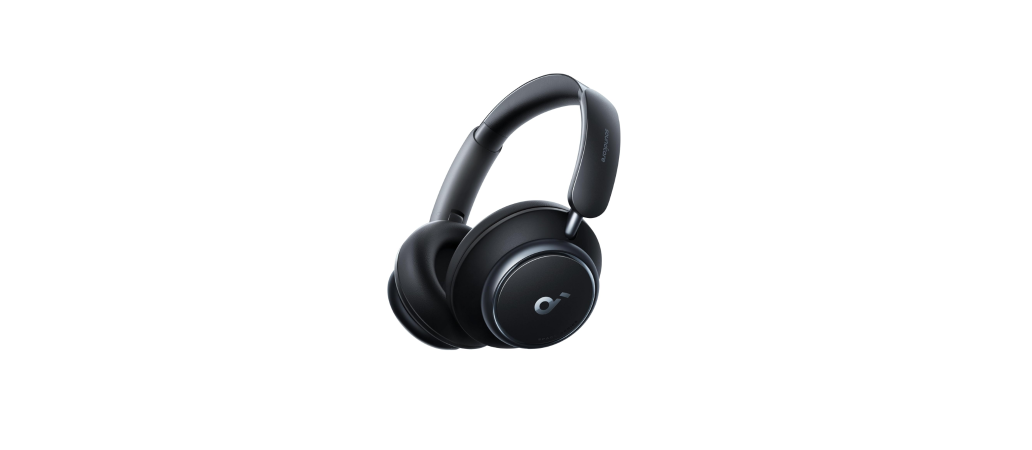

Soundcore Space Q45 Adaptive Active Headphones
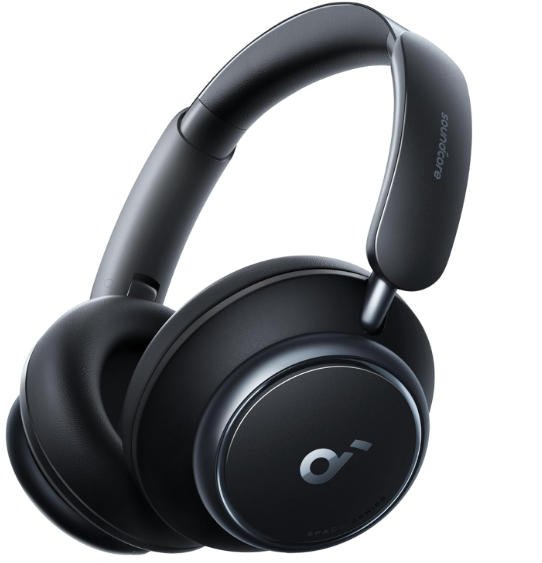
App

Download the Soundcore app to customise ambient sound, adjust EQ settings, update firmware, and explore more.\\ If your headphones cannot connect with the Soundcore app, update it to the latest version in your mobile app store.
Charging
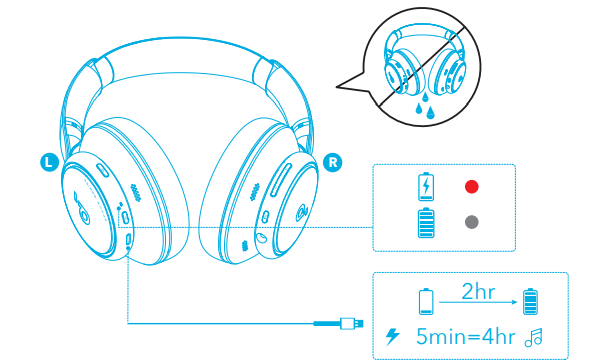
Fully dry off the USB port before charging. Do not turn on your headphones while charging. Use a certified USB-C charging cable and charger to prevent any damage.
Powering On & Pairing
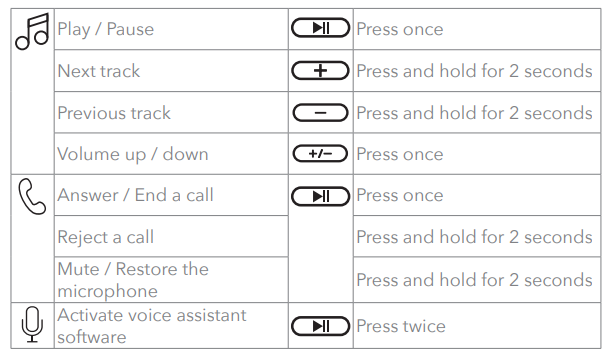
Press and hold the power button for 2 seconds to turn on. The headphones will automatically enter Bluetooth pairing mode when connecting for the first time. Select Soundcore Space Q45″ on your device’s Bluetooth list to connect.
Multipoint Connection
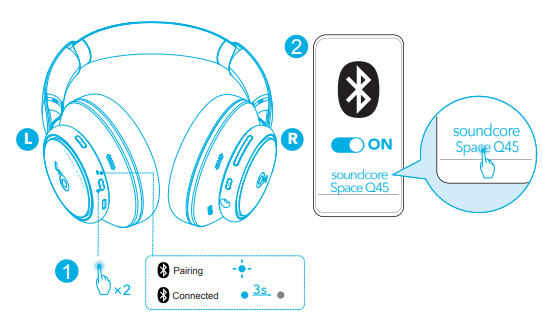
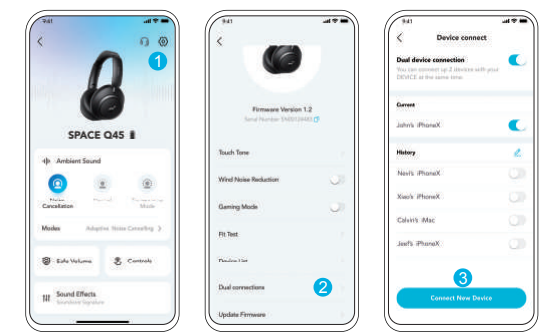
The headphones can connect with two devices at the same time. When already connected to one device, press the power button twice to pair with another device.
In the Soundcore app, go to settings and select Dual Connections > Connect New Device.
Manual Pairing
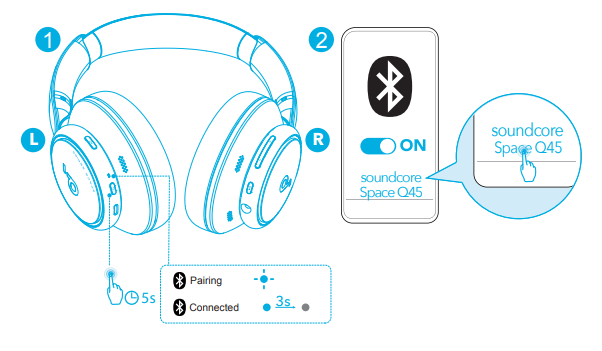
To manually enter Bluetooth pairing mode when the headphones are off, press and hold the power button for 5 seconds until the LED flashes blue.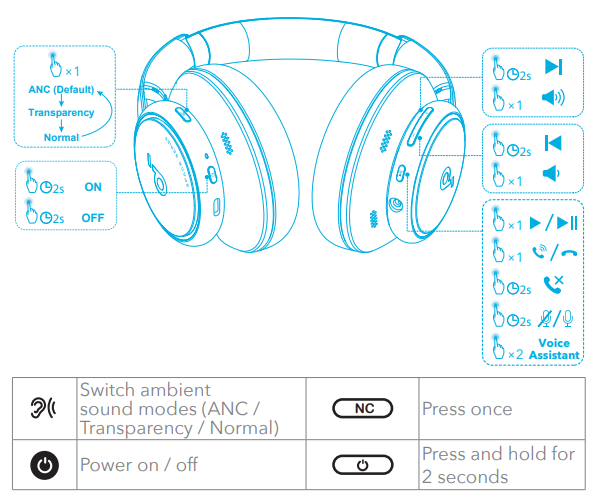
Button Controls

Noise Cancellation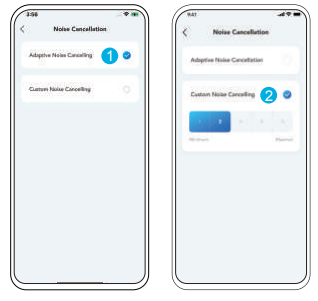
To reduce ambient noise, switch to noise cancellation (default) via the NC button and customise in the Soundcore app.
- Adaptive Noise Cancelling: Adjust the level of noise cancellation automatically for various scenarios.
- Custom Noise Cancelling: Set the level of noise cancellation manually.
Transparency

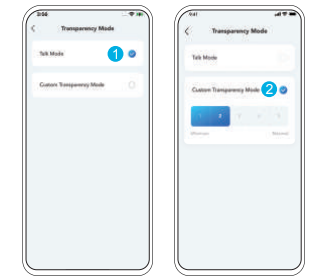
To stay aware of your surroundings while listening to music, switch to transparency via the NC button and customise it in the Soundcore app.
- Talk Mode: Voices stand out more clearly from other ambient sounds.
- Custom Transparency Mode: Set the level of transparency manually.
Ldac

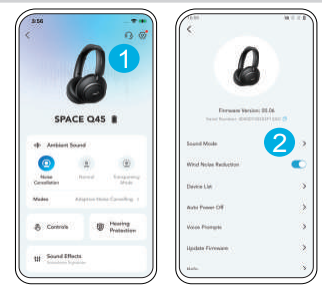
- Use devices powered by Android 8.0 or later to experience LDAC quality sound.
- LDAC provides higher-quality sound and increases power consumption, and reduces playtime.
- Enable LDAC in a low-interference environment to ensure a stable Bluetooth connection.
- Go to settings in the Soundcore app.
- Click on “Sound Mode”.
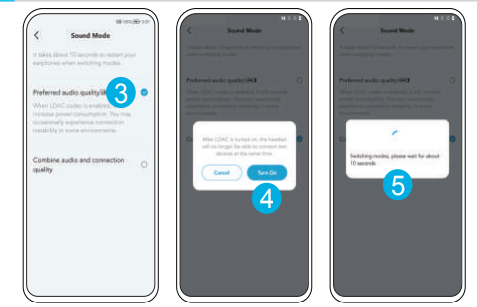
- Select “Preferred audio quality” to switch to the LDAC codec.
- You will be notified that the headphones do not support LDAC when connected to two devices. Select “Turn on” to continue.
- It takes about 10 seconds to switch audio codecs. You may be requested to update the headphones’ firmware if available.

Wired Listening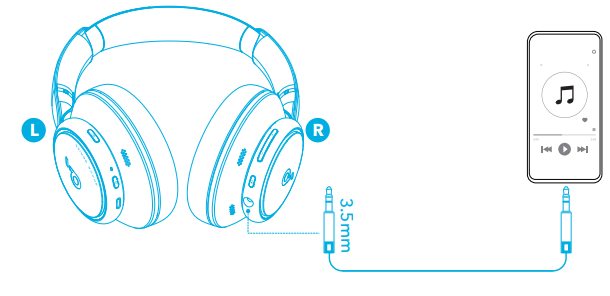
Play audio on an external device by plugging in a 3.5mm AUX cable. Wired listening will turn off Bluetooth mode automatically.
Reset

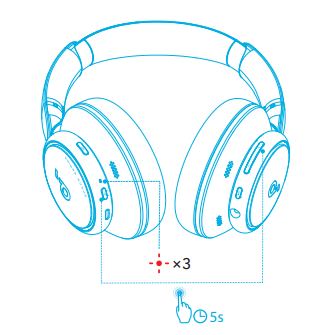
You might need to reset your headphones if you experience connectivity or function issues. Delete the pairing history from your Bluetooth device first. Press the power and volume up buttons simultaneously for 5 seconds until the LED flashes red three times.
LED Light 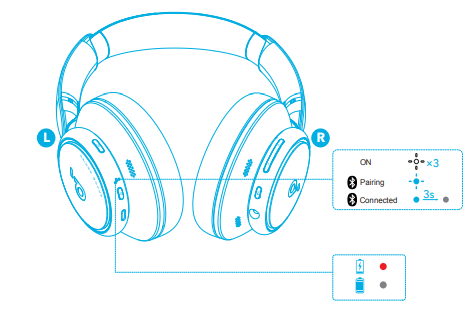
- Steady red
- Steady blue
- Flashing white
- Flashing blue
- Light o
Firmware Update
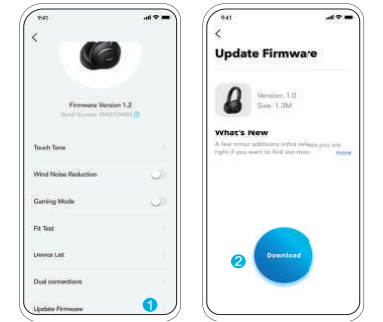
You will be informed once the new version of firmware is detected when you connect the headphones to the app. Ensure the headphones are powered on and connected to a device until the firmware update is complete. During the update, avoid any usage and ensure stable access to the internet.
Specifications
Specifications are subject to change without notice. 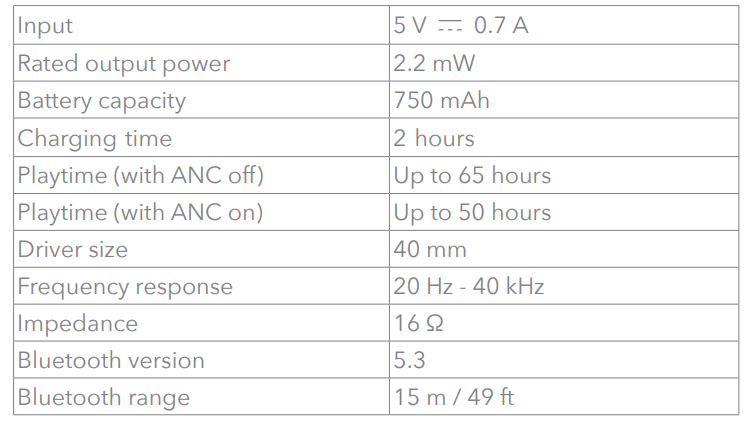
Customer Support
- Website: https://www.soundcore.com/
- Tel: +1 (800) 988-7973
3 Comments
Can you be more specific about the content of your article? After reading it, I still have some doubts. Hope you can help me.
Your article helped me a lot, is there any more related content? Thanks! https://www.binance.com/register?ref=IHJUI7TF
I don’t think the title of your article matches the content lol. Just kidding, mainly because I had some doubts after reading the article.