



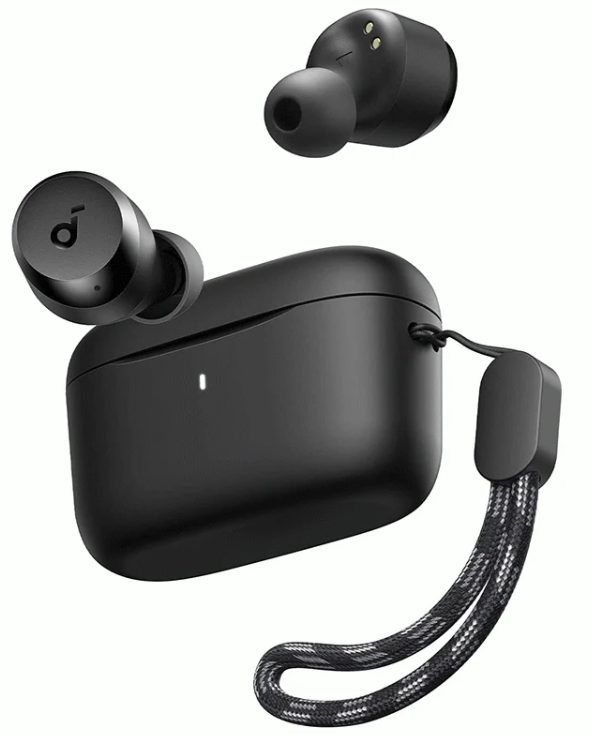
Soundcore A20i True Wireless Earbuds
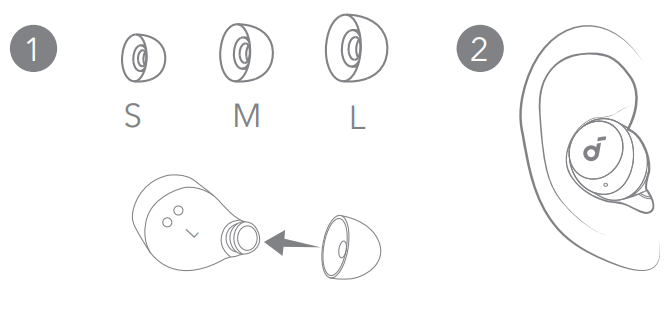
Wearing

Charging
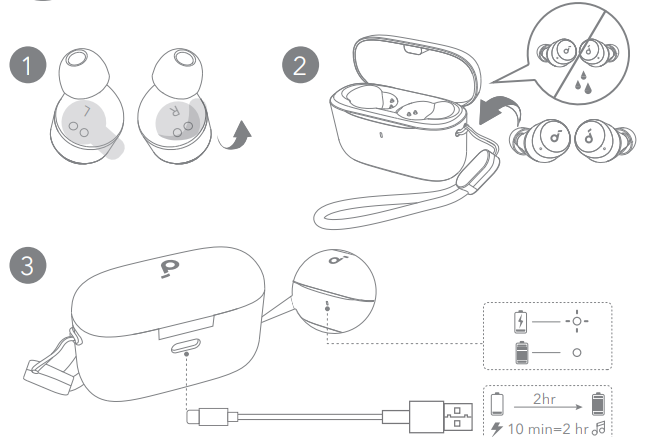
Fully dry off the earbuds and the USB charging port before charging.
Power On & Pairing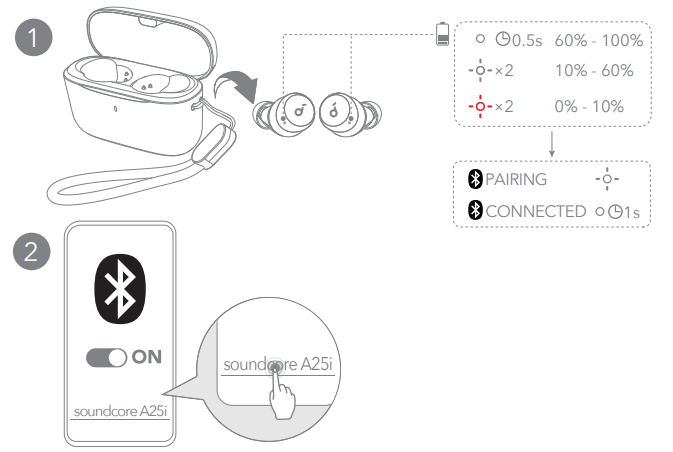
Open the charging case and take the earbuds out of the case. They will automatically power on and enter Bluetooth pairing mode. Select “Soundcore A25i” on your device’s Bluetooth list when connecting for the first time.
Manual Pairing
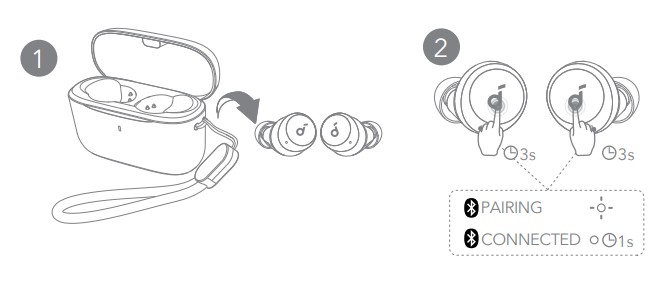
To manually enter Bluetooth pairing mode, take the earbuds out of the case, then tap and hold the touchpads on both earbuds for 3 seconds until the earbuds’ LED indicators flash white rapidly
Controls
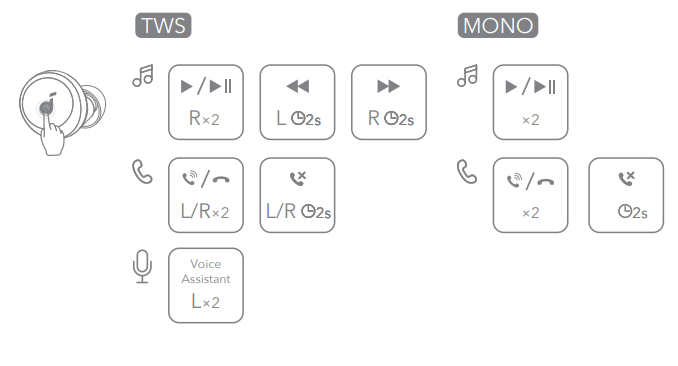
×2: Tap twice 2s: Tap and hold for 2 seconds. You can also customise controls in the Soundcore app
Opwer Off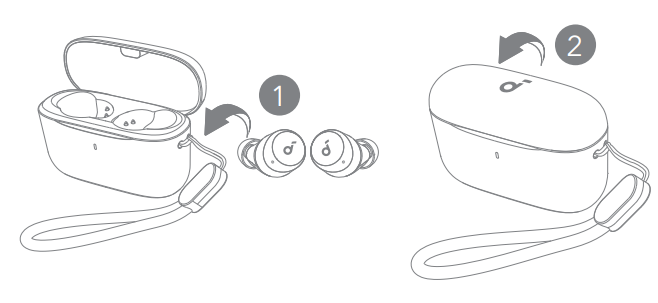
To power off, return the earbuds to the charging case and close it.
Reset
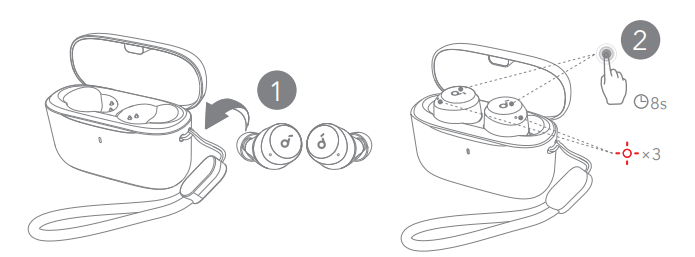 Reset if the earbuds have issues pairing with each other or with other devices. Place the earbuds in the charging case and leave the case open, then tap and hold the touchpads on both earbuds for 8 seconds until the earbuds’ LED indicators flash red rapidly three times
LED Light
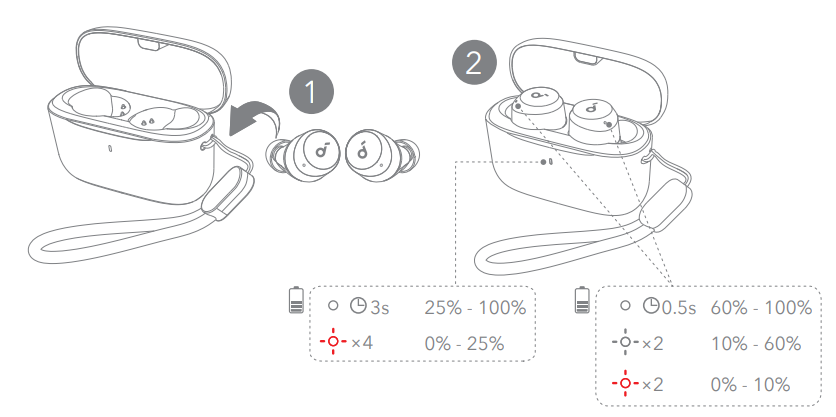
- Steady white
- Flashing white
- Flashing red
Customer Support
- Website: https://www.soundcore.com/
- Tel: +1 (800) 988-7973
FAQs
Q: Are they comfortable to wear for long periods?
Indeed. Because of their ergonomic form and light weight, the A20i earbuds are ideal for prolonged listening periods without causing significant ear stress.
Q: Are these earbuds good for calls, meetings, or online classes?
Yes, even in a rather noisy setting, your voice will be heard well thanks to the twin microphones and AI-enhanced speech pickup.
Q: Will they work with my phone, laptop, or other Bluetooth devices?
Yes, they should work with the majority of laptops, tablets, and smartphones because they support popular audio codecs like SBC and AAC and use Bluetooth 5.3 for a reliable and low-latency connection.
Q: Can I use them for workouts or in rainy/sweaty conditions?
Yes, the earbuds can withstand sweat and water splashes thanks to their IPX5 classification, which makes them ideal for everyday use like jogging, working out, and driving. However, you should not submerge them.
Q: Do they support sound customization and bass boost?
Absolutely. Through the companion app, you can choose from 22 preset EQ profiles, and you can enable the “BassUp” feature to emphasize low‑end frequencies for bass‑heavy tracks.
Q: Is there any feature for quick pairing or easy reconnection?
Yes, the earphones immediately connect to the last paired device when you remove them from the case after they have been paired for the first time. This facilitates quick and easy daily use.
Q: Do the earbuds support single‑earbud mode?
Yes, you may use one earbud while the other is charging, which is helpful if you want to extend the battery life or remain aware of your surroundings.
7 Comments
Your point of view caught my eye and was very interesting. Thanks. I have a question for you.
I don’t think the title of your article matches the content lol. Just kidding, mainly because I had some doubts after reading the article.
I don’t think the title of your article matches the content lol. Just kidding, mainly because I had some doubts after reading the article.
I don’t think the title of your article matches the content lol. Just kidding, mainly because I had some doubts after reading the article. https://www.binance.com/register?ref=IHJUI7TF
Your article helped me a lot, is there any more related content? Thanks!
Can you be more specific about the content of your article? After reading it, I still have some doubts. Hope you can help me.
Your point of view caught my eye and was very interesting. Thanks. I have a question for you. https://www.binance.com/register?ref=QCGZMHR6