



Tribit BTHA2 FlyBuds C1 Pro Wireless Earbuds
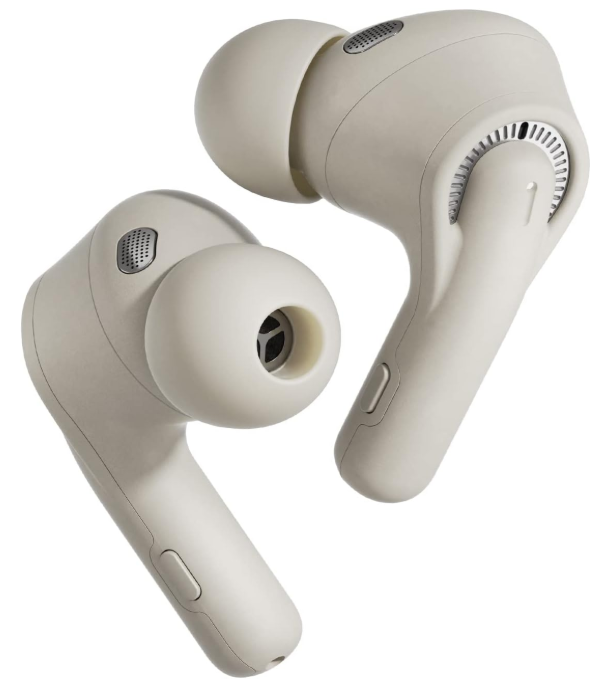
Safety Instructions
- Do not dismantle or modify the earbuds for any reason.
- Any resulting malfunction won’t be covered by warranty.
- Do not expose the earbuds to temperatures above 45°C or below -20°C.
- This product has a built-in lithium battery.
- Do not disassemble, hit, squeeze, or throw earbuds into the fire.
- The FlyBuds C1 Pro earbuds contain small components.
- Please keep them away from children to avoid accidental swallowing or other injuries.
- It is recommended not to use the FlyBuds C1 Pro earbuds when driving.
- Although it has an environmental monitoring mode, it is still illegal to do so in some regions.
- Please check and abide by the local laws and regulations on the use of headphones.
- The FlyBuds C1 Pro earbuds and the charging case contain magnets.
- Thus, please keep a safe distance between your medical equipment and the product.
- Please use a lint-free soft cloth to clean the FlyBuds C1 Pro earbuds regularly.
- The earbuds will sound lower than the actual volume in a noisy environment.
- Long-term high-volume listening may cause permanent damage to your hearing.
- Please charge the earbuds with the provided charging cable and power adapter/ computer.
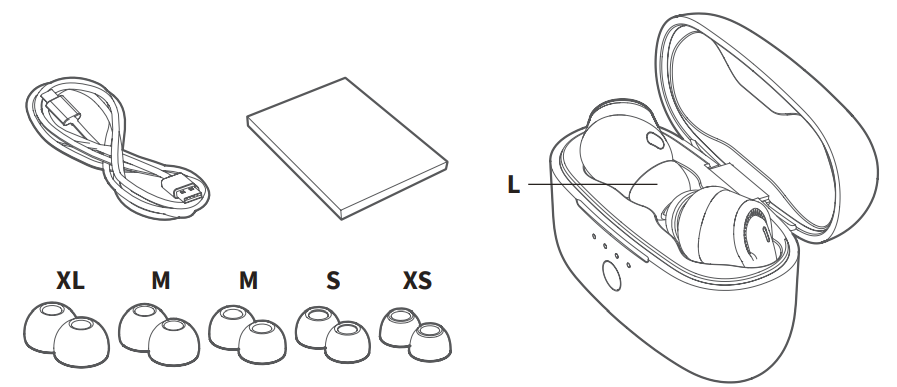
Package Contents
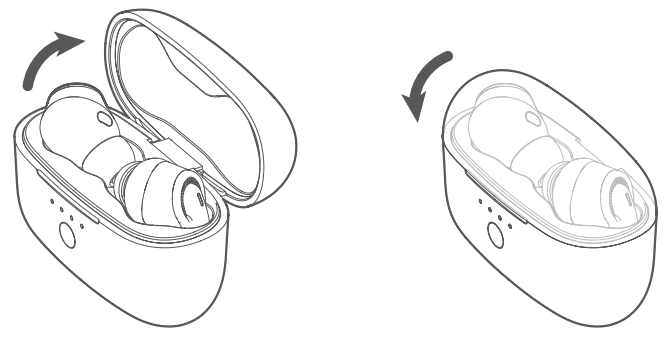
Power ON / Power OFF  Bluetooth Connection Instructions

- For the First Use Turn on the earbuds, activate the Bluetooth function on your device, and search for other Bluetooth-enabled devices. Find the device name “Tribit FlyBuds C1 Pro” to initiate the connection.
- For the Non-First Use. Turn on the earbuds, and they will automatically connect to the last connected device.
- Connect the earbuds with other devices. Method 1: Disconnect the currently connected.
- Method 2: Put the earbuds back in the charging case. Hold down the button on the charging case for 5 seconds until its indicators flash 3 times, which indicates the earbuds are back to
- Bluetooth pairing mode.
Earbud Indicator Light Instruction

- Power ON/OFF: The white/red indicator flashes for 1 second and then turns on/off. Bluetooth Pairing: The red and white indicators flash alternately.
- Connection Successful: The indicator turns off.Re-connecting: The white indicator breathes.
- Low Battery: The red indicator flashes slowly
Earbuds Wearing
5 pairs of different-sized ear tips are provided to ensure you have the best choice for your ears.
Button Functionality

Left Earbud
- Single-click: play/pause the music; answer/end a call
- Double-click: previous track / reject an incoming call Hold down for seconds: decrease the volume (in working state)
- Click 3 times: activate the voice assistant (non-conversation state) Hold down for 2s: turn on the left earbud (in off state) Hold down for 10s: turn off both earbuds (in standby state)Right Earbud
- Single-click: play/pause the music; answer/end a call
- Double-click: next track / reject an incoming call Hold down for seconds: increase the volume (in working state)
- Click 3 times: switch modes
- Hold down for 2s: turn on the right earbud (ioff-statete)
- Hold down for 10s: turn off both earbuds (in standby state
Mode Conversion
The FlyBuds C1 Pro earbuds feature 3 working modes: Normal mode, Ambient mode, and Noise-Canceling mode. You can easily switch between them by clicking the right earbud 3 times. When turned on, the earbuds will automatically enter Normal mode.
Charging
Charging the Earbuds: Put the earbuds back into the charging case, and close the cover to start charging. If the 2 indicators on the leftmost and rightmost of the charging case turn on, the earbuds are successfully being charged. It takes about 90 minutes for earbuds to get fully charged.
Charging the Charging Case: The charging case indicator(s) will breathe during charging, and all 4 indicators will glow steadily after it is fully charged (in about 120 minutes).
Reset
Put the earbuds back into the charging case and hold down the button for 10 seconds until the charging case indicators flash twice in a turn, which indicates the earbuds have been reset successfully.
Specifications
Working Frequency & Transmitting Power
Working Frequency: 2402MHz ~ 2480MHz Transmitting Power: -6 ~ 4dBm
Battery Life and Charging Data Declaration
The battery life and charging time of the earbuds and the charging case come from the ThousandShores Group’s Laboratory. ThousandShores Group reserves the right to final interpretation.
FCC Statement
Changes or modifications not expressly approved by the party responsible for compliance could void the user’s authority to operate the equipment. This equipment has been tested and found to comply with the limits for a Class B digital device, pursuant to Part 15 of the FCC Rules. These limits are designed to provide reasonable protection against harmful interference in a residential installation.
This equipment generates uses and can radiate radio frequency energy and, if not installed and used in accordance with the instructions, may cause harmful interference to radio communications. However, there is no guarantee that interference will not occur in a particular installation.
- Reorient or relocate the receiving antenna.
- Increase the separation between the equipment and receiver.
- Consult the dealer or an experienced radio/TV technician for help.
This device complies with part 15 of the FCC rules. Operation is subject to the following two conditions. This device may not cause harmful interference. This device must accept interference received, including interference that may cause undesired operation.
IC Caution
This device complies with Industry Canada licence-exempt RSS standard(s). Operation is subject to the following two conditions
- This device may not cause interference, and
- This device must accept any interference, including interference that may cause undesired operation of the device.
EU Declaration of Conformity
Hereby, Thousandshores Deutschland GmbH declares that the radio equipment type Portable Wireless Speaker TS-BTS20 complies with Directive 2014/53/EU. To get the full text of the EU declaration of conformity, http://files.
Disposal
Valuable raw materials can be reused by recycling.
- Unplug the appliance from the mains.
- Cut through the power cord.
- Close the main gas tap.
- Dispose of the appliance in an environmentally friendly manner.
Information about current disposal methods is available from your specialist dealer or local authority. This appliance is labelled in accordance with European Directive 2012/19/EU concerning used electrical and electronic appliances (waste electrical and electronic equipment – WEEE). The guideline determines the framework for the return and recycling of used appliances as applicable throughout the EU.
Customer Service
- Website: https://tribit.com/
- Ph: +91 9810348155
FAQs
Q: What devices are compatible with the FlyBuds C1 Pro?
Almost any Bluetooth-enabled device, including Android and iOS smartphones, tablets, laptops, and other Bluetooth-capable audio sources, should pair with the FlyBuds C1 Pro since it uses Bluetooth (v5.0/5.2) and supports standard Bluetooth audio profiles (A2DP, AVRCP, HFP).
Q: Do they offer noise cancellation? What ANC features are included?
Since the FlyBuds C1 Pro uses Bluetooth (v5.0/5.2) and supports common Bluetooth audio profiles (A2DP, AVRCP, HFP), it should pair with almost any Bluetooth-enabled device, including Android and iOS smartphones, tablets, laptops, and other Bluetooth-capable audio sources.
Q: Are they water/sweat resistant? Can I use them during workouts or in light rain?
Indeed. The IPX4 water-resistant rating of the earbuds protects them from sweat and splashes, making them ideal for jogging, exercise, and light rain.
Q: Can I use a single earbud by itself (mono mode)?
Indeed. Both earbuds may function separately, enabling mono use, which helps make calls or keep an eye on your surroundings.
Q: How good is the call quality/microphone performance?
A six-microphone array with AI-powered noise reduction (ENC) is part of the FlyBuds C1 Pro. Even in loud settings, this lessens background noise and produces crisper voice calls.
Q: Is the charging case compact, and what extra perks does it offer?
The charging case is portable and offers several additional charges to extend the battery’s 36-hour lifespan.
Q: Can I use one earbud independently?
Yes, both earbuds can operate independently (mono mode), which is helpful for calls, prolonged battery life, or situations where you need to stay aware of your surroundings.