

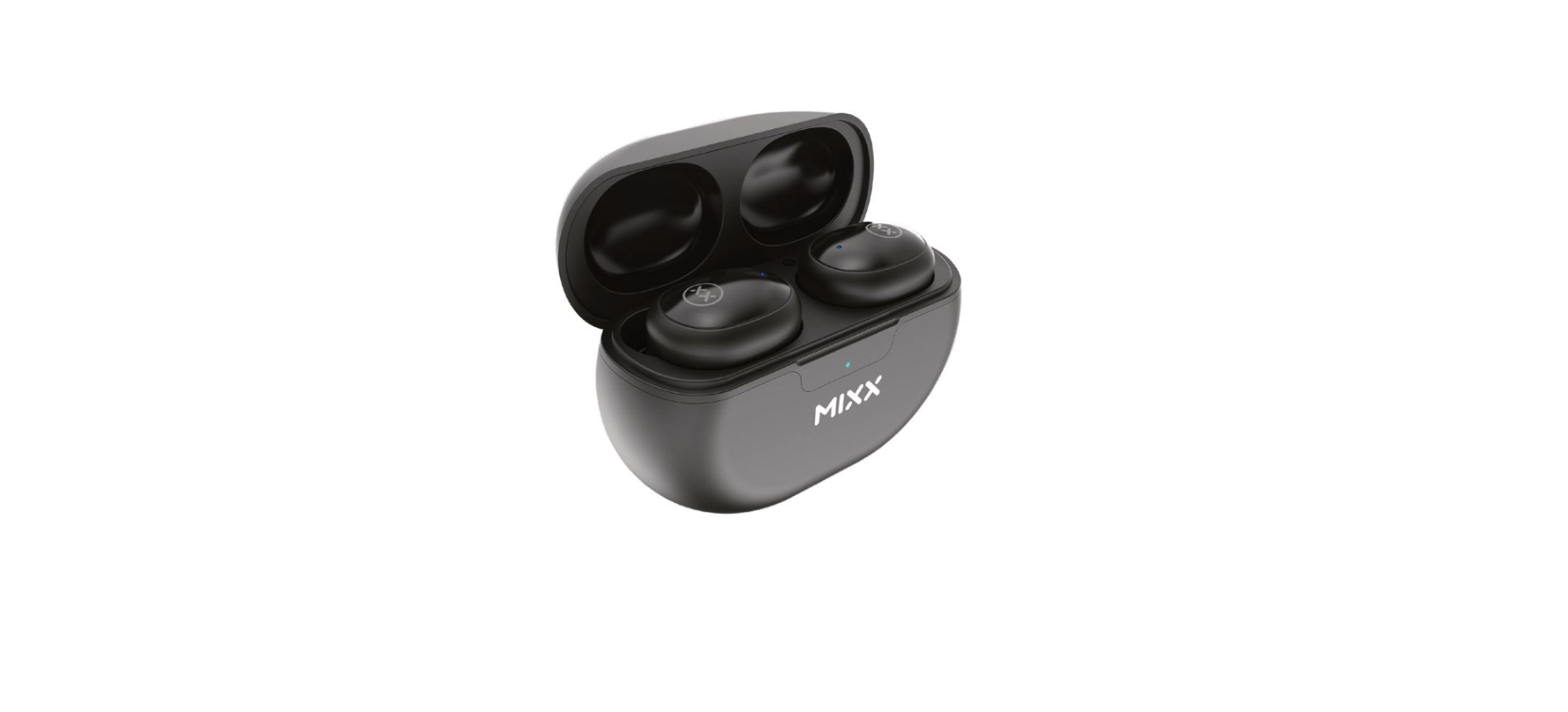

Mixx Audio StreamBuds Lynk True Wireless Earbuds
Let’s Start
Please read this guide carefully before using the “Mixx Audio StreamBuds Lynk True Wireless Earbuds User Guide.”
What’s in the box?
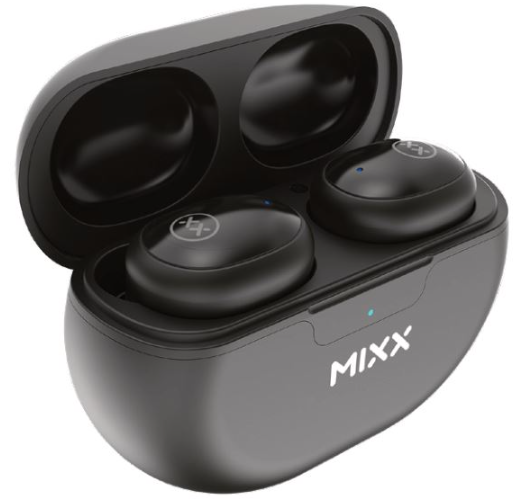
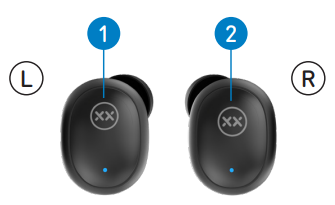
- A pair of MIXX StreamBuds Lynk True Wireless Earbuds
- Left Touch Sensor
- Right Touch Sensor

- Earbud LED Lights / Microphones
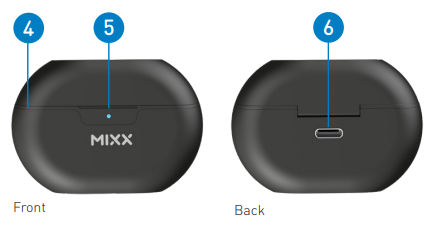
- Portable Charging Case (Front)
- LED Charge Indicator

- USB Type C Charging Port (Back)

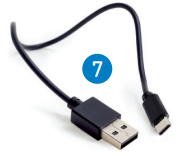
- USB Type-C Charging Cable

- 3 Pairs of Ear Cushions (S, M, and L)

Let’s Connect
First Time Pairing
- Remove both of the MIXX StreamBuds Lynk earbuds from the Portable charging case. They will automatically dual pair with each other. You may hear a ‘Beep’ sound.
- The Earbud LED Light will flash RED and BLUE, confirming pairing mode.
- If the earbuds do not automatically dual pair together, double-tap either Touch Sensor to pair.
- Go to the Bluetooth settings on your audio device to select ‘MIXX StreamBuds Lynk’ from the list. Once paired successfully, you will hear ‘Connected’ and the Earbud LED Light will turn off. You can now enjoy your music, watch a video, or take a call hands-free.
- After this initial pairing, the earbuds will seamlessly reconnect to the last used Bluetooth audio device it was paired with and will confirm by saying ‘Connected’.
- Placing both earbuds back in the Portable Charging Case will power them off.
Let’s Ask Google or Siri
- Pair your Bluetooth device with your earbuds.
- Triple-tap either Touch Sensor to activate Siri or Google Assistant.
- Your Voice Assist’s familiar ‘beep’ will sound to confirm the connection. You can now ask Siri or Google Assistant a question or state a command.
Let’s Stay Charged
The Earbuds
The StreamBuds Lynk earbuds are charged using the Portable Charging Case. In this case, each Earbud LED Light will be RED, and once fully charged, the LED Lights will turn off. Secure the earbuds by closing the lid.
The Portable Charging Case
- Ensure that one or both earbuds are inside the Portable Charging Case to check the battery status of the case. Remove the earbuds, then place them back into the case.
- When the case LED Charge Indicator flashes BLUE or does not light up, then it is time to recharge the Case.
- Always charge the case to a suitable USB wall charger, computer USB port, or a power bank using the USB Type-C charging cable supplied.
- The LED Charge Indicator will flash RED while charging and will then remain a solid RED once fully charged. This can take up to 1 to 2 hours.
Let’s Play

TOP TIP: For better noise isolation, comfort, and sound quality, ensure the correctly sized (S, M, or L) ear cushions supplied are fitted on the earbuds.
First Time Pairing
Remove both earbuds from the Portable Charging Case. They will automatically dual pair with each other. You may hear a ‘Beep’ sound. Go to the Bluetooth settings on your audio device to select ‘MIXX StreamBuds Lynk’ from the list. Once paired successfully, you will hear ‘Connected’.
- Play / PauseDouble-tapp either Touch Sensor.
- Lower Volume
Single tap LEFT Touch Sensor
- Increase Volume
Single tap RIGHT Touch Sensor
- Previous Track
Tap and hold the LEFT Touch Sensor
- Skip Track
Tap and hold the RIGHT Touch Sensor
- Answer / End Call
Double-tap either Touch Sensor.
- Activate Siri or Google Assistant
Triple-tap either the Touch Sensor or to activate Siri or Google Assistant. Listen for the familiar Voice Assist ‘beep’ then ask a question or state a command.
- Power on
Remove both earbuds from the Portable Charging Case, and they will automatically
dual pair to each other and will confirm with ‘Connected’.
- Power off
Place both earbuds in the charging case.
Need Extra Help?
Common solutions
If you are experiencing problems with your earbuds:
- Power on the earbuds (see Let’s play section).
- Check the status of the LED Lights (see Let’s stay charged section).
- Charge the earbuds (see Let’s stay charged section).
- Move your device closer to the earbuds and away from any obstructions or interference.
- Try connecting to another device.
Technical Specification
- Play time on a single charge: Up to 5 hours
- Play time with charging case: Up to 20 hours extra
- Bluetooth: Version 5.1
- Resistance: IPX4, water and dust resistant
- Supported profiles: HSP, HFP, A2DP, AVRCP
- Wireless range: 10m
- Earbud capacity: 40mAh each side
- Standby: 120 days
- Dynamic driver: 6mm
- Frequency response: 20Hz – 20KHz
- Weight including case: Total 38g (earbuds 4g each)
- Portable case dims: 64 x 43 x 26 mm (L x H x D)
Compatibility
Suitable for most Bluetooth audio-supported smartphones, tablets, notebooks, laptops, and computers.
Let’s Be Safe
You must read this section completely, especially the ‘Warning, Caution and Safe Usage’ instructions.
For your protection
- Ensure the product is correctly connected using the manufacturer’s original accessories included with the product.
- Please keep the product out of reach of children and animals.
- Do not listen to loud music for a long duration of time.
- Adjust the volume to a comfortable level before listening.
- Do not use the earbuds while operating machinery, including cars.
- Do not use in areas where the use of hearing is required for safety.
- Do not drop, short-circuit, disassemble, or continue to use this product and its portable charging case if damaged.
We recommend
- To refer all servicing to qualified persons. Servicing may be required when the product has been damaged in any way, does not operate normally, or has been dropped.
- The operating temperature range for this product is 5º – 40º Celsius.
Let’s Recycle
This product can be recycled. Products bearing this symbol must NOT be thrown away with normal household waste. Take the product to a collection point designated for the recycling of electronic devices. Find out more about return and collection points through your local authority.
Customer Support
- Email: support@mixx-io.com
- Visit: mixxaudio.com
- Address: 5 The Pavilions, Brighton Road, Pease Pottage, West Sussex, RH11 9BJ. United Kingdom
- Tel: 0844 800 3480
FAQs
Q: How do I pair the StreamBuds Lynk with my device for the first time?
Ans: Both earbuds should be taken out of the charging case. They will turn on by themselves and go into pairing mode, which is indicated by blue or red LED flashes. To connect, go to the Bluetooth settings on your smartphone and choose “StreamBuds Lynk.”
Q: Can I use only one earbud at a time?
Ans: The left and right earbuds can be used separately, yes. Just take one earbud out of the casing and pair it normally. You can use the other earbud later or keep it in the case.
Q: How do I charge the earbuds and the case?
Ans: The earphones will begin charging automatically when you place them in the case. To charge the case using a computer, USB power source, or power adapter, use the included USB-C cable. It takes one and a half to two hours to fully charge.
Q: Are the StreamBuds Lynk waterproof or sweat-resistant?
Ans: The earphones will begin charging automatically when you place them in the case. To charge the case using a computer, USB power source, or power adapter, use the included USB-C cable. It takes one and a half to two hours to fully charge.
Q: Do the earbuds support voice assistants like Siri or Google Assistant?
Ans: Indeed. To use the built-in voice assistant on your device, tap and hold either earpiece for two seconds.