

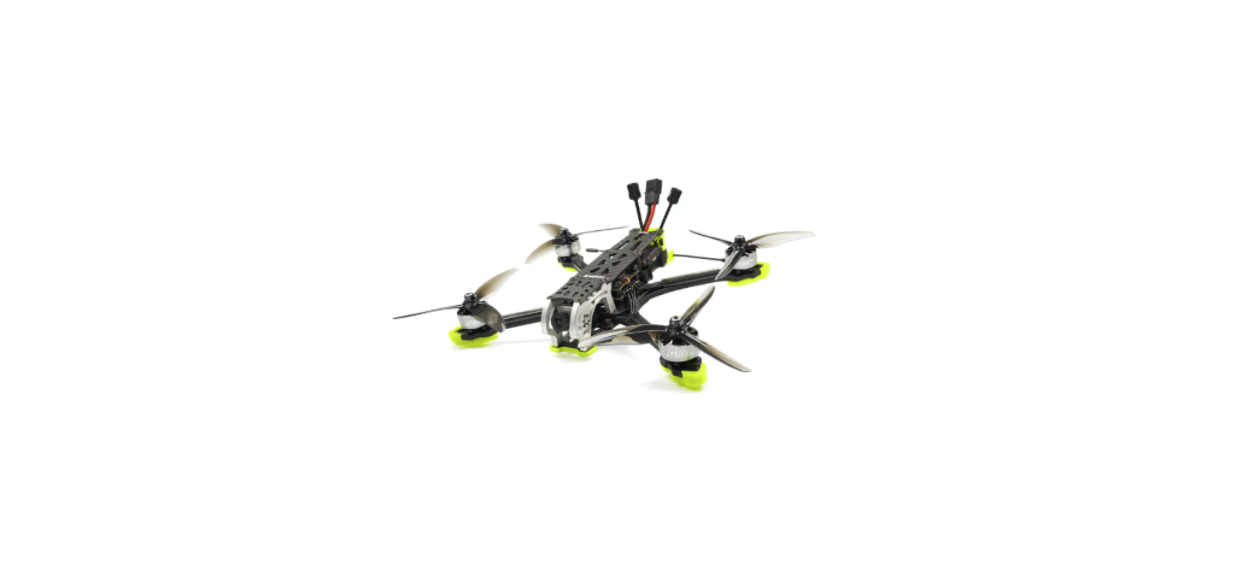

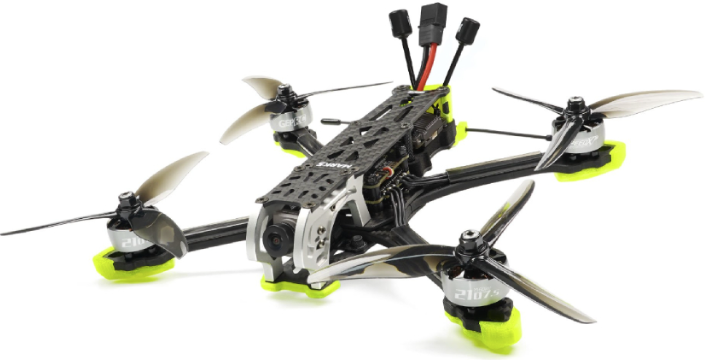
GEPRC MARK5 HD Vista Freestyle FPV Drone
Safety Instructions
- Aluminum alloy side plates not only look stunning but also reduce weight and add more
endurance. - Developed specifically for freestyle with a wide X-arm design.
- The HD version comes with the DJI HD System & the original Air Unit cam.
- A variety of receiver choices, including our brand new ExpressLRS Rx.
- Freshly upgraded SPAN G50A BLHeli_32 4IN1 50A ESC with GEPRC’s latest 2107.5 motor,
has great explosive power and very fast response speed. - Unique shock absorbing structure design, less vibrations and resonance.
- Specially designed independent capacitor and buzzer compartment for better
- The new GEMFAN Freestyle 4S propellers provide a delicate and silky smooth flight
experience. - Shipped with two different 3D printed action cam mounts that can be fitted with a GoPro,
Naked GoPro8, Insta 360 GO2, and Caddx Peanut cameras.
Warranty Policy
- If the Quadcopter is damaged or unknown issue, please contact GEPRC. We’ll do our best to get this taken care of quickly for you.
- Any impact damage, product liquid damage, high temperature burn, or other artificial damage is not covered by warranty.
PS
- All components have been strictly inspected and tested before shipping.
- If you have any problems, please cooperate with our engineers to figure out solutions.
DJI Digital FPV System
- Turn on the power of the DJI FPV Goggles, DJI FPV Transmitter, and Quadcopter. Press the DJI FPV Goggles bind button twice, and it will beep to indicate the binding state.

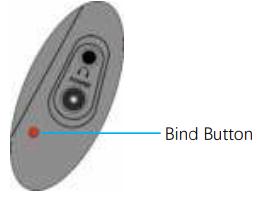
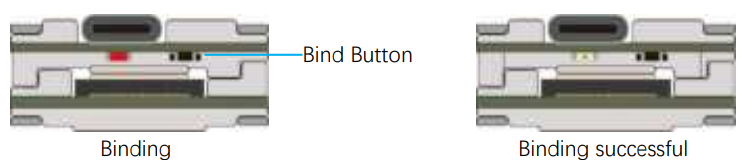
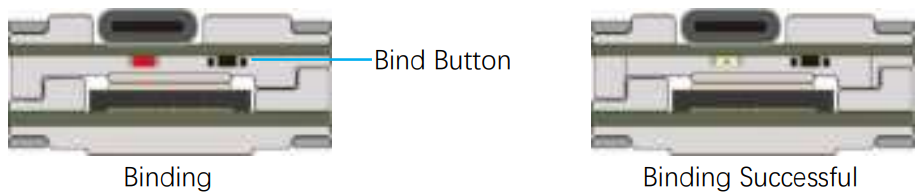
- Press the VISTA bind button; the indicator light turns red, indicating that it is binding. Then the indicator light turns yellow, which means the binding is successful, and the FPV Goggles will display the received picture.

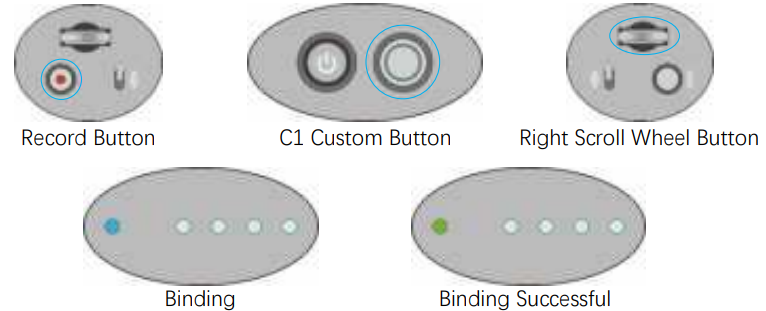
- Press the C1 custom button, record button, and right scroll wheel button of the transmitter at the same time. The indicator light turns blue, and the transmitter sends a beep indicating that it is binding.

- Press the VISTA bind button; the indicator light turns on, indicating that it is binding. Then the indicator

Bind FrSky R-XSR
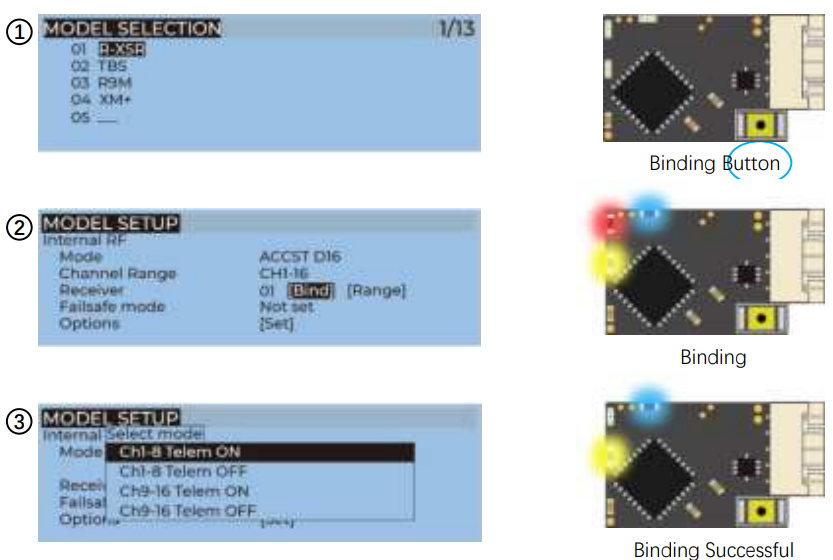
- For Taranis X9D/X9D Plus/X9E and Taranis QX7, turn on the transmitter, go to the MENU – MODEL SETUP – PAGE 2, choose Internal RF, and select BIND to enter the binding state.
- Turn on the receiver while holding the bind button on the receiver, release the button, and the blue, red, and yellow LED on.
- When the red light flashes, it indicates that the binding is successful. Turn off the receiver, and the.

Bind TBS NanoRX
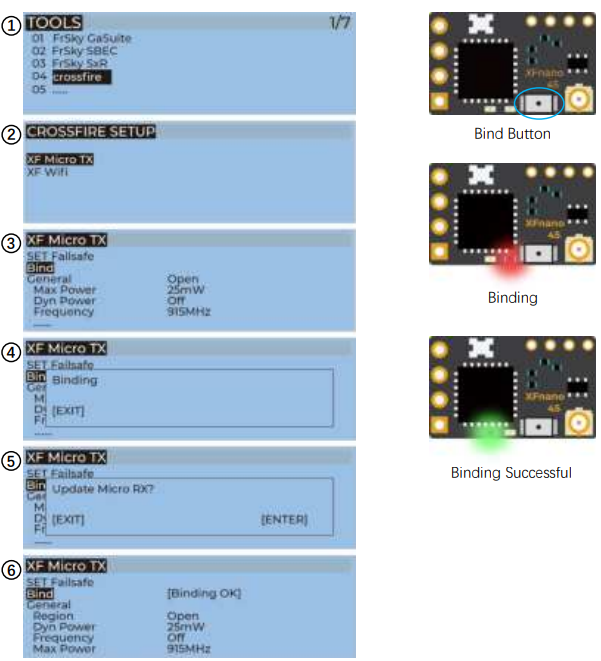
- For Taranis X9D/X9D Plus/X9E and Taranis QX7, turn on the transmitter, go to the TOOLS – CROSSFIRE SETUP – XF Micro TX, and select Bind to enter the binding state.
- Turn on the receiver while holding the bind button on the receiver, release the button, and the green light will flash. Then, hold the button for 8 seconds and release. And the green light is off, and the red light is flashing, ‘update micro RX?’ will appear on the transmitter screen, and select ‘ENTER’.
- Wait for the update to complete, the binding is successful, and the receiver green light is on.

ELRS Receiver
GEPRC’s ELRS 868MHz, ELRS 915MHz, and ELRS 2.4G receivers have the same binding methods
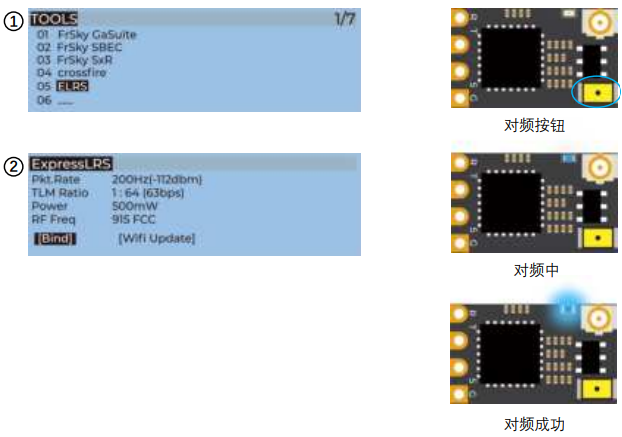
- Power on and off the receiver three times in a row (with an interval of 1 second), the blue light of the receiver flashes continuously twice, indicating that the receiver has entered the binding state.
- For Taranis X9D/X9D Plus/X9E and Taranis QX7, turn on the transmitter, go to the TOOLS -ELRS, and select BIND to enter the binding state.
- Until the blue light of the receiver changes from continuous double flashes to steady light, it means the binding is successful. Turn off and then turn on the power of the receiver; the blue light is always on, indicating that the link is normal.

Install Betaflight
Install Betaflight
Although your Quadcopter comes from the factory nearly completely ready to fly, you still need to install Betaflight to facilitate your subsequent use of Betaflight for debugging. Installation package download address: https://github.com/betaflight/betaflight-configurator/releases
Enter the web page, scroll to the bottom, and select the appropriate installation package to download. EXE suffix is Windows system, DMG suffix is MacOS system, RPM / DEB suffix is Linux system, APK suffix is Android system.
Install Drivers
If you are on Windows, you must install the driver manually. MacOS and Linux do not.
CP210x Drivers
https://www.silabs.com/products/development-tools/software/usb-to-uart-bridge-vcp-drivers
STM USB VCP Drivers
http://www.st.com/en/development-tools/stsw-stm32102.html
Zadig
http://zadig.akeo.ie/
ARM With the
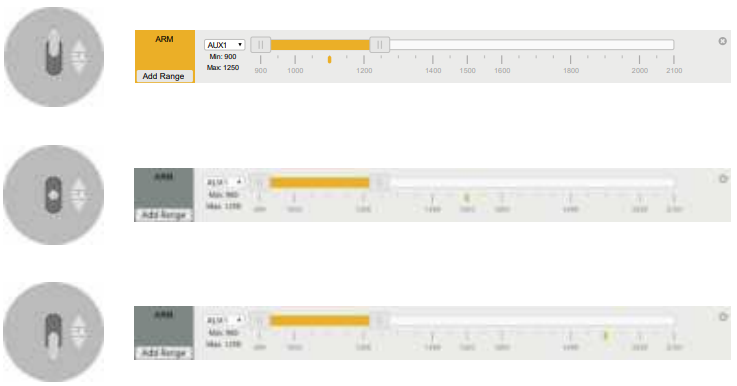
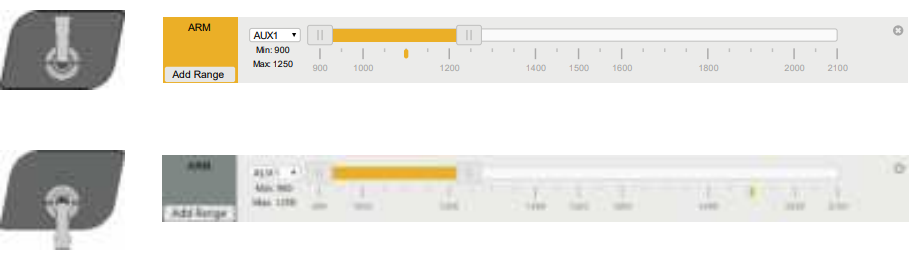
- Witthee JI FPV Transmitter, the toggle switch is set at the factory. The corresponding functions of each switch are as follows:
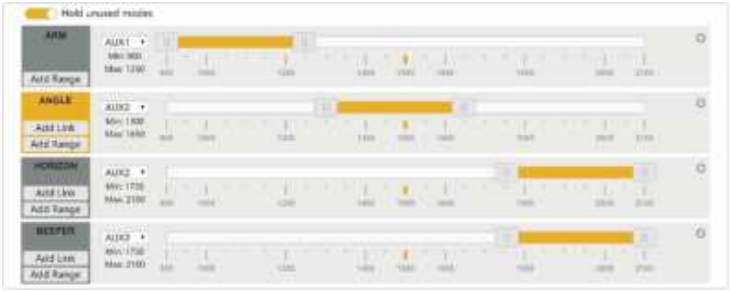
- DJI toggle switches are all three sections. If you move the Yellow cursor of the corresponding aux channel of the switch, the corresponding function will be turned on when you move to the set range.

OpenTX Transmitter
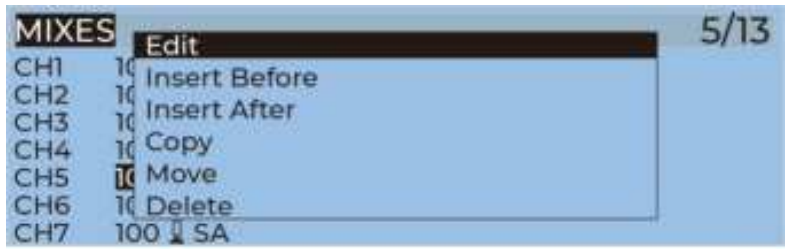
- The transmitter of the openTX system needs to check the AUX channel. For Taranis X9D/X9D Plus/X9E and Taranis Q X7, turn on the transmitter, go to the MENU –MIXS and view the current AUX channel settings.

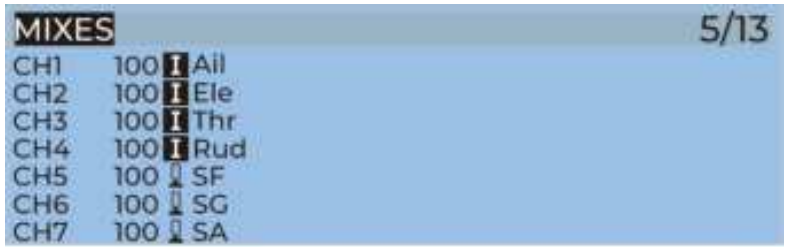
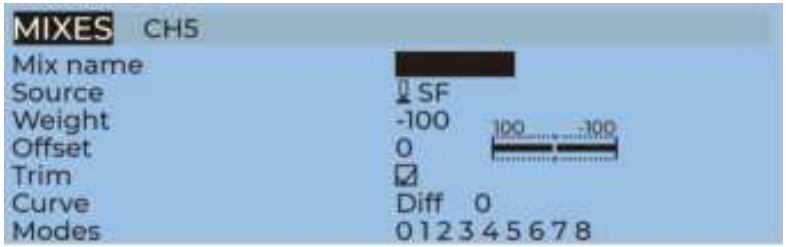
- FrSky X9D transmitter SF toggle switch has two sections. If you move the Yellow cursor of the corresponding aux channel of the switch, the corresponding function will be turned on when you move to the set range.

- Use the transmitter wheel to move the cursor to select the AUX channel, and then press and hold the wheel key to edit the channel.

- You can name the aux channel or set the toggle switches you want, exit, and save it.

IRC Tramp
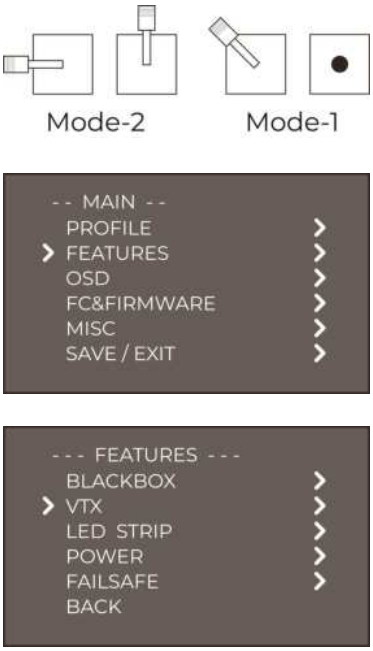
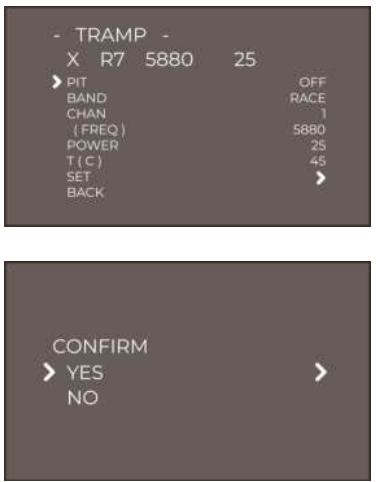
Turn on the transmitter, THR middle, YAW left, PITCH up, and enter the OSD menu. The PITCH moves the cursor up and down, and the ELE moves right to enter the next item. Finally, save and exit.
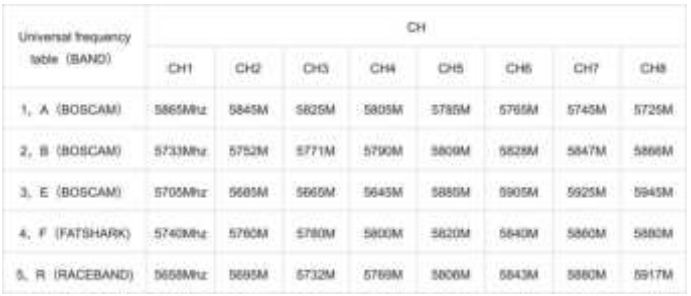
VTX Frequency Table
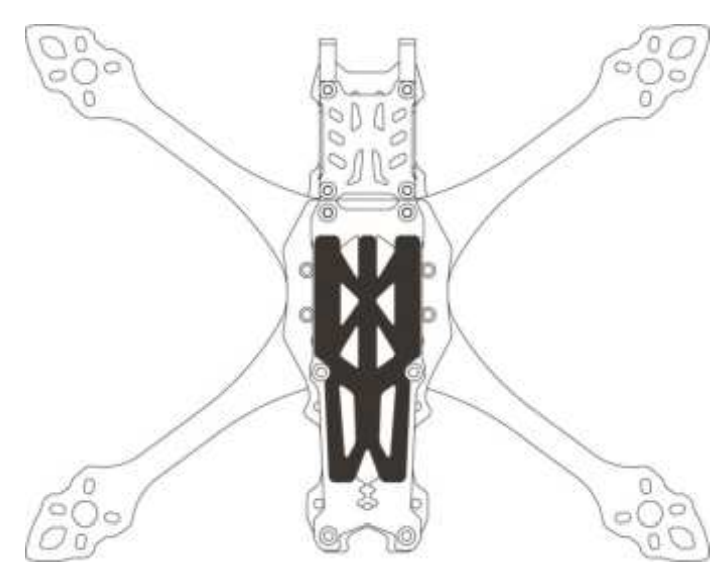
Install Silicone Pad
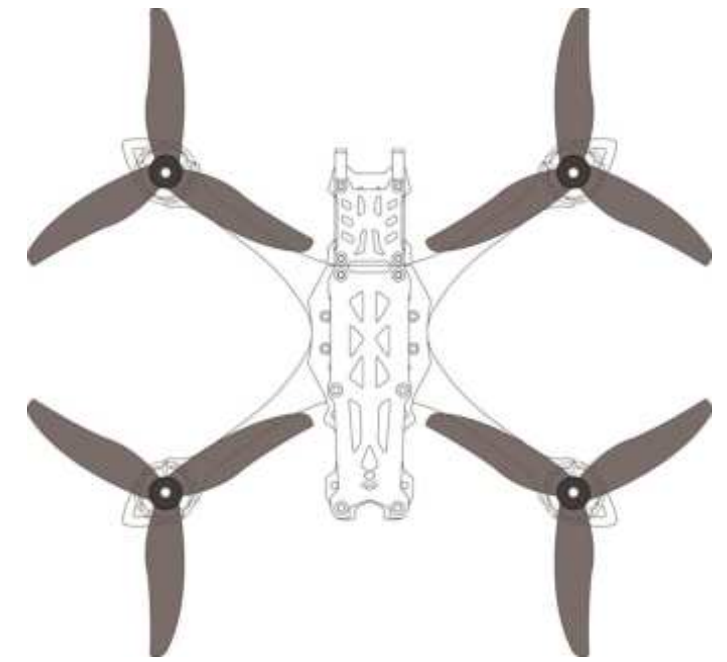
InstallPropeller. Although propellers on MARK5 are installed in the factory, the direction of the propeller should be checked before taking off.
Pre-Flight Check
In many cases, the cause of a Quadcopter crash is not checked before takeoff. For the sake of safety, we suggest that you check before every flight. The steps are as follows:
- Turn on the transmitter and select the correct mode. Please confirm that the arming switch on the transmitter is in the “disarmed” position and the throttle is all the way down.
- Please perform a physical inspection of the Quadcopter for damage. If there is damage, please repair it first.
- Please confirm that the propeller is in the right direction and that it’s locked; otherwise, there is a risk of a crash.
- Check LiPo battery voltage. A fully-charged LiPo should be about 4.2 volts per cell, or about 12.6 volts for a 3S, or 16.8 volts for a 4S;
- Please confirm the battery is securely attached to the aircraft by the strap. And secure the balance lead so that it can’t be struck by the props;
- Please scan the flight area for any safety issues that might be present, such as people or animals.
- Verify that you have clean, strong video in your FPV goggles or screen. If you see interference or you see another pilot’s feed, resolve this issue before flying.
- Arm the quadcopter. Listen for the props hitting anything like an antenna or the battery wire.
- At this stage, take off and enjoy flying.
Include
- MARK5 Quadcopter
- Freestyle 4S propellers (pairs)
- Battery strap M15x250mm
- Battery strap M20x220mm
- Battery strap M20x250mm
- Battery Silicone Pads
- Camera cage carbon top plate
- 3D print mounting combination
- Action cam mount holder
- Set of screws
- Set of screwdrivers
- Antenna fixed tube
- OSD menu board(Analog Version)
Customer Service
- Website: https://geprc.com/