

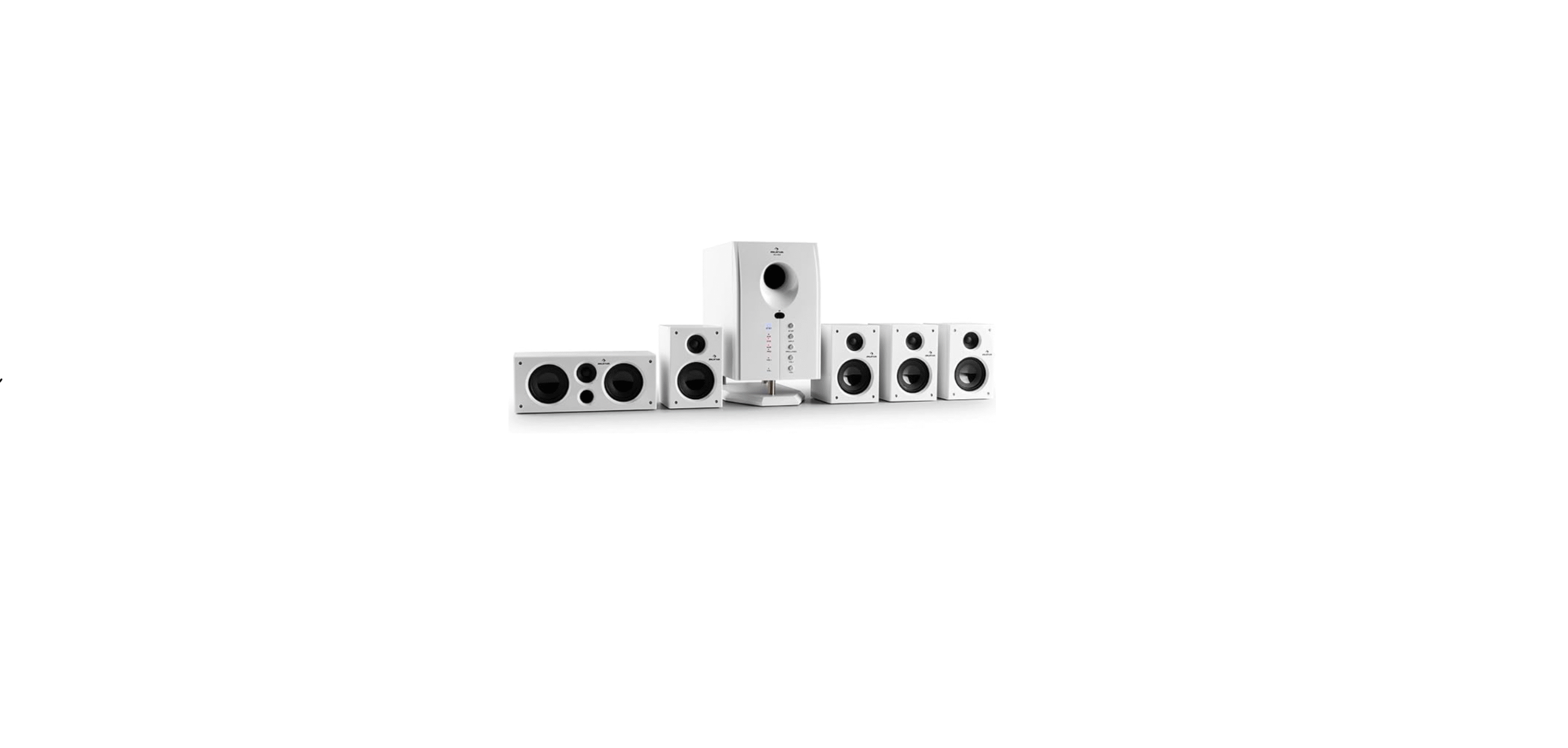

AUNA 10000148 Areal 525 5.1 Sound System

Safety Instructions
- Lightning – If you are not going to use the device for a long time or if there is a storm, disconnect the plug from the electrical outlet and disconnect the device from the antenna connector. This will avoid damage to the product that may be caused by lightning or overvoltage.
- Overload – Do not overload power outlets, extension cords, or built-in power outlets, as this may result in a fire or electric shock.
- Foreign objects and liquid – Never push objects of any kind through openings in the device, as they may touch dangerous voltage points or short out parts, which could result in a fire or electric shock. Never spill liquids of any kind on the device.
- Repairs and maintenance – Do not attempt to service this product yourself, as opening or removing covers will expose you to dangerous voltages or other hazards. Leave all maintenance to qualified service personnel.
- Damage requiring service – Disconnect the power plug from the outlet and consult a qualified specialist if any of the following conditions occur:
- If the power cord or plug is damaged.
- If liquid has been spilled or objects have fallen onto the product.
- If the product has been exposed to rain or water.
- If the product has been dropped or damaged.
- If the product has a markedly reduced performance.
- Replacement parts – When replacement parts are required, make sure that the service professional who replaces the parts only uses replacement parts that have been approved by the manufacturer or that have the same characteristics as the original part. Unauthorized replacement may result in fire, electric shock, or other hazards.
- Heat – Do not place the unit near heat sources such as radiators, heaters, stoves, or other products (including amplifiers).
Scope Of Delivery

| Designation | Quantity (pieces) |
| Subwoofer Loudspeaker | 1 |
| Satellite speaker | 5 |
| Audio cable | 1 |
| Audio converter | 1 |
| Instruction manual | 1 |
| Remote control | 1 |
BT Mode
- Select the BT mode.
- Search for “Areal-525” in the device list of your external device.
- Establish the BT connection.
- If you are using a BT device that is below version 2.0, enter the password “0000” when establishing the connection.
Front Control Panel

| DVD | DVD function key |
| AUX | AUX function key |
| USB | USB function key |
| BT | BT function button |
| ST.BY/ | USB/ SD pause/ playback function button |
| INPUT | Enter key |
| 5.1/2.1 | 5.1/2.1 Function key |
| VOL-/ | If you press the key for more than 3 seconds, the volume will be lowered. If you press the key briefly, the previous title is selected in USB/SD mode. |
| VOL+/ | If you press the key longer than 3 seconds, the volume will be increased. Pressing the button briefly will select the next track in USB/SD mode. |
| SD-/MMC CARD | SD/MMC card port |
| U DISK | USB port |
Connection Diagram
Loudspeaker connections

- Connect the front speakers, a central speaker, and the surround speakers to the 5.1 speaker terminals.
- Connect the front speakers to the “FL” and “FR” connectors.
- Connect the central speaker to the “CEN” connector.
- Connect the surround speakers to the “SL” and “SR” connectors.
Connection of external equipment

Connectors and plugs of the connecting cables AUNA 10000148 Areal 525 5.1 Sound System are color-coded as follows: Red connectors and plugs = For the left audio channels.
Remote Control
| Power on/Standby |
|
|
| SD | SD card mode | |
| 5.1/2.1 | 5.1/2.1 channel change | |
| USB | USB mode | |
| BT | BT mode | |
| AUX | AUX mode | |
| DVD | DVD mode | |
| Play/Pause | ||
| previous title in USB/SD mode | ||
| Next title in USB/SD mode | ||
| SLEEP -/+ | Set the time until speakers turn off automatically | |
| FL -/+ | Volume adjustment of the front left speaker | |
| FR -/+ | Volume adjustment of the front right speaker | |
| CEN -/+ | Volume adjustment of the central speaker | |
| VOL -/+ | Main volume adjustment | |
| SL -/+ | Rear left speaker volume adjustment | |
| SR -/+ | Rear right speaker volume adjustment | |
| Zahlentasten | Press any button to select a track | |
| REPEAT | Repeat button | |
| RESET | Volume reset | |
| EQ -/+ | Equalizer adjustment | |
| DISP -/+ | Brightness adjustment |

Positioning

- Subwoofer: Place the subwoofer anywhere on the floor (there is no specific directional requirement for the bass effect).
- Front speakers
- Surround speakers: Place the surround speakers directly to the side, slightly behind the listening area. Align them horizontally, about 1 meter above ear level.
- Central speaker: Position the central speaker in the middle of the two front speakers, on top of or below the TV, if you have a TV connected.
Technical Data
| Item number | 10000148, 10007842, 10022257 |
| Power supply | 230 V ~ 50 Hz |
| Output power | 40 Hz – 20 kHz |
| Drivers | |
| Frequency range | |
| BT frequency | 2.4 GHz |
| BT radio-frequency power (max.) | 0.14 dBm |
Disposal
By disposing of it according to the rules, you are protecting the environment and the health of your fellow human beings from negative consequences. For information on AUNA 10006791 388-BT HiFi Stereo System about the recycling and disposal of this product, please contact your local authority or your household waste disposal service.
This product contains batteries. Find out about local regulations for disposing of batteries. By disposing of them according to the rules, you are protecting the environment and the health of your fellow human beings from negative consequences.
Deceleration of Confirmty
- Manufacturer: Chal-Tec GmbH, Wallstrasse 16, 10179 Berlin, Germany.
- Importer for Great Britain: Berlin Brands Group UK AUNA 10006791 388-BT HiFi Stereo System Limited PO Box 42 272 Kensington High Street London, W8 6ND United Kingdom
- Website: use.berlin/10034620
- Tel: (01) 320-0700
FAQs
What is the AUNA Areal 525 5.1 Sound System used for?
It uses a strong subwoofer and five satellite speakers to provide full-range 5.1 audio.
What does “5.1” mean?
Five satellite speakers (front left, front right, centre, rear left, and rear right) and one subwoofer make up the system’s “5.1” configuration, which produces engrossing multidirectional sound.
Does the system support digital audio (optical or HDMI)?
No. The Areal 525 does not accept optical, coaxial, or HDMI inputs because it is an analogue audio system. If your device only has digital outputs, you will want a digital-to-analog converter (DAC).
Can I use the system in stereo mode?
Indeed. The system will automatically switch to 2.1 mode, utilising the front left, right, and subwoofer channels, if your audio source only produces stereo. To imitate the surround, you can manually change the output and balance.
Is it compatible with PlayStation, Xbox, or other consoles?
Yes, however, depending on the console model, you could also require a digital-to-analog converter or an RCA-to-3.5mm connector.