

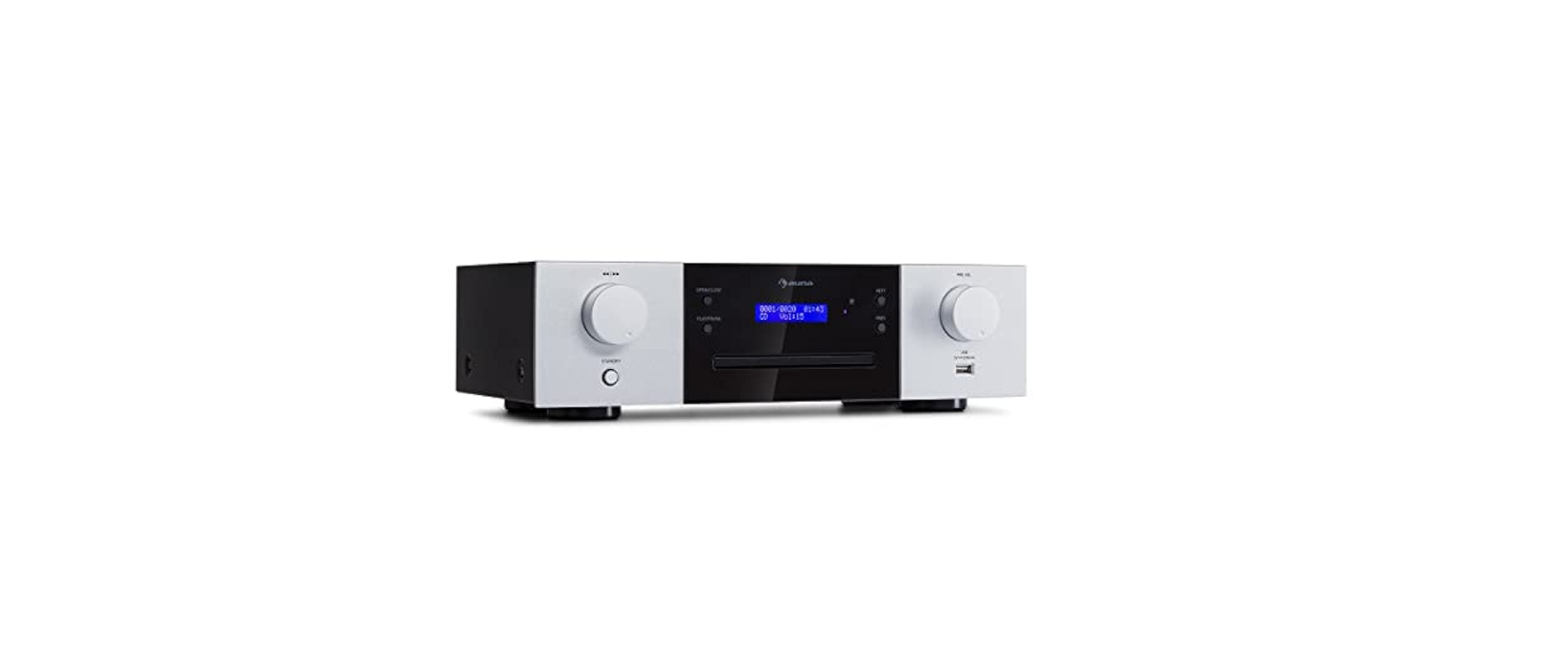

AUNA 10038327 CD-1000 DG CD Player

Safety Instructions
Children over the age of 8 and persons with reduced physical, sensory, or mental capabilities, or those with a lack of experience and knowledge, may only use the device if they are instructed on how to do so by a person responsible for their safety, or if they are supervised and understand the hazards associated with the use of the device.
- Keep the amplifier dry. If it gets wet, wipe immediately.
- Use the amplifier only in well-ventilated installations.
- Handle the amplifier away from dust and dirt.
- Wipe occasionally with a damp cloth to keep it looking new.
- Do not use harsh chemicals, solvents, or detergents
Description
Front

- STANDBY
- To play fast backward or forward
- PLAY/PAUSE: Press this key to play/pause music.
- OPEN/CLOSE: Press this key to open or close the compartment door.
- COMPARTMENT DOOR
- LED DISPLAY
- IR (Remote Sensor)
- NEXT: Press this key to next music.
- PREVIOUS: Press this key to the previous music.
- PRE. VOL: To adjust the CD Player volume.
- USB Slot
- MASTER VOLUME
Rear
- AC Input 230 V ~ 50 Hz
- Power Switch
- DAB ANTENNA
- OPTICAL INPUT
- COAXIAL2 INPUT
- COAXIAL1 INPUT
- AUX AUDIO INPUT JACK
- LINE OUT AUDIO OUTPUT JACK
- ZONE1: Speaker terminal (LEFT)
- ZONE1: Speaker terminal (RIGHT)
- ZONE2: Speaker terminal (LEFT)
- ZONE2:Speaker terminal (RIGHT)
- ZONE3:Speaker terminal (LEFT)
- ZONE3:Speaker peaker terminal (RIGHT)
- ZONE4:Speakerterminal (LEFT)
- ZONE4:Speaker terminal (RIGHT)
Remote Control

Amplifier
- SOURCE
- ZONE1/ZONE2 VOLUME +/-
- ZONE3/ZONE4 VOLUME +/-
- TONE(BASS/TREBLE) +/-
- OPEN
- PREVIOUS/CHANNEL+ PREVIOUS
- BACKWARD
- NEXT/CHANNEL- NEXT
- MUTE
- VOLUME- VOLUME
- NUMBER BUTTONS NUMBER BUTTONS
- VOLUME+ VOLUME+
- REPEAT
- PLAY/PAUSE/DAB SCAN PLAY/PAUSE
- F.WARD
- A-B
- CD/USB
- STANDBY STANDBY
Prepration
System connection
- The speaker impedance should be correct (read,, Speaker Choice”), or this unit or speakers could be damaged.
- Do not let the bare speaker wires touch each other or any other metal parts, as this could damage this unit or speakers.
- Make sure the polarity of speaker wires is correct, ‘ + +’to ‘ +’, and,-‘ t,’, if these wires are incorrectly connected, the sound will be unnatural.
Connection to an amplifier

Source Equipment Connections Instructions
- While connecting, you should switch off the power supply, and after finishing connections, switch on the unit again.
- All plus should be inserted firmly, or noise will AUNA 10038327 CD-1000 DG CD Player be heard.
Connection to speakers

Set up Your Speaker System
- A speaker system, you can have a good sound field effect, the rear speakers provide widely diffused sound, and the center speaker is used for dialogue environment.
- If using only the main speakers and rear surround speakers, four speakers can also provide a live feeling.
- By using of center speaker, dialogue and vocal sounds are precisely localized.
- If you want to flow low-frequency effects and AUNA 10038327 CD-1000 DG CD Player a vibrant atmosphere, a subwoofer is essential.
Place of Speakers
The centre speaker in the central position should upper or lower the TV screen to avoid magnet influence or use magnet-proof speakers. The place of the subwoofer is not so critical because low frequency is not highly directional. Rear surround speakers, which are behind your listening position, should be nearly 2 meters above the floor.
Speaker Choice
The speaker should be powerful enough. Front speaker impedance should be 6 Ω – 16 Ω. Centre and surround speaker impedance should all be 6 Ω – 16 Ω.
Operation
- Select audio source by pressing the SOURCE key on the front panel or on the remote control, to display BT, USB, AUX, OPTI, COAX1, COAX2, DAB.
- Adjust the knob MASTER.VOL on the front panel or the key VOL+/- on the remote control to adjust the setting of the main volume control to your listening level.
- Press the key ZONE on the front panel to select zone1, zone2, zone3, zone4, and adjust MULTI on the front panel to set the zone volume. Press the key Z1/Z2 on the remote to select zone 1, zone 2, and press +/- to increase or decrease volume. Press the key Z3/Z4 on the remote to select zone 1, zone 2, and press +/- to increase or decrease volume.
- Press the key MENU on the front panel to select BASS, TREB, and adjust MULTI on the front pato setsetg the volume. Press the key TONE on the remote to select BASS, TREBLE, and press +/-to increase or decrease volume.
- Press the MUTE key on the remote control to mute, press it again to reset.
BT Pair and Connect
- Turn off any Bluetooth devices previously paired (Linked) with this unit.
- Turn on the Bluetooth features on your phone or music player.
- Turn on and set this unit to Bluetooth mode. The flashing blue Letter BT on the LED display indicates the unit is in pairing mode.
- Set your phone or music player to search for Bluetooth devices.
- Select AMP-4000 DAB from the search results on your phone or music player.
- Select OK or YES to pair this unit with your phone or music player.
- If protected, enter 0000 for passkey. Steady blue Light indicates a successful connection.
In DAB Mode
- Press the BT/DAB button to select DAB radio mode
- Press the DAB SCAN button, “Scanning XXX%” will show on the display, and the number of DAB stations will show, and it will automatically play the first station. Tune the PREV/NEXT key to choose the next or previous station.
Technical Data
| Ite number | 10038329, 10038330 |
| Power supply | 230 V~ 50 Hz |
| DAB radio | Digital Band III 174–240 MHz External antenna connector |
| BT | Frequency range: 2402 – 2480 MHz Maximum power: <20 dBm (EIRP) |
| Input connectors | AUX IN Coaxial x2 Optical USB Type A |
| Output connectors | 4×2 speaker terminals Line out |
Troubleshooting
| Problem | Possible Cause | Suggested Solution |
| The display does not light up, and there is no output sound. | Power cord not plugged in securely. | Check the power cord & plug connection. |
| Display lights, but sound is not produced. | Speaker connections are not secure.
Volume control at the minimum level. |
Connect securely. Turn the volume up. |
| No sound from the Centre channel. | Speaker connections are not secure.
Centre channel volume set to minimum. |
Connect securely.
Adjust the Centre channel volume control. |
| Sound from one channel only. | Speaker connections
Input/Output connections, left/Right balance off. |
Connect securely.
Connect securely. Adjust balance control. |
| The sound channel has no sound. | Speaker connections: Surround channel volume set to minimum. | Connect securely. Adjust the Surround channel volume control. |
| Instrument sound reversed in stereo playback. | Incorrect speaker polarity. Incorrect input polarity. | Make sure that the + connections are connected and the – connections are connected. |
Disposal
If there is a legal regulation for the disposal of electrical and AUNA 10034620 Bluetooth HiFi Amplifier electronic devices in your country, this symbol on the product or the packaging indicates that this product must not be disposed of with household waste. Instead, it must be taken to a collection point for the recycling of electrical and electronic equipment.
By disposing of it according to the rules, you are protecting the environment and the health of your fellow human beings from negative consequences. For information about the recycling and disposal of this product, please contact your local authority or your household waste disposal service.
This product contains batteries. If there is a legal regulation for the disposal of batteries in your country, the batteries must not be disposed of with household waste. Find out about local regulations for disposing of batteries. By disposing of them according to the rules, you are protecting the environment and the health of your fellow human beings from negative consequences.
Deceleration of Confirmty
Manufacturer: Chal-Tec GmbH, Wallstrasse 16, 10179 Berlin, Germany.
Importer for Great Britain: Berlin Brands Group UK Limited PO Box 42 272 Kensington High Street London, W8 6ND United Kingdom
- Website: use.berlin/10034620
- Tel: (01) 320-0700
Dear Customer,
Congratulations on purchasing this device. Please read the following instructions carefully and follow them to prevent possible damage. We assume no liability for damage caused by disregard of the instructions and improper use. Scan the QR code to get access to the latest user manual and more product information.