

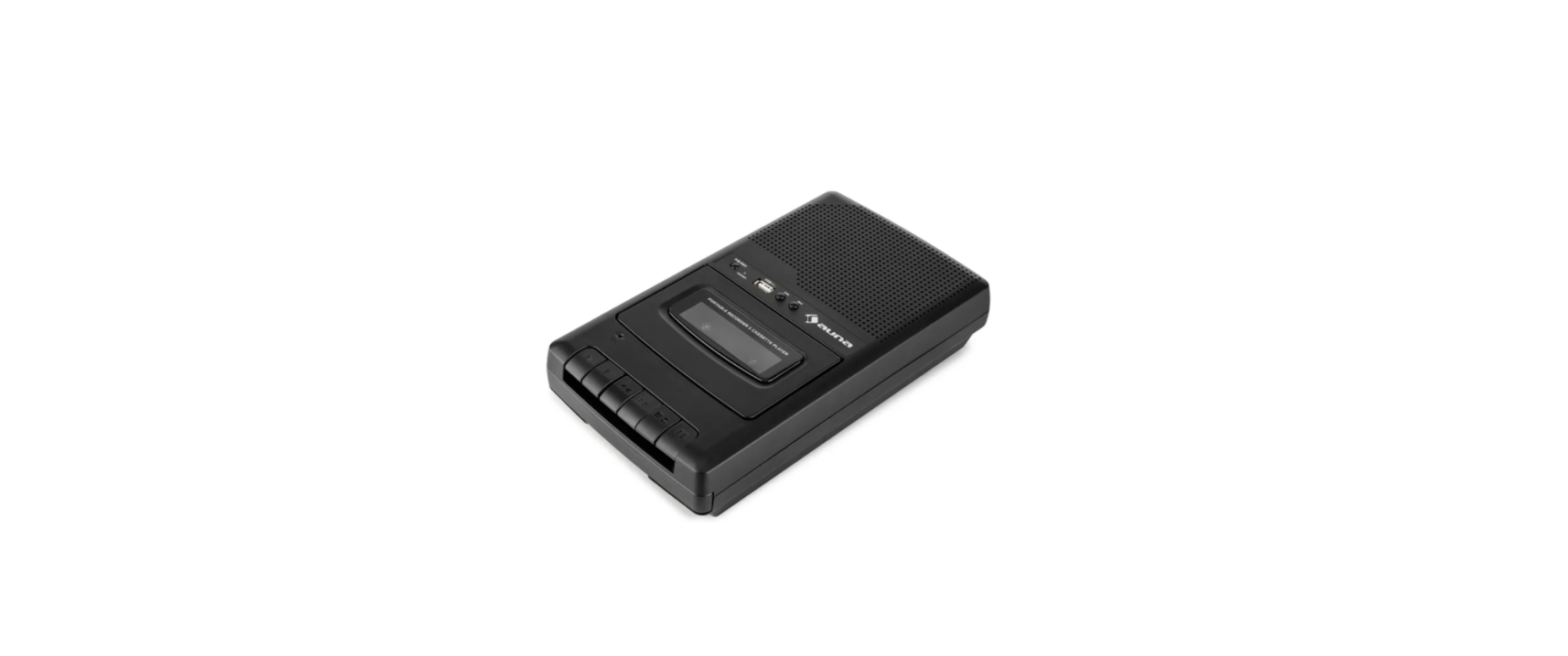

AUNA RQ-132 Portable Cassette Recorder
Safety Instructions
- Observe all notes listed in the operating instructions.
Do not use the unit near water or in a humid environment. - Make sure that no liquid is spilled over the unit and the unit openings.
- Move the unit carefully to avoid damaging it.
- Do not block the device outputs.
- Do not place the unit near heat sources (e.g., heating). Do not expose the device to direct sunlight.
- Plug the power plug of the unit into the power outlet in the manner intended.
- The device is equipped with overload protection. Should this need to be replaced, contact customer service or a similarly qualified person.
- Unplug the unit from the wall outlet if it will not be used for a long period of time.
- Do not attempt to service or repair the unit yourself. In this case, the warranty expires.
- The mains plug is used to disconnect the device from the mains after it has been switched off. Make sure that the mains plug is always freely accessible.
- Do not expose the device to splash water or place objects filled with liquid, such as vases, on the device.
- Do not expose the batteries to extreme heat, such as sunlight or fire.
- Do not obstruct the ventilation of the unit by blocking the ventilation openings with objects such as newspapers, tablecloths, curtains, etc..
- Ensure that a minimum distance of 5 mm from all sides of the unit is maintained.
- Do not place sources of open flame ignition, such as lit candles, on the unit.
- Dispose of used batteries in an environmentally friendly manner.
- Use the device only in a temperate climate, not in a tropical climate.
Operations
Power supply with batteries
- Open the battery compartment at the bottom of the tape recorder. Insert four type C batteries. Make sure the polarity is correct, as indicated in the battery compartment. If the battery capacity decreases, you will notice slower cassettes and distorted sound. Then replace all four batteries:

Powered by an AC adaptor
- Connect the device to a household socket (230 V) using the mains adapter supplied. Inserted batteries are automatically disconnected from the circuit when the AC adapter is connected, so there is no need to remove them. You can also operate the device with an (optionally available) car adapter for the cigarette lighter. In this case, the batteries are also automatically switched off.
Headphone jack
- Connect the headphones with a 3.5 mm jack plug to the headphone jack. The internal speaker will be automatically turned off. You can also monitor the recording process via headphones while recording.
Playing & Recording 
Play
- Press STOP/EJECT to open the cassette compartment and insert or remove a cassette. Press the flap until it clicks into place to close the cassette compartment. Press FFW or REV to fast forward or rewind the cassette to the desired point. Press PLAY to play. Use the VOLUME control to adjust the output volume. Playback stops automatically when the cassette tape is finished. Press PAUSE to pause playback.
Recording
- Insert a cassette and press REC (the PLAY button will also be pressed). Speak into the built-in microphone („MIC“). Recording stops automatically at the end of the cassette tape. Otherwise, stop recording by pressing STOP. Press PAUSE to pause recording.
Dubbing & Writting
- Cassettes can be transferred. To protect a cassette from being overwritten, slide the pin on the side to be protected outward.
- On the other hand, commercially available music cassettes are protected against write access. To bypass this write protection, you can stick a piece of adhesive tape over the opening.
USB Playing
Only for 10030828 + 10035572:
- Insert a USB stick into the USB port on the top of the unit. Select the USB mode with the USB/TAPE switch.
Microphone Recording
- Press PLAY/PAUSE/REC (next to the USB port) to play – press and hold to record to USB. During recording: Press briefly for PAUSE. Press briefly again to resume recording.
Recording from a Cassette
- Insert a cassette and slide the TAPE/USB switch to the TAPE position. Play the cassette using PLAY/PAUSE. Press and hold the USB PLAY/PAUSE/REC button to save audio from the cassette to the USB memory stick.
MICROPHONE CONNECTION
- Connect external microphones to the microphone connector. This will deactivate the internal microphone.
TECHNICAL DATA
- Item number 10030827, 10030828, 10035572
- Power supply Batteries: 4 x type C (R14) or mains adapter (6V) for household socket (230 V)
Disposal
By disposing of it according to the rules, you AUNA RQ-132 Portable Cassette Recorder are protecting the environment and the health of your fellow human beings from negative consequences. For information AUNA 10006791 388-BT HiFi Stereo System about the recycling and disposal of this product, please contact your local authority or your household waste disposal service.
This product contains batteries. Find out about local regulations for disposing of batteries. By disposing of them according to the rules, you are protecting the environment and the health of your fellow human beings from negative consequences.
Deceleration of Confirmty
- Manufacturer: Chal-Tec GmbH, Wallstrasse 16, 10179 Berlin, Germany.
- Importer for Great Britain: Berlin Brands Group UK AUNA 10006791 388-BT HiFi Stereo System Limited PO Box 42 272 Kensington High Street London, W8 6ND United Kingdom
- Website: use.berlin/10034620
- Tel: (01) 320-0700
FAQs
What is the AUNA RQ-132 Portable Cassette Recorder used for?
For playing, recording, and storing cassette tapes, the AUNA RQ-132 is a small, battery- or AC-powered cassette recorder. It’s ideal for playing old mixtapes, voice recordings, interviews, and fans of retro music.
Does it support both playback and recording functions?
Indeed! In addition to recording via the built-in microphone, an external microphone, or even the radio, the recorder can play back cassettes.
How do I play a cassette tape?
With the tape facing out, place a regular cassette into the deck. Use the “Stop,” “Rewind,” and “Fast Forward” buttons as necessary, and press the “Play” button.
Can I record audio onto a blank cassette?
Indeed. Just put in a blank cassette, hit “Record” and “Play” simultaneously, and start talking or playing the sound source of your choice.
Does the recorder support radio recording?
It is possible to record straight from the integrated AM/FM radio tuner. Press “Record” after selecting your preferred station to record live audio.
Can I use an external microphone for better audio quality?
Of course. You can add an external microphone to the AUNA RQ-132’s 3.5mm mic input for crisper, more focused recordings.
Is there a headphone jack for private listening?
Yes, you can listen in private without bothering others thanks to the unit’s 3.5mm headphone output..