

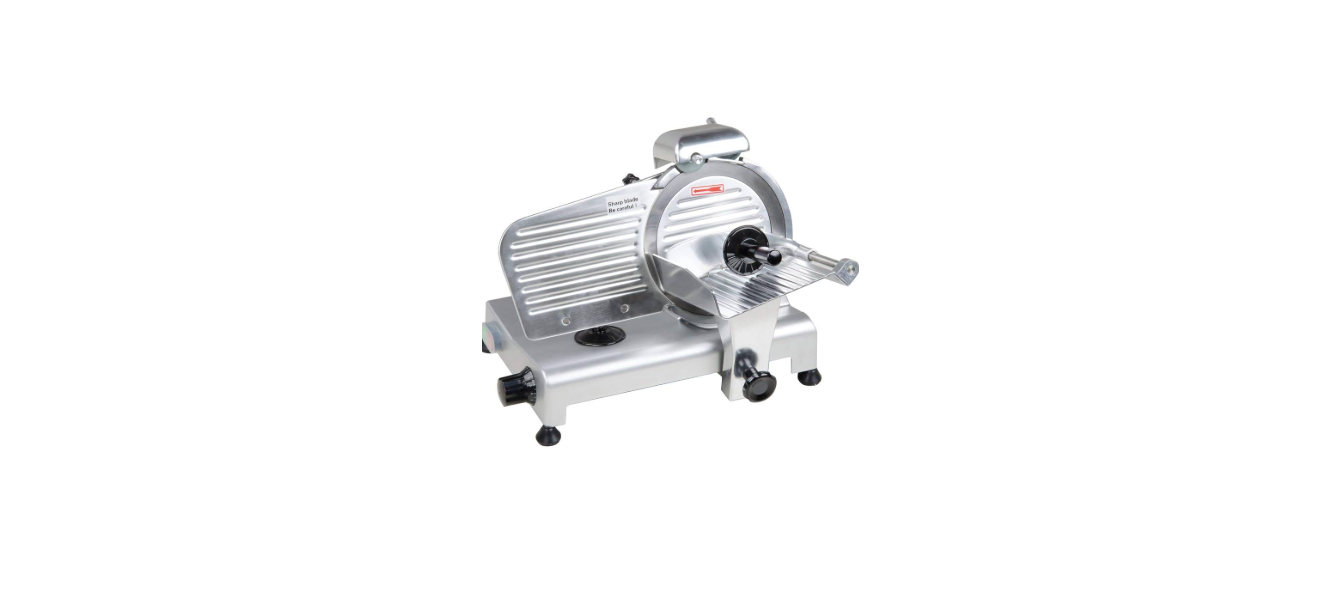

AVANTCO 177SL309 9 Inch 1/4 HP Meat Slicers

Safety Instructions
- Only connect the appliance to an electrical outlet with the voltage and frequency mentioned on the serial plate.
- Regularly inspect the state of the power cable. A worn-out cable, or one that shows signs of
fraying or damage, represents a serious electrical hazard. - DO NOT use an extension cord with this equipment. DO NOT plug this equipment into a power outlet
strip or multi-outlet power cord. - DO NOT immerse the cord or plug in water. DO NOT let the cord hang over the edge of a table
or counter. - DO NOT attempt to cut any product that is raw, frozen, or has a bone.
- DO NOT push the product into the blade with your hands. ALWAYS use the product pusher.
- Improper installation, adjustment, alteration, service, or maintenance can cause property damage, injury, or death.
- Read the installation, operating, and maintenance instructions thoroughly before
installing or servicing this equipment. - A factory-authorized agent should handle all maintenance and repairs. Before doing any maintenance or repair, contact your authorized service representative.
- DO NOT clean with metal scouring pads, as pieces can break off and touch electrical components, heightening the risk of electrical shock.
- Avoid scratching the surface or nicking the edges of this unit.
- Note that the use of accessories not recommended by the manufacturer may result in injury.
Parts Identifications

Installation
Placement
- The machine should be placed on a level, steady surface at a comfortable working height.
- The work area should be sufficiently lit and close to an electrical outlet.
- Position the appliance in a way so that the controls and plug are always accessible.
- Ensure that the outlet you plan to use is properly grounded, operating without issue, and matches the electrical requirements of the unit.
Sharpener Installation
- The blade sharpening device is not factory fitted on models 177SL310, 177SL312, 177SL512, or |
177SL13MAN. Follow the procedure below to install. - Fit the sharpening device in the socket, ensuring the grinding stones are on the rear of the machine.
- Tighten the safety locking knob.
Operation
- ALWAYS use the product pusher; DO NOT guide the product by hand.
- DO NOT attempt to push product through too quickly or forcibly. This may damage the blade and/or motor.

- Set the desired slice thickness using the thickness control knob.
- Ensure the carriage is in the start position (closest to the operator).
- Lift the product pusher and place the product to be sliced on the hopper with the raw edge against the thickness gauge plate.
- Return the product pusher to its original position, now atop the product to be sliced.
- Turn on the motor by pressing the ON/OFF| switch.
- Using the handle on the product pusher, guide the carriage toward the blade with steady pressure. When the full slice has been made, pull the carriage back to its starting position and repeat as necessary.
- The sliced product will be ejected out of the rear of the blade.
- When slicing is complete, turn off the motor by pressing the ON/OFF switch.
- Clean the unit immediately after use.
Cleaning & Maintenance
- DISCONNECT THE MACHINE FROM THE POWER SOURCE BEFORE CLEANING!
- BLADE IS EXTREMELY SHARP! Always wear cut-resistant gloves when handling the blade.
- The unit should be cleaned before its first use.
- If the unit has not been used for some time, it is recommended that it be cleaned before use.
- DO NOT clean the machine with steel wool, strong chemicals, or abrasive/toxic detergents, as they may damage the machine and/or pose a health hazard.
- DO NOT use high-pressure water jets or extremely hot water.
- DO NOT immerse the unit in water
General Cleaning

- Turn the thickness control knob to O.
- Turn the unit on and use a gentle cleaning pad AVANTCO 177SL309 9 Inch 1/4 HP Meat Slicers on a wand to clean the blade while it spins.
- Turn the slicer off and unplug.
- Completely close the gauge plate.
- Remove the carriage locking knob, then remove the carriage and product hopper.
- Remove the slice deflector from the rear of the unit.
- Remove the blade cover locking knob and blade cover.
- Loosen the screws holding the blade in place.
- Clean exterior with a degreaser (such as Noble Chemical Formula Dj, a clean cloth, and warm water
- Sanitize the exterior with a food contact sanitizer spray (such as Noble Chemical QuikSan).
- Removable parts can be cleaned and sanitized using a standard 3-sink cleaning method.
- Sink 1: Wash with hot water, detergent, and a brush.
- Sink 2: Rinse with hot water. Noble Chemical Bacti-Fre).
- Reassemble the slicer.
- Allow to fully dry before use or storage
- A food-grade lubricant (such as Noble Chemical Lubriquik) can be applied to the carriage slide rod (on the rod to prevent sticking during operation.
Sharpening the Blade
- The blade should be sharpened every 2 weeks, or any time that the cut speed/quality drops.

- Ensure the blade is clean BEFORE sharpening.
- Turn the unit off and unplug it from the socket.
- Set the slice thickness knob to O.
- Unlock the sharpening device using the knob on the rear of the machine.
- Lift and turn 180° so that both grinding wheels are in the correct position.
- Lower the sharpening device and lock it in position with the security knob.
- Plug the slicer in and switch it on.
- Press the sharpening button on the REAR of the machine and hold for 30 seconds, then release.
- Repeat until the blade has reached the desired sharpness.
- Switch the slicer off and unplug it.
- Return the sharpening device to its original
Specifications

Recommended Accessories


Troubleshooting
