



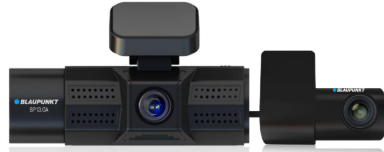
BLAUPUNKT BP13.0A Digital Video Recorder
Safety Instructions
- Please insert the micro SD card in the right direction to avoid damage to the card or the device.
- If the device shows an error message, please format the micro SD card from the device menu.
- Please reset the device or change the micro SD card if a similar error continues.
- Blaupunkt does not warrant the performance of the device if used with other Micro SD card other than the Blaupunkt Micro SD card.
- The New Micro SD card must be formatted for first use.
- Ensure the bracket is installed correctly & firmly on the windscreen to avoid damage to the device and for better recording angle.
- Please do not use the product in a wet environment as the device is not waterproof/ water water-resistant.
- Please do not record or take a picture facing the sunlight.
- To obtain a clear image, please clean the windscreen and device lens regularly.
- Avoid using the device in a dusty environment.
- Handle the device with care and avoid direct impact on the device.
- Avoid using the device in high electromagnetic environments.
- Please operate the product within the temperature range of -10°C to ~ 65°C.
- Continuous exposure to sunlight, especially when locked in a cabin where the temperature exceeds 65°C, may result in device malfunction, colour change, housing, and image distortion.
Structure
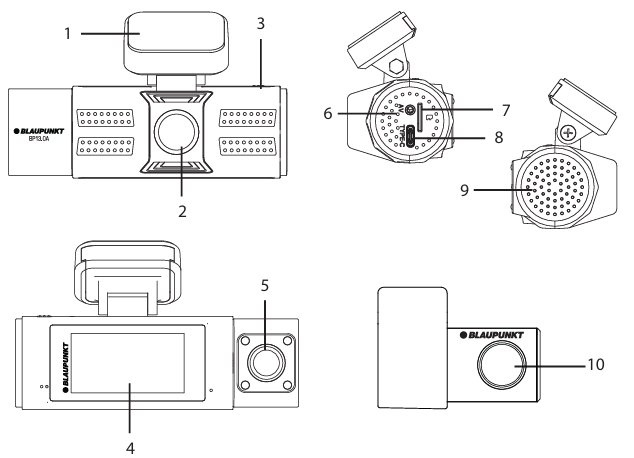
- Holder
- Front Camera Lens
- Switch View Button
- 2” Inch LCD Screen
- Interior Camera Lens
- Rear Camera Input
- Micro SD Card Slot
- USB Type-C Power Supply
- Speaker
- Rear Camera Lens
Features
- Resolution : Front 8MP 4K 3840 x 2160 (25fps) Rear 2MP FHD 1920×1080 (25fps) Interior 2MP FHD 1920×1080 (25fps)
- Wide viewing angle : Front – 105°, Rear – 110°, Interior – 100°
- Screen display: Front, Rear, Interior
- 2” LCD screen display
- Loop Recording
- Parking Monitoring
- Built-in G-sensor
- Wireless control app
- Built-in microphone & speaker
- Language English, Chinese SiSimplifiedChinese Traditional, Japanese & Thailand
- Power supply DC 12V-24V
- Temperature :-10°C ~ 65°C (Operating), -4°C ~158°C (Storage) S
- Support for 512GB Micro SD
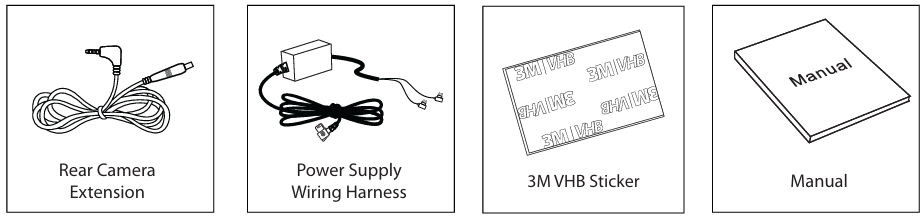
- Includes: Rear Camera Cable, Manual, 3M VHB Sticker, Wiring Harness
Pair DVRthe with a Smartphone
- The distance range between the DVR and smartphone is approximately 10 meters (33ft) in an open environment.
Wireless Connection (Wi-Fi)
- Enable Wi-Fi & Location on the Smartphone before beginning (Refer to the instruction manual of the smartphone on how to operate Wi-Fi & Location)
- Download the “Blaupunkt DVR Dashcam” app from the App Store (iOS) or the Play Store (Android).

- Before making the connection, make sure the DVR BP 13.0A is turned on.
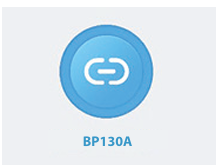
- Connect the Wi of “BP130A” as shown below, then insert the default password “12345678” for the first-time connection. After that, press the centered Blue button to enter the control view.
- Repeat the Wireless Connection steps whenever the smartphone is disconnected.

Change Camera view
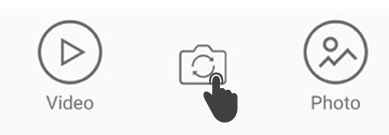
- Press the “ ” button to switch between the three camera views. (Front, Rear, Interior)
Download Video or Photo
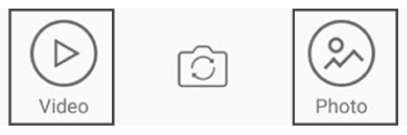
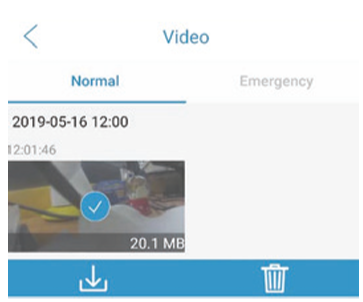
- Go to the app recording screen to select Video or Photo gallery.
- Press and hold the preferred video/photo to select, then press “ ” to download le.
Record Video or Take a Photo in Apps
- Press the “Record” button to stop the recording/start a new recording.
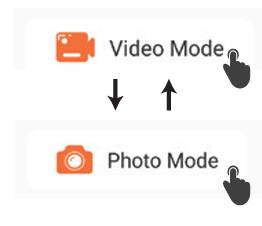
- Press Mode button to switch between Video Mode and Photo Mode.
- Press the “ ” button to capture the photo.

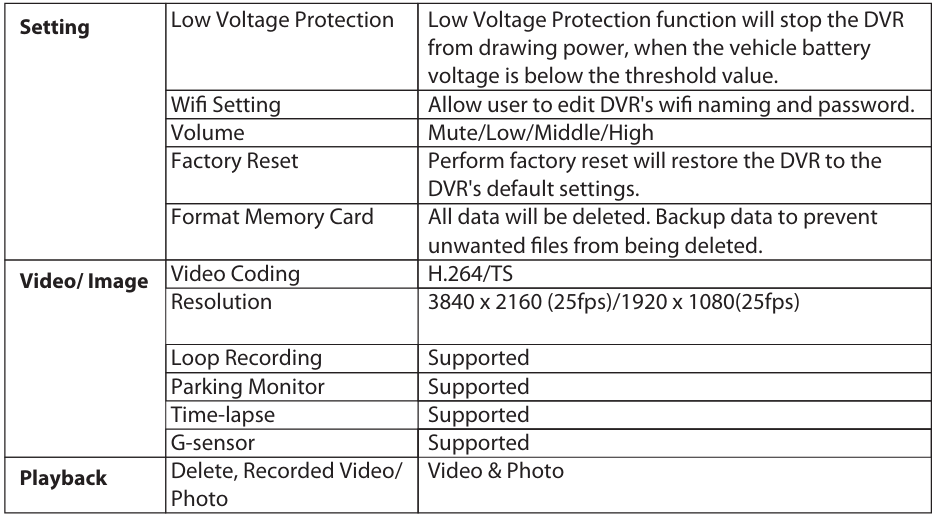
Functions
Accesories
Disclaimer
- In no event shall Blaupunkt be liable for any direct, indirect, punitive, incidental, special, consequential damages to property or life, or whatsoever arising out of or connected with the use or misuse of our products.
- This product is not intended for sale in the United States and Canada. If purchased in the U.S. or Canada, this product is purchased on an as-is basis. No warranty, whether expressed or implied, is provided in the U.S. or Canada.
Recycling and Disposal
- Do not dispose of your old unit in the household trash! Use the return and collection systems available to dispose of the old device.
Customer Service
- Competence Center
- 2N-Everpol Sp. z o.o. Ul. Puławska 403A 02-801 Warsaw, Poland
- Call: +48 22 688 08 00
- E-mail: info@everpol.pl
- Visit: www.blaupunkt.com
- In case of questions or problems
- Tel: 00 48 22 688 08 33
- E-mail: sda@blaupunkt.pl
FAQs
Q: What is the BLAUPUNKT BP13.0A Digital Video Recorder used for?
Ans: The main function of the BP13.0A DVR is in-car video recording, which records your drives in real time. It facilitates driver safety monitoring, parking surveillance, and accident reporting.
Q: What video resolution does the DVR support?
Ans: Even at fast speeds, the BP13.0A can record in Full HD 1080p at 30 frames per second, producing crisp, detailed video.
Q: Does it record audio along with video?
Ans: Indeed, synchronised audio recording is possible with the built-in microphone and may be enabled or disabled through the settings menu.
Q: Is the DVR always recording when the vehicle is on?
Ans: Indeed. As long as the gadget is attached to a steady power supply (often the 12V socket), it begins recording automatically when the car is started.
Q: What is loop recording, and is it available?
Ans: Yes, the BP13.0A has loop recording, which means that, except for locked (restricted) files, new film replaces previous data when the storage is full.