

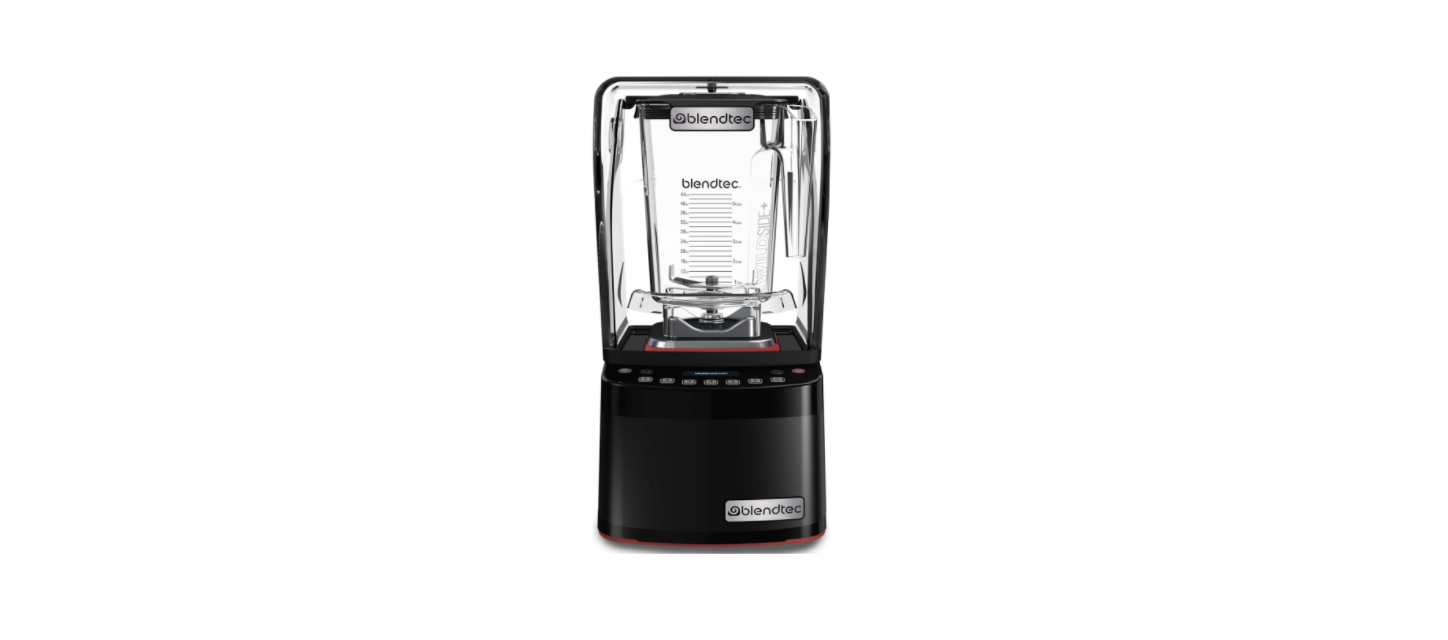

BLENDTEC CQB1 Stealth 885 Commercial Blender 
Safety Instructions
Read all instructions carefully before using the Blendtec® blender. Following these instructions will help prevent injuries and damage to the machine.
- ALWAYS keep fingers, hands, hair, and clothing away from all moving parts.
- ALWAYS keep all utensils away from the drive socket and blender jar blades during operation.
- NEVER put your hands into the blender or substances by hand when the blender jar is on.
- ALWAYS wait until the motor stops before placing the jar or removing it from the motor base.
- DO NOT rock or remove the blender jar during operation.
- If the blender is dropped or damaged in any way, contact a Blendtec service agent immediately.
- To protect against the risk of electrical shock, do not put the motor base in water or other liquids.
- Do not use the blender outdoors where it may get wet.
- Utensils, rocks, glass, and other non-food items are dangerous if placed in a jar.
- Damage caused by such foreign objects will void the warranty.
- Utensils may only be used when the blender is not running.
- Do NOT use the Nitro Blending System micronizer without the sound enclosure closed.
- The Commercial series blender may have a vented lid that allows steam to escape.
- Do not start blend cycles with boiling or very hot liquids.
- This may result in burns, damage, or cause the lid to come off.
- Be careful not to come in contact with any steam.
Power Cord
- NEVER operate with a damaged cord or plug.
- DO NOT permit the cord to hang over the edge of the work surface.
- NEVER use a power strip to supply power to the unit.
- ALWAYS unplug the blender motor before changing blender locations or when cleaning.
Know Your Appliance
Unpacking
- Check for any packing material that may have blocked ventilation holes on the blender motor base.
- Inspect all items to ensure no damage occurred during shipment.
- If any damage has occurred or if any items are missing, contact a Blendtec service agent immediately.
- Keep these instructions (ie, owner’s manual) for future use.
Installation & Operation
ABOVE-COUNTER INSTALLATION
- Allow a clearance of at least 5.5” (14 cm) from the sound enclosure to the wall and 26” (66 cm) from the countertop to any over-the-counter cabinetry.
- Be sure the blender is installed as per the drawing in Figure
- Ensure the blender has 7.5″ (19 cm) of unobstructed space surrounding the sides and back of the blender to prevent overheating. Select a location that is near an electrical outlet.
- Also consider proximity to ingredients and patrons, as well as available counter space.
- Ensure there is enough room above and around the unit to allow for unhampered movement of the sound enclosure.
IN-COUNTER INSTALLATION
- Ensure the blender is installed per the drawing in Figure 2. Ensure the electrical supply is accessible under the countertop. The countertop can be no thicker than ¾” (1.9 cm) for adequate ventilation.
- Allow a clearance of at least 5.5” (14 cm) from the sound enclosure to the wall and 22” (56 cm) from the countertop to any over-the-counter cabinetry. Ensure lower cabinetry allows adequate airflow.
- There should be at least 3” (7.6 cm) of unobstructed space below and around the motor. Cabinetry should not be closed; it should allow air to flow freely from the outside to the inside of the cabinet space.
- Cut a hole in the countertop 4 ⅜“ (11.1 cm) wide and 5 ⅞” (14.9 cm) long (see the countertop hole template in Appendix A). Ensure that the 4 ⅜” (11.1 cm) sides are parallel to the front edge of the counter.
Control Panel Preprogrammed Cycles
Preprogrammed cycles run at varying speeds and durations, and automatically stop. To start a cycle, press any preprogrammed button. Press any cycle again to end that cycle, or press. Hold to pulse. For slower pulse speeds, hold any preprogrammed cycle button. To program different cycles, see section 3.1.5 of this manual.
ADVANCED PROGRAMMING AND DIAGNOSTICS
- Use the scroll to scroll and the select to select the desired function.
- To return to the main screen from any submenu area, tap until the main screen appears.
SELECTING THE DESIRED PROFILE
- Press for three seconds to enter the menu.
- Press to select ‘profiles’.
- Press to scroll.
- Press to select the desired option.
- Press again to activate profile. To cancel selection, press.
Temporarily change the cycle buttons
- Press for three seconds to enter the menu.
- Press to scroll down to Blend Cycles, then press.
- Choose Standard Blend Cycles or Custom Blend Cycles.
- Choose the desired blend cycle.*
- Select the button to use for this blend cycle change, then press. To cancel selection, press.
Settings
Blender settings can be changed for optimal blending performance and functionality.
Enclosure Safety mode: The enclosure safety feature provides a prompt to ensure the sound enclosure lid is closed during motor operation. It will also turn off the motor if the sound enclosure is raised during blending. This feature cannot be disabled for the Stealth 895 NBS model.
To enable or disable the enclosure safety feature, complete the following steps:
- Press for three seconds.
- Press to scroll down to Settings. Press.
- Choose Enclosure Safety Mode. Press to select.
- Use to toggle between disabled and enabled Enclosure Safety mode.
- Press to exit the menu.
Screen standby time
Standby mode can be adjusted to the following times: (15 minutes, 1 hour, 6 hours, or 12 hours). To select a new standby time, complete the following steps:
- Press for three seconds.
- Press to scroll down to Settings. Press.
- Press to scroll to Screen Standby. Press to select.
- Press to scroll to the desired standby time. Press to select.
- Press the button to exit the menu.
Blend Cycle Pause Setting
When in automatic mode, the Blend Cycle Pause setting allows the user to pause and resume a blend cycle at the same time and speed. To enable or disable the Blend Cycle Pause feature, complete the following steps:
- Press for three seconds.
- Press to scroll down to Settings. Press.
- Press to scroll to Blend Cycle Pause. Press to select.
- Use to toggle between disabled and enabled Blend Cycle Pause.
- Press to exit the menu.
Language
The menu is available in three languages: English, French, and Spanish. To select a language, complete the following steps: Press for three seconds to enter the menu.
- Press to scroll down to Settings. Press to select.
- Press to scroll to Language. Press to select.
- Press to scroll to the desired language. Press to select.
- Press to exit the menu.
Blender Statics
Blend cycle counts. To review the total number of cycles run on the unit and the number of cycles run on each button:
- Press for three seconds to enter the menu.
- Press to scroll down to Cycle Counts. Press to select.
- Press to scroll through Cycle Counts.
- Press to exit the menu.
Diagnostic error log
To review the diagnostic errors that have been logged on the blender.
- Press for three seconds to enter the menu.
- Press to scroll down to Diagnostic Counts. Press to select.
- Press to scroll through error counts.
- Press to exit the menu.
Exporting Blender Statistics
Exporting blender statistics (cycle counts, errors, settings, and firmware versions is a way to save diagnostic information, which Blendtec’s customer service and repair experts will use if problems arise with the unit.
To export Blender statistics to a USB drive, complete the following steps:
- Use a #1 Phillips screwdriver to remove the USB cover at the top of the right side of the blender.
- Plug the USB drive into the blender’s USB port.
- Press the Export Counts. Press to select.
- Press again to confirm export of counts to the sth-cnts.csv file.
- After the export process is finished, remove the USB drive from the blender and secure the cover on the USB port with a #1 Phillips screwdriver.
Care & Cleaning
- Add 1 cup (240 ml) of warm water and 1-2 drops of liquid dish soap to the blender jar.
- Leave the diluted sanitizer in the jar for five minutes.
- Empty the sanitizer from the jar. Rinse the jar thoroughly with water.
- Ensure the blender is unplugged before cleaning.
- Do not attempt to remove the sound enclosure lid from the sound enclosure base.
- Only remove the sound enclosure as an assembly from the motor base for cleaning.
- A mild all-purpose, nonabrasive cleaner may be used.
- The drive socket can be cleaned by using a cotton swab or a toothpick
- Do not use stiff-bristle brushes or abrasive cloths/pads to clean the blender base.
- Do not use a water jet of any kind to clean the motor base.
- NEVER submerge the motor base in water. Doing so will void the warranty.
Specifications
Blendtec Commercial series blenders are certified for use with a specific circuit voltage, depending on the model. Make sure to check the model’s power specifications and use a protected circuit when operating the unit. Newer Stealth models contain an automatic cooling feature that assists in overall blending performance. If your blender is off and the inner fan continues to blow, don’t be alarmed – this is expected.
| STEALTH MODELS | CONNOISSEUR 825 MODELS | ||
| VOLTAGE RANGE | 100-127 V or 220-240 V | 100-127 V or 220-240 V | |
| FREQUENCY RANGE | 50-60 Hz | 50-60 Hz | |
| WATTAGE* | 1800 W | 1800 W | |
| *COUNTRY-SPECIFIC WATTAGE EXCEPTIONS | |||
| JAPAN | 1300 W | 1300 W | |
| TAIWAN | 1400 W | 1400 W | |
Troubleshooting
While we do not expect you to have any problems with your blender, sometimes issues do occur.
WHERE TO START?
- If the blender won’t turn on, is displaying an error message, or causes an issue without a jar on top of the machine, continue to section 5.2.
- If the jar has an issue or the blender has an issue that only occurs when a jar is on top of the machine, continue to section 5.3.
- If the blender is working and the jar is working, but the blend is unsatisfactory, continue to section 5.4.
The display is not lit
- Check that the blender power switch/button is turned on.
- Check the circuit breaker/fuse or try a different power outlet on a different circuit breaker.
Jar Leakage
- Check that the lid is fully seated on the jar. Grab the jar shaft and try to wiggle it.
- If the shaft can move side to side or up and down, stop using it and replace the jar.
- Try a different jar on the blender base. If the jar is causing the issue, stop using it and replace the jar.
- Ensure the jar is fully seated on the blender base.
- Check if the blade is firmly affixed to the drive shaft.
- Hold the drive shaft in one hand and try to spin the blade with the other hand.</li>
- If the blade turns without turning the drive shaft, stop using it and replace the jar.
- Compare the bottom of the jar to the Figures below to evaluate the jar splines.
- If the jar splines look like Figure 8, stop using and replace the jar.

Warranty
Blendtec warrants Blendtec Commercial counter-top blenders and jars against defects in materials and workmanship under normal use and maintenance for the applicable warranty period on parts and labor required to repair or replace components that, in the sole opinion of Blendtec, are defective. The warranty period may vary as established at the time of purchase.
- Damage caused by: improper installation or ventilation of the blender; electrical supply (e.g., electrical power failure, improper electrical connections, low voltage BLENDTEC CQB1 Stealth 885 Commercial Blender or voltage drops to the unit); water supply; drainage; exposure to water; or floods, storms, or other acts of God.
- Normal maintenance, adjustments, and cleaning as outlined in this manual.
- Cost of premium labor rates due to holidays, overtime, shipping, etc.
- Parts or assemblies subjected to misuse, abuse, neglect, or accident, or lack of specified maintenance or operational procedures.
- Damage or problems caused by installation, relocation of the unit, cleaning, and/or maintenance procedures inconsistent with the technical instructions provided in this manual.
- Claims for personal injuries, incidental or consequential damages, or economic loss (profit or revenue), however caused.
Water Damage & Abuse
It is critical to prevent liquids from entering the motor base. However, in some instances, the BLENDTEC CQB1 Stealth 885 Commercial Blender, due to heavy spillage or a lack of appropriate cleaning procedures, liquids may enter the motor housing. It is important to promptly clean up all spills on the motor, around the counter, and under the sound enclosure base (if used).
Country Of Purchase
Use of the equipment BLENDTEC CQB1 Stealth 885 Commercial Blender outside the country of purchase voids all warranties, expressed or implied. If a customer chooses to utilize a local service center outside of the country of original sale, he or she can reasonably expect to pay for parts, labor, shipping, duties, taxes, etc., necessary to make the repair and return the equipment.
Countertop Hole Template
Pre-Programmed Cycles
| Stealth Models | |||||
| Button | Stealth 895 NBS** | Multipurpose * | Smoothie | Coffee | Milkshake |
| 1 | Nitro 20 sec | small milkshake | small smoothie w/fresh fruit | small margarita/ice cappuccino | small milkshake |
| 2 | Nitro 30 sec | granita/medium milkshake | medium smoothie 4 | large ice cappuccino | granita/medium milkshake |
| 3 | small margarita/ice cappuccino | small margarita/ice cappuccino | granita/medium milkshake | small slushy/milkshake | milkshake w/frozen fruit |
| 4 | medium smoothie | medium smoothie 4 | medium smoothie 3 | granita/medium milkshake | large milkshake 1 |
| 5 | large smoothie 4 | large smoothie 4 | large smoothie 4 | large smoothie 2 | large milkshake 2 |
| 6 | granita medium milkshake | 50 sec @ speed 7 | 50 sec @ speed 7 | 50 sec @ speed 7 | large milkshake 3 |
| pulse @ speed 7 | pulse @ speed 7 | pulse @ speed 7 | pulse @ speed 7 | pulse @ speed 7 | |
| Connoisseur 825 Models | ||||
| Button | Multipurpose * | Smoothie | Coffee | Milkshake |
| 1 | small milkshake | small smoothie w/fresh fruit | small margarita/ice cappuccino | small milkshake |
| 2 | granita medium milkshake | medium smoothie 4 | large ice cappuccino | granita/medium milkshake |
| 3 | small margarita/ice cappuccino | granita/medium milkshake | small slushy/milkshake | milkshake w/frozen fruit |
| 4 | medium smoothie 4 | medium smoothie 3 | granita/medium milkshake | large milkshake 1 |
| 5 | large smoothie 4 | large smoothie 4 | large smoothie 2 | large milkshake 2 |
| pulse @ speed 7 | pulse @ speed 7 | pulse @ speed 7 | pulse @ speed 7 | |
Customer Support
- Website: https://www.blendtec.com
- Ph: 1-800-748-5400