

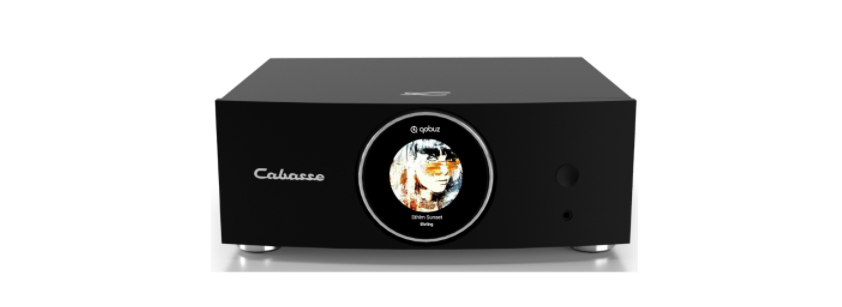

CABASSE High Resolution Active Amplifier
Safety Instructions
- Instructions – Carefully read through all the safety and operating instructions before switching on any device for the first time.
- Cleaning – Always take off the power cord before cleaning the device. Do not use cleaning solvent, whether liquid or air spray. Using a soft, damp cloth is recommended.
- Accessories – To avoid incidents, only use accessories expressly recommended by Cabasse.
- Installation on a piece of furniture and stands – Do not place this device on an unsteady surface, i.e., a stand, tripod, table, shelf, etc. It may fall and cause serious injury to a nearby child or adult.
- Power cords – The power cords must be laid out in such a way that they cannot be walked on, pinched, or bent under other devices. Also, pay special attention to the matching of the plugs and the connection of the cord to the device.
- Lightning – For better protection against lightning or if the device must remain unused for long stretches of time, unplug the power cord and antenna jack. This minimizes potential damage due to lightning or line surges.
- Overloads – Avoid overloading the power plugs, extension cords, or power relays. This could result in fire or electric shocks.
- Checks – After any servicing of the device, ask the technician to perform appropriate testing to make sure that the device works safely.
- Exposure to high temperatures – The device should be kept away from heating sources, such as radiators, heaters, amplifiers, or any other similar item likely to make the operating temperature rise excessively.
- Plastic bags – Keep them away from children to prevent any risk of suffocation.
Functions

SMART DIGITAL DISPLAY


FIRST USE
Connect your speaker to the mains with the proper power cord. A voice announcement, if the volume of your speaker is not at a minimum, indicates the status of the network connection: in progress, success, or failure.

COLOR CODES OF THE STATUS LED
- CYAN DLNA input: wifi, Ethernet, domestic streaming, internet streaming, AirPlay
- GREEN Spotify Connect
- WHITE Aux In Input
- YELLOW Optical input
- BLUE Bluetooth input
- RED (flashing) Connexion to network failed
- PURPLE Automatic calibration running + Update in progress
WIRED AND NON-WIRED INPUTS

POWER BUTTON
 The On/off button located on the back of the device allows you to switch on or off your amplifier.
ANALOG INPUT
 This input can be connected to an audio source (CD player, MP3 player, smartphone, TV) equipped with an analog RCA output. Use RCA / RCA cord / RCA cord (not included)
USB INPUT
 This input is only useful for use in Wi-Fi / Ethernet mode (paragraphs 4,5,6 below). Connect a USB stick or hard drive containing audio files to this input to automatically network them. All files in formats recognized by the DLNA server are then listed in the Stream Audio Control application and can be read by all Cabasse Stream players connected to the same network. The USB socket has a 5V – 1A DC power supply for use with a portable hard drive without an external power supply.
BLUETOOTH CONNECTION
 Once the speaker is on, press the “Pairing” button on the back
- The “Pairing” LED on the back should flash
- Activate Bluetooth on your mobile
- Select “Amplifier” from the list of available devices
- Once the connection is successful, the LED “Pairing” on the back stops flashing
SPEAKER OUTPUT

Min 4 Ohms
WIRE CONNECTION (LAN) TO THE ETHERNET NETWORK

The wired Ethernet connection guarantees an optimum and constant transfer rate in any environment. Use this if Wi-Fi mode operation shows untimely cuts or stops of music, signs of a saturated Wi-Fi network, or too much router-to-stream distance.
Connect an RJ45 cable between the speaker and your router (or Box Internet). The connection is established when the STATUS diode changes to solid blue. The WIFI connection is then automatically disabled.
WIRELESS DLNA CONNECTION (WLAN) TO WIFI NETWORK WITH THE CABASSE STREAM CONTROL APPLICATION

- Install the Cabasse Stream CONTROL App on your tablet/smartphone from “Play Store” for an Android device, or “App Store” for an Apple product.
- Open the application and follow the tutorial.
- Start listening to your favorite music from your smartphone, k, ey or hard drive connected to THE device’s USB input, or using sources connected to its analog input or optical input.
STREAM CONTROL APPLICATION
Open the Cabasse StreamCONTROL application and launch the tutorial to discover the main features of the application.


Customer Support
- Website: https://www.cabasse.com/
- Ph: +6567380138