

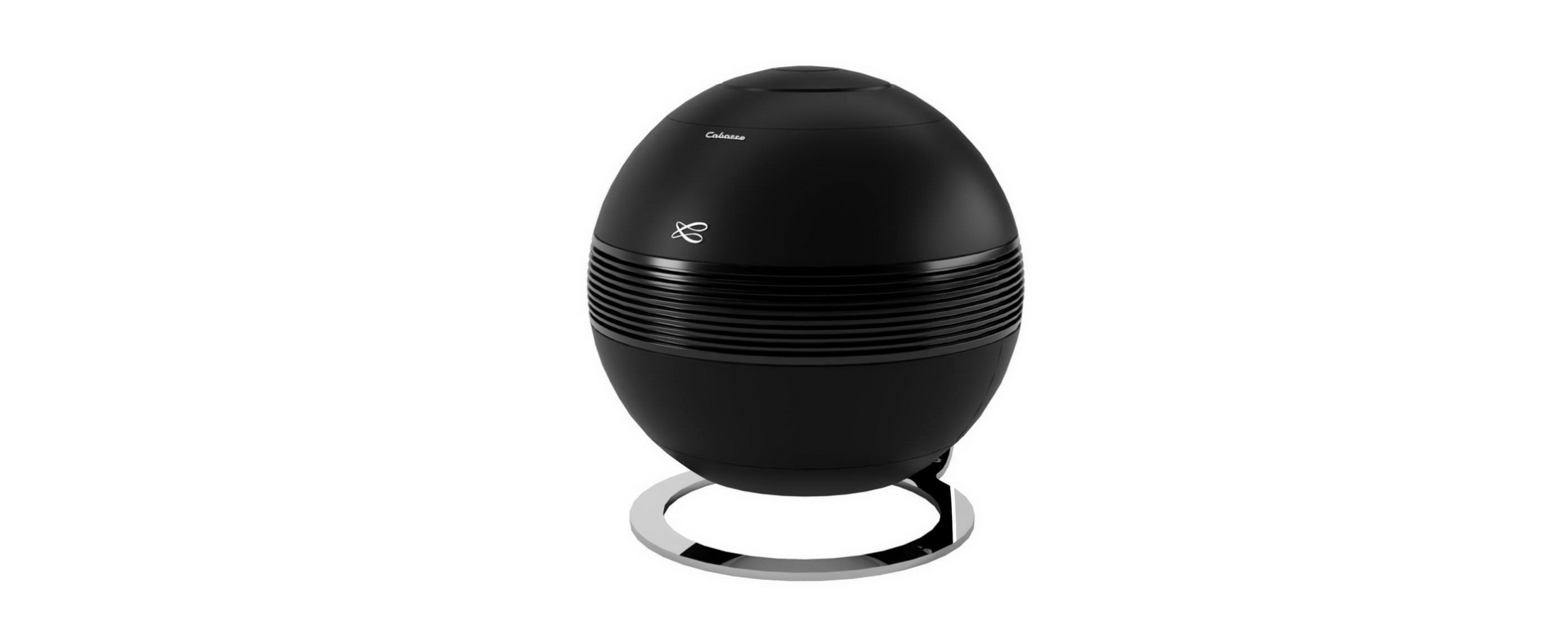

CABASSE PEARL KESHI 2.1 HiFi Speaker
Safety Instructions
- Instructions – Carefully read through all the safety and operating instructions before switching on any device for the first time.
- Cleaning – Always take off the power cord before cleaning the device. Do not use cleaning solvent, whether liquid or air spray. Using a soft, damp cloth is recommended.
- Accessories – To avoid incidents, only use accessories expressly recommended by Cabasse.
- Installation on a piece of furniture and stands – Do not place this device on an unsteady surface, i.e., a stand, tripod, table, shelf, etc. It may fall and cause serious injury to a nearby child or adult.
- Power cords – The power cords must be laid out in such a way that they cannot be walked on, pinched, or bent under other devices. Also, pay special attention to the matching of the plugs and the connection of the cord to the device.
- Lightning – For better protection against lightning or if the device must remain unused for long stretches of time, unplug the power cord and antenna jack. This minimizes potential damage due to lightning or line surges.
- Overloads – Avoid overloading the power plugs, extension cords, or power relays. This could result in fire or electric shocks.
- Checks – After any servicing of the device, ask the technician to perform appropriate testing to make sure that the device works safely.
- Exposure to high temperatures – The device should be kept away from heating sources, such as radiators, heaters, amplifiers, or any other similar item likely to make the operating temperature rise excessively.
- Plastic bags – Keep them away from children to prevent any risk of suffocation.
Unpacking
Open carton flaps; leave one by one all the components. If the speakers or the subwoofer appear damaged, do not use them. Repack everything in the original packing and contact your authorized Cabasse dealer immediately. We suggest that you retain the packing for future use.
Remote Control
- Plug the speaker into the main.
- Power on the speaker with the on/off button located at the back
- Open the battery cover located at the back of the remote control
- Remove the protection film
- Close the battery cover
- Press the «Pairing» button located at the back of the speaker
- The LED of the remote control and the «Pairing» LED located at the back of the speaker will blink until the pairing is done.
BLUETOOTH® CONNECTION
- Once the speaker is powered on, press the «Pairing» button located at the back.
- The «Pairing» LED located at the back must blink
- Activate the Bluetooth on your smartphone
- Select «THE PEARL XXXX» in the list of available devices
- Once the pairing succeeded, the «Pairing» LED located at the back stops blinking
WIFI CONNEXION
- Install the Cabasse Stream Control application on an Android or Mac tablet or smartphone from the «Play Store» or «Control Application Store».
- Start the application. If it is the first product, click on «Add a new player»; otherwise, go to the «Settings» section of the application and choose «Add a new player». Follow the directions step by step.
LISTENING TO MUSIC
With a Bluetooth connection
- Launch your application from the Bluetooth-connected phone/player to your speaker.
- Adjust the volume with the sound controls of the source
- With a WiFi/LAN connection, open the Stream Control application and follow the tutorial
UPDATES
To benefit from the last update for your product :
- Plug the speaker into the main
- Connect it to the network through WiFi or Ethernet
- Wait for the update to succeed
WARRANTY REGISTRATION CARD
TERMS AND CONDITIONS OF CABASSE WARRANTY APPLICATION
The marketing of Cabasse products is ensured by a network of professionals, have subscribed to the Cabasse distribution contract and the Cabasse warranty. These professionals are the only authorized dealers by Cabasse. In addition, Cabasse has a network of official Cabasse distributors, country by country. To find the official Cabasse distributor in your country, contact us.
MANUFACTURER WARRANTY
Cabasse products are covered by the legal manufacturer’s warranty according to each country. This warranty covers all manufacturing defects of the product other than the breakdowns resulting from mishandling or misuse of the product.
CABASSE EXTENDED WARRANTY
In addition to the legal manufacturer’s warranty, the driver units and the electronic components of your Cabasse speaker benefit from an extended warranty after the purchase date. This extended warranty is 5 years on the driver units and 2 years on the electronic components. It covers all manufacturing defects of the product, other than the breakdowns resulting from mishandling or misuse of the product. To benefit from the Cabasse extended warranty, the registration card must be duly filled out online within 60 days after purchase: http://www.cabasse.com/en/support/garantie-5ans/. If you pass this time, the extended guarantee will not be registered.
TERMS AND CONDITIONS OF CABASSE WARRANTY APPLICATION
- The Cabasse extended warranty applies only if duly recorded by the official Cabasse distributor of the country of purchase and if the owner can present the Cabasse warranty registration card with the stamp of the Cabasse authorized dealer or a copy of this one with a copy of the original purchase invoice.
LEGAL NOTICES
To prevent possible harm to the environment or human health from uncontrolled waste disposal, recycle it responsibly to promote the sustainable reuse of material CABASSE PEARL KESHI 2.1 HiFi Speaker resources. Products marked with this symbol meet all applicable Community regulations for the European Economic Area.
- Reorient or relocate the receiving antenna.
- Increase the separation between the equipment and receiver.
- Consult the dealer or an experienced radio/TV technician for help.
Please note that changes or modifications not expressly approved by the party responsible for compliance could void the user’s authority to operate the equipment. The Korean Certification mark indicates that the product complies with Korea’s product safety requirements for electrical and electronic equipment. The product obtained the certification from the Taiwan National Communications Commission (NCC) for low-power radio frequency appliances.
Cabasse hereby declares that the radio equipment of the CABASSE PEARL KESHI 2.1 HiFi Speaker type «THE PEARL KESHI» complies with
Directive 2014/53/EU.
Operating frequency and main output power :
- 2402-2480MHz<18dBm EIRP
- 5150-5350MHz<17dBm EIRP
- 5500-5700MHz< 17dbm EIRP

Customer Support
- Website: https://www.cabasse.com/
- Ph: +6567380138