Close Menu
onyxguides.comonyxguides.com

    Subscribe to Updates

    Get the latest creative news from FooBar about art, design and business.

    What's Hot

    YABER Y21 HD Video LCD Projector Instruction Guide

    April 19, 2026

    AURZEN EAZZE D1G 4K Google TV Smart Projector User Guide

    April 19, 2026

    Acer P5630 3D DLP Beamer Projector Instruction Manual

    April 18, 2026
    Facebook X (Twitter) Instagram
    onyxguides.comonyxguides.com
    Facebook X (Twitter) Instagram Pinterest
    • Home
    • About us
    • Terms & Conditions
    • Privacy Policy
    • FAQs
    • Contact us
    onyxguides.comonyxguides.com
    Home » CableCreation CC0992 Short USB C Cable Instruction Manual
    CableCreation

    CableCreation CC0992 Short USB C Cable Instruction Manual

    By Gabriel SmithOctober 15, 2025Updated:October 17, 2025No Comments4 Mins Read
    Facebook Twitter Pinterest LinkedIn Tumblr WhatsApp Telegram Email
    Share
    Facebook Twitter LinkedIn Pinterest Email

    CableCreation-logo

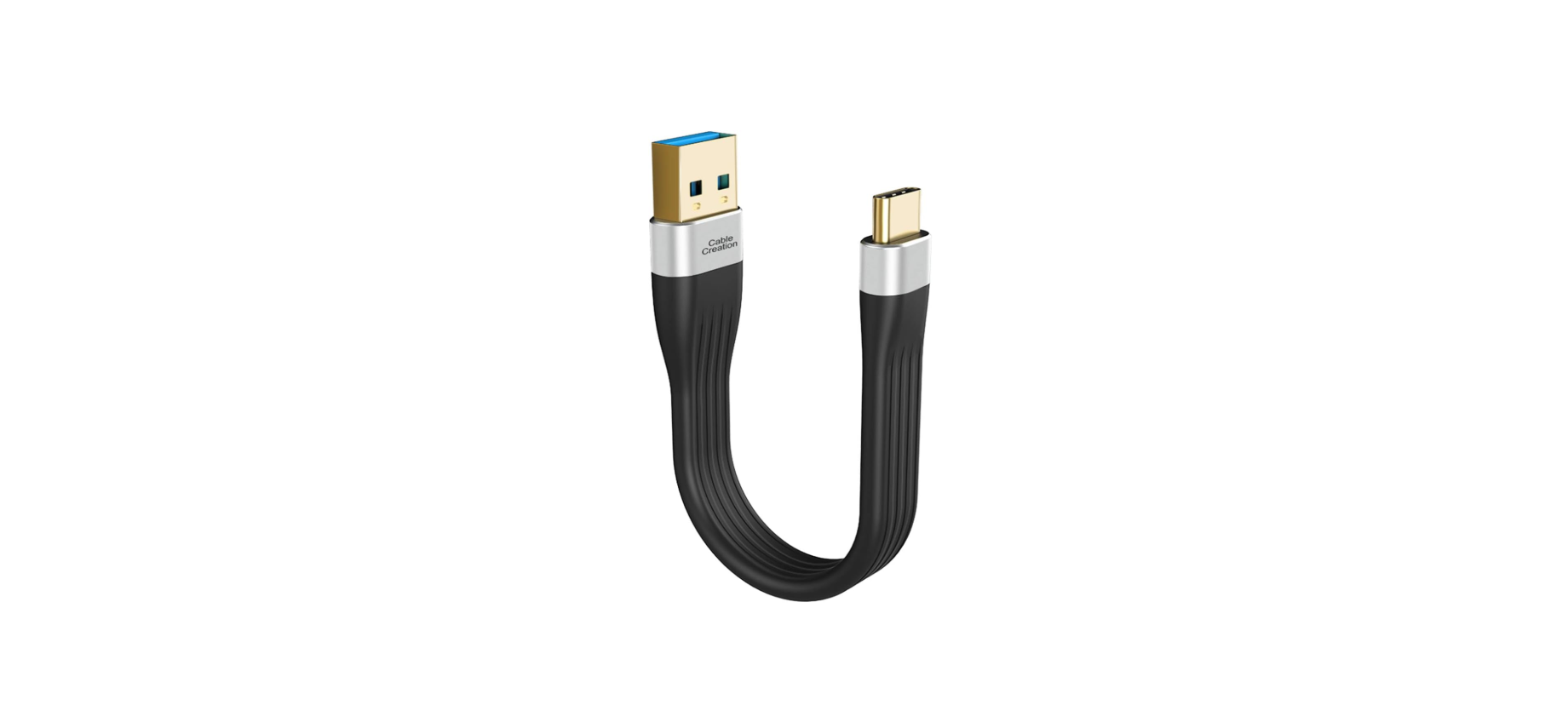
    CableCreation CC0992 Short USB C Cable

    CableCreation-CC0992-Short-USB-C-Cable-Product

    Introduction

    This cable is a short USB 3.1 A to Type C Cable, normally connected to a host-based USB Computer, Power Bank, or USB Wall Charger to charge or sync for your USB Type C phones, tablets, etc.

    Safety Instructions

    Misuse of the cable will lead to unstable voltage, current, and even safety issues, including:

    1. Causing fire near the charging port
    2. Rising temperature, which leads to the melting plug
    3. Buzzing noise when charging the cellphone

    Misuse, including the following:

    1. The usage of a third-party non-qualified USB charge adapter.
    2. To charge a phone when the cable is seriously worn with broken insulation,
    3. The USB-C female port of the cellphone is covered by dust, or has contact with water.
    4. The USB-C male plug is covered by dust or has contact with water due to improper usage.
    5. Charging problem with the cellphone itself.

    How to Prevent

    1. Use a quality charger or a compatible computer to work with the cable and charge your cellphone.
    2. Make sure to use the product in dry places, avoid high temperatures, and open flames.
    3. Do not plug the cable into the power outlet for a long time. When leaving or when the cellphone is fully charged, the cable had better be unplugged.
    4. When a cable is damaged, especially if the outer jacket is broken and the wires are exposed, discard it. Do not charge with it anymore!
    5. When the connectors have contacted dust, water, and other
      easily conductive objects, it’s better to replace them with new ones.
    6. Do not use current on this cable over 3amperese.
    7. If you are not sure whether your device is compatible or not, please let us know,w and we are always here to assist.

    Specifications

    • Product name: Short USB 3.1 A to Type-C Cable
    • Brand: CableCreation
    • Model: CC0992
    • ASIN: B086YVMV7Z
    • Current/Voltage/Power: 3A/20V, 60W
    • Data Transfer Speed: 5Gbps
    • Length: 5 inches /12cm
    • External Material: thickened FPC
    • Features: 3A fast charging,
      • 5Gbps data transmission
      • Support QC
      • Built-in with 56kΩ resistance to ensure safe charging
    • Packing: zipper bag
    • Quantity: 1 Pack

    Customer Support

    • Website: https://www.cablecreation.com/
    • Customers help: brandservice@cablecreation.com

    FAQs

    What is the CableCreation CC0992 USB-C cable used for?
    Because of its low length, it’s perfect for cable management, portable installations, and tight-space connections between gadgets like USB-C hubs, laptops, power banks, and phones.

    How long is the CC0992 cable?
    Usually 0.5 feet (15 cm) long, this cable is ideal for short-range connections, including those between a phone and battery bank or a laptop and hub.

    Does the cable support fast charging?
    Indeed. Depending on your charger and device’s capabilities, the CC0992 can handle USB Power Delivery (PD) up to 60W (20V/3A), enabling quick charging for USB-C phones, tablets, and laptops.

    Can I use it to charge my MacBook or Chromebook?
    The majority of MacBook Air, MacBook Pro 13″, Chromebooks, and USB-C tablets with 60W charging capabilities can be quickly charged using it. A higher-capacity cable (such as 100W) would be more appropriate for larger computers (such as the MacBook Pro 16″).

    Is it compatible with GaN and USB-C wall chargers?
    Of course. All USB-C PD chargers are compatible with it, including GaN fast chargers made by companies like Apple, Anker, CableCreation, and others.

    What data transfer speed does this cable support?
    Files, contacts, and media can be synced between devices with the CC0992’s USB 2.0 data transfer speeds of up to 480 Mbps.

    Can I use it to connect an external SSD or hard drive?
    Yes, the cable is compatible with USB-C SSDs and drives for power and simple file transfers.

    Does this cable support video output (Alt Mode)?
    Use a USB-C to HDMI or USB-C cable with video capabilities to connect to a monitor.

    CableCreation CC0992 installation guide CableCreation CC0992 maintenance guide CableCreation CC0992 Short USB C Cable manual CableCreation short USB C cable user manual CableCreation USB C cable operation manual OnyxGuides Manual User Manual
    Share. Facebook Twitter Pinterest LinkedIn Tumblr Email
    Gabriel Smith

    Related Posts

    Sony ILCE-6700 Interchangeable Lens Digital Camera User Guide

    December 7, 2025

    Bose MA12 Panaray Modular Line Array Loudspeaker User Manual

    December 4, 2025

    Bowers & Wilkins Px8 Wireless Headphones User Manual

    December 4, 2025

    Sonos Arc Black Voice Control Ultra Soundbar User Manual

    December 4, 2025

    JANAM GT1 Self Mobile Entry Head Unit Instruction Manual

    December 4, 2025

    Ronix 1250 Carpet Vacuum Cleaner Instruction Manual

    December 4, 2025
    Add A Comment

    Comments are closed.

    Don't Miss
    Other

    YABER Y21 HD Video LCD Projector Instruction Guide

    April 19, 2026

    YABER Y21 HD Video LCD Projector Product Packing List YABER Y21 projector X1 Power cord…

    AURZEN EAZZE D1G 4K Google TV Smart Projector User Guide

    April 19, 2026

    Acer P5630 3D DLP Beamer Projector Instruction Manual

    April 18, 2026

    GEPRC CineLog35 Analog CineWhoop FPV Drone Instructions Guide

    April 18, 2026
    Stay In Touch
    • Facebook
    • Twitter
    • Pinterest
    • Instagram
    • YouTube
    • Vimeo

    Subscribe to Updates

    Subscribe to Updates

    Follow us

    Facebook X-twitter Instagram Pinterest

    © 2025 All rights reserved Onyx Guide.