

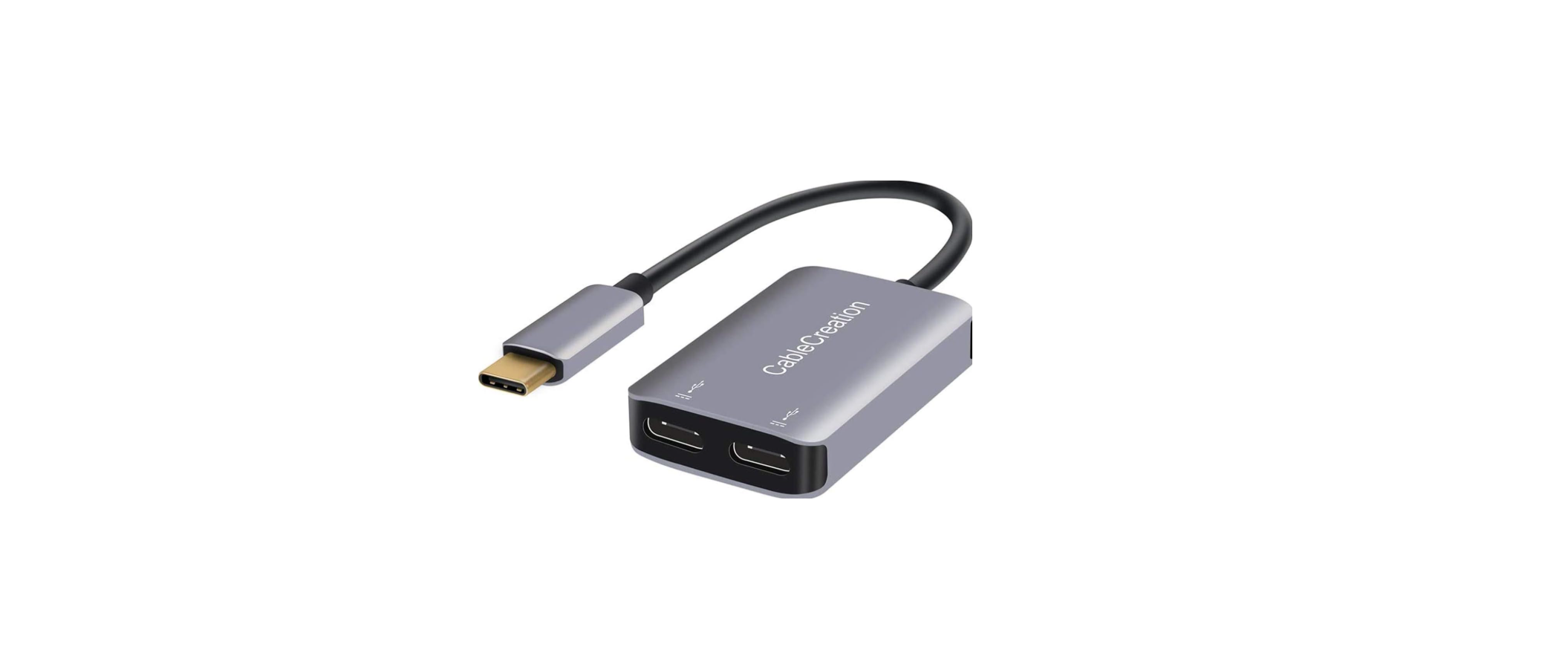

CableCreation CD0395 USB-C Multiport Hub

Introduction
This Type-C docking offers an integrated solution for power, data, and video. It allows you to connect a Type-C host PC to VGA, HDMI, Mini DisplayPort displays for video transmission, and to USB-A devices for data transmission. It also helps the host PC to get access to Ethernet through the RJ45 port. Besides, the SD/MMC and Micro SD card slot helps to read the information of the external memory in the host PC, and the USB-C female port can charge the host computer.
Features
- Support USB-C input
- Support HDMI Female, Mini DisplayPort Female, VGA Female, USB-C Female, USB 3.0 Female, Gigabit Ethernet, Stereo, SD Card, Micro DS Card, USB-C interface.
- Support HDMI resolution up to 4kx2k@30Hz
- Support Mini DisplayPort resolution up to 4kx2k@30Hz
- Support VGA resolution up to 1920×1200@60Hz
- The total output of the 3 USB-A is 10W(5V@2A), 1 port supports BC 1.2, with max 7.5W(5V@1.5A), the other two ports share max 5W (5V@1A)
- Support 10/100/1000Mbps bandwidth
- The stereo port supports both a microphone and a headphone
- USB-C female charging port for MacBook or Google’s new Chromebook Pixel and other USB-C supported devices.
- Multiple USB-C interfaces support plug and play, hot swap
- Support SD/SDHC/SDXC
- Support Secure Digital v3.0 UHS-I (Writing speed max 70Mbps, Reading speed max 90Mbps)
- Support the MultiMediaCard (MMC) specification
- Support Micro SD/SDHC/SDXC (up to 128 GB)
Package Content
Before attempting to use this unit, please check the packaging and make sure the following items are contained in the shipping carton:
- Main unit x1
Operation
- Connect the USB-C male port of this product to the MacBook
- Connect the three USB 3.0 ports to three USB devices
- Connect the Mini DisplayPort port of the DockiStation ng to with Mini DisplayPort port with one Mini DisplayPort cable
- Connect the HDMI port to the HD display with one HDMI Cable
- Connect the VGA port to the HD display with one VGA Cable
- Connect the Gigabit Ethernet port of this product to the Ethernet Router with an Ethernet cable
- Connect the Stereo port to the earphones
- Insert Micro SD and SD/MMC cards into the card reader ports
- Connect the Type C charging port, which charges the MacBook and supports this adapter to work simultaneously.
Specifications
| Input/Output Connector | |
| Input | USB-C Male x1 |
| Output | HDMI Female x1
Mini DP Female x1(CD0443,CD0444 do not have this port) VGA Female x1 USB-C Female x1 USB 3.0 Female x3 RJ45 X1 Stereo x1 SD card slot x1 Micro SD card slot x1USB-C Female x1 for charging |
| Warranty | |
| Limited Warranty | 1 Year |
| Environmental | |
| Operating Temperature | 0℃ to +45℃ |
| Operating Humidity | 10% to 90 % RH (no condensation) |
| Storage Temperature | -10℃ to +70℃ |
| Storage Humidity | 10% to 90 % RH (no condensation) |
| Power Supply | |
| USB-C PD Charging Port | 60W(20V/3A) |
| USB-A Port X3 | Total output: 10W (5V@2A)
One port supports a max of 7.5W (5V@1.5A) The other two ports share a max of 5W(5V@1A)
|
| Regulatory Approvals | |
| Certifications | FCC, CE |
| Accessory Adapter | |
| User Manual | English Version |
Troubleshooting
| Troubleshoot | Suggested Solutions |
| There is no video on the HDMI port | 1 . Make a stable connection between your hub and your laptops.
2, Swap a quality HDMI 1.4 or 2.0 cable 3, Update BIOS and Graphics driver( Windows) 4, Update macOS to the latest version(macOS) 5, Connect the White Type-C female port, do not connect the orange Type-C port (Yoga 910) 6, Connect the hub to the Thunderbolt 3 port (You can see a Thunderbolt icon) Do not connect it to the USB 3.1 port(Lenovo Yoga 720) |
| There is no video on the VGA port | 1. Unplug the HDMI port
2. Make the screws tighten 3. Choose a VGA 3+9 cable |
| VGA and HDMI do not work at the
Same time |
1. You could not connect VGA and HDMI at the same time.
2,.If you really want to use HDMI and VGA at the same time. 2.1 Choose a Mini DisplayPort to VGA adapter Cable, lower the resolution to 1080P, 2.2 Then connect the HDMI monitor |
| HDMI and Mini DP could not show independently | 1, HDMI and Mini DP would show the same Content on macOS at 1080P. |
Customer Support
- Website: https://www.cablecreation.com/
-
Customers help: brandservice@cablecreation.com