

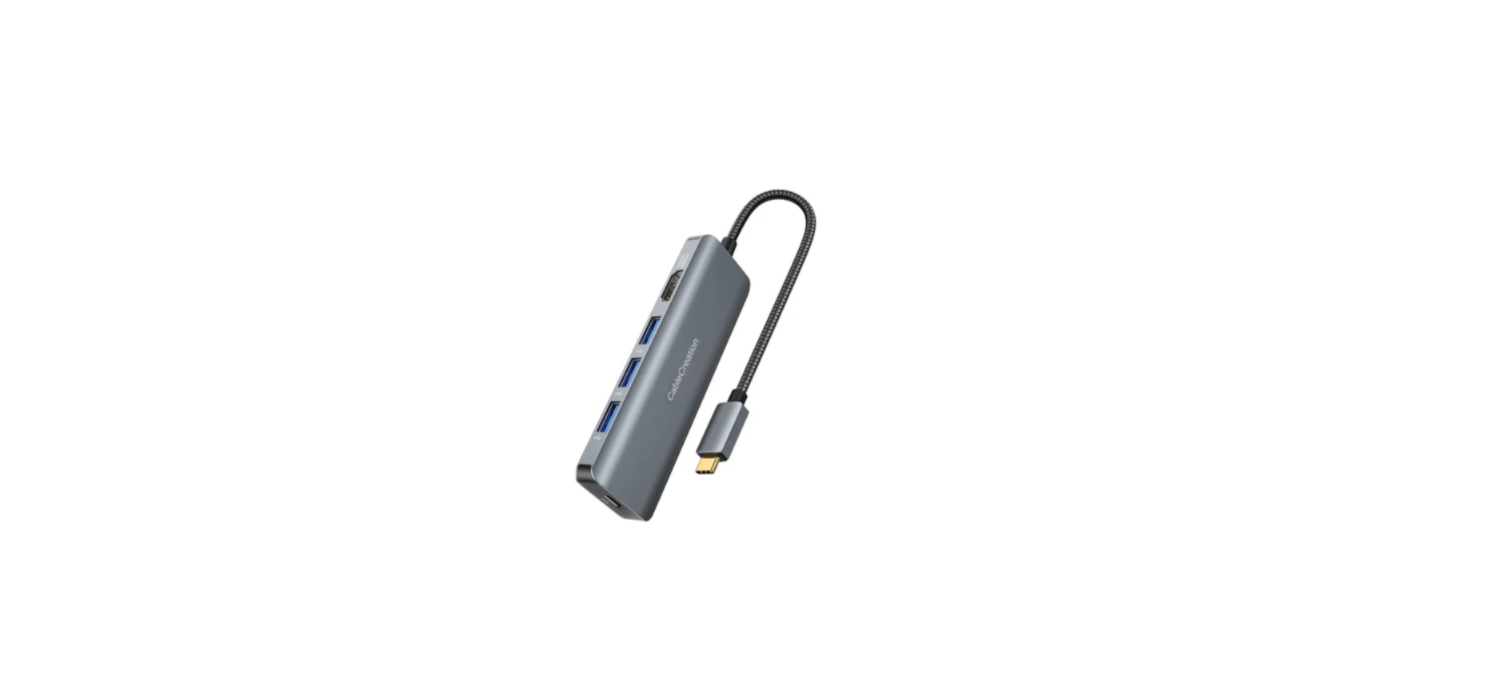

CableCreation CD0809 USB C Hub Multiport Adapter
Introduction
- This is a USB-C hub that can be plugged into a Type-C or Thunderbolt 3/4 port on your computer or phone, and it will give you access to a range of additional ports.
- These include an HDMI port for connecting to a monitor or TV, two USB-A ports for connecting USB devices like a keyboard or mouse, as well as SD and TF card slots for transferring data.
- The device also has a Type-C data port, which can be used to connect another Type-C device, and a Type-C PD charging port, which can be used to charge your host while it’s connected to the adapter.
- The HDMI port supports 4k resolution at 60Hz, and the USB ports can transfer data at up to 5Gbps.
- The USB-C hub is compatible with any Type-C host that supports Type-C DisplayPort Alt mode, and it can deliver up to 100W of power to charge your host。
Features
- Support DP1.4 Alt mode
- Support HDMI max 4k/60Hz
- Support High Dynamic Range(HDR)
- Support HDCP2.3 , HDCP2.2 and HDCP1.4
- 2 USB-A and Type-C data ports all support a max 5Gbps data transmission
- One USB-A port supports max 1.5A downstream charging
- Support SD3.0 UHS-I up to 104MBps data rate, allowing 2 card slots to work simultaneously
- Support max 100W PD charging, max 85W PD charging for PC
Package Content
Before attempting to use this unit, please check the packaging and make sure that the following items are contained in the shipping carton:
- Main unit x1
- User Manual x1
Connection Diagram
Additional Information
The USB-C hub can display resolutions of up to 4K at 60Hz, and it is also compatible with lower resolutions such as 4K at 30Hz, 2K at 60Hz, and 1080p at 60Hz. However, some monitor manufacturers may not support the 2K resolution option even though they support 4K resolution. In such cases, we recommend seeking technical support from the monitor manufacturer.
4K 60hz issues.
Please be aware that to achieve a 4K resolution at 60Hz, your laptop must be equipped with DisplayPort 1.4. If your laptop is equipped with DisplayPort 1.2, the maximum resolution supported will be 4K at 30Hz. Also, please be aware that some Mac models or iPad models may support either 4K at 30Hz or 4K at 60Hz when connected to this type of hub.
We recommend checking with the official Apple website to determine the compatibility of your specific Mac model. To achieve a 4K resolution at 60Hz, the same CableCreation CD0809 USB C Hub Multiport Adapter requirements apply for Windows laptops as well. The laptop must have DisplayPort 1.4 to support this resolution at the higher refresh rate.
Make sure the HDMI cable is securely connected to both the laptop and the display. Ensure that the HDMI display is set to output to the HDMI port. This CableCreation CD0809 USB C Hub Multiport Adapter can typically be done in the display settings of the HDMI monitor. Try using a different HDMI cable to see if the issue is with the cable itself.
Try connecting the hub to a different display to see if the issue is with the display rather than the monitor. Restart the laptop and the display, and try again. Check for any updates for the laptop’s drivers or firmware, as well as any updates for the display’s firmware. If none of the above steps work, please contact our technical support for further assistance.
Charging Issues
While it is possible to charge an iPhone or Android phone using the USB 3.0 interface, please note that the USB ports are primarily intended for data transmission and may not support charging high‐power phones.
We highly recommend using a 100W PD (Power Delivery) charger to ensure optimal performance of the hub, with 90W being used to charge the connected laptop and 10W to power the hub. If you plan to use the charging function for other devices such as iPads or Samsung cell phones, we suggest using a PD charger with a power output of more than 30W for best results.
USB‐A issues
Please note that due to power output limitations of certain laptops, we advise that you connect only one hard drive or SSD at a time to ensure optimal performance.e
Wireless mouse, keyboard, wifi issues
Please be aware that the use of USB 3.0 devices may cause interference with 2.4GHz WiFi and other wireless devices due to similar frequencies. Intel has stated that this issue only affects the 2.4GHz wireless band and not the 5GHz band.
To avoid this problem, we recommend setting your router to use the 5GHz band, nd or just feel free to use e wired mouse and keyboard.
SD/micro SD card file format issues.
To use the hub with an iPad Pro, it is necessary to update to the latest version of iPadOS. Additionally, if you want to utilize an SD/TF card on an iPad, you will need to format the card to a format that is recognized by the iPad.
The external storage device must have only a single data partition and be formatted as APFS, APFS (encrypted), macOS Extended (HFS+), exFAT (FAT64), FAT32, or FAT. To change the format of the storage device, you can use either a Mac or a PC.
SD/TF issues
When using an SD/TF card with the hub, please take care to ensure that the card is inserted at the correct angle and direction to avoid damaging the card.
Type C data port issues.
It’s important to note that you cannot connect a USB‐C to HDMI adapter to the Type‐C data port on this product before connecting an additional external display. The Type‐C data port is designed for data transfer only and does not support video output.
HDR issues
This product supports the HDR function, but please keep in mind that in order to use HDR, both your computer host and display devices must also support the HDR function.
If you have any questions or encounter any difficulties while using our product, please don’t hesitate to contact us. Our team is committed to resolving any issues as quickly as possible, and we will do everything in our power to assist you. Thank you for choosing our product, and we look forward to serving you again in the future.
Specifications
| Input/Output Connector | |
| Input | Type-C Male x1 |
| Output | HDMI x1
Type-C Datax1 USB-Ax2 SD/TFX1 Type-C PD Charging x1 |
| Type-C Malex1(Connect to host) | |
| Ø Support DP1.4 Alt mode | |
| HDMIx1 |
| Ø Support HDMI max 4k/60Hz
Ø Support High Dynamic Range(HDR) Ø Support multiple color formats: RGB; YCbCr4:4:4; YCbCr4:2:2; YCbCr4:2:0;8/10/12/16 bpc; Ø Support HPD Ø Support HDCP2.3 , HDCP2.2 and HDCP1.4 |
|
| Type-C Datax1(close to HDMI) | |
| Ø Max 5Gbps data transmission
Ø Max 900mA downstream charging Ø Support short-circuit, over-current, and over-voltage protection |
|
| USB-Ax2 | |
| Ø Max 5Gbps data transmission per port
Ø The port close to the SD card slot supports max 5V/1.5A downstream charging, another port supports max 900mA downstream charging.g Ø Support short-circuit, over-current, and over-voltage protection |
|
| SD/TFx1 | |
| Ø Support SD3.0 UHS-I up to 104MBps data rate
Ø Allow 2 card slots to work simultaneously |
|
| Type-C PD Charging x1 | |
| Ø Support max 100W PD charging, max 85W PD charging for PC (15W is dedicated to the functioning of this product)
Ø Support PD3.0 Fast Role Swap, the connected device will not get disconnected while plugging the PD Adapter in and out. |
|
| Physical | |
| Weight | 66g |
| Size | 135.6*22.5*16 (mm) |
| Warranty | |
| Limited Warranty | 1 Year |
| Environmental | |
| Operating Temperature | 0 to +45 |
| Operating Humidity | 10% to 90 % RH (no condensation) |
| Storage Temperature | -10℃ to +70℃ |
| Storage Humidity | 10% to 90 % RH (no condensation) |
| Power Supply | |
| USB-C PD Charging Port | 100W(20V/5A) |
| Regulatory Approvals | |
| Certifications | FCC, CE |
| Accessory | |
| User Manual | English Version |
Customer Support
- Website: https://www.cablecreation.com/
-
Customers help: brandservice@cablecreation.com