Close Menu
onyxguides.comonyxguides.com

    Subscribe to Updates

    Get the latest creative news from FooBar about art, design and business.

    What's Hot

    How To Change Password Of Wi-Fi Router TP-Link

    March 16, 2026

    CHASING DORY 1080P Full HD Underwater Drone User Manual

    March 16, 2026

    BARCO QDX Rental Laser Projectors Instruction Manual

    March 13, 2026
    Facebook X (Twitter) Instagram
    onyxguides.comonyxguides.com
    Facebook X (Twitter) Instagram Pinterest
    • Home
    • About us
    • Terms & Conditions
    • Privacy Policy
    • FAQs
    • Contact us
    onyxguides.comonyxguides.com
    Home » CableCreation Type C to Display Port Cable 6FT User Manual
    CableCreation

    CableCreation Type C to Display Port Cable 6FT User Manual

    By Gabriel SmithOctober 16, 2025No Comments3 Mins Read
    Facebook Twitter Pinterest LinkedIn Tumblr WhatsApp Telegram Email
    Share
    Facebook Twitter LinkedIn Pinterest Email

    CableCreation-logo

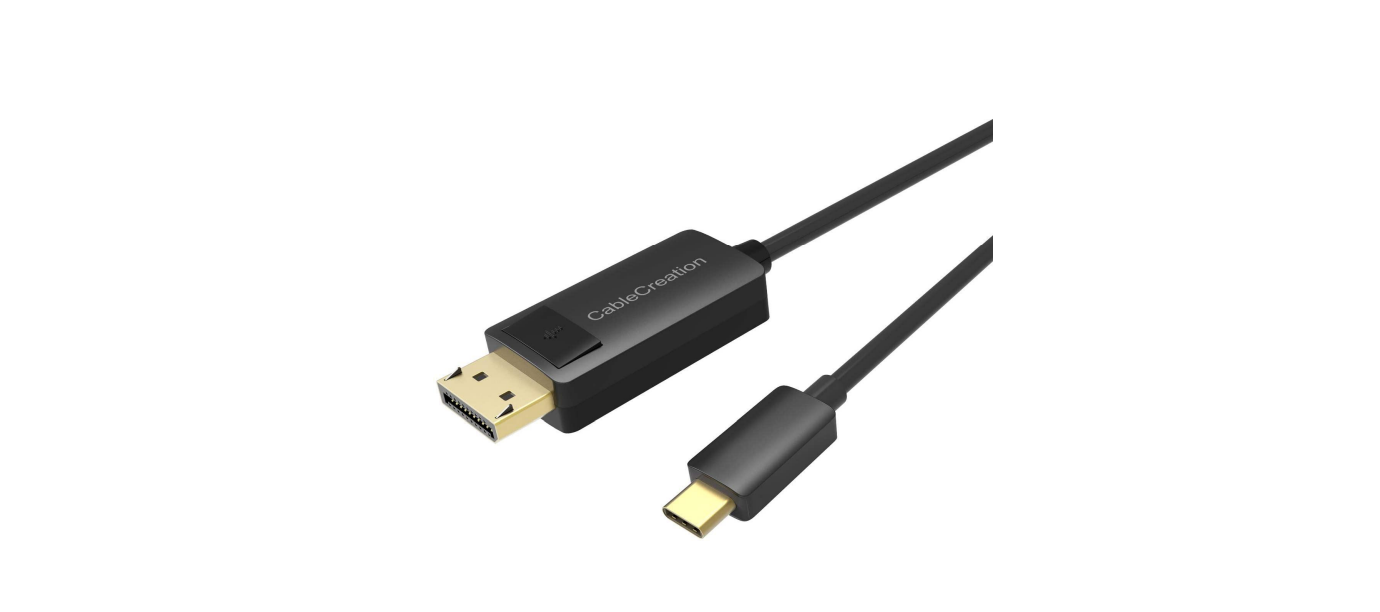
    CableCreation Type C to Display Port Cable 6FT

    CableCreation-Type-C-to-Display-Port-Cable-6FT-PRODUCT

    Introduction

    This is a USB-C male to DisplayPort Male adapter with 6 6-foot cable, which allows you to transmit signals from your Type-C host (PC, tablet, mobile phone) to a DisplayPort display. Besides, there is no need for you to connect the source display to the sink display with a DisplayPort cable, as it is equipped with a 6ft cable. With this product, you can watch videos or slideshows together on the big screen. It can work on all DP Alt mode-supported Type-C or Thunderbolt Hosts.

    Features

    Upstream
    • Type-C Malex1(Connect to host)
    • Support DP1.2 Alt mode

    Downstream

    • DisplayPort Malex1
    • Support DisplayPort 1.22 with max 4K/60Hz resolution
    • Support RGB/YCbCr 4:4:4/ YCbCr 4:2:2/ YCbCr 4:2:0 Support Deep Color format: 6bit,8bit,10bit
    • HDR bypass
    • HDCP bypass
    • Max Distance: 6ft

    Package Content

    Before attempting to use this unit, please check CableCreation Type C to Display Port Cable 6FT the packaging and make sure the following items are contained in the shipping carton.

    • Main unit x1
    • User Manual x1
    Connection Diagram

    CableCreation-Type-C-to-Display-Port-Cable-6FT-FIGURE-1

    Specifications

    Input/Output Connector
    InputType-C Male x1
    OutputDisplayPort Male x1
    Resolution
    ResolutionMax 4K@60Hz
    Power
    Standby Power Consumption10mW
    Working ConsumptionVoltage: 4.75-5.25V
    Current:100mA-300mA
    Warranty
    Limited Warranty1 Year
    Environmental
    Operating Temperature0℃ to +45℃
    Operating Humidity10% to 90 % RH (no condensation)
    Storage Temperature-10℃ to +70℃
    Storage Humidity10% to 90 % RH (no condensation)
    Power Supply
    Power SourceBus Power
    Warranty
    Limited Warranty1 Year
    Regulatory Approvals
    CertificationsFCC, CE

    Customer Support

    • Website: https://www.cablecreation.com/
    • Customers help: brandservice@cablecreation.com

    FAQs

    What is the CableCreation Type-C to DisplayPort Cable used for?
    With the help of this cable, you may connect a USB-C capable device—such as a laptop, smartphone, or tablet—directly to a projector or monitor that has a DisplayPort. It is perfect for professional workstations that require crisp image clarity and high-resolution monitors.

    What is the length of the cable?
    Because the wire is 6 feet (1.8 meters) long, you may arrange your workplace anyway you like without worrying about straining or stretching any ports.

    Is this cable unidirectional?
    Indeed. It is only compatible with DisplayPort (display) and USB-C (source). The link cannot be reversed.

    What version of DisplayPort does the cable support?
    It can deliver up to 4K at 60Hz resolution and supports DisplayPort 1.2.

    Is this cable compatible with Thunderbolt 3 and 4 ports?
    Yes, this cable is compatible with all Thunderbolt 3 and 4 interfaces, including USB-C and DisplayPort Alt Mode.

    Will this cable work with a docking station or hub?
    Direct use between your device and monitor is ideal.

    CableCreation 6FT Display Port Cable Setup Instructions CableCreation Type C to Display Port Cable Manual CableCreation Type C to Display Port Installation Guide CableCreation Type C to Display Port User Guide OnyxGuides Manual User Manual
    Share. Facebook Twitter Pinterest LinkedIn Tumblr Email
    Gabriel Smith

      Related Posts

      Sony ILCE-6700 Interchangeable Lens Digital Camera User Guide

      December 7, 2025

      Bose MA12 Panaray Modular Line Array Loudspeaker User Manual

      December 4, 2025

      Bowers & Wilkins Px8 Wireless Headphones User Manual

      December 4, 2025

      Sonos Arc Black Voice Control Ultra Soundbar User Manual

      December 4, 2025

      JANAM GT1 Self Mobile Entry Head Unit Instruction Manual

      December 4, 2025

      Ronix 1250 Carpet Vacuum Cleaner Instruction Manual

      December 4, 2025
      Add A Comment

      Comments are closed.

      Don't Miss
      Other

      How To Change Password Of Wi-Fi Router TP-Link

      March 16, 2026

      Introduction The TP-Link router is used for several purposes. Because it is dependable and simple…

      CHASING DORY 1080P Full HD Underwater Drone User Manual

      March 16, 2026

      BARCO QDX Rental Laser Projectors Instruction Manual

      March 13, 2026

      CHRISTIE D4K2560 High Frame 4K Projector Instruction Guide

      March 13, 2026
      Stay In Touch
      • Facebook
      • Twitter
      • Pinterest
      • Instagram
      • YouTube
      • Vimeo

      Subscribe to Updates

      Subscribe to Updates

      Follow us

      Facebook X-twitter Instagram Pinterest

      © 2025 All rights reserved Onyx Guide.