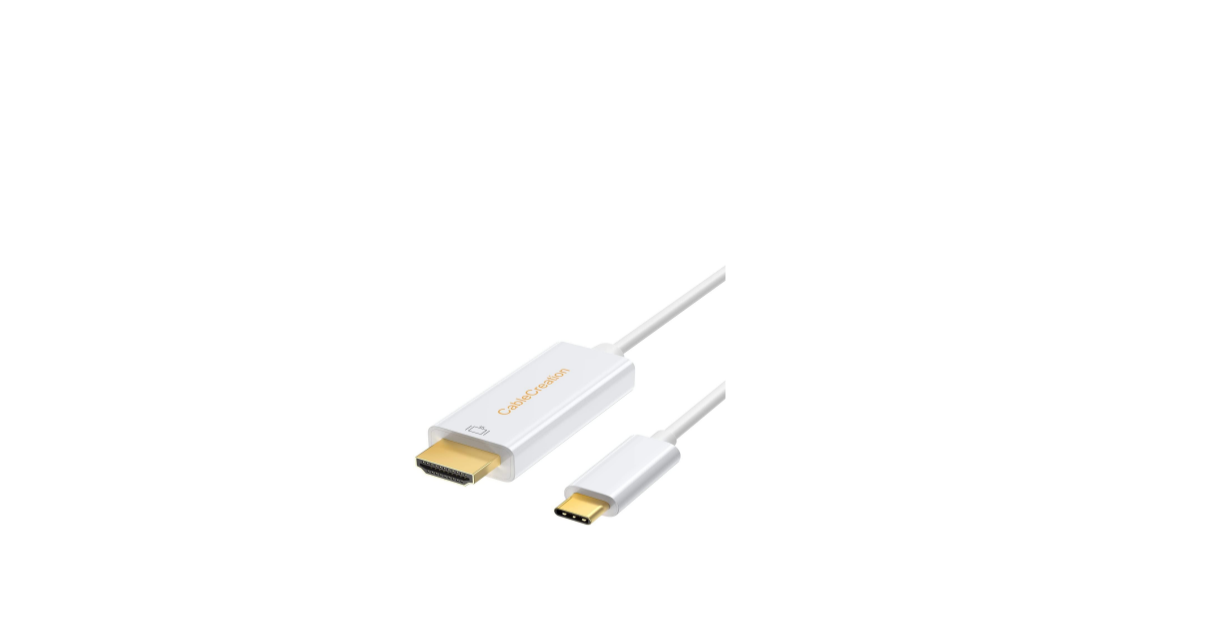
CableCreation Type C to HDMI Cable 6ft
Introduction
This is a USB-C male to HDMI cable (6ft), which allows you to transmit signals from your new MacBook Pro or Chromebook to an HDMI monitor. Besides, CableCreation Type C to HDMI Cable 6ft there is no need for you to connect the source display to the sink display with an HDMI cable, as it is equippedwith6ftcable. With this product, you can watch videos or slideshows together on the big screen. 2.0
Features
- Support USB-C Male input with 6ft fixed cable and HDMI Male output
- Support content protection of HDCP
- Support HDMI resolution max up to 4kx2k@30Hz
- USB bus power (no external power supply)
Package Content
Before attempting to use this unit, please check the packaging and make sure the following items are contained in the shipping carton:
- Main unit x1
- User Manual x1
OperationConnect
- Plug the USB-C Male port of this product into the MacBook Pro or other Type-C host PC
- Connect the HDMI Male port of this product to an HDTV
Specifications
| Input/Output Connector | |
| Input | USB-C Male x1 |
| Output | HDMI Male x1 |
| Resolutions(HDTV) | |
| Max Resolution | 3840*2160@30Hz,
4096*2160@30Hz |
| Warranty | |
| Limited Warranty | 1 Year |
| Environmental | |
| Operating Temperature | 0 ℃ to +45℃ |
| Operating Humidity | 10% to 85 % RH (no condensation) |
| Storage Temperature | -10℃ to +70℃ |
| Storage Humidity | 5% to 90 % RH (no condensation) |
| Regulatory Approvals | |
| Certifications | FCC, CE |
| Accessory | |
| User Manual | English Version |
Customer Support
- Website: https://www.cablecreation.com/
-
Customers help: brandservice@cablecreation.com
FAQs
What is the CableCreation Type-C to HDMI Cable used for?
This connection makes it possible to connect a USB-C device (such as a laptop, tablet, or smartphone) straight to an HDMI-capable display (TV, monitor, or projector)—perfect for high-definition streaming, presentations, and extended screens.
Is this a plug-and-play cable?
Indeed. There is no need for external power, software, or drivers. Your USB-C device should start showing video as soon as you attach it to your HDMI display.
What is the length of the cable?
With a length of 6 feet (1.8 meters), this model offers sufficient reach for settings in offices, homes, conference rooms, and classrooms.
Is the cable directional?
Indeed. It does not function the other way around; it only functions from USB-C to HDMI. It is necessary to connect the HDMI end to the display and the USB-C end to the source device, such as a laptop or phone.
Does it work with gaming consoles or the Nintendo Switch?
No. Because the Nintendo Switch, PlayStation, and Xbox do not enable video output via USB-C in this arrangement, this cable is incompatible with these gaming consoles.
Can I use this for dual displays or extended mode?
It has HDMI capability for single-display output. Use a DisplayLink solution or a USB-C docking station for two external monitors.
Does the cable also carry audio?
Indeed. If your device supports it, sound will be sent to your external display via the HDMI connection, which supports both video and audio.
Why is the video output capped at 30Hz on a 4K display?
4K at 30 Hz is supported by HDMI 1.4, which this cable uses. A cable with HDMI 2.0 or above is necessary for a smoother 4K@60Hz output, and your device must support it as well.