

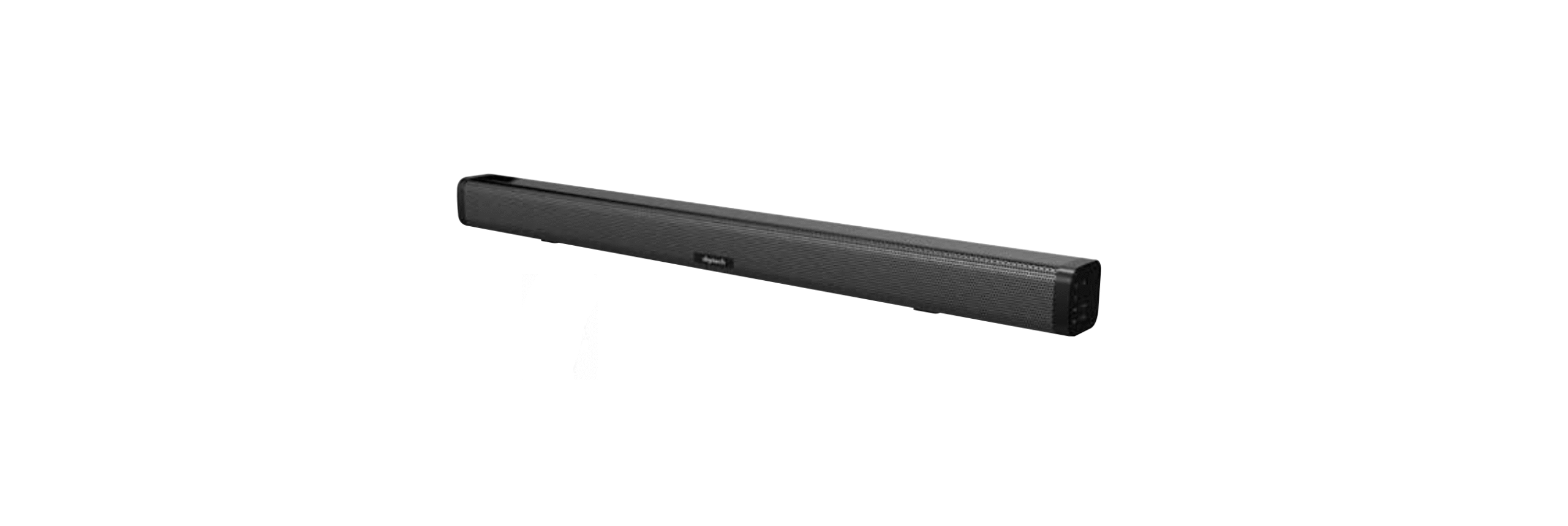

Digitech XC5233 2 Channel Soundbar Speaker

Introduction
Prior to using your Digitech XC5233 2 Channel Soundbar Speaker, please read all the safety and operating instructions thoroughly. Ensure you follow the steps below before using the product. We recommend keeping the original packaging for storage when not in use. Keep this instruction manual in a safe place for future reference and verify that all accessories listed are included.
SAFETY
- Do not open the case of the Digitech XC5233 2 Channel Soundbar Speaker to avoid damage and injury.
- Keep the speaker away from high temperatures, as it may cause damage to the speaker and battery.
- If using a replacement third-party mains power adaptor, make sure the voltage and current match the specifications as 15VDC.
Box Content


Description

| # Feature Description | ||
| 1 | Mounting Bracket/Feet | Used to mount the soundbar on a wall or place it on a flat surface |
| 2 | DC Power Socket | Connect to the 15VDC mains power adaptor |
| 3 | 3.5mm Audio Input 2 | Connect to an audio device such as a smartphone using the 3.5mm audio cable |
| 4 | 3.5mm Audio Input 1 | Connect to an audio device such as a smartphone using the 3.5mm audio cable |
| 5 | Optical TOSLINK Input | Connect to a TV or monitor |
| 6 | HDMI ARC Input | Connect to a TV or monitor using an HDMI ARC Input |
| 7 | Infrared Port | Used to operate the remote control |
| 8 | LED Status Indicator | Displays the current mode and Bluetooth® status |
| 9 | Power/Play/Pause Button | Press and hold to power the soundbar on and off. Press once to play or pause the current audio |
| 10 | Previous Track/Volume Down | Press and hold to skip to the previous track. Press to adjust the volume down |
| 11 | Next Track/Volume Up | Press and hold to skip to the next track. Press to adjust the volume up |
| 12 | Mode Button | Switch between Bluetooth®, HDMI ARC, TOS-LINK optical and aux in modes. Press and hold to disconnect the paired device |
Operation
Bluetooth® Pairing
- Connect the plug of the mains power adaptor to the rear power socket of the sound bar.
- Connect the opposite side of the mains power adaptor to a standard 240VAC wall socket.
- Press and hold the power button for up to 2 seconds to turn the unit on.
- The sound bar will automatically enter Bluetooth® mode, and the LED will begin to flash.
- Open the settings of your TV, smartphone, or tablet and ensure Bluetooth® is turned on.
- Once your Bluetooth® is enabled, scan for devices, and the Bluetooth® name XC-5233 should appear.
- If the name doesn’t appear, then please ensure the speaker is correctly powered on and the correct mode is selected. Bluetooth® Name: XC-5233
- Select the XC-5233 on the Bluetooth® device list, and your TV, smartphone, or tablet should show that it is now connected. You can now start playing audio from your TV, smartphone, or tablet.
- The volume can be adjusted from both the speaker and your device. The LED will stay blue once connected.
If you’re also using other Digitech audio devices, such as the Digitech GE4108 Mini Hi-Fi Speaker Boxes, you can follow a similar pairing and setup procedure to enjoy seamless audio across multiple devices.
TOSLINK Optical Input
- Insert a TOSLINK optical cable (not included) into the TOSLINK optical audio input socket located at the rear of the speaker.
- Insert the opposite end of the TOSLINK optical cable into an audio device such as your TV or monitor.
- Open the advanced settings and find the digital audio output format and change to PC, M, which should start playing straight away. The settings will differ depending on the brand of TV.
3.5mm Audio Input 1 & 2
- Insert a 3.5mm to 3.5mm auxiliary cable (not includedintoto the 3.5mm audio input 1 or 2 sockets located at the rear of the speaker.
- Insert the opposite end of the 3.5mm to 3.5mm auxiliary cable into an audio device such as a smartphone, tablet, or computer.
- The Aux mode will automatically start playing once the device has been inserted.
- You can now play, pause, or skip tracks from your audio device.
HDMI ARC Input
- Insert an HDMI cable (not included) into the HDMI ARC input socket located at the rear of the speaker.
- Insert the opposite end of the HDMI cable into your TV, monitor that is equipped with an HDMI ARC port.
- The HDMI ARC mode will automatically start playing once the device has been inserted.
Remote Control

| Feature | Description |
| Power On/Off | Press to switch the power on or off |
| Mode | Press to switch between Bluetooth®, HDMI ARC, TOSLINK Optical, and Aux In modes |
| Previous Track | Press the previous track button once to skip to the previous music track |
| Play/Pause | Press the play/pause button to pause or resume the current music track |
| Next Track | Press the previous track button once to skip to the next music track |
| Unpair | Disconnects the current Bluetooth® device paired |
| EQ | Adjusts the different equaliser settings of the speaker |
| Mute | Press to mute the sound of the device |
| Vol – | Press to turn the volume down |
| Vol + | Press to turn the volume up |
Troubleshooting
| Problem Solution | |
| No Audio | Ensure the volume is correctly turned up on the speaker. |
| Try a different audio source or mode; it may be that your device is not transmitting audio. | |
| Bluetooth® Will Not Pair | Restart the speaker and audio device. |
| Type in the password “0000” if it asks you for one. | |
Specifications
Here are the full specifications for the Digitech XC5233 2 Channel Soundbar Speaker, including power, inputs, and audio performance details.
| Bluetooth® Version | 5.0+EDR |
| Transmission Range | Up to 10m |
| Inputs | 1 x Optical TOSLINK, 2 x 3.5mm Aux, 1 x HDMI ARC |
| Output Power | 2 x 14WRMS |
| Driver | 2 x 2”, 4Ω |
| Frequency Response | 120Hz-18KHz |
| Distortion | ≤10% |
| Remote Control Battery | 2 x AAA |
| Power | 15VDC, 2A |
| Dimensions | 780(L) x 62(H) x 61(D)mm |
Warranty
If your Digitech XC5233 2 Channel Soundbar Speaker becomes defective during this period, Electus Distribution will repair, replace, or refund it if the product is faulty or not fit for the intended purpose.
This warranty will not cover a modified product, misuse, or abuse of the Digitech XC5233 2 Channel Soundbar Speaker contrary to user instructions or packaging label, change of mind, or normal wear and tear. To claim the warranty, please contact the place of purchase.
You will need to show a receipt or other proof of purchase. The benefits to the customer given by this warranty are in addition to other rights and remedies of the Australian Consumer Law in relation to the goods or services to which this warranty relates.
Customer Support
- This warranty is provided by: Electus Distribution
- Address: 46 Eastern Creek Drive, Eastern Creek NSW 2766
- Ph: 1300 738 555
- Website: https://digitech.com/