



Hayward TMP-POOL-B Universal Control Panel

Safety Instructions
- Failure to comply with the instructions given by the manufacturer in this Handbook, in relation to the choice, handling, installation, starting, and maintenance of the unit, shall release the manufacturer or distributor from all liability in respect of accidents suffered by persons or damages caused to other installations and, in addition, shall entail forfeiture of the warranty.
- It must never exceed the working conditions and limits given in this Handbook (Chapter 1.2 – Technical Characteristics).
- Compliance with the provisions of Safety Standards in force in each country is mandatory.
- Spare parts that may be necessary will be originals from the manufacturer or those recommended by the manufacturer.
Control module/ Pilots

Start-up procedure
- Bluetooth models are synchronized automatically with the smartphone’s current time.
Time setting
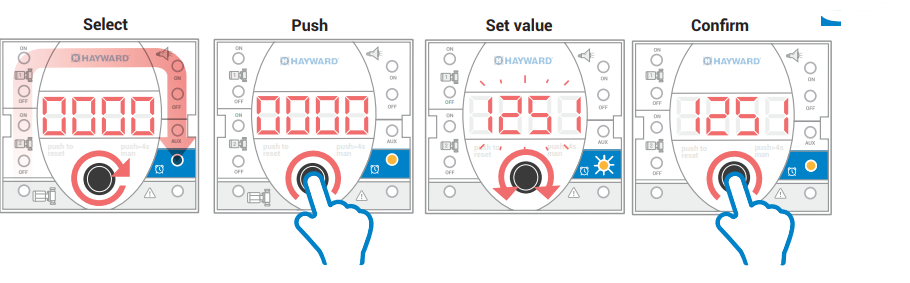
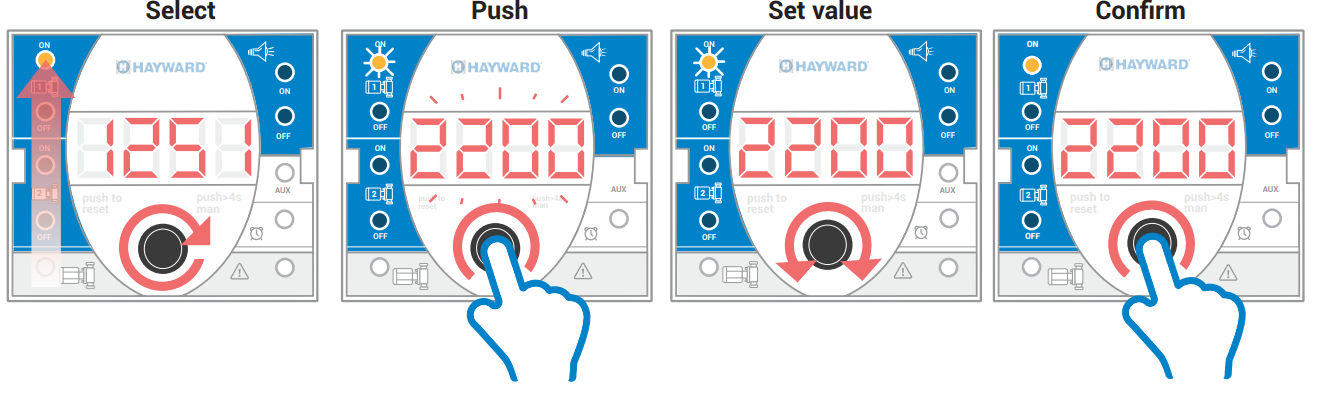
Filtration and lighting program setting
LED STATUS
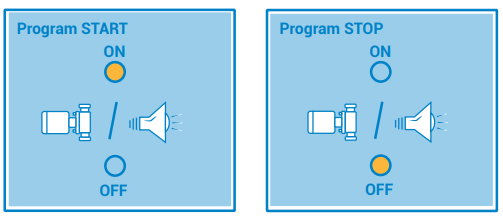
- To cancel a program, select the same time ON / OFF.
Manual mode
START / STOP
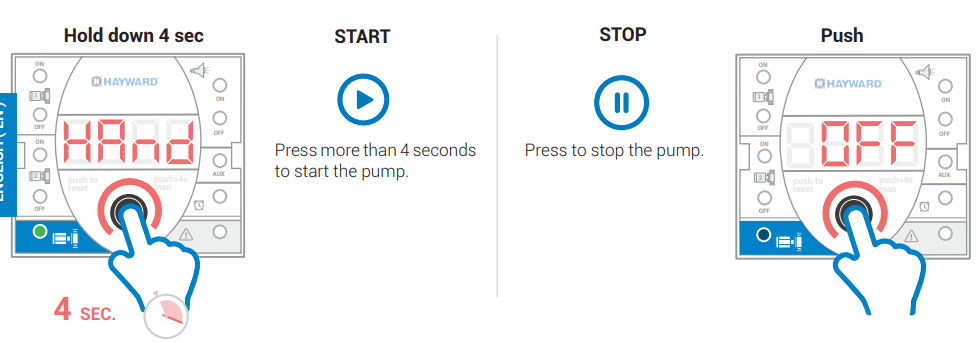
- Pump STOPS at the end of the next filtering program.
- Pump STARTS at the beginning of the next filtering program.
Manual Lighting
ON / OFF
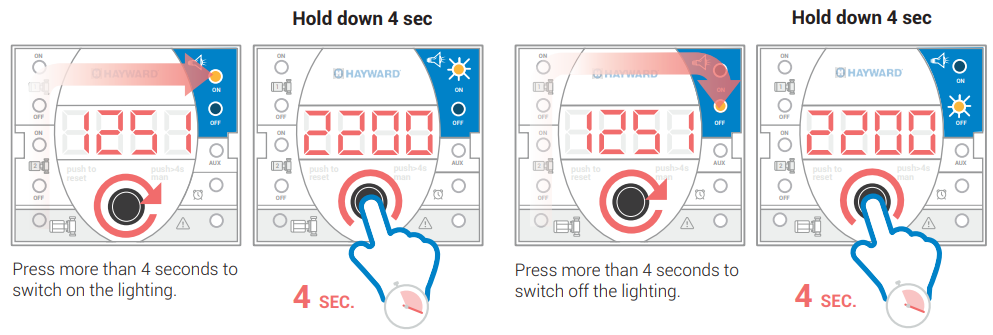
- Lights OFF automatically after 6 hrs.
- Lights ON at the beginning of the next lighting program
Automatic calibration overload procedure
Automatic setting of motor overload. H-POWER auto-adjusts with the first startup.
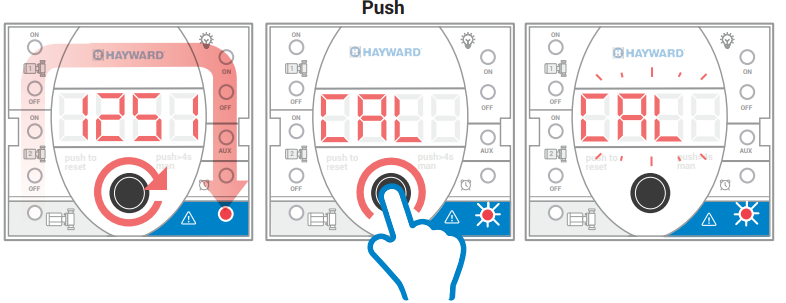
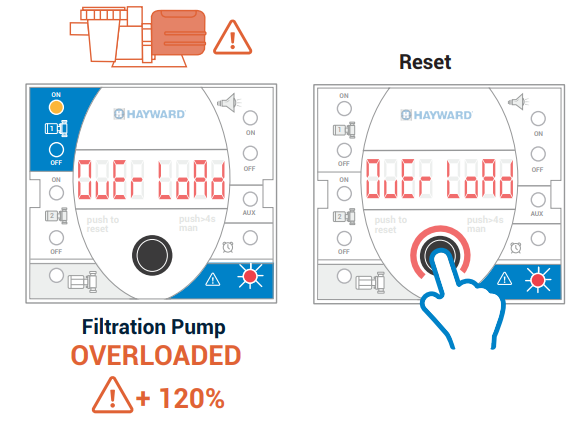
Overload and reset
Overload possible alarms
In case of overload, H-Power will execute up to three attempts within a 60-period. interval
Jammed impeller protection
Every 23 hours, HH-H-Powerr will run the pump for 1 second to avoid possible failure in case of a long period of inactivity.
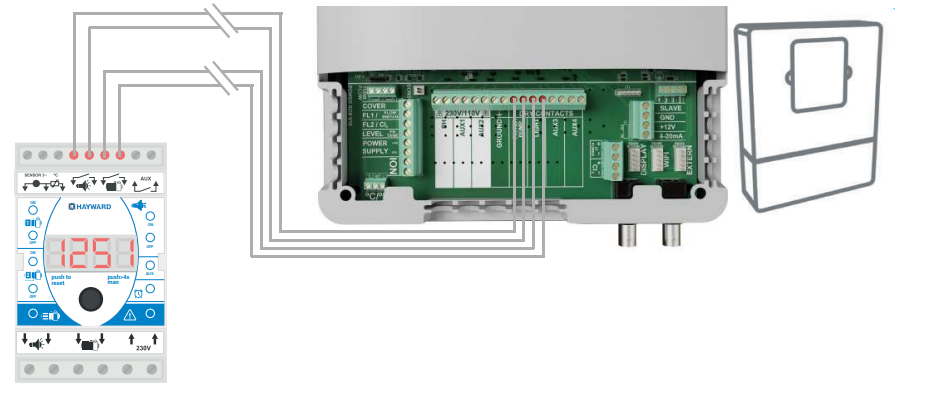
External ON / OFF
Filtration
Lights

START
- When the contact is closed, the pump will start up
STOP
- When the contact is opened, the pump will be paused.
ON
- When the contact is closed, the lights will turn on.
Off
- When the contact is opened, the lights will turn off.
Temperature Control
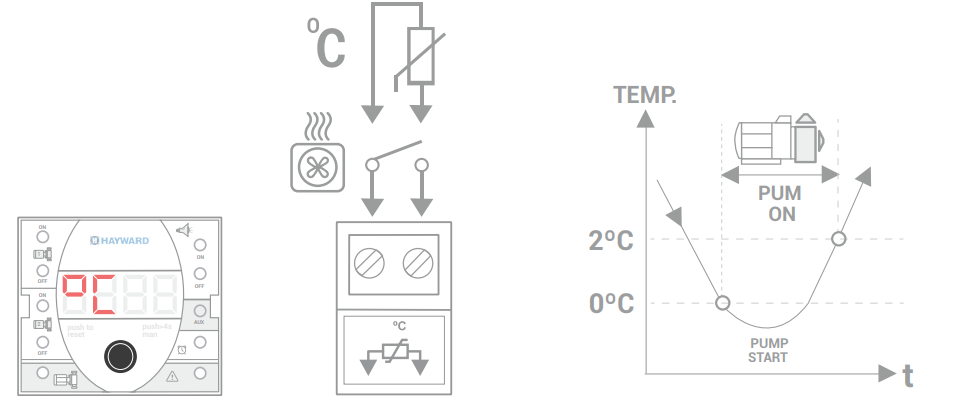
- Filtration will start in case of very low temperatures
Auxiliary contact (AUX LED)

Auxiliary contact relay is activated simultaneously with the pump output. Potential-free relay
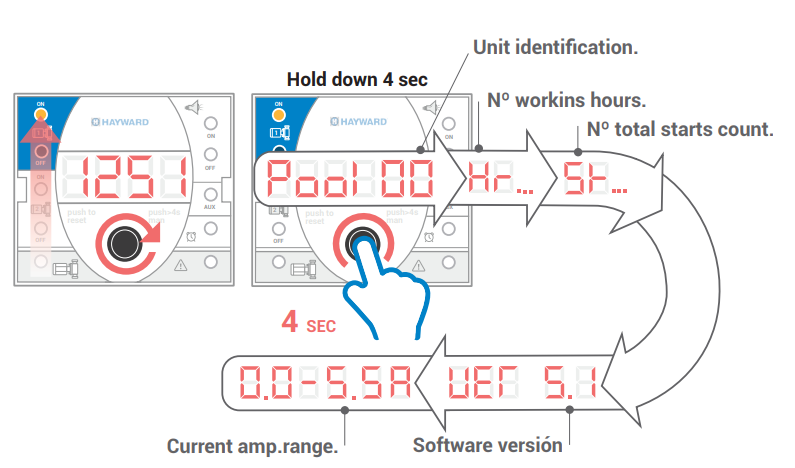
Pump operation data download
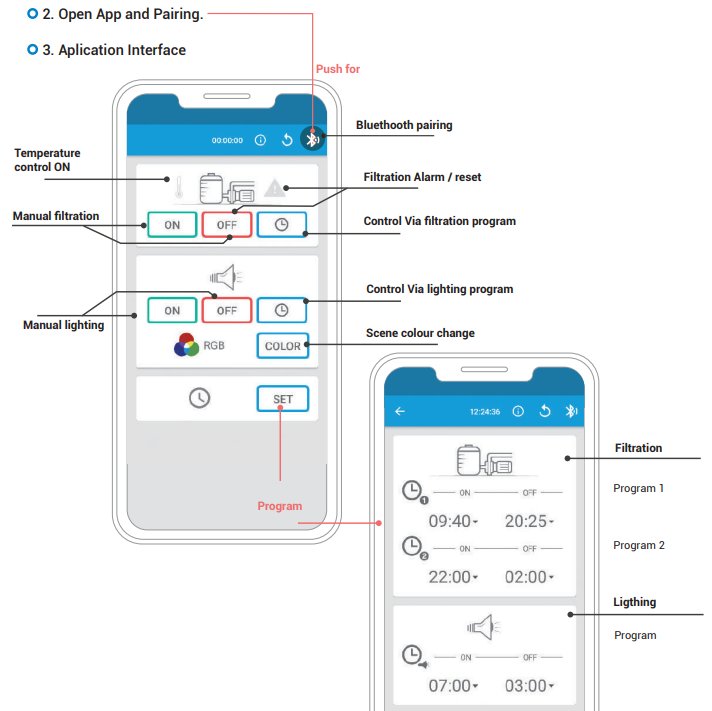
Bluetooth
Download la App “ HAYWARD POWER ”
Specification
| Power supply | 230VAC – 50/60Hz |
| Pump output | 14A, single-phase models 230VAC |
| Lighting output (according to the model) | 230VAC / 5A 12 VAC / 50W 12VAC / 100W 12VAC / 300W |
| Pilot lights | Filtration ON, Alarm, Time programs, Lighting program, Auxiliary output, Current time |
| Protections | Motor overload |
| Overload protection | 20% over-calibrated current |
| 4-digit LED display | Current time, Settings, Alarms |
| Auxiliary relay | Free-voltage contact 250V / 5A |
| Maximum terminal cross-section | 4mm2 (power) / 2.5mm2 (control) |
| IP/Temperature | IP65/-10º…+55º C |
| Software | V.5 |
| Directives | – 2016 – D.C. 2014 / 30 / CE EMC D.C. 2014 / 35 / UE C.E. ROHS EN61558 Light power transformer |
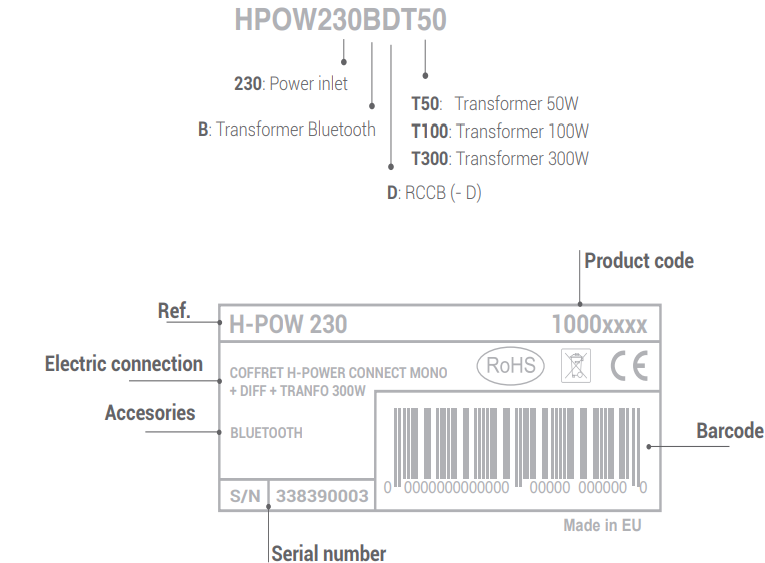
| Options | Bluetooth interface (-B) RCCD (- D) Transformer T50 Transformer T100 Transformer T300 |
Product Order Form
Customer Service
- Ph: 1-800-657-2287
- Website: www.haywardcommercialpool.com
FAQs
What is the Hayward TMP-POOL-B Universal Control Panel used for?
The TMP-POOL-B is a multipurpose universal control panel that gives users a centralised interface for controlling and automating different pool system elements, including pumps, heaters, lights, chlorinators, and other accessories.
Is the TMP-POOL-B compatible with salt chlorination systems?
Indeed. When linked properly, it can display salt level data, regulate chlorine generation, and work flawlessly with Hayward salt systems like AquaRite®.
Do I need a professional to install this panel?
To guarantee safe and dependable operation, the right understanding of electrical wiring, grounding, and pool system layout is necessary.
How many auxiliary devices can I control with this panel?
The exact number varies depending on the model configuration.
Is this control panel programmable for scheduled operation?
Indeed. Setting daily or weekly timers for tasks like pump operation, lighting, heater activation, and more can help you conserve energy and minimise human error.