

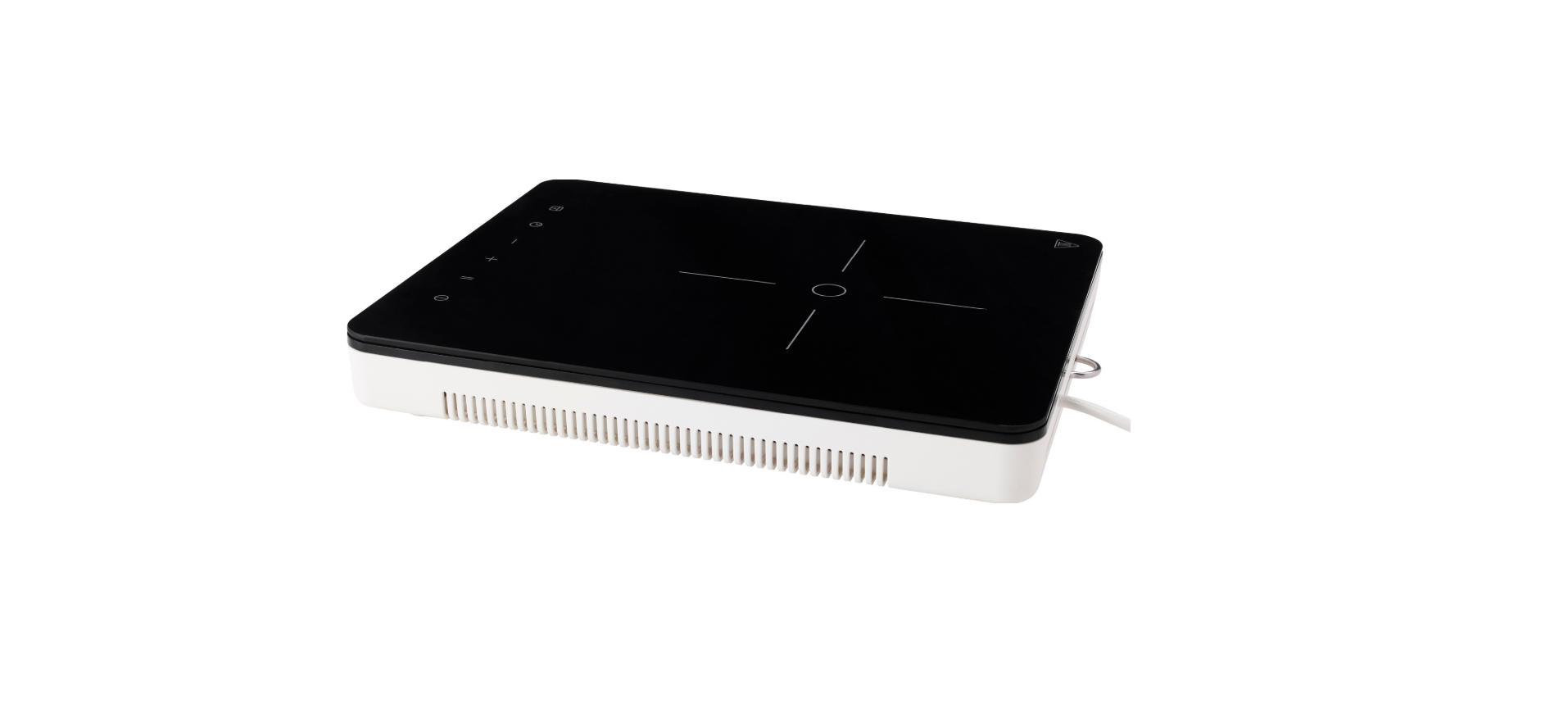

IKEA TILLREDA Portable Induction Cooktop

Safety Instructions
When using electrical appliances, basic safety precautions should always be followed, including the following:
- Read all instructions. Do not touch hot surfaces. Use handles or knobs.
- To protect against electrical shock do not immerse cord, plugs, or appliance in water or other liquid.
- Close supervision is necessary when any appliance is used by or near children.
- Unplug from outlet when not in use and before cleaning.
- Allow to cool before putting on or taking off parts.
- Do not let cord hang over edge of table or counter, or touch hot surfaces.
- Do not place on or near a hot gas or electric burner, or in a heated oven.
- Extreme caution must be used when moving an appliance containing hot oil or other hot liquids.
- To disconnect, turn any control to “Off”, then remove plug from wall outlet.
- Make sure that the appliance is not damaged because of transport.
- Do not connect a damaged appliance.
- Do not install the appliance if it is damaged during the transportation.
- Do not connect the hob with extension cords and do not place the hob with cord across working areas.
- Do not change the specifications or modify this product. Risk of injury and damage to the appliance.
- The rating plate is located on the lower casing of the hob.
- Loose and inappropriate plug and socket connections can make the terminal overheat.
Before Use
- Please use the standard main power supply socket, and regularly check the socket to prevent any damage.
- Do not open the appliance by yourself or any unqualified person.
- Only repair the appliance by its service agent or similarly qualified technician.
- Please check with the power cord and plug. If the power cord or plug is damaged, please do not use the appliance. Do not pull out the plug with wet hand.
- Do not use the extension power cord, and please use the main power supply socket only.
- If the appliance is not in use for a long period of time, please turn on the appliance to stabilize the electronic component for 10 minutes first. Then, you can start to operate the appliance.
- Do not use the appliance near water, fire, or in a damp area.
- The appliance is intended to use in indoor household ONLY.
- Remove all packaging, stickers and film. Remove the appliance before the first use.
- Switch the cooking zones off after each use by its controls and do not rely on pan detector.
Information on acrylamides
According to the latest scientific knowledge, intensive browning of food, especially in products containing starch, can constitute a health risk due to acrylamides. Therefore, we recommend cooking at the lowest possible temperatures and not browning foods too much.
Product Description
- Heating area Cooking zone 158mm, 1800W
- Control panel

- Silicone feet
- Air outlet
- Air inlet
- Hook hanger

Control Panel Layout

- On/Off
- Power level display
- Lock/Child lock
- Power level setting – / +
Touch Control sensor fields and displays
You operate the hob by touching sensor fields. Displays and acoustic signals (short beep) confirm the selection of a function.
| Power Level | 1 | 2 | 3 | 4 | 5 | 6 | 7 | 8 | 9 |
| Power | 200W | 400W | 600W | 800W | 1000W | 1200W | 1400W | 1600W | 1800W |
Indicators
Pot incorrectly positioned or missing
This symbol appears if the pot is not suitable for induction cooking, is not positioned correctly or is not of an appropriate size for the cooking zone selected. If no pot is detected within 30 seconds of making the selection, the cooking zone switches off.
Residual heat
If the display shows “H”, the cooking zone is still hot. When the cooking zone cools down, the display goes off. Risk of burns from residual heat! After you switch the appliance off, the cooking zones need some time to cool down. Look at the residual heat indicator. Use residual heat for melting and keeping food warm. Don’t disconnect the product without waiting for it to be removed from display.
Daily Use
Connecting to the socket
After inserting the plug into the main supply, the child lock will be activated. Press and hold the Child Lock key for 3 seconds to deactivate.
ON/OFF
Press the ON/OFF key, the screen will display “0” as in standby mode, and the power indicator light will light up. If there is no heat setting selected within 30 seconds, the hob will switch off automatically without pressing the ON/OFF key. Press the ON/OFF key during operation, the hob will switch off.
Power level setting
- Press or to control the power level during operation.
- Press , the power level will go straight to “9”. Press to decrease the power level from “9” to “1”.
- Press , the power level will increase from “1”. Press to increase the power level from “1” to “9”.
Lock function
When the cooking zone operate, you can lock the control panel, for example in order to clean the hob. It prevents an accidental change of the power level setting. The hob can still be shut off by the ON/OFF key.
Activate lock
- Set wanted power level.
- Press the Lock key for 3 seconds.
- The function is activated when Lock key indicator is lit up and a sound is given.
Deactivate lock
- Press the Lock key for 3 seconds.
- The function is deactivated when the Lock key indicator goes off and a sound is given.
- The power level will return to the previous setting.
Child lock function
You can also keep control panel locked when the hob is not operating. This function prevents an accidental operation of the appliance.
Activate the child lock
- Activate the appliance with the ON/OFF key. Do not set any power level.
- Press the Lock key for 3 seconds.
- The function is activated when Lock key indicator is lit up and a sound is given.
- Deactivate the appliance with the ON/OFF key.
Deactivate the child lock
Press the Lock key for 3 seconds. The function is deactivated when the Lock key indicator goes off and a sound is given.
Automatic switch off the function switches the hob off automatically if
- All cooking zones are switched off.
- YOU do not set the power level after switching on the hob within 30 seconds.
- YOU do not switch a cooking zone off or you do not modify the power level after 2 hours, or if the overheating occurs (e.g. when a pan boils dry).
Cookware Guidance
What pots to use
Only use pots and pans with bottom made from ferromagnetic material which are suitable for use with inductions hobs:
- cast iron
- enamelled steel
- carbon steel
- stainless steel (although not all)
- aluminium with ferromagnetic coating or ferromagnetic plate
How to Use
Minimum diameter of pot/pan base for the different cooking areas
To ensure that the hob functions properly, the pot must cover one or more of the reference points indicated on the surface of the hob, and must be of a suitable minimum diameter. Always use the cooking zone that best corresponds to the diameter of the bottom of the pan.
Empty or thin-based pots/pans
Do not use empty or thin-based pots/pans on the hob as it will not be able to monitor the temperature or turn off automatically if the temperature is too high, damaging the pan or the hob surface. If this occurs, do not touch anything and wait for all components to cool down.
| Cooking zone | Recommended cookware diameter [mm] |
| Middle rear cooking zone | 120-200 |
If an error message appears, refer to “Troubleshooting”.
Hint/tips
When a cooking zone is active, it may hum briefly. This is a characteristic of all ceramic glass cooking zones and does not impair the function or life of the appliance. The noise depends on the cookware used. If it causes considerable disturbance, it may help to change the cookware.
Care and Cleaning
- Switch the appliance off and let it cool down before disconnecting it.
- Switch the appliance off and let it cool down before you clean it.
- For safety reasons, do not clean the appliance with steam blasters or high-pressure cleaners.
- Sharp objects and abrasive cleaning agents will damage the appliance.
- Clean the appliance and remove the residues with water and washing up liquid after each use.
- Remove also the remnants of the cleaning agents!
Troubleshooting
| Problem | Possible Cause | Solution |
| The appliance does not operate. | Power shortage or power short circuit in the power source of your home. | |
| Power connection to socket not performed properly. | Overlook the power supply to hob for correct connection. | |
| More than 10 seconds have passed since the appliance was switched on. | Switch the appliance on again. | |
| Child lock is switched on. | Deactivate Child lock. (See the section “Child safety device”). | |
| Several sensor fields were touched at the same time. | Only touch one sensor field. | |
| Appliance stops operating. Error indication: | The cookware is not suitable for induction. | Change to a cookware suitable for induction. |
| No cookware on cooking zone or cookware diameter is less than 120mm. | Place cookware on the cooking zone. | |
| Appliance stops operating. Error indication: | The cookware is empty (dry-boiling) or cooking temperature is too high. | Turn off the appliance and restart after 5 minutes. If E2 persists, please contact nearest IKEA store. |
| The air inlet and outlet is being blocked. | ||
| Surrounding temperature is too high. | ||
| Appliance stops operating. Error indication: | The main power supply is over AC 150V. | Change to product suitable power supply. |
| Appliance stops operating. Error indication: | The main power supply is lower than AC 80V. | Change to product suitable power supply. |
| Appliance stops operating. Error indication: | The temperature sensor of the appliance is not working. | Please contact nearest IKEA store. |
| Appliance stops operating. Error indication: | The cookware is empty (dry-boiling) or cooking temperature is too high. | Let appliance cool down and prevent dry-boiling. |
| Appliance stops operating. Error indication: | Internal exception | Turn off the appliance and restart after 5 minutes. If E0 persists, please contact nearest IKEA store. |
Technical Data
- Rated Power: 1800W
- Rated Voltage: 120V~
- Rated Frequency: 60 Hz:
- Depth: 324mm
- Width: 269mm
- Height: 63.5mm
- Net Weight: 2.7kg
Environmental Protection
Disposal of household appliances
For more detailed information about the recycling of this product, please contact your local council, your household waste disposal service or the shop where you purchased the product
- Pull the mains plug out of the mains socket.
- Cut off the mains cable and discard it.
Disposal of packaging materials
The materials with the symbol are recyclable. Dispose of the IKEA TILLREDA Portable Induction Cooktop packaging in a suitable collection container to recycle it.
Energy saving
- If possible, always place lids on the pans.
- Place cookware on the cooking zone before you switch it on.
- The bottom of the cookware should be as thick and flat as possible
IKEA Warranty
How long is the IKEA Warranty valid?
This warranty is valid for two (2) years from the original date of purchase of your appliance at IKEA.
What will IKEA do to correct the problem?
IKEA will examine the product and decide, at its sole discretion, if it is covered under this warranty. If considered covered, IKEA will then, at its sole discretion, either repair the defective product or replace it with the same or a comparable product.
What is not covered under this warranty?
- Consumable parts, including batteries and lamps. Normal wear and tear.
- ntal damage caused by foreign objects or substances and cleaning or unblocking of filters, drainage systems or soap drawers.
- Repairs caused by installation, whether faulty or not, IKEA TILLREDA Portable Induction Cooktop, according to the specification.
- The use of the appliance in a non- domestic environment, i.e. professional use.
- Transportation damages. If a customer transports the IKEA TILLREDA Portable Induction Cooktop to his home or another address, IKEA is not liable for any damage that may occur during transport.
How country law apply
The IKEA warranty gives you specific legal rights, which cover or exceed all the local legal demands. However, these conditions do not limit in any way consumer rights described in the local legislation.
Area of validity
- The technical specifications of the country in which the warranty claim is made.
- The Assembly Instructions and User Manual Safety Information.
After Sales for IKEA appliances
Please don’t hesitate to contact IKEA to:
- Make a service request under this warranty;
- Ask for clarification on the functions of IKEA appliances.
To ensure that we provide you with the best assistance, please read the Assembly Instructions and/or the User Manual carefully before contacting us.
How to reach us if you need our service
The IKEA after-sales customer service centre will assist you on the phone with basic troubleshooting for your appliance at the time of service call request. Please see the IKEA catalogue or visit www.ikea.com to find your local store phone number and opening time. In order to provide you with a quicker service, please also always refer to the IKEA article number (8-digit code) placed on the rating plate of your appliance.
SAVE THE SALES RECEIPT
It is your proof of purchase and is required for the warranty to apply. The sales receipt also reports the IKEA name and article number (8-digit code) for each of the appliances you have purchased.
Do you need extra help?
For any additional questions not related to AfterSales of your appliances, please contact your nearest IKEA store’s call centre. We recommend you read the appliance documentation carefully before contacting us.
Customer Service
- Website: https://www.ikea.com/
- Ph: 18004194532