

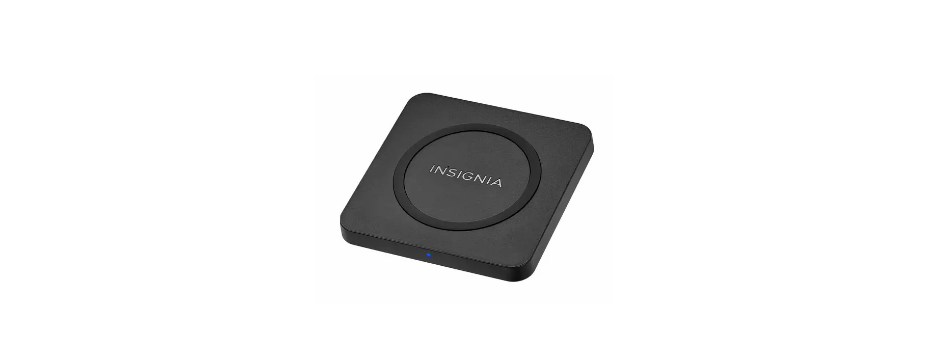

INSIGNIA NS-MQP15W22K Wireless Charging Pad
Safety Instructions
- Avoid dropping.
- Do not disassemble.
- Do not place metal objects between devices and the wireless charging pads.
- Thick protective case (≥ .2 in. [5 mm]) or a case that includes a magnet or metallic material may not allow proper charging function.
- Keep the wireless charging pad away from any liquid or moisture.
- The maximum ambient temperature during use of this product must not exceed 113° F (45° C).
- Do not place this device in fire or other excessively hot environments.
- Must use the provided adapter for proper function; if not, it may malfunction.
Package Content
- 15 W Qi Charging Pad
- DC power adapter with 6 ft. (1.8 m) cable
- Quick Setup Guide
Compatibility
- Any Qi-enabled devices up to 15 W, including smartphones, headphones, and smart watches.
Features
- 15 W output designed to fast charge demanding next-generation devices
- Wireless design charges devices without cumbersome cords
- Blue LED shows that your device is charging
- DC power adapter with 6 ft. (1.8 m) charging cable
Overview
Front
Back 
- Flat size (W×H): 12 × 2.75 in. (304.8 × 69.85 mm)
- Final folded size: 3 × 2.75 in. (76.2 × 69.85 mm)
Use
- Plug the power adapter into your charging pad and a power outlet.
- Place your Qi-enabled device in the center of your charging pad with the screen facing up. If your device is quick charging, the purple LED lights.

LED Indicator

Specifications
Qi Wireless Charging Pad
- Dimensions: 3.9 × 3.9 × 0.4 in. (10 × 10 × 1.1 cm)
- Input: DC 15 V/1.8 A
- Output: 15 W max.
AC power adapter
- Input: 100-240 V ~ 50/60 Hz 0.7 A
- Output: DC 15 V/1.8 A
- DC charging cable: 6 ft. (1.8 m)
Troubleshooting
- Make sure that your device is Qi-enabled.
- Make sure that your charging pad is connected INSIGNIA NS-MQP15W22K Wireless Charging Pad to a working power outlet.
- Make sure that your device is positioned correctly on your charging pad.
- Make sure there are no objects between your device and the charging pad.
- Remove your device’s case. It may be blocking the wireless signal.
- Your device may charge more slowly with the charging pad than with a charging cable. This is normal behavior.
- Make sure that your device is positioned in the center of your charging pad.
- Make sure there are no objects between your device and the charging pad.
One Year Warranty
Definitions
The Distributor* of Insignia-branded products warrants to you, the original purchaser of this new Insignia-branded product (“Product”), that the Product shall be free of defects in the original manufacturer of the material or workmanship for one (1) year from the date of your purchase of the Product (“Warranty Period”).
How to obtain warranty service?
If you purchased the Product at a Best Buy retail store location or from a Best Buy online website, please take your original receipt and the Product to any Best Buy store. Make sure that you place the Product in its original packaging or packaging that provides the same amount of protection as the original packaging. To obtain warranty service, in the United States and Canada, call 1-877-467-4289. Call agents may diagnose and correct the issue over the phone.
Where is the warranty valid?
This warranty is valid only in the United States and Canada at Best Buy branded retail stores or websites to the original purchaser of the product in the country where the original purchase was made.
Customer Support
- Ph: 1-877-467-4289
- Website: www.insigniaproducts.com
INSIGNIA is a trademark of Best Buy and its affiliated companies. Distributed by Best Buy Purchasing, LLC 7601 Penn Ave South, Richfield, MN 55423 U.S.A.
©2021 Best Buy. All rights reserved.