

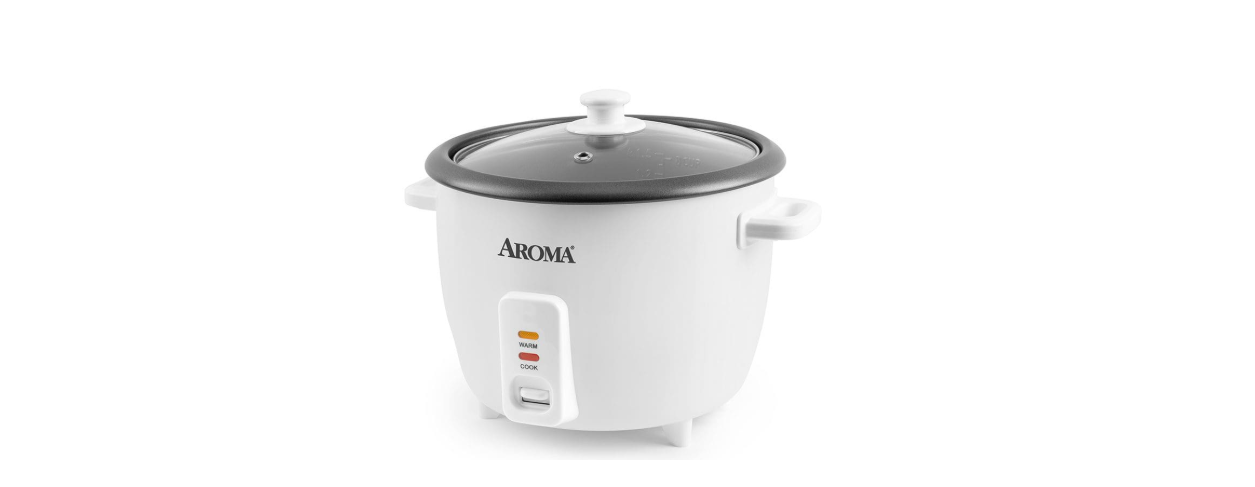

INSIGNIA NS-RC14WH7 14-Cup Rice Cooker 
Safety Instructions
- Do not touch hot surfaces. Use the handles or knobs.
- Use only on a level, dry, and heat-resistant surface.
- To protect against fire, electric shock, and injury to persons, do not immerse the cord, plug, or rice cooker in water or any other liquid. See instructions for cleaning.
- Unplug your rice cooker from the outlet when not in use and before cleaning. Allow the unit to cool before removing or replacing parts and before cleaning the rice cooker.
- Contact customer service for examination, repair, or adjustment.
- The use of accessory attachments not recommended by the manufacturer may result in fire, electrical shock, or injury.
- Do not use outdoors.
- Do not let the cord touch hot surfaces or hang over the edge of a counter or table.
- Do not place on or near a hot gas or electric burner or in a heated oven.
- Do not use the rice cooker for anything other than its intended purpose.
- Use extreme caution when moving the rice cooker containing rice or liquids.
- Do not touch, cover, or obstruct the steam vent on the top of the rice cooker, as it is extremely hot and may cause scalding.
- Use only with a 120V AC power outlet.
- Always unplug by gripping the electrical plug. Never pull on the cord.
- Use extreme caution when opening the lid during or after cooking. Hot steam can escape and may cause scalding.
- To prevent damage or deformation, do not use the inner cooking pot on a stovetop or burner.
- To disconnect, remove the plug from the wall outlet.
Short Cord Instructions
- A short power cord is provided to reduce the risks of entanglement or tripping.
- If a longer extension cord is used.
- The marked electrical rating of the extension cord should be at least as great as the electrical rating of the rice cooker.
- The longer cord should be arranged so that it will not drape over the countertop or tabletop, where it can be pulled by children or tripped over unintentionally.
Polarized power plug
- This rice cooker has a polarized plug (one blade is wider than the other).
- To reduce the risk of electric shock, this plug is intended to fit into a polarized outlet only one way.
- If the plug does not fit fully into the outlet, reverse the plug.
- If it still does not fit, contact a qualified electrician.
- Do not attempt to modify the plug in any way.
Package Content
- 14-cup rice cooker
- Serving spatula
- Inner pot
- User Guide
- Steam tray
- Quick Setup Guide
- Measuring cup
Features
Use
Preparing to cook
- Read all instructions and important safeguards.
- Remove all packaging materials and make sure that all items have been received in good condition.
- Wash all pieces in warm, soapy water. Do not submerge INSIGNIA NS-RC14WH7 14-Cup Rice Cooker the rice cooker in water.
Rice/water measurement table

Steaming foods
- Remove the inner pot and add two cups of water.
- Make sure that the inner pot is dry and free of debris, then place it into the rice cooker.
- Place the food to be steamed onto the steam tray.
- Place the steam tray into the rice cooker, then cover with the lid.
- Plug in the rice cooker, then press the COOK switch. The Cook indicator turns o,n and the rice cooker begins steaming.
- After the suggested amount of time has passed, carefully remove the lid and check the food to see if it’s done.
- If food is fully cooked, push the COOK switch up to stop cooking and change to Keep-Warm.
- Unplug the rice cooker when it’s not in use. Note: These steaming charts are for reference only. Actual cooking times may vary.
Vegetable steaming guide
Meat steaming guide
OTHER USES
- A convenient feature of this rice cooker is its ability INSIGNIA NS-RC14WH7 14-Cup Rice Cooker to both cook rice and steam food simultaneously, which makes it ideal for creating delicious all-in-one meals.
- You can do more than cook rice and steam food. You can also cook soup, chili, and stew.
- See your Online User Guide for step-by-step instructions.
Cleaning & Maintainance
- For cleaning and maintenance information, see your online User Guide.
Troubleshooting
- For troubleshooting information, see your online User Guide.
Specifications
- For specifications, see your online User Guide.
One Year Warranty
Definitions
The Distributor* of Insignia-branded products warrants to you, the original purchaser of this new Insignia-branded product (“Product”), that the Product shall be free of defects in the original manufacturer of the material or workmanship for one (1) year from the date of your purchase of the Product (“Warranty Period”).
How to obtain warranty service?
If you purchased the Product at a Best Buy retail store location or from a Best Buy online website, please take your original receipt and the Product to any Best Buy store. Make sure that you place the Product in its original packaging or packaging that provides the same amount of protection as the original packaging. To obtain warranty service, in the United States and Canada, call 1-877-467-4289. Call agents may diagnose and correct the issue over the phone.
Where is the warranty valid?
This warranty is valid only in the United States and Canada at Best Buy branded retail stores or websites to the original purchaser of the product in the country where the original purchase was made.
Customer Support
- Ph: 1-877-467-4289
- Website: www.insigniaproducts.com
INSIGNIA is a trademark of Best Buy and its affiliated companies. Distributed by Best Buy Purchasing, LLC 7601 Penn Ave South, Richfield, MN 55423 U.S.A.