

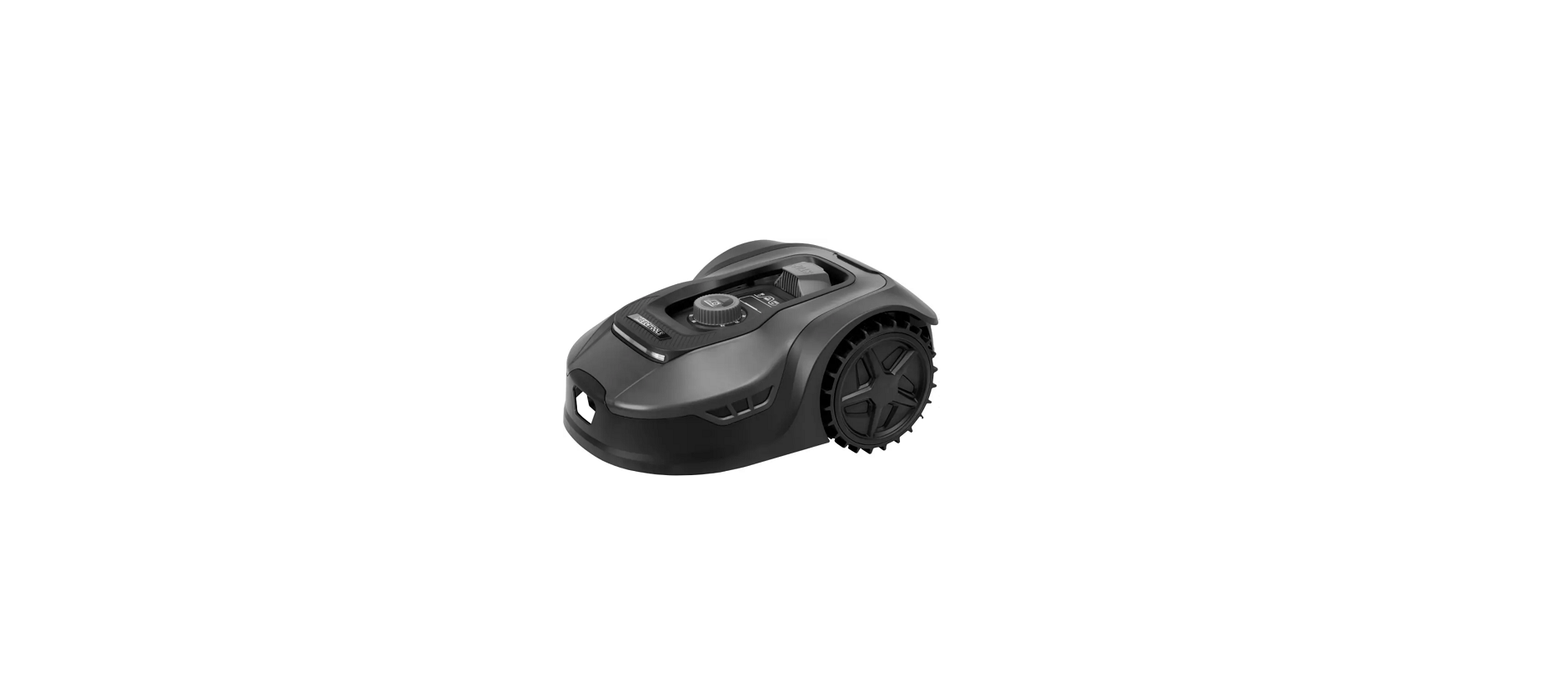

Meec Tools 021743 Robotic Lawn Mower
SAFETY INSTRUCTIONS
- Failure to follow these instructions may result in electric shock, fire, and/or serious injury. Save these instructions and safety Instructions for future reference.
- The mower must only be used for cutting garden lawns. Any other use is deemed to be a case of misuse.
Training
- Read these instructions carefully and familiarise yourself with the controls and operation of the product.
- The mower is not intended to be used by persons (children or adults) with any form of functional disorders, or by persons who do not have sufficient experience or knowledge of how to use it, unless they have received instructions concerning the use of the product from someone responsible for their safety.
- Local regulations may restrict the age of the operator.
- The user is responsible for any accidents or hazards to other persons or property.
Preparation
- Check that the perimeter wire system is correctly installed according to the instructions.
- Periodically inspect the area where the mower is to be used and remove any stones, wires, and other foreign objects.
- Periodically inspect the mower to make sure that the blades, blade bolts, and cutter assembly are not worn or damaged.
- If the blades or bolts are worn or damaged, always replace the complete set to avoid imbalance.
- On mowers with multiple blades, all the blades can move when just one blade is turned – risk of personal injury.
Use
- Never use the mower if safety guards or covers are defective, damaged, or not in place. Never use the mower without the safety devices fitted.
- Never put your hands or feet near or under rotating parts.
- Never lift or carry the mower when the motor is running.
- Switch off the mower:
- before clearing a blockage
- before checking, cleaning, or doing any other work on the mower.
- Start the mower in accordance with the instructions. Keep your hands and feet away from moving parts when the main power switch is in the ON position.
- Never lift or carry the mower when the main power switch is in the ON position.
- Never allow children, or anyone who is unfamiliar with the mower and these instructions, to use it.
- Never place objects on top of the mower or the charging station.
- Do not use the mower if it is damaged or not working properly, if the blades or blade disc are damaged, or if nuts, bolts, and screws are not securely tightened
- Avoid using the mower when the grass is wet.
Description
Silent robot lawn mower with a digital display screen and rain sensor. Charging station, perimeter wire, wire pegs, and nine blades are included.
Installation
- The charging station must be positioned on level, horizontal ground. It must not be installed on a slope. The surface must be flat so that the base plate is not buckled or creased.
- The charging station can be placed next to a shed or house wall. Position the charging station where there is at least 1 m of straight perimeter wire with no obstacles in front of the charging station.
- The mains adapter should be mounted on a wall, at least 30 cm off the ground. The low-voltage cable should be laid outside the mowing area, if possible. If it is necessary to lay the cable partly or completely inside the mowing area, the cable must be buried.


- Strip approx. 10 mm of insulation off one end of the perimeter wire.

- Connect the perimeter wire to one of the terminals. The red terminal (A) is the system’s OUT direction. Pull the connected perimeter wire through the opening in the charging station base plate. Lay out the perimeter wire and peg it to the ground along the edge of the mowing area.
- When the perimeter wire has been laid completely and you are back at the base station, cut off the excess wire, strip 10 mm of insulation off the end of the wire, and connect it to the other terminal. The black terminal (B) is the system’s IN direction.

Perimeter Wire
- The perimeter wire should be laid 25 cm inside the edge of the mowing area – use the distance gauge to measure this. It may be necessary to set the pegs closer together where the ground is uneven.


- Where the mowing area is crossed by paths, driveways, etc., that are level with the ground and the mower can travel over them, the perimeter wire distance can be reduced from 30 to 8 cm.

Protected zones and narrow passages
The perimeter wire can be laid in a loop to create an island around flower beds, shrubs, trees, ponds, and similar obstacles and zones where you don’t want the mower to go. When creating an island, the passage for the mower must be at least 0.8 m wide.
Corners
Corners should be laid with obtuse angles (90° or larger), and the perimeter wire must run completely straight to the corner from both sides.

Slopes
The robot lawn mower can climb slopes up to 35% (20°) without any problem. Avoid areas steeper than this. Measure and calculate as shown below.
Connecting the Power Supply
- Insert the mains adapter plug into a suitable power outlet. If the perimeter wire is correctly installed, the charging station status light will be a steady green. Errors are also indicated by the status light. See below.
Status light is off:
- No power supply. Check that the low-voltage cable is correctly connected to the charging station and that the cable is correctly plugged into a suitable and live power outlet.
Steady green light:
- The perimeter wire is correctly connected, and the robot lawn mower’s battery is fully charged.
Flashing green light:
- Automatic charging in progress.
Flashing red light:
- The perimeter wire is not connected. Check that both ends of the perimeter wire are correctly and securely connected to the terminals of the charging station. Check that there are no breaks in the perimeter wire.
Testing the Installation
- Set the maximum cutting height (60 mm) when using the mower for the first time.
- Place the robot lawn mower inside the mowing area and start it.
- Watch the mower to see how it moves and whether it operates correctly within the perimeter wire.
- Cancel mowing mode and check that the mower returns along the perimeter wire to the charging station.
- If the robot lawn mower returns to the charging station and docks without any problem, the installation has been completed successfully.

Operation
- Time setting
- Password setting
- Power switch
- Start/increase value
- Go to the charging station/reduce value
- Confirm
- Battery charge level
- WiFi
- Bluetooth

- Hold down the power switch until the robot lawn mower turns on. The default PIN code 0000 should be entered the first time a new robot lawn mower is used.
- Press OK four times when the digit 0 is flashing. (The PIN code can be changed by the user.
- Press START and then OK to start mowing.
- Press HOME and then OK to stop mowing and to send the mower back to the charging station.

Changing the Pin Code
Hold down the START and HOME buttons simultaneously for 3 seconds. The icon for the password setting and the text PIN 1 will then flash to prompt you to enter the old PIN code. After PIN 1 has been displayed, the first digit position flashes.
Select a digit by clicking up or down with the START and HOME buttons, respectively, and press OK to confirm when the correct digit is displayed. The next digit position will then start to flash.
Repeat until all of the old PIN codes have been entered. When the old PIN code has been correctly entered, PIN 2 will flash, and the first digit will flash again. The new PIN code can now be set.
Set the new PIN code following the procedure above for the old code. When the new PIN code has been correctly set and starts to apply, the word IDLE is displayed.
Setting the Date & Time
- To set the year, hold down the START button for 5 seconds until the icon for time setting and a year start to flash on the screen.
- Select the year by clicking up or down with the START and HOME buttons, respectively.
- Then press OK to confirm the year setting.
- The icon for the time setting continues to flash, and a combination of digits for the month and day is displayed. When the digit 0 starts to flash, click up or down using the START and HOME buttons, respectively, to select the correct month. Then press OK to confirm the month setting.
- Then set the day in the same way.
- The icon for the time setting continues to flash, and a combination of digits for the hour and minute is displayed. When the digit 0 starts to flash, click up or down using the START and HOME buttons, respectively, to select the correct hour and minute. Then press OK to confirm the time setting. When the time has been correctly set, the word IDLE is displayed.
Changing the Time
- Hold down the START and OK buttons simultaneously for 3 seconds. When the digit 0 starts to flash, click up or down using the START and HOME buttons, respectively, to select the desired start time, and then press OK to confirm the start time setting.
- When the changed start time has been correctly set, the word IDLE is displayed. The robot lawn mower will emit a sound and start to mow at the chosen start time.
- Hold down the OK button for 3 seconds. The set cutting time will appear on the screen, and the first digit will be flashing.
- Select a mowing time, e.g., 6 hours, by clicking up or down using the START and HOME buttons respectively until 06 H is displayed, and then press OK to confirm the mowing time setting. When the changed mowing time has been correctly set, the word IDLE is displayed. The robot lawn mower will then cut the grass for 6 hours a day and emit a sound just before it starts.
- Hold down the HOME and OK buttons simultaneously for 3 seconds.
- To adjust, for example, to 3 days a week, click up or down using the START and HOME buttons respectively when 05 flashes, and then press OK to confirm the setting.
- When the number of mowing days has been correctly set, the word IDLE is displayed.
Replacing the Battery
- Turn the robot lawn mower upside down.
- Unscrew and remove the battery cover.

- Carefully lift out the old battery. Press the catch and release the battery connections.

- Connect a new battery by pressing the connections into place until they click into the locked position.
- Insert the battery as illustrated. Replace the battery cover and firmly tighten the screws.
IOT & Software
- Download the robot lawn mower’s free app for Android (4.4.2 or later) or from the App Store (iOS 11 or later).

- Check that you have your WiFi password and the robot lawn mower’s serial number, which you find under the rear cover. Instead of entering the serial number, you Meec Tools 021743 Robotic Lawn Mower can scan the QR code using your phone camera.
- Make sure the robot lawn mower and the phone are in the same signal range of the router.
- Place the robot lawn mower, phone, and router as close together as possible when connecting.
- When the robot lawn mower moves into a zone where the WiFi signal is weak or does not reach, the instructions sent from the app will be executed when the mower returns to a zone with good signal strength.
App and connection registration
- Registering your account.
- Enter the lawn mower’s QR code.
- Enter the lawn mower’s default password, 0000.
- Connect to the network (WiFi).
Maintainance
The robot lawn mower operates in demanding conditions and is exposed to considerable wear and tear. It must therefore be regularly cleaned, inspected, and worn parts must be replaced.
Turn off the robot lawnmower and wait until all moving parts have come to a complete standstill before carrying out any service or maintenance work. Follow the Meec Tools 021743 Robotic Lawn Mower instructions for maintenance below.
Software Updates
The software can be updated when new versions become available. The latest software can be downloaded from our website: www.sk-robot.com. Update via USB. See below for download and installation instructions.
- Find the latest software version at: www. sk-robot.com. Save the file to an empty FAT32-formatted USB flash drive. Delete any other files on the drive. If the drive is not formatted in FAT32, reformat the
drive. - Place the robot lawn mower on a stable, level, and horizontal surface. Press the power switch to turn off the mower.
- Insert the USB drive in the USB port. The USB port can be accessed by removing the battery cover.
- Press the mower’s power switch. The update will begin automatically. Wait until the display shows OK. Then remove the USB drive and re-fit the protective cover.
- The instruction manual included with the mower is based on the default software at the time of production. More recent software versions may contain Meec Tools 021743 Robotic Lawn Mower features that are not described in the instruction manual.
Blade Replacement
- Turn off the robot lawnmower and wait until all moving parts have come to a complete standstill before replacing the blades. Wear protective gloves when changing the blades.
- Do not replace just one blade – always replace all the blades at the same time.
- Screws that are damaged or worn, or that cannot be tightened properly, must always be replaced with new screws. If defective screws are not replaced with new ones, the blades may become unbalanced or fall off while the mower is operating, which could cause serious injury.
Cleaning
- Turn off the robot lawnmower and wait until all Meec Tools 021743 Robotic Lawn Mower moving parts have come to a complete standstill before cleaning. Wear protective gloves.
- The blade disc can be cleaned with a hose with low-pressure water (<1 MPa).
Maintenance and storage
- Ensure that all nuts, bolts, and screws are securely tightened to keep the mower in safe working condition.
- Replace damaged or worn parts.
- Only use replacement blades recommended by the manufacturer.
- Only use the supplied charging station or replacement station recommended by the manufacturer. Incorrect use may result in an electric shock and/or overheating.
- Follow the manufacturer’s instructions for Meec Tools 021743 Robotic Lawn Mower service and maintenance.
- Keep the mower and its wheels clean to avoid imbalance and to obtain best mowing results.
- Deep discharge reduces the capacity and life expectancy of the batteries. To prolong battery life, charge the battery every 3 months during long periods of inactivity.
Storm protection
To avoid lightning damage to the mower or the charging station, never place the charging station under a large tree. Do not route the extension cord around large trees.
TECHNICAL DATA
- Cutting area 800 m²
- Max tilt 35%
- Cutting height 20–60mm
- Cutting width 180mm
- Battery Li-Ion
- Battery capacity 5 Ah
- Run time 3 h
- Charging time 1.5 h
- Voltage 20 V
- Mulcher function Yes
- Dimensions 57 x 37.5 x 23 cm
- Sound pressure level, LpA 46.5 dB(A), K= 3 dB
- Sound power level, LwA 54.5 dB(A), K= 3.85 dB
- Guaranteed sound power level 55 dB(A)
Always wear ear protection!
The declared values for vibration and noise, which have been measured according to a standardised test method, can be used to compare different tools with each other and for a preliminary assessment of exposure. Noise emission has been measured and declared by ISO 11094:1991, EN ISO 3744:1995, and EN ISO 3744:2010
Troubleshooting


Customer Support
- Website: https://www.jula.se/varumarken/meec-tools/
- Tel: +39-0645652462
FAQs
What size lawn can the Meec 021743 robotic mower handle?
Depending on the topography and type of grass, this model is intended for small to medium-sized lawns, usually up to 500–800 m² (5,400–8,600 ft²).
How long does the mower operate on a full charge?
On a single battery, the robotic mower operates for roughly 60 to 90 minutes. It automatically goes back to the charging station when the battery is low.
How long does it take to recharge the battery?
Depending on the battery condition and ambient temperature, recharging takes four to five hours.
How does the mower know where to go?
It makes use of a boundary wire that is positioned around obstacles and the edge of your yard. After detecting this wire, the mower moves inside the designated area.
Will it avoid flower beds, trees, or ponds?
Yes, provided that the boundary wire surrounding those places is installed correctly. Since the mower lacks object sensors for complicated terrain, it is essential to define boundaries physically..
Is the mower theft-protected?
Indeed, it has PIN code protection, and certain versions might include alarm functions in case they are lifted or tampered with.
Can the robotic mower work in the rain?
Although it is weather-resistant, it is not advised to mow in periods of intense rain since the grass might clog the blades and impair efficiency. Rain sensors on certain models allow the mower to automatically return to the station.
Can it handle slopes or uneven ground?
Yes, up to 25% (14°) of easy slopes can be handled with the 021743. In really tough terrain or on higher inclines, it could struggle or halt.