

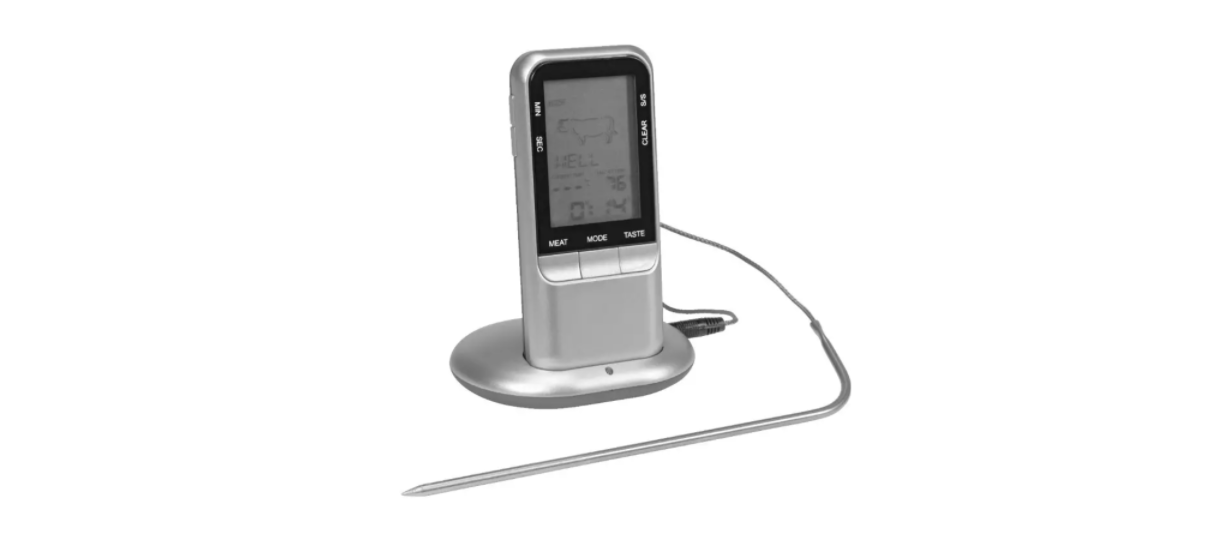

Menuett 943-109 Wireless Meat Thermometer
Use
Read the User Instructions carefully before use. Save these instructions for future reference.
Replacing the batteries in, receiver
- Open the battery cover on the back of the receiver.
- Insert 2 new alkaline AAA batteries in the battery compartment with the terminals (+/-) correctly positioned as shown by the markings in the compartment.
- Replace the cover.
- Check functionality by switching on and off with the switch on the back.
Replacing the batteries, transmitter
- Open the battery cover.
- Insert 2 new alkaline AAA batteries in the battery compartment with the terminals (+/-) correctly positioned as shown by the markings in the compartment.
- Replace the battery cover.
- Check functionality by switching on and off with the switch underneath.
- When the transmitter is supplied with voltage, the status lamp in the middle of the receiver flashes 3 times, and the transmitter sends temperature data to the receiver.
Status lamp
- The red status lamp in the middle of the transmitter flashes when the transmitter is actuated and transmitting.
Transmitter
- If the temperature is constant, the transmitter sends temperature signals at 30-second intervals. If the temperature changes by more than 1°C, the transmitter sends a temperature signal.
Connecting the sensor
- Connect the sensor cable to the jack on the right side of the transmitter.
Settings
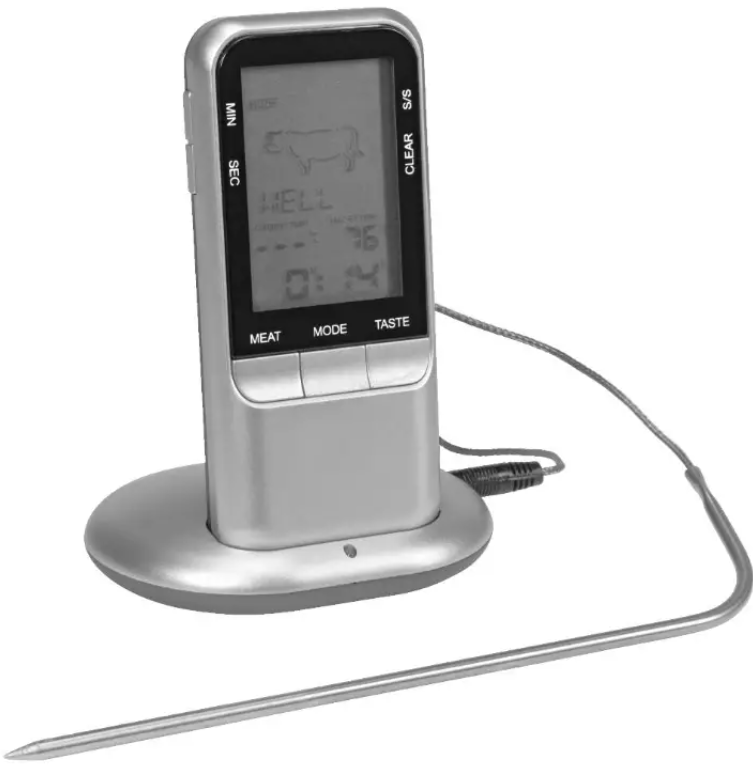
- Press the MEAT button to set the type of meat.
- Press repeatedly to browse between types of meat in the following order.

- Press the TASTE button to select the cooking method (rare, medium rare, medium, medium well, or well done). The target temperature is shown on the display.
- Start cooking.
- An audio signal is given when the set temperature is reached.
Manual setting of target temperature
- Insert the sensor into the meat, as above.
- Hold the MODE button pressed for 3 seconds to switch to manual temperature setting.
- Set the required temperature with the MIN and SEC buttons.
- Press the MODE button to confirm the setting.
- The target temperature is shown on the display. Start cooking.
- An audio signal is given when the set temperature is Menuett 943-109 Wireless Meat Thermometer reached.
After cooking
- Pull out the sensor when you have finished cooking. Use a potholder or equivalent.
- Clean the sensor with hot water and a mild detergent. Wipe the main unit with a damp cloth.
Choice of display unit
- Select the temperature display in °C or °F by pressing the MODE button.
Clock/timer
- The clock and timer work independently of the temperature sensor.
Clock function
- If the timer is not set, the clock shows the time elapsed since the cooking started.
Setting the timer
- Set the required time with the MIN and SEC buttons.
Starting the timer
- Press the button to start.
- Press the button again to pause.
- When the timer has been paused, it can be reset with the CLEAR button.
- An audio signal is given when the timer has counted down to 0. Press any button to switch off the
signal.
Technical Data
- Wireless meat thermometer with timer function
- Temperature: 0 to 250℃
- Backlight
- Temperature display in °C/°F
- Settings for the type of meat and cooking
- Timer display with alarm
- Temperature display with alarm
Customer Service
- Website: support@menumetric.com
- Ph: 516-778-6368
FAQs
How does the wireless meat thermometer work?
With the Menuett 943-109, you can keep an eye on cooking progress without opening the oven or grill, thanks to a wireless sensor probe that sends temperature measurements in real-time to a remote receiver.
What is the wireless range of the thermometer?
In open areas, the thermometer’s effective wireless range is up to 100 meters (330 ft). This distance may be shortened by walls and other obstacles.
How many probes can I use simultaneously?
You can simultaneously monitor various meat varieties or cooking zones with the device’s support for up to two wireless probes.
How do I calibrate the thermometer for accuracy?
For calibration procedures, consult the handbook. Generally, the probe is submerged in ice water (0°C) and boiling water (100°C) to verify and correct accuracy as necessary.
What types of meat can I cook with this thermometer?
With preset temperature options and adjustable settings, you can keep an eye on the temperature of beef, pig, chicken, lamb, fish, and even non-meat foods like bread or candies.
How do I clean the temperature probe?
After every usage, wash the probe with warm, soapy water. The wireless transmitter or receiver should not be submerged in water. Before storing, make sure everything is completely dry.
Can I use the thermometer for sous vide cooking?
Yes, you can use the thermometer to check the temperature of the water bath in sous vide, but make sure the probe is completely watertight and appropriate for submersion.
How do I replace the batteries?
Standard replacement batteries are used by the wireless probes and receiver; the type of battery is specified in the handbook. When the low battery indication shows, carefully open the battery compartment and replace the batteries with new ones.