

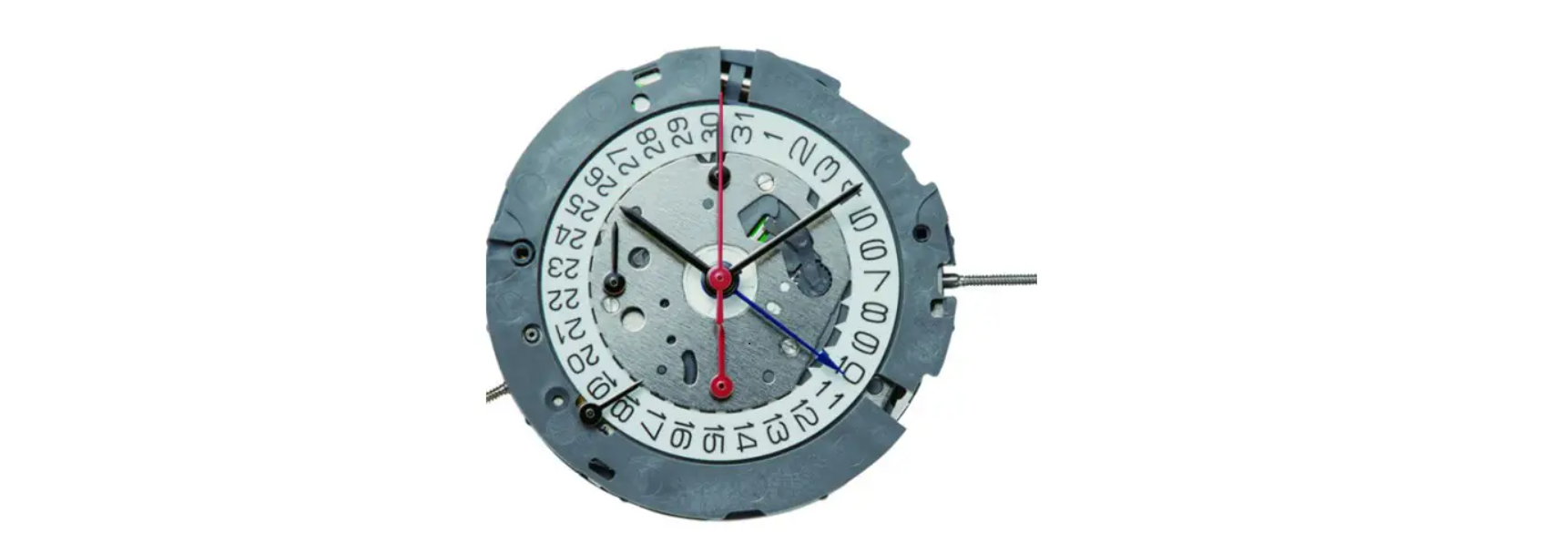

Miyota Cal. 6P20 Quartz Multi Function
Display & Button

Operation
- SETTING THE DAY SETTING THE TIME (HOUR, MINUTE, and SECOND)
- SETTING THE MOON PHASE
- SETTING THE DATE
Setting the Day & Time
- The hour, minute, second, nd and day are set by the same operation

- Pull the crown out to the 2nd position to stop the second hand at 0 (noon). Turn the hour/minute hands in a clockwise direction to set a day. In order to set the day, you must advance the hour hand by 24 hours per day.
- After setting the day, set the hour and minute hands. Turn the hour/minute hands in a clockwise direction to set the time. To ensure time is set accurately, first turn the minute hand 5 minutes ahead of the desired time and then turn back (counterclockwise) to the desired time.
- After setting the time, use a time signal to synchronize the watch by pushing the crown to the normal position to start the second hand going.
When the day changes over, it is a.m.. (Day changes over between 0:00 a.m. and 5:30 a.m., or a little later)
Reading the Moon
- The moon phase represents the age of the moon; the actual shape of the moon during each phase is not represented.
- Use the moon phase only as a guide to the age and phase of the moon when reading and setting the watch.
- Pull the crown out to the 1st position. Turn the crown clockwise to advance the moon phase.
Moon With Age Scale
- Check the age of the moon for the day. Check the Miyota Cal. 6P20 Quartz Multi Function newspaper or other source for the age or phase of the moon for today or tomorrow. Subtract one day before a setting is made if the listings for tomorrow are used.
- Setting procedure(Example: age of the moon:4.4). Pull Miyota Cal. 6P20 Quartz Multi Function the crown out to the 1st position. Turn the moon disc clockwise until the center of the moon is in line with 4.4 on the scale.
Moon Without Age Scale
- Check the newspaper or other source that lists the current age or phase of the moon. Referring to section D)
- Reading the age of the moon, set the moon phase to the age (0,7,15, or 22) closest to the listed. More accurate settings can be made at the same time of the new moon (0) or full moon(15).
- The age of the moon is indicated in units of days. The average period from a new moon to the next new moon is equivalent to about 29.5 days.
Reading
- From the phase of the moon in the display, you can tell the size of the tide.
Customer Service
- Website: https://miyotamovement.com/
- Tel: +1 303-774-2221